
Group work items by selected fields to organize report data and make large Table view reports easier to explore.
Row Grouping lets you organize report data in Table view into expandable groups based on selected fields.
Instead of reviewing one long list of work items, you can group rows by a field, view the result at the group level, and expand individual groups when you need to see the work items they contain.
Before you begin
Row Grouping is available in Table view on:
-
Global page
-
Dashboard gadgets
-
Confluence macro
Group rows in a report
-
Open the report and switch to Table view.
-
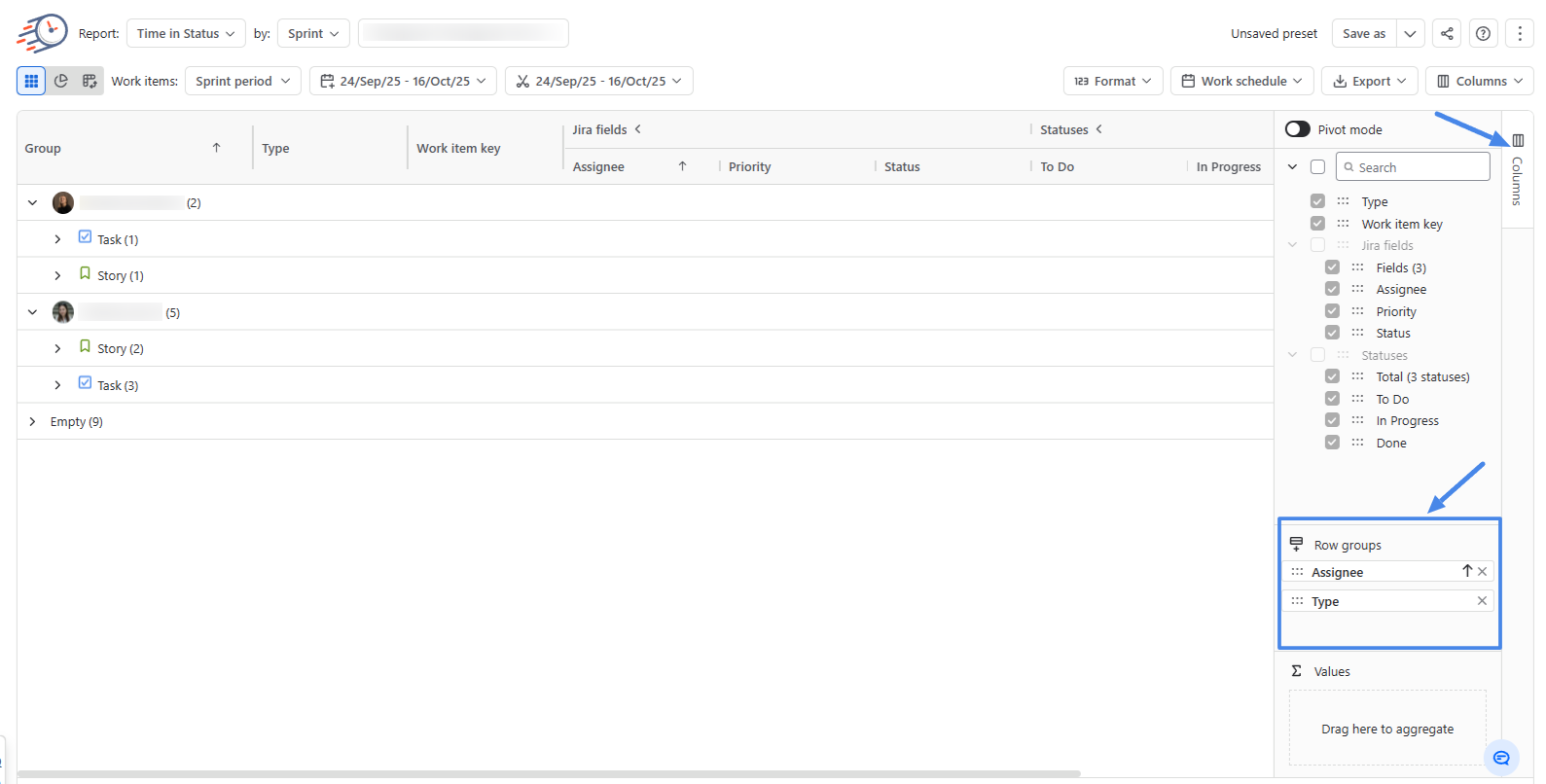
Open the Columns panel.
-
Find the field you want to group by and drag it into Row groups.
-
The table automatically reorganizes the report into groups based on the selected field.
-
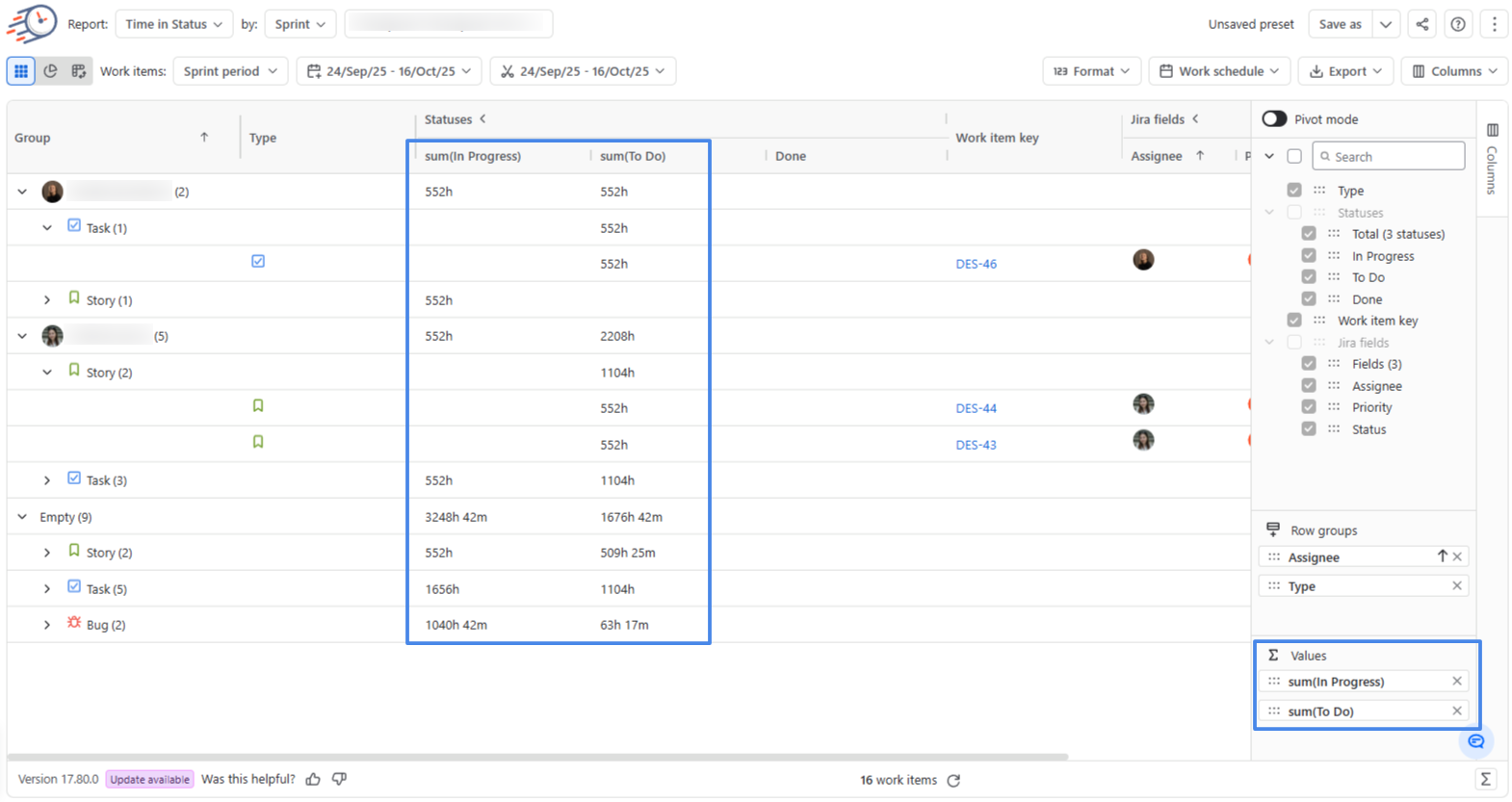
Use Values to configure the report values displayed for the groups.
-
Expand a group to see the individual work items it contains.
Collapse a group when you want to return to the grouped result. You can leave some groups expanded while keeping others collapsed.
-
Save the report if you want to keep the Row Grouping configuration.
Row Grouping options
Row groups — Choose the field you want to use to organize work items into groups.
You can expand or collapse individual groups depending on how much detail you want to see.
Values — Choose the report values displayed for the groups.
Aggregations by Field Type
|
Field type |
Available aggregations |
Default |
|
Number |
Sum, Min, Max, Count, Average, Median |
Sum |
|
Date / Date-Time |
Min, Max, Count |
Min |
|
Text and other field types |
Count |
Count |
Limitations
Row Grouping depends on fields available in the current report. If a field used for grouping is deleted from Jira or becomes unavailable for the current report scope, that grouping can no longer be displayed as originally configured.
The maximum table size is determined by the browser's rendering limit for the generated table height rather than by a fixed row limit.
|
Browser |
Maximum table height |
Approximate number of rows |
|---|---|---|
|
Chrome |
~32,000,000 px |
~800,000 |
|
Edge |
~32,000,000 px |
~800,000 |
|
Firefox |
~32,000,000 px |
~800,000 |
|
Safari |
~16,000,000 px |
~400,000 |