
A smarter way to organize and analyze your report data
What is this feature?
Column Groups allow you to organize related columns into logical groups (like Statuses, Users, or Jira fields), making reports easier to read, compare, and analyze.
Instead of seeing dozens of separate columns, you can:
-
Group them
-
Collapse/expand them
-
See totals at a glance
Where can you use it
Column Groups are available in:
-
Table view on the main report page
-
Dashboard gadget - Accurate Time in Status
Types of Column Groups
|
Jira Fields Group |
Statuses |
Users |
Status Group |
User Group |
|---|---|---|---|---|
|
Includes core issue fields:
|
Individual workflow statuses displayed as separate columns
|
Individual assignees displayed as separate columns
|
A grouped view of all Statuses combined into a single column when collapsed
|
Groups columns by assignees
|
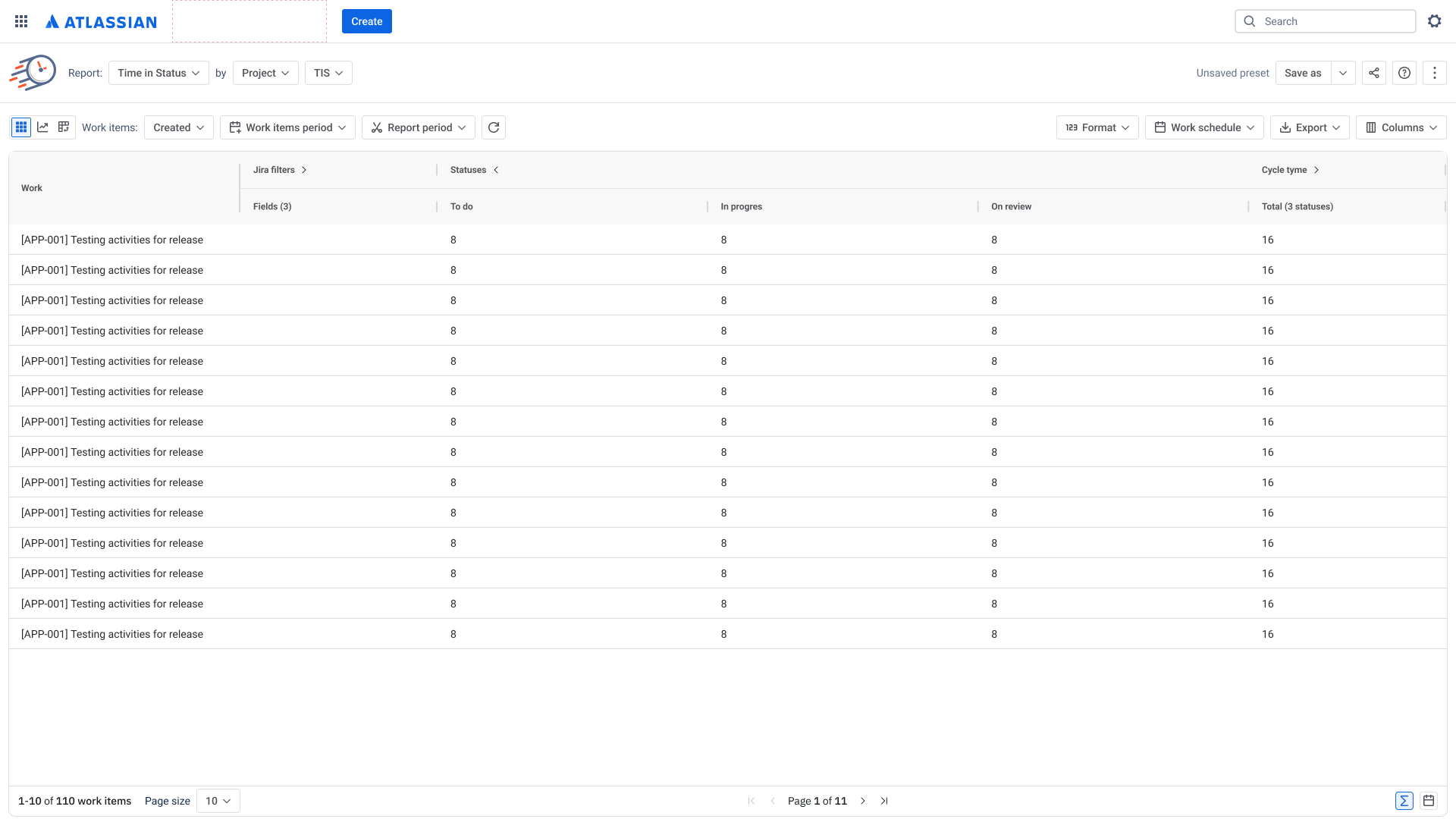
How to Use Column Groups
Expand / Collapse Groups
-
Click on a group header (e.g. Statuses, Users, Fields)
-
Toggle between:
-
Expanded → see all columns
-
Collapsed → see totals only
-
⚠️ Note: Collapse/expand state is not saved after refresh
Customize Columns (Column Manager)
You can:
-
Add/remove fields, statuses, or users
-
Adjust what appears inside each group
Important rules:
-
If you remove all items from a group → the group disappears
-
Status/User groups update dynamically based on your selection
What Metrics Support Groups?
|
Report |
Jira Fields |
Status Groups |
Statuses |
User Groups |
Users |
|
Time in Status |
✅ |
✅ |
✅ |
❌ |
❌ |
|
Time in Assignee |
✅ |
❌ |
❌ |
✅ |
✅ |
|
Average Time |
❌ |
✅ |
✅ |
❌ |
❌ |
|
Time in Status/Date |
❌ |
✅ |
✅ |
❌ |
❌ |
|
Status Count |
✅ |
✅ |
✅ |
❌ |
❌ |
|
Transition Count |
✅ |
❌ |
❌ |
❌ |
❌ |
|
Status Entrance Date |
✅ |
❌ |
❌ |
❌ |
❌ |
Why this matters
Before:
-
Too many columns
-
Hard to compare data
-
Cluttered reports
Now:
-
Clean, structured layout
-
Quick totals view
-
Easier analysis across statuses/users
Key Things to Remember
-
You cannot sort inside groups, only by the group itself
-
Groups automatically calculate totals when collapsed
-
Order inside groups is predefined (not customizable yet)
-
Groups disappear if empty
Current Limitations
-
No sorting/reordering inside groups
-
Collapse state is not saved
-
Export behavior may be limited
If you need help or want to ask questions, please contact SaaSJet Support or email us at support@saasjet.atlassian.net
Haven't used this add-on yet? Try it now