
The Time in Status Report macro lets you embed a saved Time in Status report directly into a Confluence page.
Use it when you want to share Jira workflow data with your team without asking everyone to open the Time in Status app separately. For example, you can add a report to a team status page, a delivery review, retrospective notes, an SLA overview, or a stakeholder update.
The embedded report uses an existing saved report from Time in Status. You can view, sort, group, filter, and refresh the data directly in Confluence.
Before you start
To embed a Time in Status report in Confluence, make sure that:
-
You have added Confluence in the Connections (Manage Apps)
-
You have access to the Confluence page where you want to add the report.
-
You have access to Time in Status.
-
You already have a saved report, also called a preset, in Time in Status.
-
The saved report is not a Pivot report, because Pivot presets are not supported in the Confluence macro.
The macro respects Jira permissions and Time in Status app permissions. This means users will only see report data they are allowed to access.
Add a Time in Status report to a Confluence page
-
Open the Confluence page where you want to add the report.
-
Select Edit.
-
Insert a macro.
-
Search for Time in Status Report.
-
Select the macro.
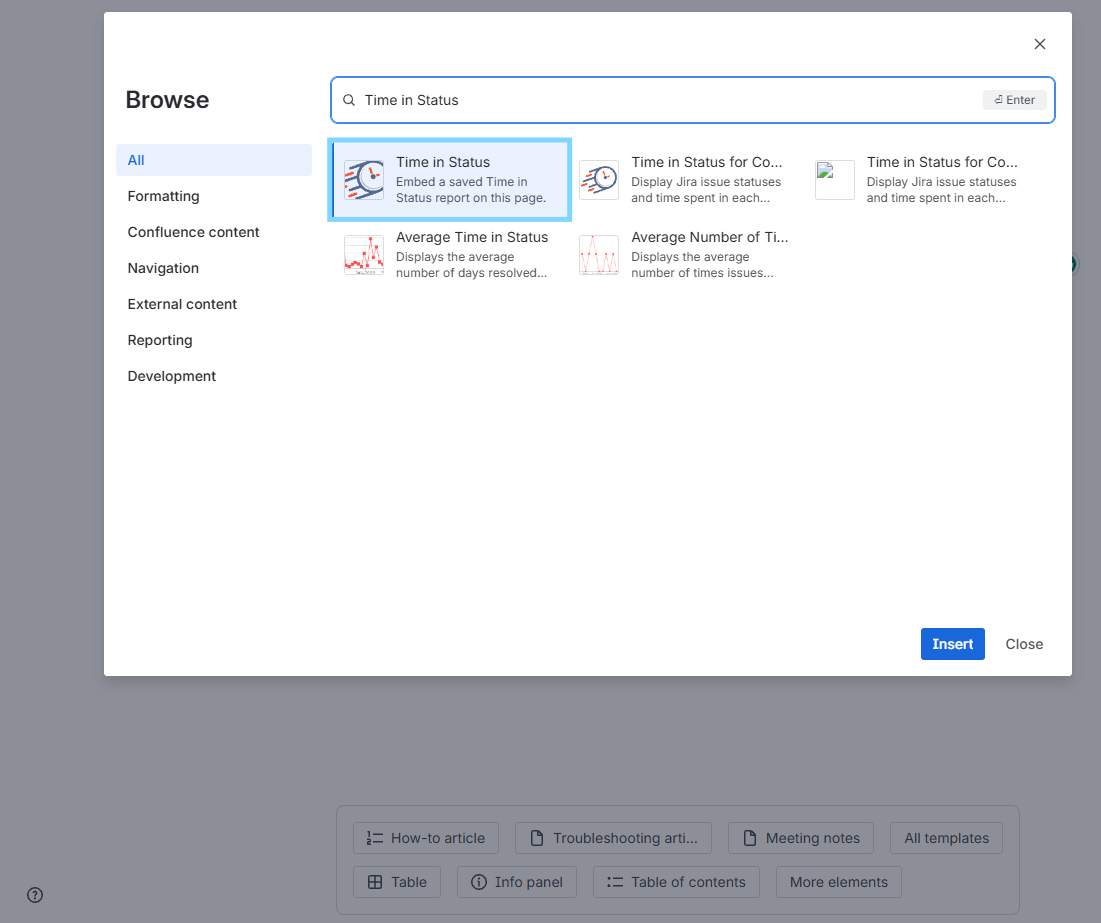
The configuration window will open.
Configure the macro
When you add the macro, a configuration window titled Time in Status Report appears.
In this window, you will see:
-
Preset — a selector with available saved Time in Status reports.
-
Save — saves the selected preset to this macro.
-
Close — closes the configuration window.
To configure the macro:
-
Open the Preset selector.
-
Choose the saved report you want to embed.
-
Select Save.
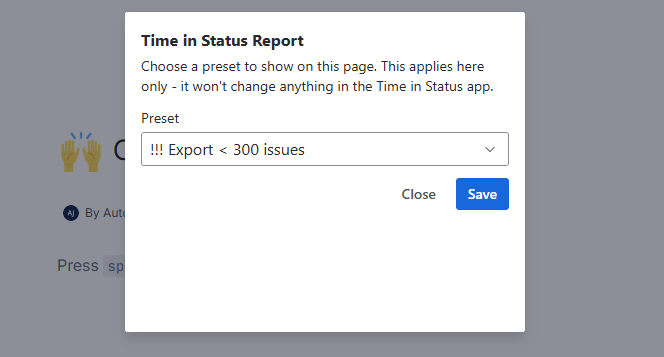
After saving, the selected report will be linked to this specific macro on the Confluence page.
The macro does not change your Time in Status app settings. It only stores which saved report should be shown in this particular Confluence macro.
What the embedded report shows
The embedded report is displayed directly on the Confluence page.
It uses the saved report’s existing configuration from Time in Status, including:
-
Report type
-
Columns
-
Format
-
Work schedule
-
Saved configuration
The report configuration cannot be edited from inside Confluence. To change the report setup, open Time in Status, update the saved report there, and then refresh the embedded report in Confluence.
The macro also displays the current number of work items included in the report.
Available actions inside the embedded report
In Confluence, viewers can interact with the report only in limited ways.
You can:
-
Sort columns
-
Group data by supported fields
-
Apply filters
-
Refresh the report
When you sort, group, or filter the report, the macro uses the data that is already loaded on the page.
When you select Refresh, the macro retrieves fresh report data from Jira and updates the embedded report, including the work-item count.
What cannot be changed inside the macro in Confluence
The Confluence macro is designed for viewing and light interaction, not full report editing.
You cannot change the following settings inside the embedded report:
-
Report type
-
Columns
-
Format
-
Work schedule
-
Date interval
-
Chart type
-
JQL
-
Export settings
-
Saved report configuration
You also cannot create, edit, or delete saved reports from Confluence.
To make these changes, open the Time in Status app in Jira.
If the selected preset cannot be loaded
If the saved report linked to the macro was deleted or is no longer available, the report will not be displayed.
Instead, you will see the following message:
Selected preset could not be loaded
The preset linked to this macro may have been deleted or is no longer available. Edit the macro and select another preset.
To fix this:
-
Edit the Confluence page.
-
Open the Time in Status Report macro settings.
-
Select another available preset.
-
Save the macro.
Data and permissions
The embedded report retrieves data from Jira using Atlassian cross-product APIs. Time in Status does not send report data to external services for this feature. Macro configuration is stored only in Atlassian-hosted storage.
The macro also respects:
-
Jira project and issue permissions
-
Time in Status permissions
-
Atlassian security requirements
-
Runs on Atlassian eligibility
This helps ensure that users only see the Jira data they are allowed to access.
If you need help or want to ask questions, please contact SaaSJet Support or email us at support@saasjet.atlassian.net
Haven't used this add-on yet? Try it now