
Here, you can find the most popular reports according to our users. Look at these examples with in-app view and exported PDF files and get inspiration to create yours.
History of a single work item
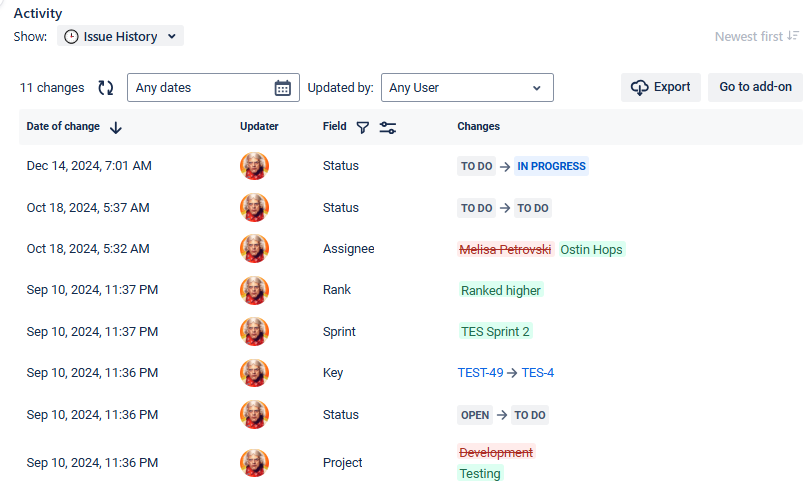
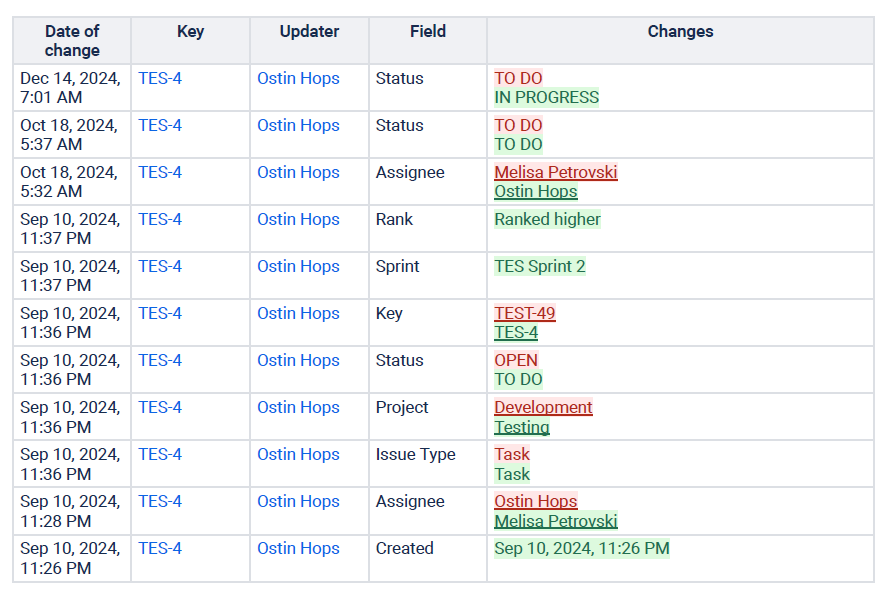
This report enables you to follow every detail of a task’s journey, from creation to completion. Tracking changes like status updates, assigned users, or other changes gives you a comprehensive view of how a specific task evolves over time. This insight helps you identify delays, understand workflow trends, and prepare for audits.
Example: A task updated any dates by any user
|
|
|---|---|
|
Issue History TES-4 Report (13 Dec 24 10_02 PM).pdf PDF file sample |
Learn how to configure the history of a single task.
History of multiple work items
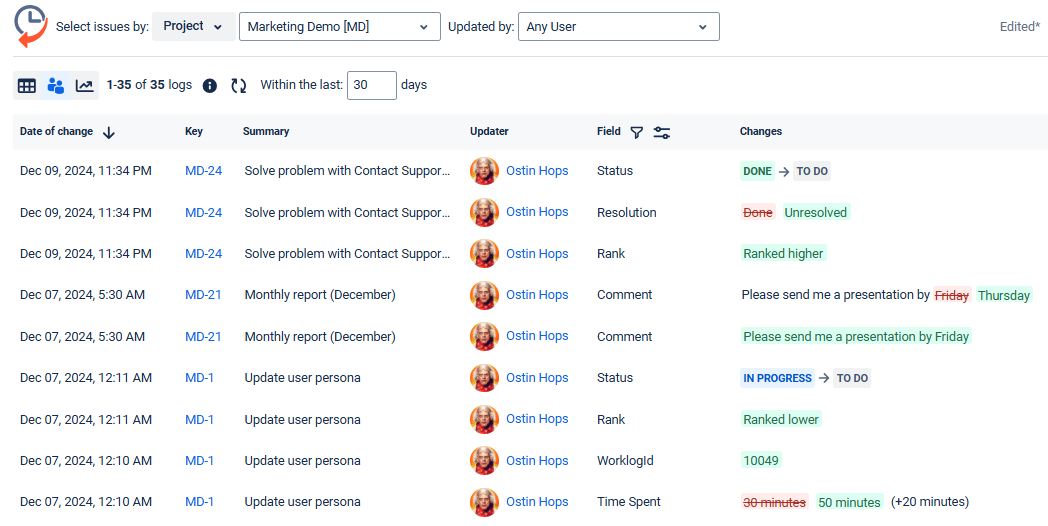
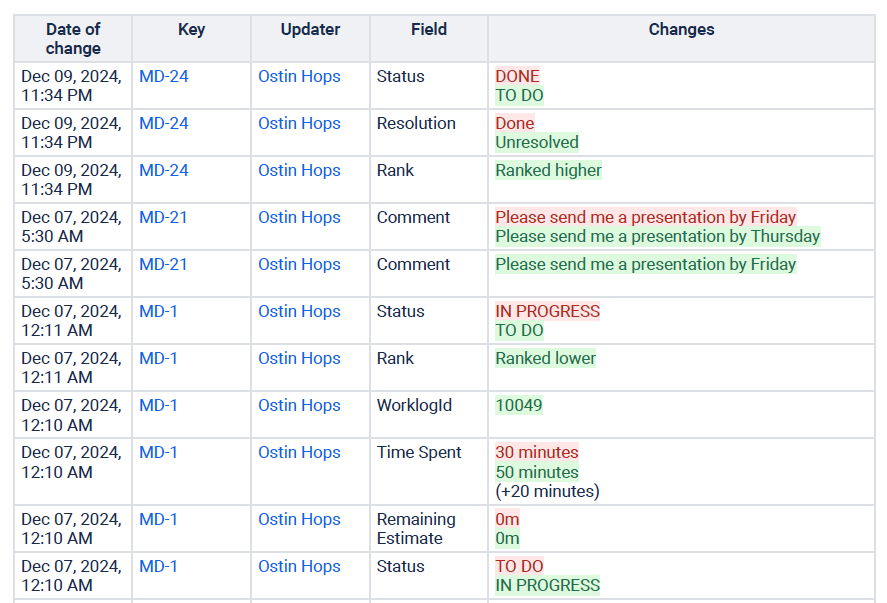
This report provides a complete overview of changes across multiple tasks within a project, sprint, or another filter. By tracking updates such as status changes, assignees, priorities, or due dates, you can analyze patterns, identify recurring bottlenecks, and evaluate the overall progress of your team.
Example: Multiple work items updated in the Project within the last 30 days.
|
|
|---|---|
|
Issue History Marketing Demo [MD] Report (13 Dec 24 10_38 PM).pdf PDF file sample |
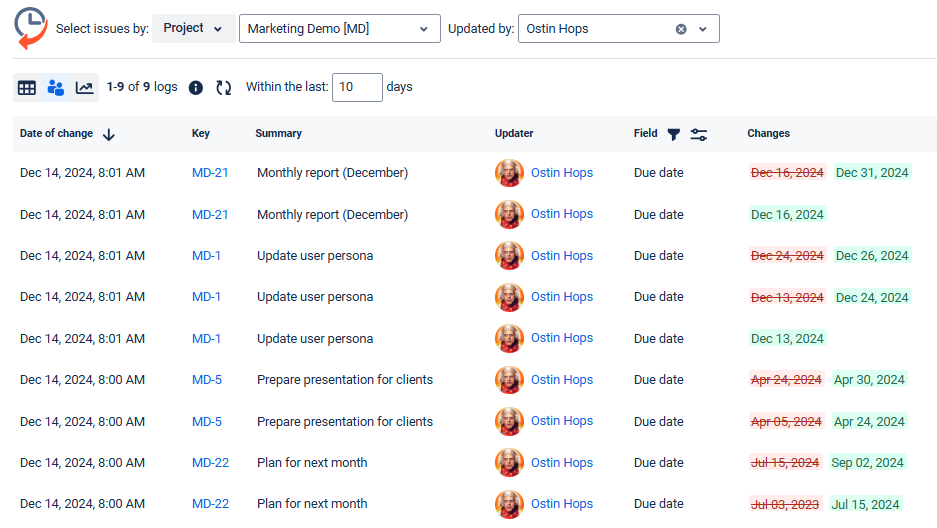
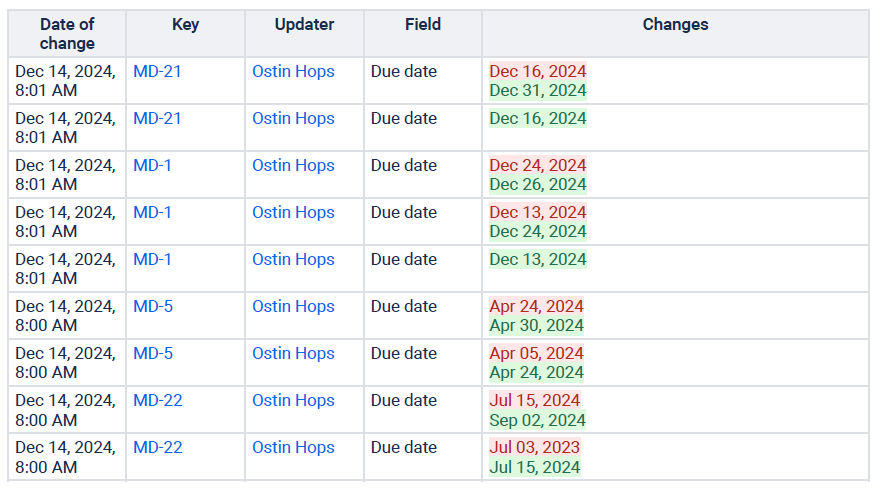
History of the specific field (Due Dates)
This report lets you focus on changes to specific fields (select the one you need). Here, we’ll use the example of due dates, providing valuable insights into how deadlines are managed and adjusted throughout a project. By analyzing these updates, you can identify patterns in changes, understand their impact, and improve future planning.
Example: Multiple work items updated in the Project within the last 30 days.
|
|
|---|---|
|
Issue History Marketing Demo [MD] Report (13 Dec 24 11_09 PM).pdf PDF file sample |
Read the use case: How to get history for the specific work item field only (example with time spent)
Haven't used this app yet? Then you’re welcome to try it!