
Issue History for Jira now provides a Rovo agent called Changes Report Assistant. This allows you to search for changes across your Jira projects using clear, conversational queries.
To use the Changes Report Assistant (Rovo agent by Issue History), make sure you’ve updated the app to version 10.0.0 or later.
Rovo is available only on specific Jira Cloud plans. You can check plan availability here:
https://www.atlassian.com/licensing/rovo#billing-subscriptions
How does the Changes Report Assistant work?
The assistant interprets your request, identifies the user, project, date range, fields, and change types, and instantly generates a complete Issue History report, without manual filters.
To use it, do the following:
-
Open Jira and, at the top of the page, click on 'Ask Rovo'. Go to Menu (☰)→ View all agents.
.png?cb=19d24188a0d86790e13f41ba9d053b3d)
-
Then, search for the Changes Report Assistant provided by Issue History for Jira app.
.png?cb=520a58c8666aa29d7d5407c52cc92bb8)
-
Enter your natural-language query. You can search using prompts like: “Show me all the changes made to the MARC project last week”:
.png?cb=f3605e506813df805a2e15cb883be1d2)
-
Review results. The assistant automatically understands your intent and generates the link to the needed report.
.png?cb=eb84ed12c5218b41d0c44ca6efb25289)
-
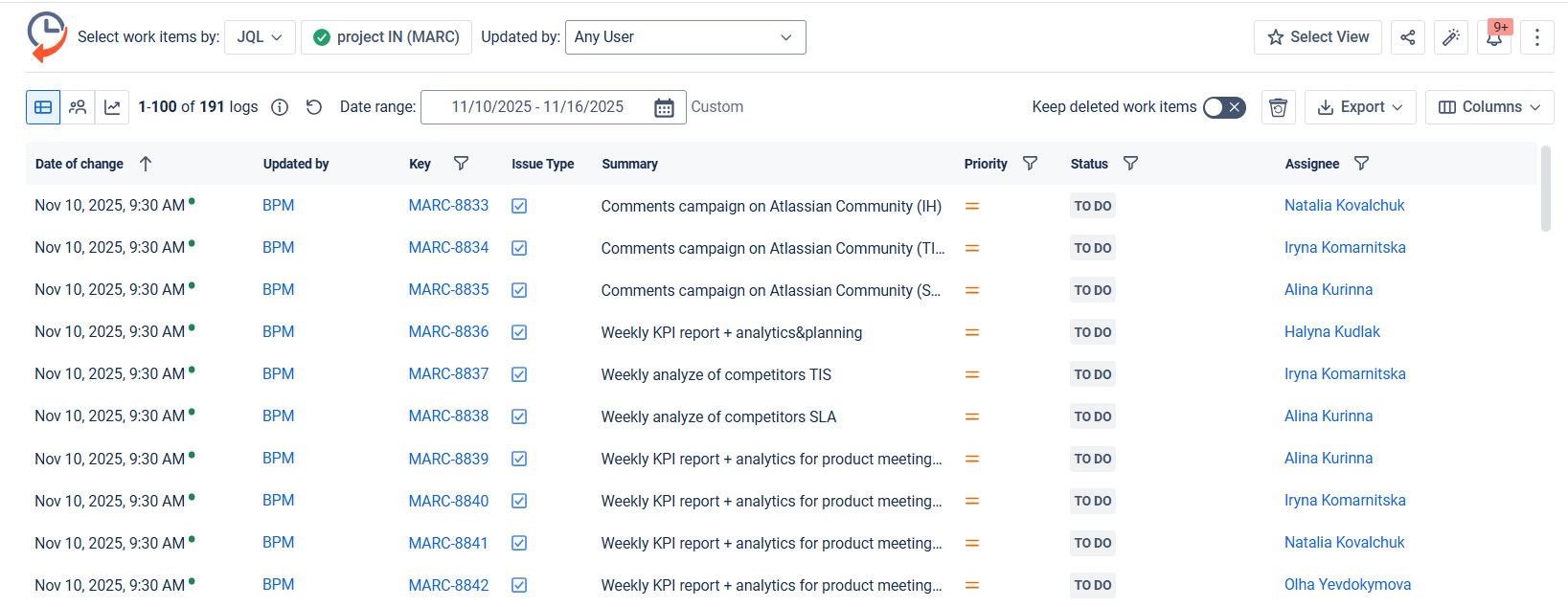
Click on the link, and you will be directed to that report in Issue History for Jira app:
Here are a few prompt examples you can use in the Changes Report Assistant:
-
“Show changes for the MARC project yesterday”.
-
“Report on all changes in the HR project from January”.
-
“Give me a report for the DEV project from March 1 to March 15”.
-
“Get the history for the SALES project for the past 7 days”.
Haven't used this app yet? 👉 Then you’re welcome to try it 🚀