
Export report data through a secure, on-demand API - and retrieve large reports one page at a time.
Time in Status serves each saved report through a REST API. When your integration calls the link, the report is calculated at that moment and returned as JSON, using the same schema as the earlier datafeed. Access is secured with tokens, and the link format differs from the old datafeed. A request returns the full report in a single response by default; for large reports, you can request the data in pages.
Before you begin
Prerequisites
Available for Time in Status on Jira Cloud only.
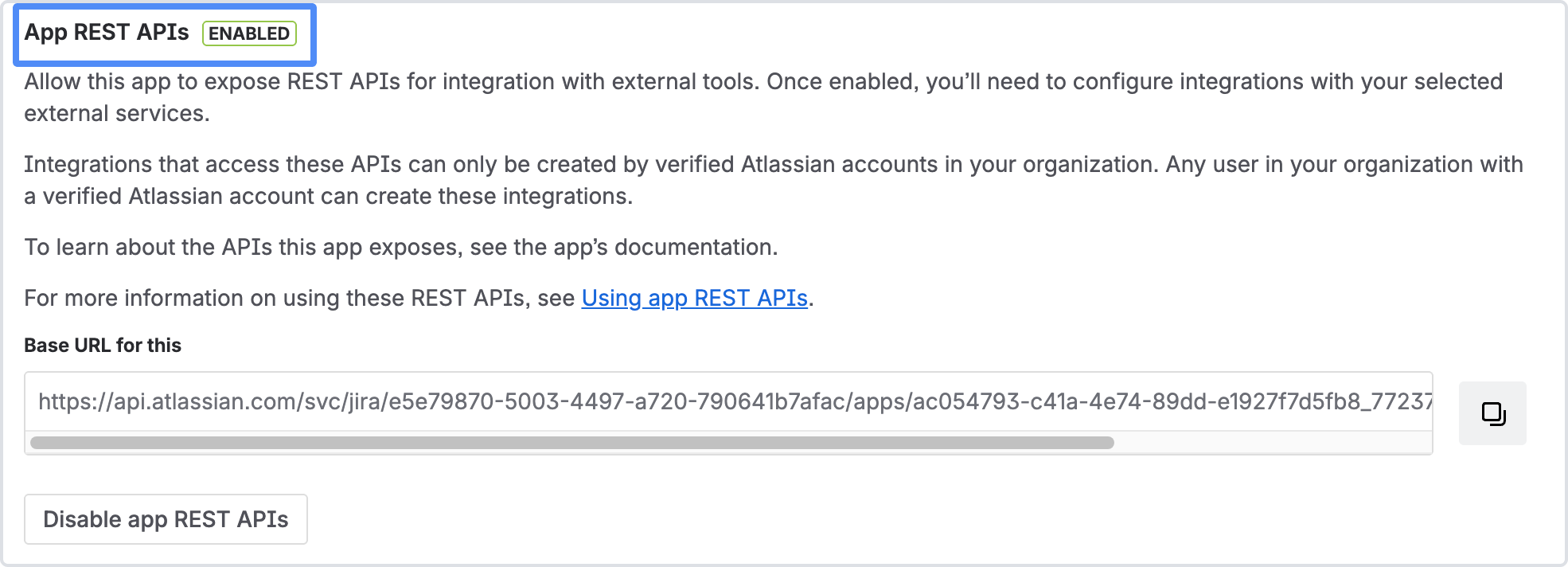
An administrator must enable API access: go to Administration → Connected Apps → Time in Status and turn on app REST APIs.
You need a saved report preset.
You need an HTTP client, such as Postman, to exchange the authorization code for tokens.
The API returns only the work items the authorized user is allowed to view in Jira.
Set up API access
-
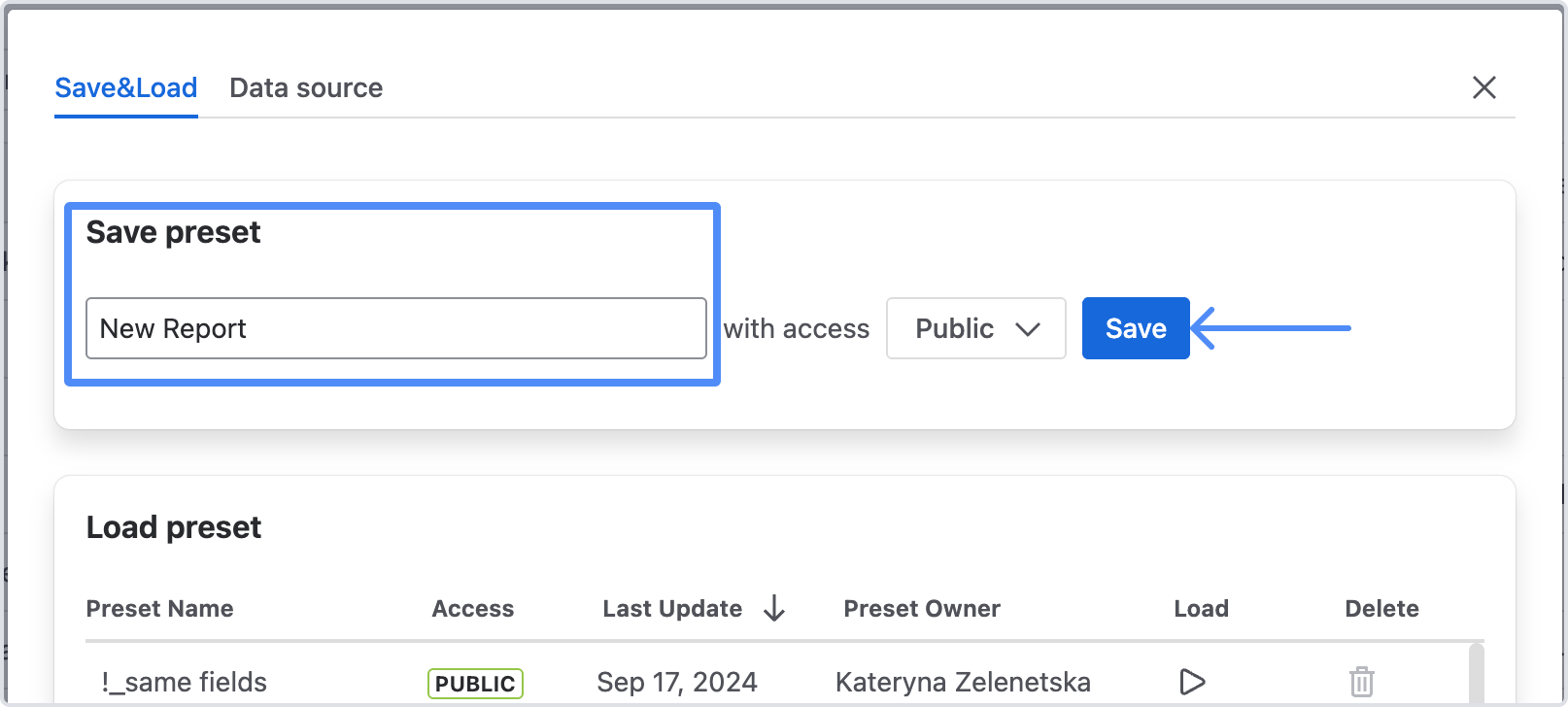
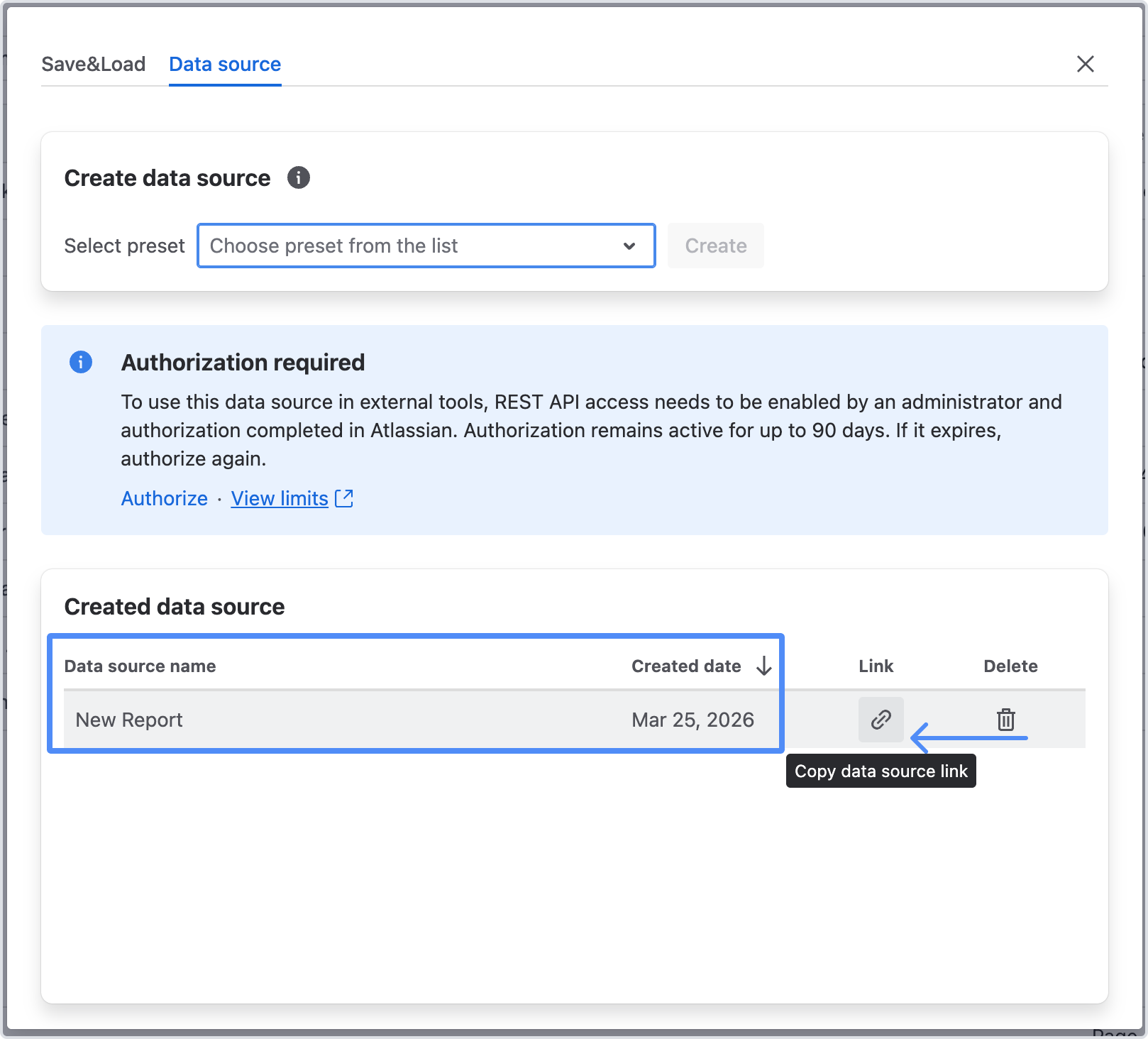
Create a data source link. Open your Time in Status report, save the preset, open the Data source tab, choose the preset, and select Create.
-
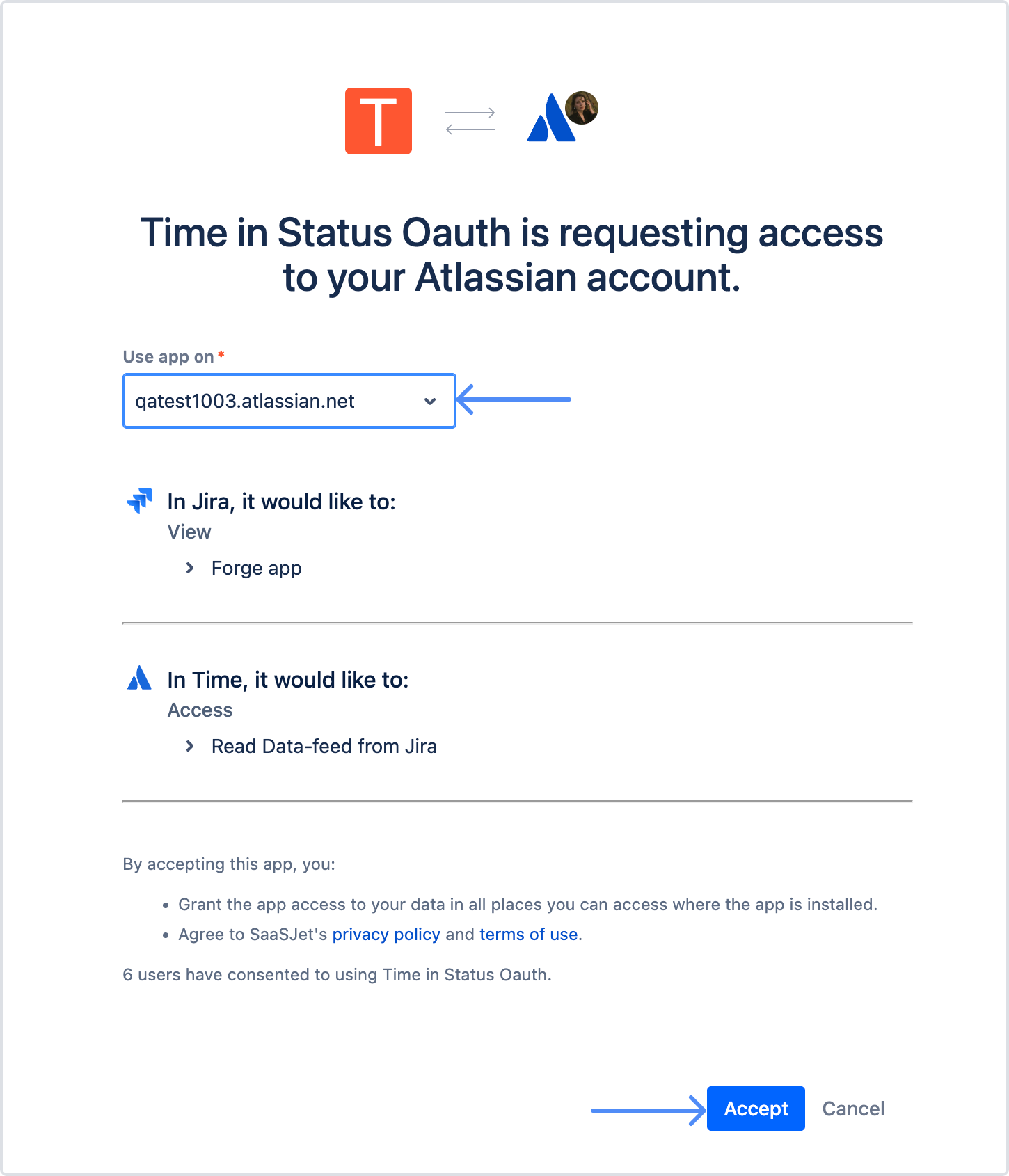
Authorize access. Select Authorize, review the requested access on the Atlassian consent screen, and select Accept. You are redirected to a callback page that shows your authorization code.
-
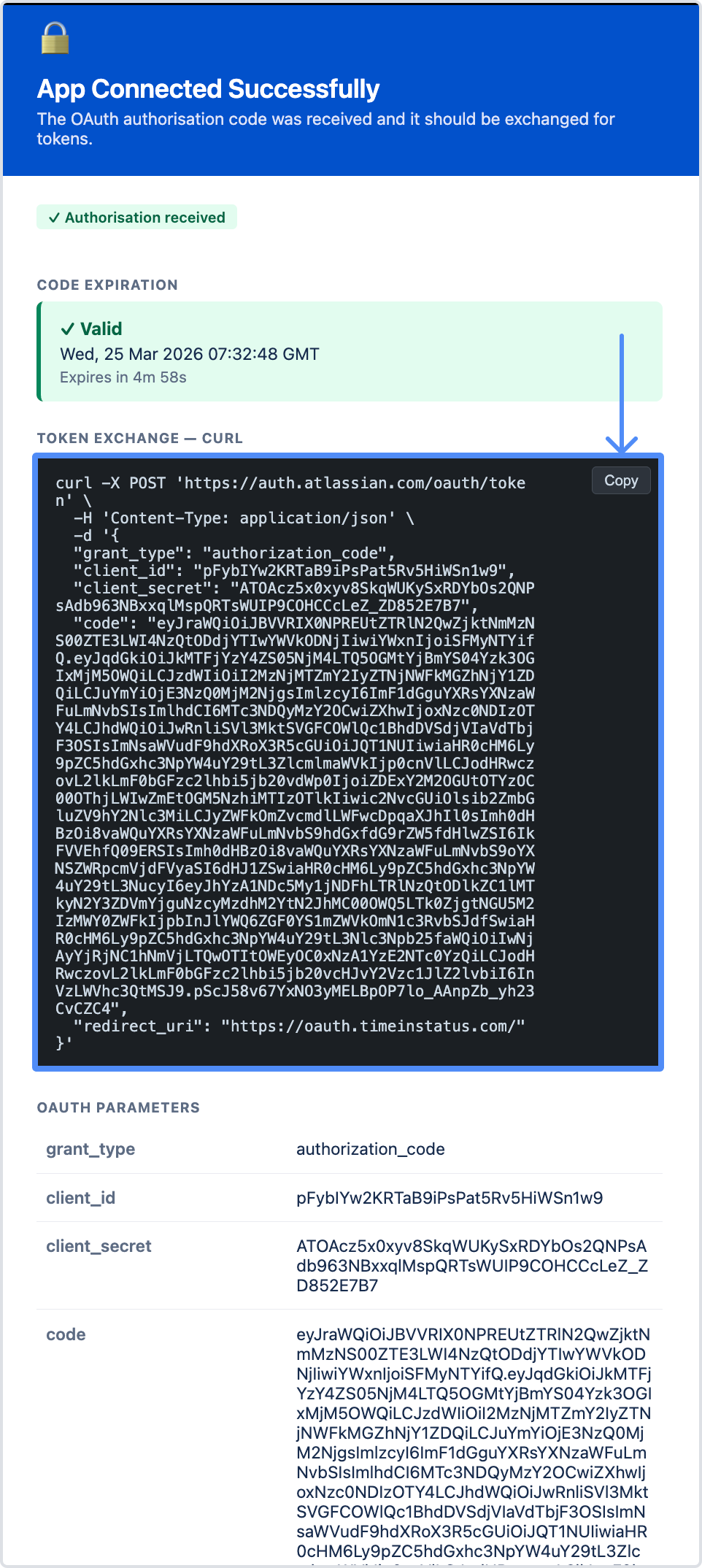
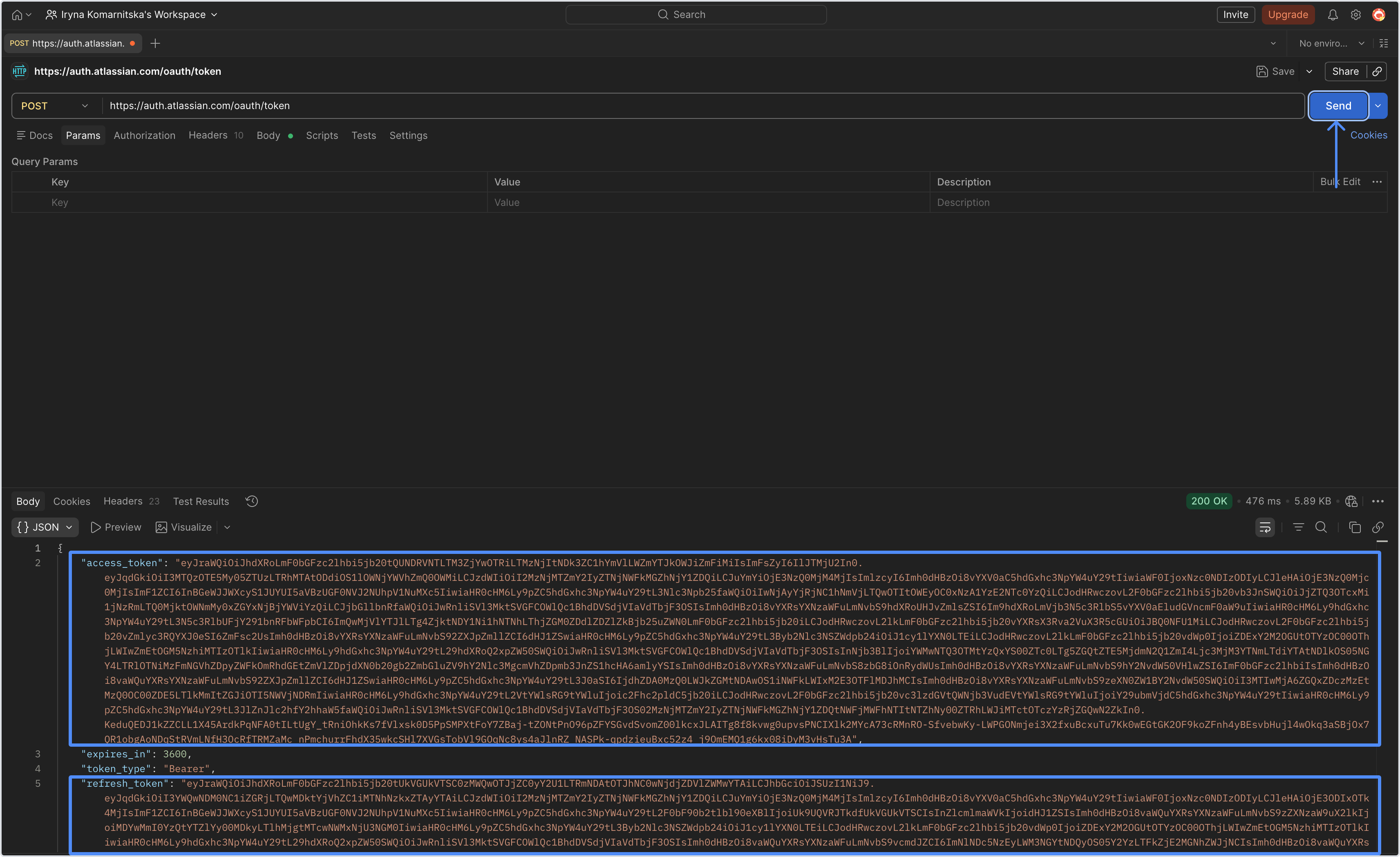
Exchange the code for tokens. In your HTTP client, exchange the authorization code for an access token (valid 1 hour) and a refresh token (valid 90 days). Refresh the access token when it expires; regenerate the refresh token after 90 days.
-
Select Copy data source link. Call the link. Send a request to the data source link with the header
Authorization: Bearer <access token>. The report is returned as JSON.
Get results in pages
By default, a request returns the full report in one response - the same behavior as before this release. To retrieve a large report in smaller chunks, add pagination to your request.
-
Set the page size. Add the
pageSizeparameter. The default is 100. -
Send the request and read the
metaobject in the response (see Response metadata). -
Request the next page. While
isLastisfalse, send another request using thenextPageTokenvalue from themetaobject. -
Continue until
isLastistrueandnextPageTokenisnull. You then have the complete dataset.
A report that does not support chunking returns its full result in a single response, with nextPageToken set to null and isLast set to true. Because it is computed in one response, the request can fail if it exceeds the 25-second limit - narrow the report's scope if that happens.
Response metadata
Every response includes a meta object alongside the report data. The report fields keep the same names and formatting as before.
|
Field |
What it tells you |
|---|---|
|
pageSize |
The page-size setting (default 100). |
|
nextPageToken |
Token for requesting the next page; |
|
isLast |
|
|
generatedAt |
When the response was computed (UTC). |
When you copy a data source link
When you copy a link, a flag tells you whether the report can be returned in chunks:
-
A report that cannot be chunked shows This report may fail - it returns all work items in a single request and can fail if processing takes longer than 25 seconds.
-
A report that can be chunked shows Get data in chunks - it returns up to 100 work items per request by default, and you can change this in your request.
Each flag links to this page through Learn how API responses work.
Errors
-
400 Bad Request - the request is invalid or a parameter is wrong, for example a page size below 1 or non-numeric, or a malformed continuation token.
-
500 Internal Server Error - an unexpected server-side error. Regenerate the link and retry; if that does not help, contact support.
Troubleshooting
-
You get less data than expected. The authorized user may not have permission to view every work item, or the count shown when the link was created was an estimate.
-
Your old link stopped working. Old links are retired - create a new data source link and use the new authorization flow.
-
You completed authorization but requests still fail. Confirm the preset is saved, the new link is in use, and the access token is valid.
Limitations
The authorization code expires 5 minutes after consent. Exchange it for tokens within that window, or start again from step 1.
Each response is bounded by a 25-second computation limit.
A report that cannot be chunked can fail when a single response exceeds that limit; reduce its scope (fewer projects, shorter date range, more filters). The Average Time and Time in Status per Date reports cannot be chunked.
Because pages are computed live, rows can shift between pages if Jira data changes during a multi-page pull.
If you need help or want to ask questions, please contact SaaSJet Support or email us at support@saasjet.atlassian.net
Haven't used this app yet? Try it now!