
Turn your Time in Status Sprint Report into an instant, written retrospective — no manual number-crunching required.
Sprint Report Insights is a Rovo agent built into the Time in Status Sprint Report. With one click, it reads your sprint's data, compares it against your recent sprint history, and generates a clear, structured retrospective brief.
Instead of manually eyeballing velocity charts, workload bars, and scope-change gauges, you get a ready-to-read summary: what went well, what needs attention, and specific recommendations for the next sprint.
Where to find it
-
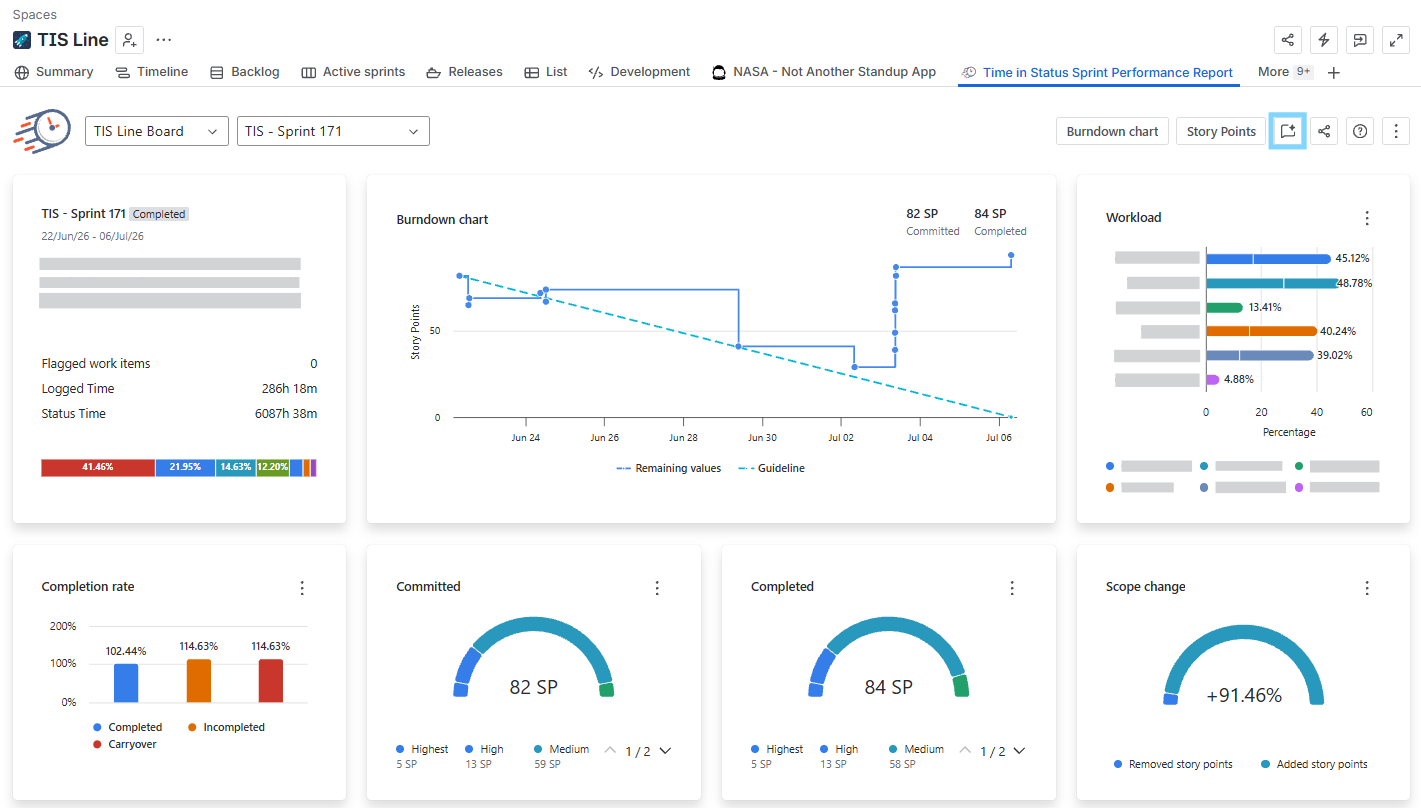
Open your board's Time in Status Sprint Report.
-
Select the sprint you want to review from the sprint dropdown.
-
Click Sprint report insights in the top-right corner of the report.
That's it — the agent takes it from there.
What it does
When you launch the agent, it:
|
Step |
What happens |
|---|---|
|
Reads your current sprint's metrics (velocity, scope change, completion rate, workload, issue mix) directly from the Sprint Report. |
|
Benchmarks the current sprint against your last 3 completed sprints. |
|
Looks at workload distribution and issue-type breakdown to spot bottlenecks or reactive-work overload. |
|
Produces a structured retrospective document in plain language. |
Understanding your retrospective brief
Each brief follows a consistent structure, so your team gets used to scanning it quickly:
-
Header — Sprint name, board, estimation method (story points), and how many previous sprints were used for comparison.
-
Goal — The sprint goal(s), pulled directly from your sprint.
-
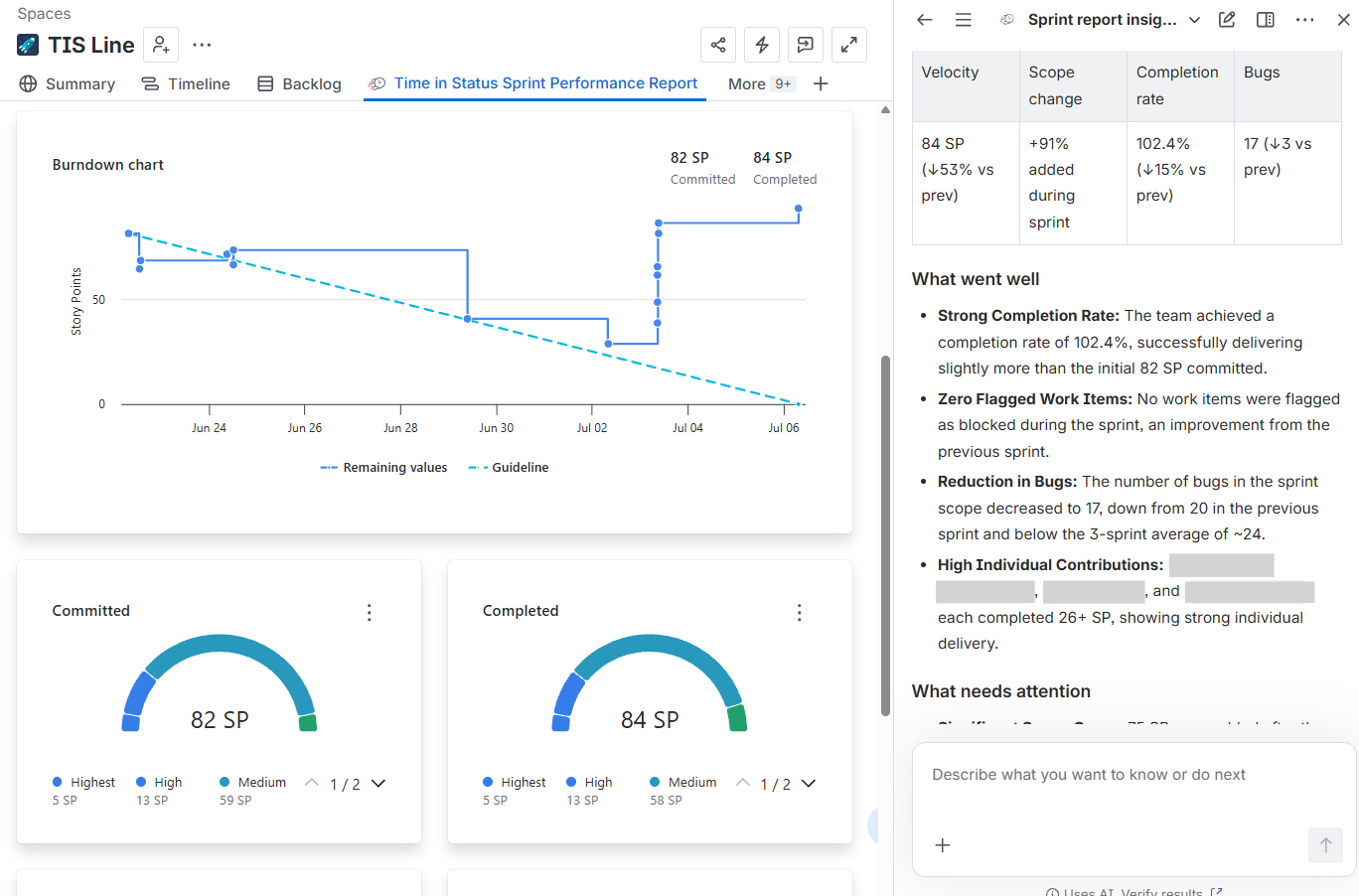
Key metrics snapshot — A quick table of Velocity, Scope change, Completion rate, and Bugs, each with a trend vs. the previous sprint.
-
What went well — Positive highlights: strong completion rates, reduced bugs, no blockers, standout contributors.
-
What needs attention — Risks and red flags: scope creep, velocity drops, workload imbalances, rising carryover, bug-heavy sprints.
-
Recommendations for the next sprint — Concrete, actionable suggestions (e.g., syncing with an underperforming assignee, tightening scope control, prioritizing carryover, calibrating the next commitment).
Example insight
"84 SP completed (↓53% vs. previous sprint). Scope creep was significant — 75 SP were added mid-sprint, equal to 91% of the original commitment. Recommendation: implement a stricter 'one-in, one-out' policy for new requests during the sprint."
Why it's useful
-
Saves time — No more manually comparing charts across sprints before a retro.
-
Consistent format — Every team gets the same structure, making retros easier to compare over time.
-
Surfaces what's easy to miss — Things like one teammate completing 0 of their committed points, or bugs quietly dominating the sprint, are called out automatically.
-
Ready to share — The output is written in plain business language, ready to drop into a retro doc or Slack update.
FAQ
Do I need to set anything up before using it? No. If you already use the Time in Status Sprint Report, the agent is available out of the box — just click the button.
Does it replace a human-led retro discussion? No. It's a starting point that gives your team objective, data-backed talking points — the discussion and decisions are still up to your team.
Where does the data come from? Directly from your board's Sprint Report — the same velocity, workload, completion rate, and scope-change data you already see on the dashboard.
If you need help or want to ask questions, please contact SaaSJet Support or email us at support@saasjet.atlassian.net
Haven’t worked with the add-on yet? Give it a try