
This page contains a summary of the latest updates for our app on the Atlassian Marketplace.
Stay up to date with all the latest improvements, features, and technical updates in SLA Time and Report for Jira (Cloud).
We continuously enhance the app to make SLA and OLA management even more powerful, stable, and user-friendly.
Version 10.1.0
Fixes and security improvements:
-
Fixed loading behavior in the Create gadget modal.
-
Fixed issues with using Context by fields in SLA conditions across configurations.
-
Fixed chart loading for large scopes and wide date ranges.
-
Fixed linked goals so elapsed time is transferred correctly for Assignee and Custom Field contexts.
-
Improved SLA access security by preventing unauthorized changes to ownership and visibility settings.
Version 10.0.0
Fixes and improvements:
-
Fixed issues with Multiple-Projects SLA properties that could cause SLA goals to appear as N/A / Not started or prevent them from starting correctly.
-
Improved SLA goal switching logic.
-
Improved app security by removing unnecessary write scopes, stopping Slack and Microsoft Teams webhook URLs from being logged, and addressing dependency vulnerabilities.
Version 9.3.0
Fixes and improvements:
-
Fixed SLA breach notifications for cloned SLA configurations so notifications use the correct goal settings.
-
Improved retrospective SLA recalculation for existing work items and large SLA configurations.
-
Added SLA configuration and goal IDs for use in JQL queries. (Learn more).
.jpg?cb=d3b2c6c41fa276fed9dc721dd58bfa0d)
-
Added refresh options for SLA charts and the work item SLA widget.
-
Updated a vulnerable dependency to improve app security.
Version 9.2.0
Fixes and improvements:
-
Fixed SLA notification timing outside configured business hours so notifications are rescheduled according to the work schedule.
Version 9.1.0
New features and improvements:
-
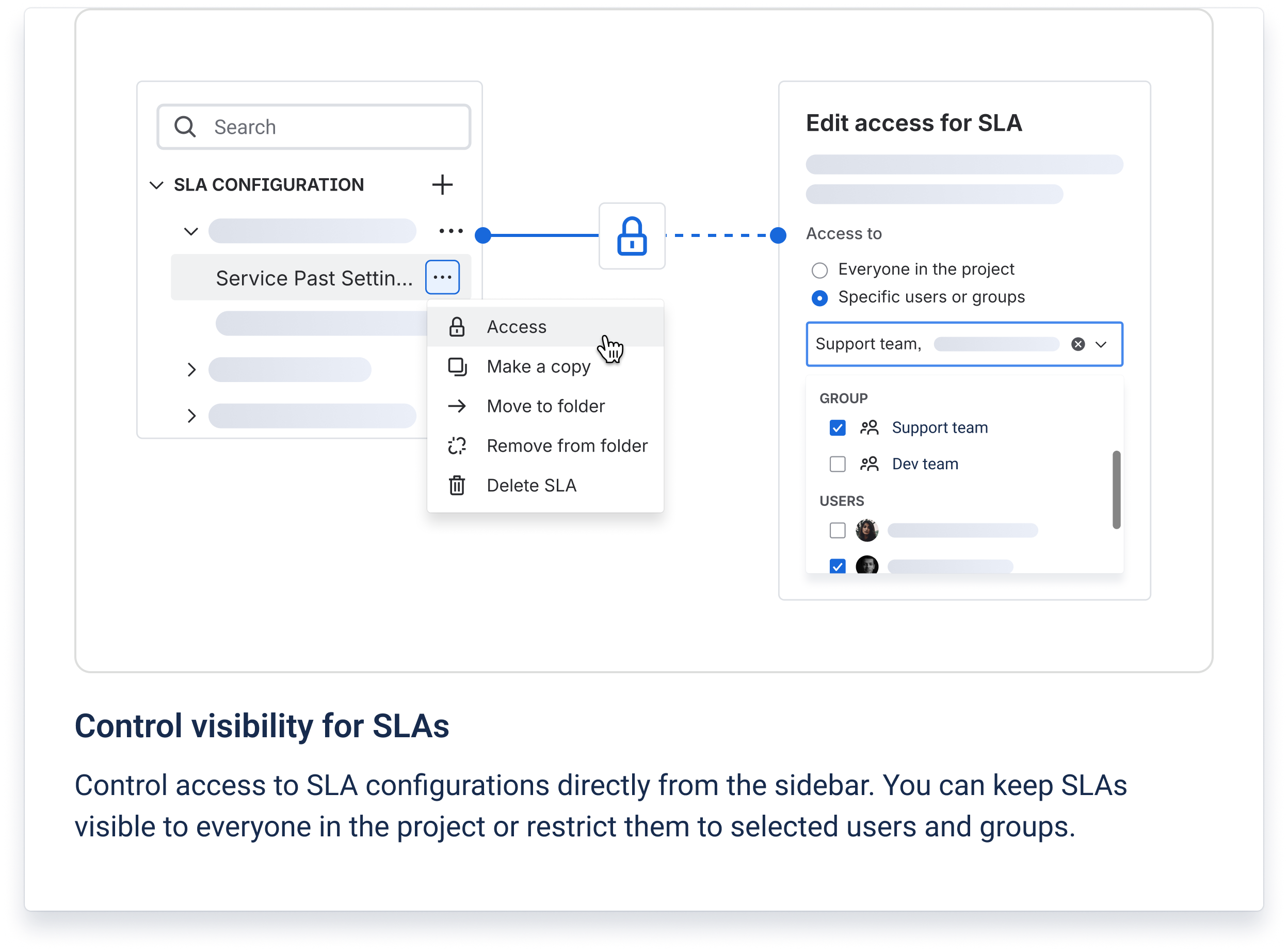
Added SLA access controls to restrict specific SLA configurations to selected users and groups. (Learn more).
-
Improved Start and Stop condition validation, allowing the same fields to be used when the complete condition combinations are different.
-
Redesigned Permissions with updated group-based access settings and Allowed / Restricted options.
Version 9.0.0
New features:
-
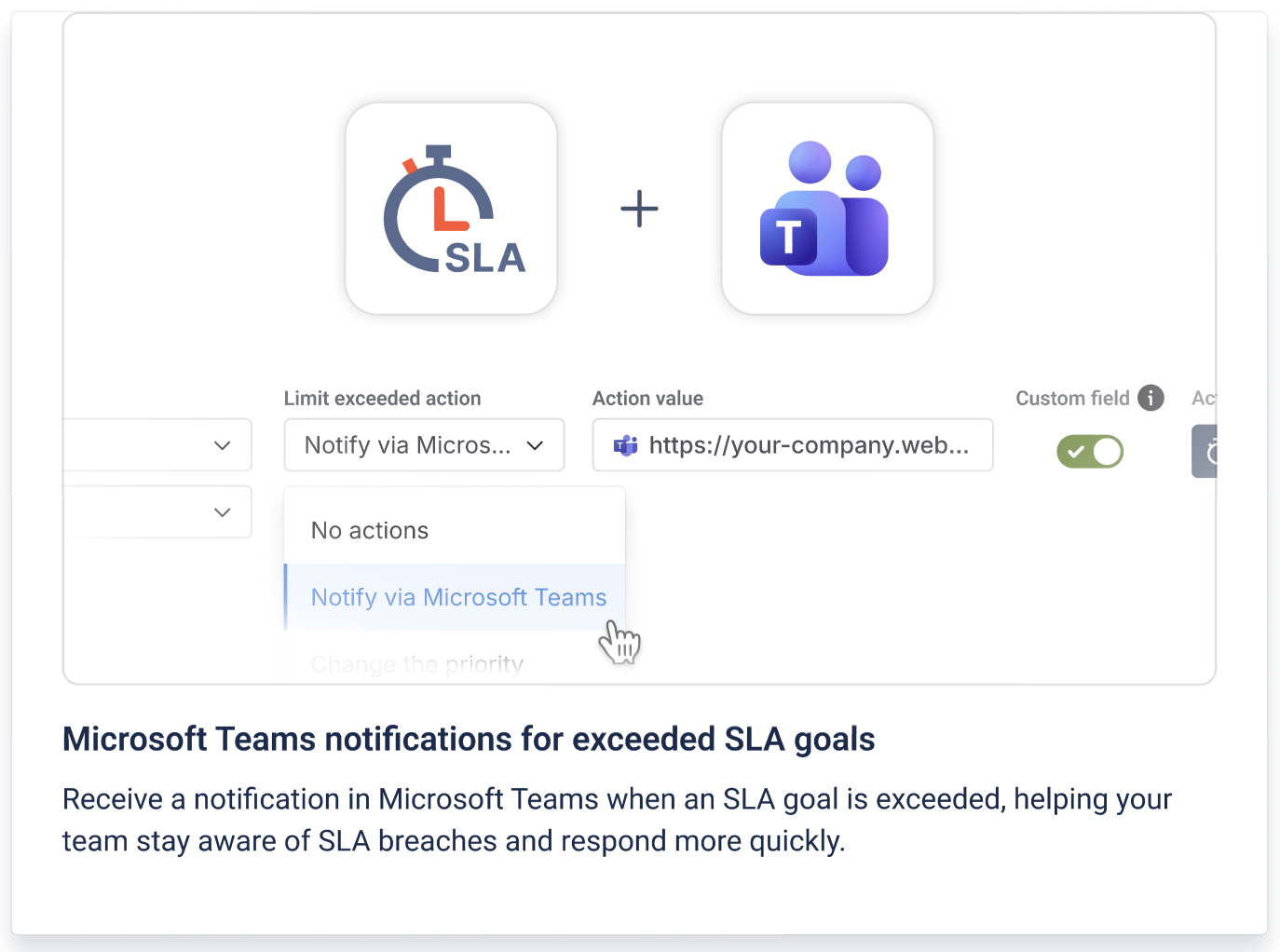
Added Microsoft Teams notifications as a Limit Exceeded action. Users can send a notification to a configured Teams channel when an SLA goal is exceeded. (Learn more).
-
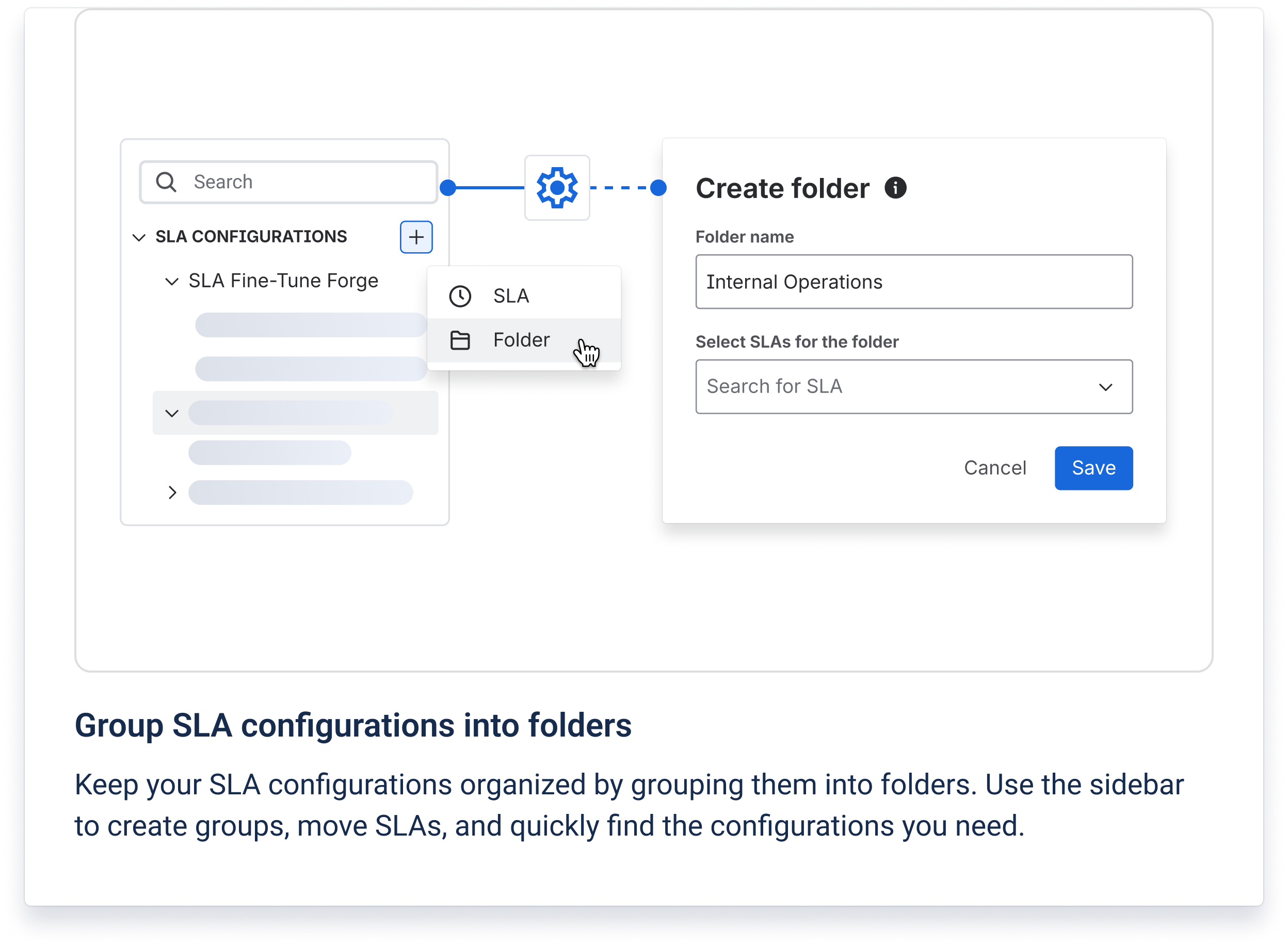
Added folders in SLA Configuration Manager to organize SLA configurations and move SLAs between folders. (Learn more).
Required scopes changed:
-
Added:
read:object:jira,write:object:jira,delete:object:jira,read:chat:rovo
Version 8.8.0
Hotfix:
-
Fixed an issue that could prevent SLA configurations with SLA Goal Custom Fields from being saved on sites with a large number of screens and tabs.
Version 8.7.0
Minor version update:
-
Improved loading performance in SLA Manager and Permissions.
-
Optimized user and group search across SLA Manager, Multiple-scheduler settings, and saved views.
Version 8.6.0
Minor version update:
-
Added a dedicated modal for managing public holidays in Work Schedules.
Version 8.5.0
Fixes and improvements:
-
Fixed issues affecting SLA calculations, linked goal actions, and SLA Grid.
-
Improved report and Permissions UI behavior.
-
Updated the API used for Dynamic Modules.
Version 8.4.0
New feature and improvements:
-
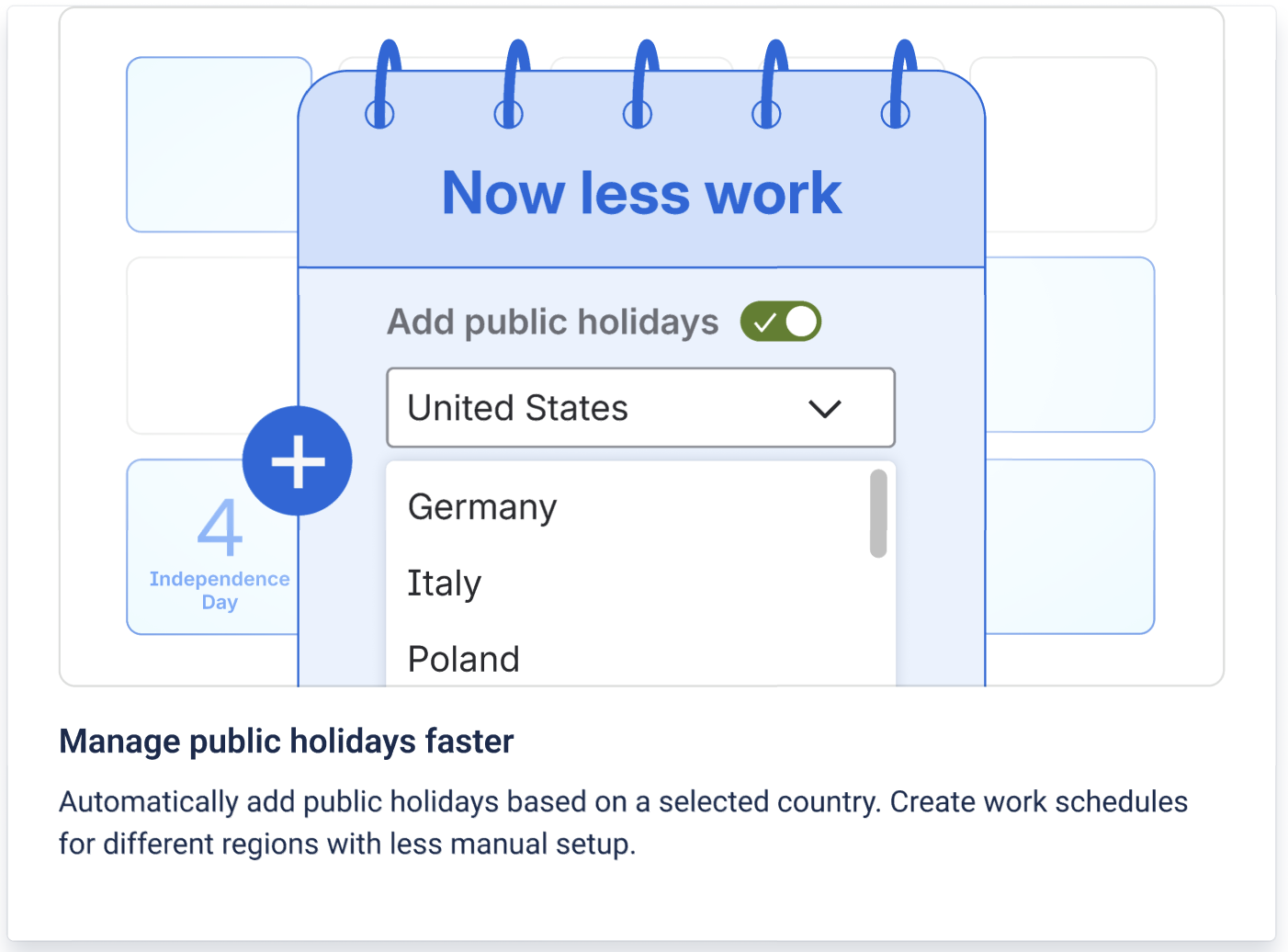
Added Public Holidays to Work Schedules, allowing holidays to be added based on a selected country (Learn more here).
-
-
Combined public and manually added holidays into a single list, with options to edit holiday names, set annual recurrence, or remove holidays.
-
Improved calendar reset and unsaved-changes handling.
-
-
Added a new AGC deployment.
Version 8.3.0
Security and performance improvements:
-
Updated the
uuiddependency to a secure version to address a high-severity security vulnerability. -
Optimized user data retrieval on the Main page and SLA Manager by replacing multiple individual user requests with bulk processing.
Version 8.2.0
Security update:
-
Improved app security.
Version 8.0.0
Improvements:
-
Optimized webhook processing.
-
Redesigned the Met vs Exceeded, Statuses Pie Chart, and Met vs Exceeded per Criteria reports. (Learn more here)
-
Added a How to read this chart option to make chart data easier to interpret. (Learn more here)
-
Improved chart data presentation with totals for work items and hidden goals, as well as updated expandable SLA tables with total results.
Version 7.8.0
Improvement:
-
Improved the speed of user notifications when an SLA goal is exceeded.
Version 7.7.0
Security update:
-
Added audit logging for data disposal when the app is uninstalled to support GDPR compliance.
-
Data deletion remains handled by Atlassian Forge, while the disposal event is recorded for audit purposes.
Version 7.6.0
Fix:
-
Fixed an issue where multiple SLA goals with different target times could be marked as Exceeded at the same time and trigger their automated actions before the corresponding SLA targets were actually breached.
Version 7.5.0
Fixes and improvements:
-
Fixed minor bugs.
-
Improved UI elements.
Version 7.4.0
New feature:
-
Released the SLA Time and Report Rovo Agent.
-
Users can ask questions about SLA analytics directly in Jira and get quick answers about SLA-related work items, including In progress and Exceeded SLAs.
-
The agent can return relevant work item details, SLA statuses, and assignee-related SLA information.
-
The agent is available through Ask Rovo on the SLA Time and Report main page.
-
Version 7.3.0
-
Added a new Specific users and groups visibility option for saved report views.
-
Views can now be shared with selected users and groups instead of only being private or available to the entire organization.
-
Updated the Report Scheduler to support the new view visibility option.
Version 7.2.0
UI improvements:
-
Minor updates to interface elements.
Version 7.1.0
Enhancements:
-
Added a menu to the SLA column for quicker access to related actions and options.
-
Added a new Help & Support panel with quick access to documentation, support, demos, and feature requests.
Version 7.0.0
Major update:
-
SLA Time and Report for Jira has officially moved from Connect to Forge.
This transition helps align the app with Atlassian’s cloud platform direction and provides a stronger foundation for future improvements in security, reliability, and product development.
Version 6.1.0
Improvements:
-
Optimized JQL-based ticket search on the Charts page for faster and smoother report setup.
Version 6.0.0
Technical update:
-
Migrated app data to Forge storage.
-
Restored the Report Scheduler.
Version 5.20.0
Improvements:
-
Improved SLA Manager loading speed for a faster and more responsive experience.
Version 5.19.0
Technical update:
-
Released a support-focused version with technical improvements.
Version 5.18.0
Enhancements:
-
Extended Reset SLA configuration to support up to 3 fields.
-
Improved the SLA widget in the issue panel to work correctly in Dark Theme.
Version 5.17.0
Improvements:
-
Optimized Slack message delivery.
Version 5.16.0
New features and improvements:
-
Added the option to hide N/A goals for a cleaner and more focused SLA view.
-
Introduced a new SLA Success Rate chart to help teams compare SLA performance more clearly.
-
Added support for Empty / Not Empty field conditions, giving users more flexibility when configuring SLA rules.
Version 5.15.0
Improvements:
-
Optimized the multi-calendar SLA type.
Version 5.14.0
Major update:
-
Improved default calendar behavior for more consistent SLA time calculation.
-
Released the Advanced version with multi-calendar support.
Version 5.13.0
Improvements:
-
Optimized Slack message sending.
Version 5.12.0
Improvements:
-
Optimized the logic for sending notifications before SLA breach.
Version 5.11.0
Improvements:
-
Improved date range filtering.
Version 5.10.0
Enhancements:
-
Added a modal notification to highlight new features.
-
Optimized filter loading for ticket sorting in the SLA Grid.
Version 5.9.0
Improvements:
-
Redesigned the Permissions page for a clearer and more user-friendly experience.
Version 5.8.0
Improvements:
-
Optimized custom field to improve app responsiveness and stability.
Version 5.7.0
Improvements:
-
Removed an outdated date field from the interface.
-
Updated the widget in the issue panel for a better user experience.
Version 5.6.0
Improvements:
-
Optimized SLA notifications engine to improve the speed and stability of pre-breach alerts.
-
Reduced background job load for large-scale projects with multiple SLA configurations.
-
Ensured more consistent delivery of notifications across Jira instances.
Version 5.5.0
Enhancements:
-
Optimized the logic of comment processing in SLA conditions to reduce latency and avoid duplicate triggers.
-
Improved synchronization between SLA timer updates and comment-based triggers.
Version 5.4.0
Enhancements:
-
Optimized SLA recalculation mechanism, making the process faster and more reliable when updating large datasets.
-
Minor interface and usability improvements to support smoother user experience.
Version 5.3.0
Improvements:
-
UI enhancements for SLA configuration and chart visualization.
-
Updated app internals to align with Jira Cloud performance standards.
Version 5.2.0
Fixes:
-
Resolved edge cases where recalculated SLAs were not reflected instantly.
-
Improved data caching for faster report loading.
Version 5.1.0
New feature: Notification before SLA breach
We’ve added a proactive pre-breach notification system that alerts users when an SLA is close to being violated.
You can now:
-
Configure alerts at a specific threshold (e.g., 70%, 80%, or 90% of time consumed).
-
Receive notifications via Jira comments.
-
Take action before deadlines slip and prevent missed SLAs.
This feature helps teams act proactively, not reactively, improving SLA compliance rates and customer satisfaction.
Version 5.0.0
Technical update:
-
Updated required scopes to meet Atlassian Cloud compliance and permission model:
read:project-role:jira,write:issue.watcher:jira.
These changes ensure secure access control and proper permission management.
Version 4.2.0
Improvements:
-
Minor UI updates to improve the clarity of SLA configuration fields.
-
Enhanced the rendering speed of SLA Gadgets on Jira Dashboards.
Version 4.1.0
Fixes:
-
Fixed minor bugs.
-
Optimized app load time and SLA refresh rate.
Version 4.0.0
Major update:
-
Updated comment logic used in SLA conditions to increase flexibility in trigger setup.
-
Improved SLA widget visibility logic: now visible only in projects that have SLA rules configured.
-
Adjusted UI scaling for better readability on different screen sizes.
-
Updated required scopes for extended Jira integrations, including screen and project configuration entities.
These changes improve overall compatibility with Jira’s evolving structure and ensure more precise condition handling.
Version 3.5.0
New feature:
-
Added transition support between SLA goals based on the time already worked.
This allows teams to re-evaluate SLA goals dynamically during issue progress (for example, when switching from “In Progress” to “Waiting for Customer”), providing more accurate SLA tracking.
Version 3.4.0
UI/UX improvements:
-
Migrating the main page to Forge.
Versions 3.3.0 – 3.2.0
Fixes:
-
Resolved several minor bugs and improved internal error handling.
-
Enhanced stability of SLA Grid loading for large Jira instances.
Version 3.1.0
New feature: SLA in Remaining or Elapsed Time
You can now switch between two SLA display modes – Remaining Time and Elapsed Time.
This improvement helps you:
-
Instantly see how much time is left or already spent on each SLA.
-
Identify overdue work faster and take preventive action.
-
Gain better visibility into time-to-resolution and time-to-response performance.
This update enhances real-time SLA visibility for both support agents and managers.
Version 3.0.0
Major technical update:
-
Required scopes changed (due to Forge migration).
To support the migration to Atlassian Forge and ensure full compatibility with new Jira Cloud APIs, we updated the required scopes.<expand title="View list of added scopes"> The following scopes were added:
-
storage:app, read:app-data:jira, write:app-data:jira, read:issue:jira, read:comment:jira, read:comment.property:jira, read:group:jira, read:project:jira, read:user:jira, read:avatar:jira, write:dashboard.property:jira, write:issue:jira, write:comment:jira, write:comment.property:jira, write:issue.property:jira, read:board-scope:jira-software, read:sprint:jira-software, read:app-user-token, read:app-system-token, read:jira-user, read:jira-work, manage:jira-webhook, manage:jira-configuration, read:servicedesk-request
-
Versions 2.18.0 – 2.17.0
June–July 2025
Improvements:
-
Minor UI improvements to enhance the visual experience.
-
Increased consistency in field alignment and color palette across the app.
Version 2.16.0
Fixes:
-
Fixed bugs in SLA Manager interface and SLA sorting module.
-
Improved calculation accuracy in multi-project reports.
Version 2.15.0
Major improvements:
-
Added SLA sorting by elapsed time to help prioritize overdue work.
-
Redesigned SLA Manager interface for a more modern and intuitive layout.
-
Enhanced overall performance of SLA report rendering.
Version 2.14.0
Improvements:
-
Minor version update.
Version 2.13.0
Fixes:
-
Analytics module improvements and bug fixes related to SLA metrics calculation.
Version 2.12.0
New feature:
-
Introduced custom field support for multi-project SLA tracking.
You can now use any Jira custom field (e.g., “Team”, “Service”, or “Complexity”) as part of SLA conditions and goal definitions.
This allows for greater flexibility and tailored SLA logic across multiple projects.
Version 2.11.0
Enhancements:
-
Added SLA gadgets for all chart types, including Met vs Exceeded and Pie Charts.
-
Updated date range logic to be more accurate and consistent across reports.
-
Updated terminology from issue to work item in line with Jira’s new naming convention.
Version 2.10.0
Improvements:
-
Optimized scheduler performance to reduce SLA refresh delays.
Version 2.9.0
Enhancements:
-
Increased limits for SLA notification processing, allowing higher load support for enterprise-level usage.
Version 2.8.0
Improvements:
-
UI adjustments for better user experience.
-
Refactored the Permissions page for clarity and usability.
Versions 2.7.0 – 2.6.0 – 2.5.0
March–April 2025
Fixes:
-
Bug fixes and UI stability improvements across SLA reports and dashboards.
-
Optimized SLA recalculation logic after configuration updates.
Version 2.4.0
UI improvements:
-
Minor design adjustments to align the SLA Manager interface with the new SaaSJet style.
Version 2.3.0
Updates:
-
React refactor for Permissions page and SLA Manager sidebar.
-
Improved rendering performance for complex SLA configurations.
Version 2.2.0
Fixes:
-
Minor Hotjar integration fixes and analytics optimization.
Version 2.1.0
Technical:
-
Migration manifest update for Forge transition.
Version 2.0.0
Major release:
-
The Forge version of the app has been published!
This migration improves app performance, scalability, and compliance with Atlassian Forge’s enhanced security standards.
Versions 1.4.21–1.4.20
January–February 2025
Technical update:
-
Updated required scopes for Jira Cloud API compliance:
access_email_addresses,act_as_user,admin,delete,project_admin,read,write. -
Stability improvements and early Forge readiness setup.