
Use Reset SLA to restart the SLA timer when specific conditions are met during issue progress.
This is useful when the work item context changes and the SLA should be recalculated from the beginning (for example, when the assignee changes, a specific comment appears, or labels are updated).
The Reset SLA option is available only for SLA goals based on a time limit (hours:minutes).
It is not available for the Negotiated date goal type. Read more here.
How Reset SLA works
When the configured reset condition(s) are met, the SLA timer is reset.
After reset, the SLA starts counting again only when the work item matches the Start condition.
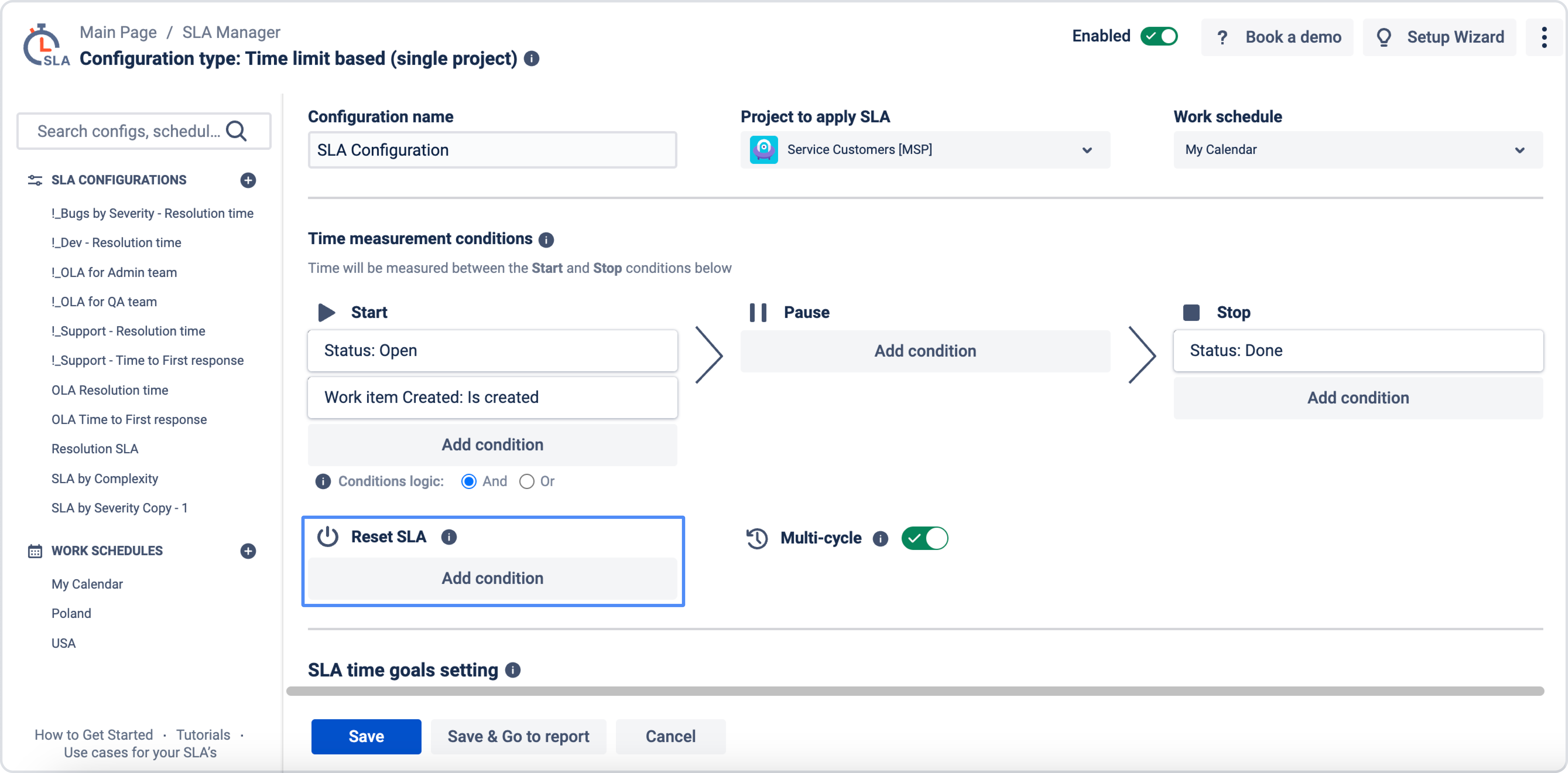
The Multi-cycle option will be ignored here, so if SLA is set to calculate only the first cycle between Start and Stop, then after Reset condition and new Start, SLA will calculate the timer from the very beginning.
Add reset conditions
You can add one or more reset conditions.
-
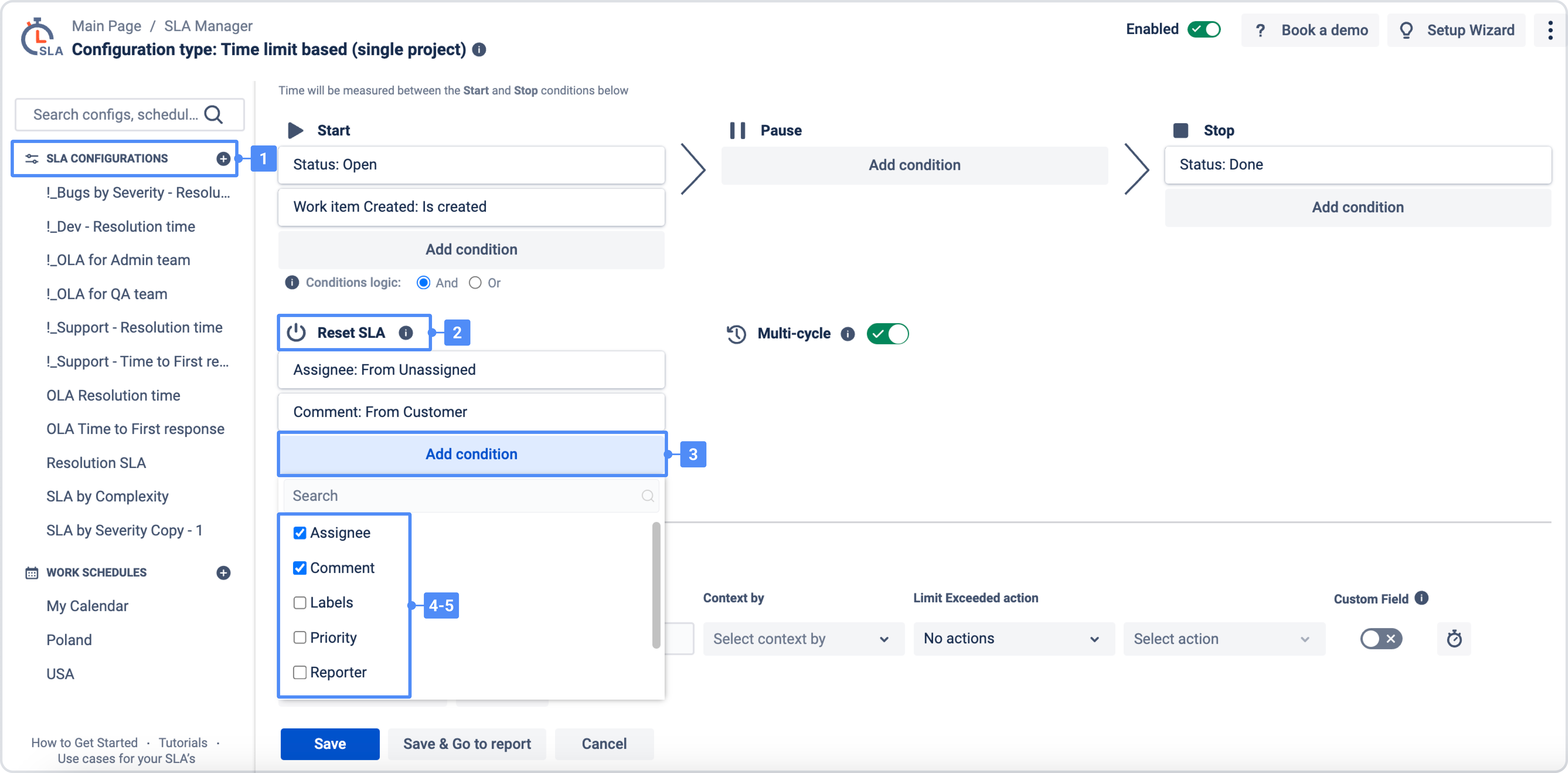
Open your SLA configuration.
-
Go to the Reset SLA section.
-
Click Add condition.
-
Select a field and define the reset rule.
-
(Optional) Add more conditions.
-
Choose the condition logic: AND or OR.
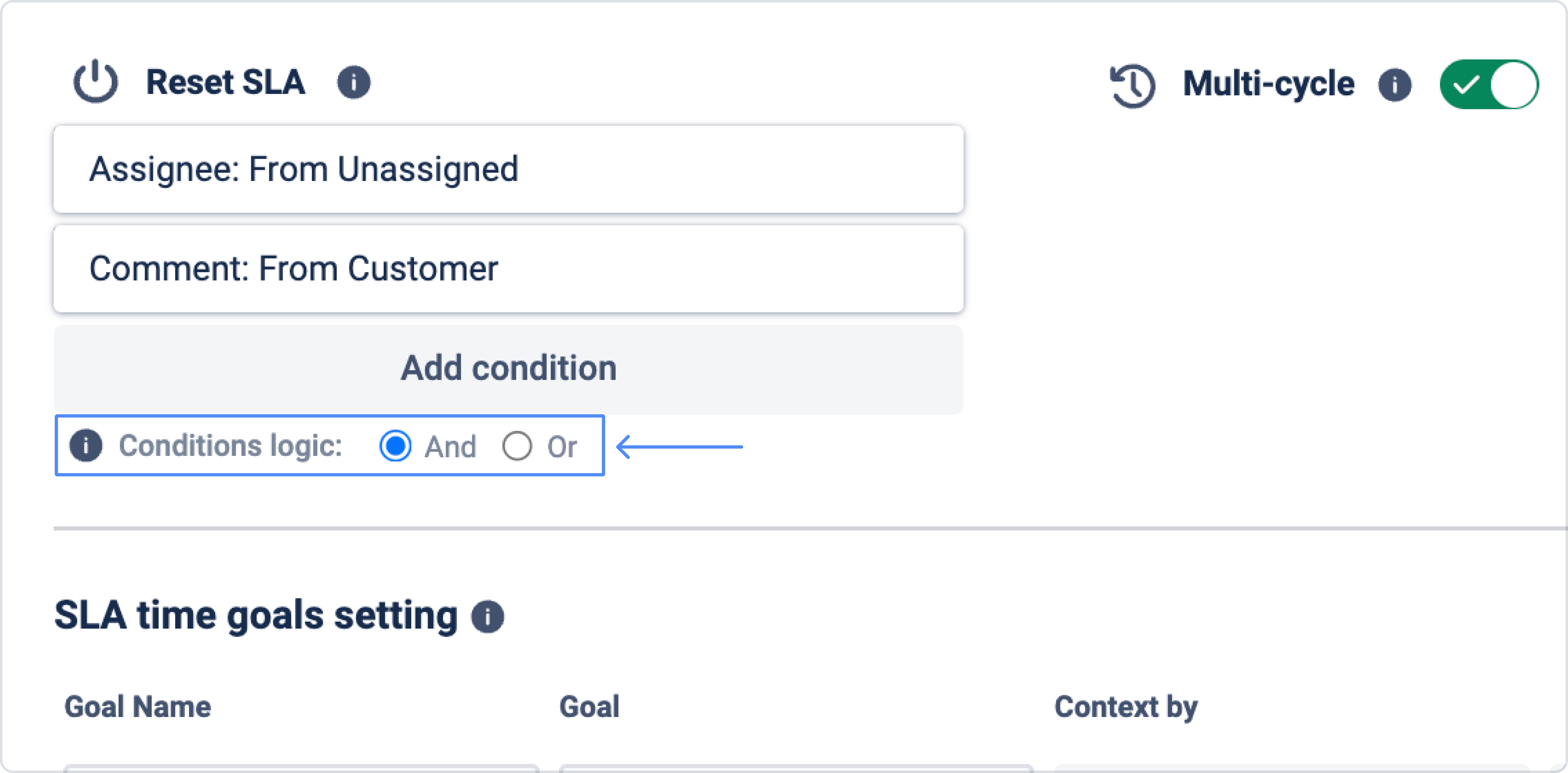
Condition logic (AND / OR)
When multiple reset conditions are added, you can control how they work together:
-
AND – the SLA resets only when all added conditions are met.
-
OR – the SLA resets when any one of the added conditions is met.
Example
If you add:
-
Assignee: From Unassigned
-
Comment: From Assignee
-
Labels: ...
Then:
-
with AND → reset happens only when all selected conditions are satisfied
-
with OR → reset happens when any of these conditions is satisfied
Important limitations
-
You cannot use reset conditions that are already added to Start / Pause / Stop conditions.
-
Available reset fields depend on your Jira project settings.
-
In most cases, reset conditions are based on default Jira fields (for example: Assignee, Team, Comment from, Issue Type, Labels, Priority, Reporter, Status).
The list of the reset conditions depends on your project settings but can include only default Jira's fields, such as:
-
Assignee
-
Comment
-
Labels
-
Team
-
Priority
-
Reporter
-
Status
-
Work Type
Need help?
Have questions or need help with SLA Time and Report? Contact our support team.
Want to see SLA Time and Report in action?
Book a demo with our team to explore your use case, or start a free trial to try the app in your Jira environment.