
Case:
Your team is using the Issue History for Jira app, and you’d like to control access to the “Deleted Work Items” option.
Is it possible to restrict which users can turn the “Keep deleted work items” toggle ON or OFF?
Can this be managed for specific user groups, or is it available to all admins by default?
How to allow/restrict access
-
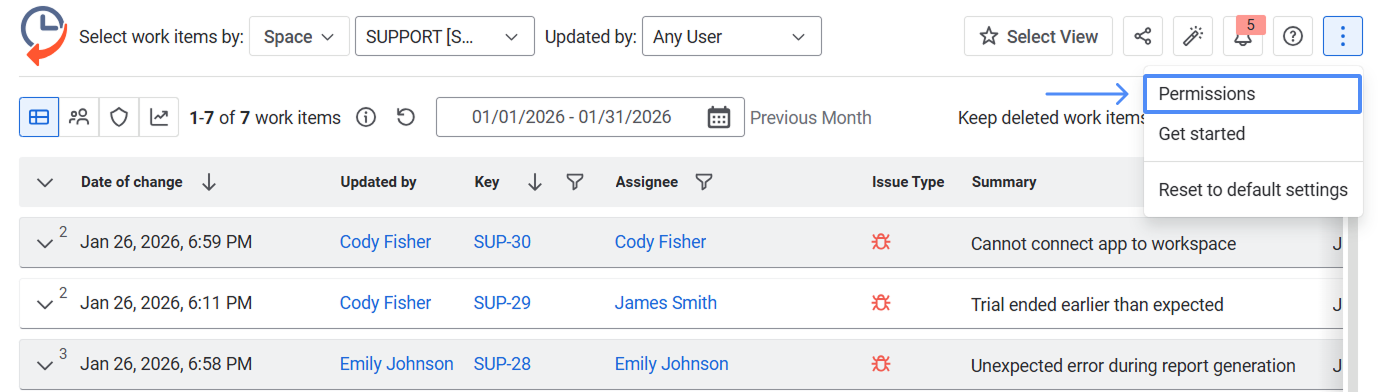
Select Permissions in the configuration menu (if you have admin rights) to manage the access.
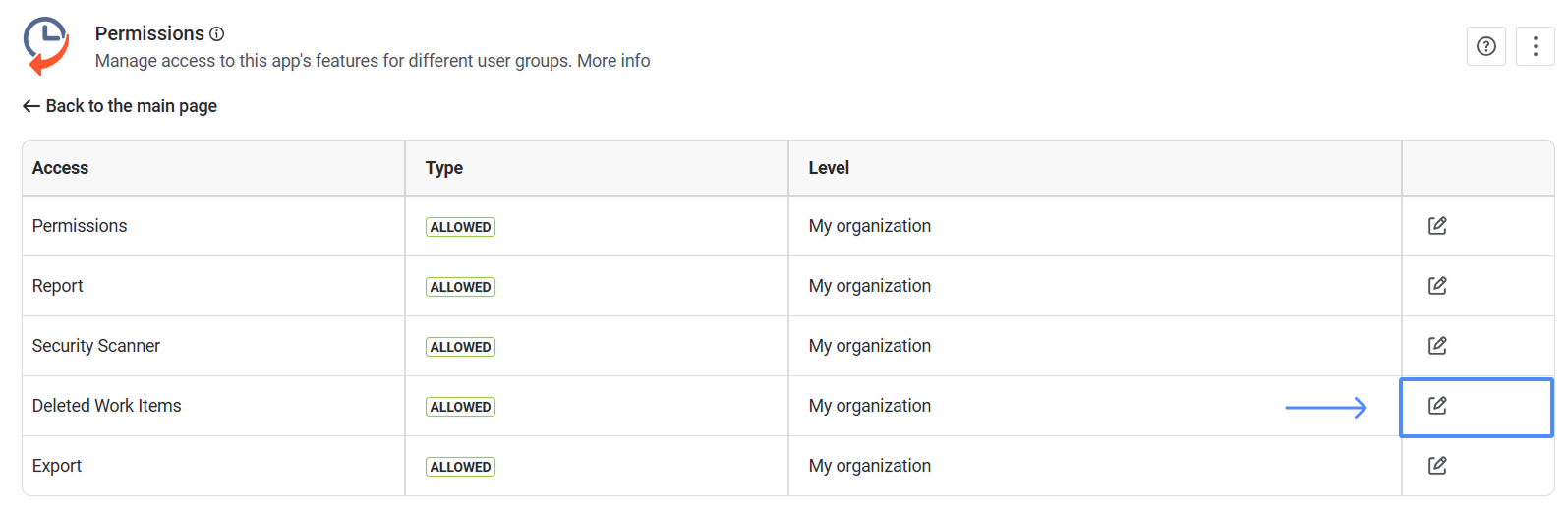
2. Click Edit next to the “Deleted Work Items” section.
-
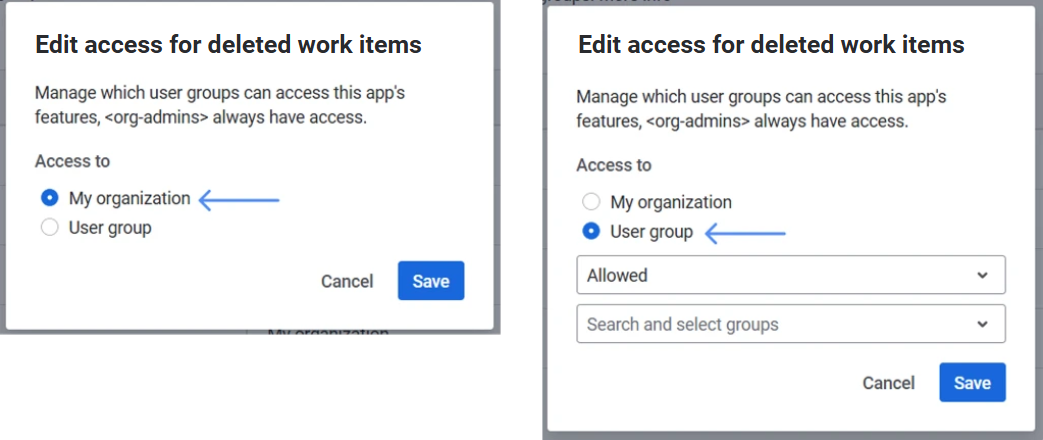
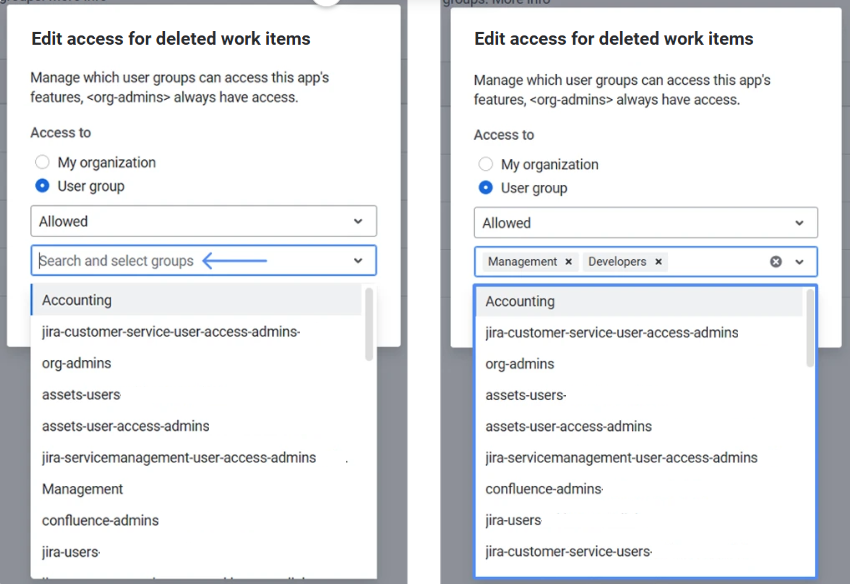
Select My organization (all users have access) or User group (only selected groups are restricted or have access).
-
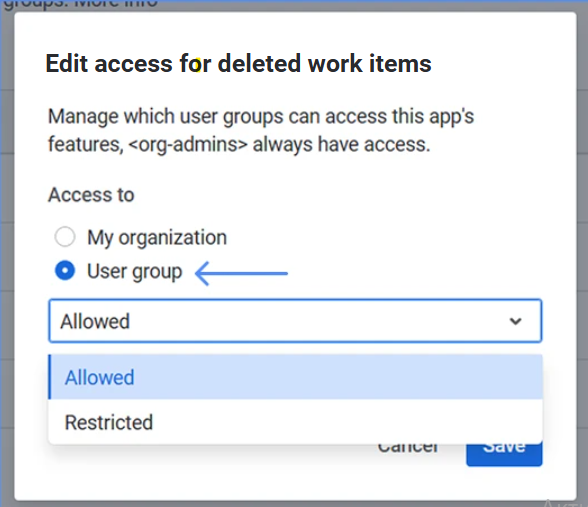
When selecting User group, choose Allowed (only the selected groups have access) or Restricted (all users have access except the selected groups).
-
Then, select one or more groups.
-
Click Save. Changes apply immediately.
Note: Users in restricted groups will not see the feature and will not be able to use it. Admins (org-admins) always have full access
The Deleted Work Item section allows you to control the activation and display of data for deleted work items. If users from a group do not have access to the "Deleted Work Items” option, they cannot activate the toggle and view deleted tasks.
-
If you have any questions, email us at support@saasjet.atlassian.net
Haven't used this app yet? 👉 You’re welcome to try it now 🚀