
Jira is widely used to manage work, projects, and customer requests. In practice, it often contains personal and sensitive data, even if this was never the intention.
As a result, Jira often falls under GDPR rules, especially for companies in the EU or working with EU customers.
Why Jira must be GDPR-compliant
GDPR applies to any system that stores or processes personal data.
In Jira, personal data may appear in:
-
work item summaries and descriptions
-
comments and attachments
-
custom fields
-
support and service desk tickets
-
work item change history
Typical examples of personal or sensitive data include:
-
names and email addresses
-
usernames and login information
-
phone numbers
-
IP addresses
-
customer or employee identifiers
Even if such data is later removed from the current work item view, GDPR may still apply if the data remains stored and accessible.
From a compliance perspective, organizations need to be able to:
-
identify where personal data is stored
-
understand whether personal data existed in the past
-
demonstrate control during audits and security reviews
-
reduce the risk of unintended data exposure
Common GDPR Risks in Jira
GDPR risks in Jira are often underestimated because personal and sensitive data are spread across multiple locations.
Typical risk scenarios include:
-
sensitive data accidentally added to comments
-
credentials or tokens shared during troubleshooting
-
customer data stored in support or service desk tickets
-
data removed from the current work item view but still present in work item history
-
no single place to review sensitive data across projects
Native Jira features provide limited visibility into historical data and don’t offer a dedicated way to detect sensitive data patterns.
How Security Scanner Helps
Security Scanner (PII & DLP) in Issue History for Jira is designed to address common GDPR and data protection challenges in Jira.
It automatically scans:
-
current work item content
It helps to detect personal and sensitive data stored in Jira.
This allows teams to identify data that may pose compliance or security risks, including data that is no longer visible in the current work item view but still exists in history.
What Security Scanner Does
Security Scanner can detect a wide range of personal and sensitive data relevant to GDPR, including:
-
names and email addresses
-
phone numbers
-
IP addresses
-
user identifiers and usernames
In addition, it can also detect security-sensitive data that may increase the risk of personal data exposure, such as:
-
passwords and passphrases
-
login credentials
-
API keys and access tokens
-
cloud service credentials
-
credit card numbers
Security-related findings are important because unauthorized access enabled by such data can lead to GDPR-relevant incidents.
All detected findings are displayed in a structured, centralized view, making them easier to review, assess risk, and take action.
Historical Findings: Why They Matter for GDPR
GDPR doesn’t apply only to the current state of data.
If personal or sensitive data 👇:
-
existed in the past
-
was visible to users
-
was stored in the work item history
👉 it can still be relevant during:
-
audits
-
security investigations
-
compliance assessments
Security Scanner highlights historical findings-cases where sensitive data no longer appears in the current work item view but is still present in its history.
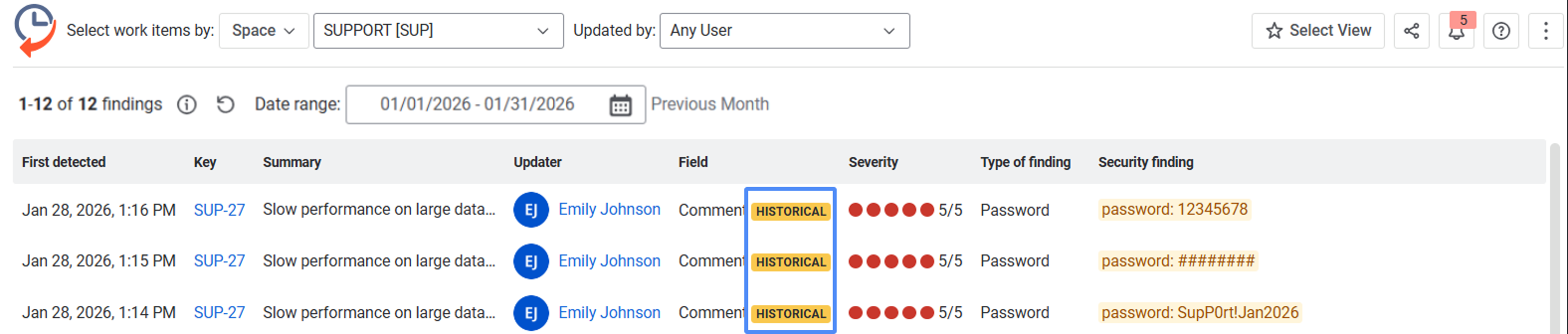
This helps teams:
-
understand past exposure
-
avoid false assumptions that “the data is gone”
-
take informed remediation actions
How to find sensitive data in work items and their history
-
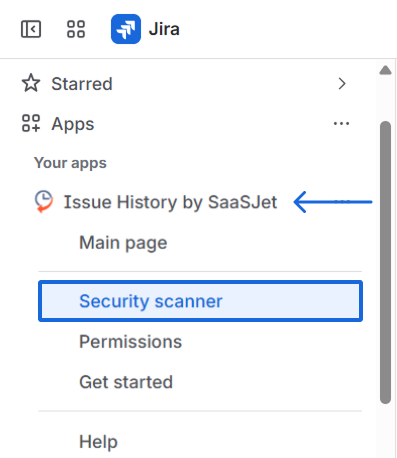
In your Jira, go to Apps, find Issue History by SaaSJet and in its left sidebar menu choose Security Scanner.
-
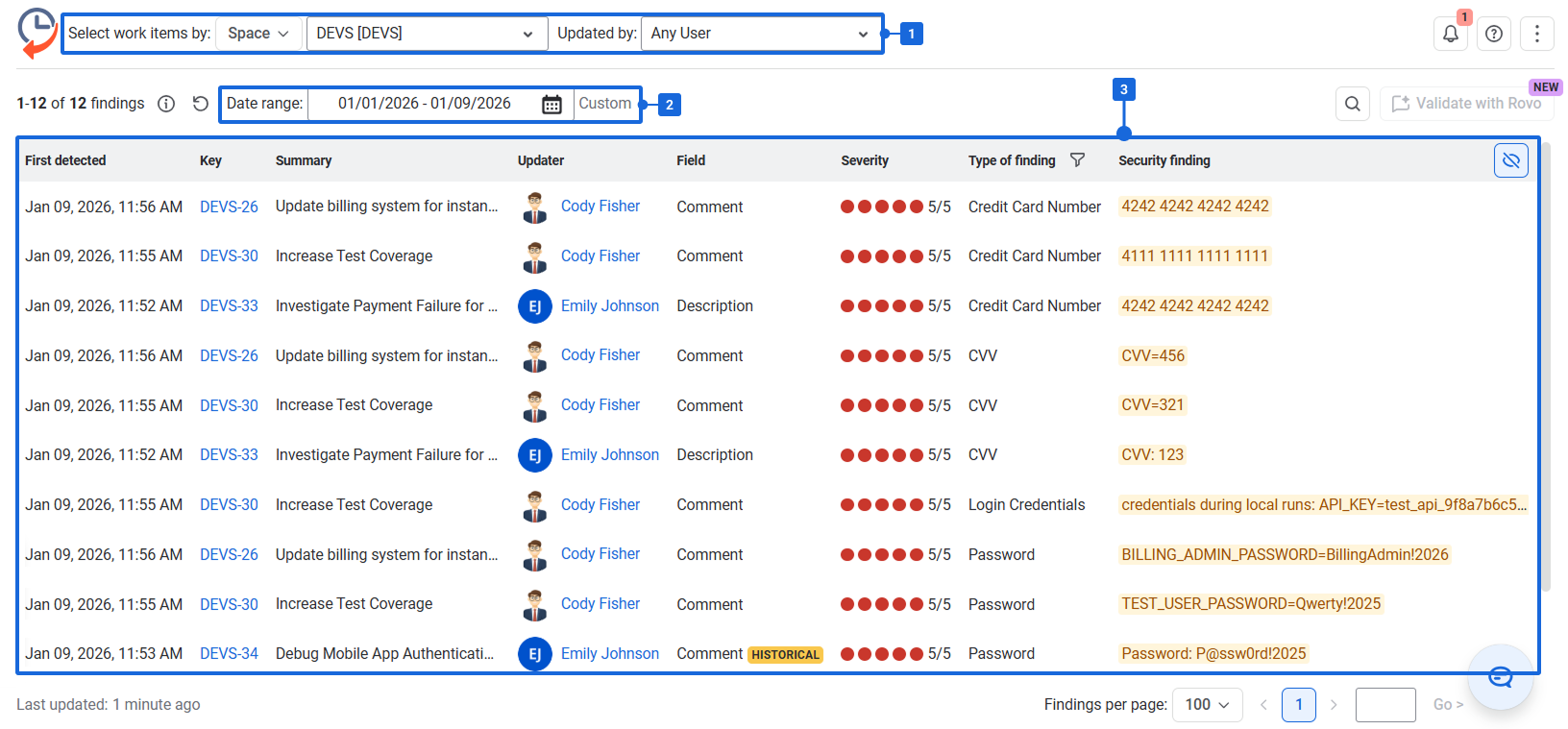
Select what to scan using filters. You can filter work items by space, sprint, JQL, and more.
-
Set the date range to specify the time period to scan (current content and history within that range).
-
Review the generated report. It shows work items where sensitive data was detected, the category of the detected sensitive data, the sensitive data, and the score indicating how much attention the finding may require.
GDPR-Related Benefits for Teams
Using Security Scanner helps organizations:
-
improve visibility into personal data stored in Jira
-
reduce the risk of unnoticed sensitive data exposure
-
prepare stronger answers for auditors and security teams
-
demonstrate proactive data protection measures
-
support internal GDPR processes without extra manual effort
So, using Security Scanner in Issue History for Jira, you can detect sensitive data across both current work items and past changes, making it easier to reduce risk, stay compliant, and keep control over sensitive information stored in Jira.
Haven't used Issue History for Jira app yet? 👉 Then you’re welcome to try it 🚀