
Creating cost reports has become even easier. There are two ways to transfer the report created in the Time Tracking tab to the Cost Reports tab:
Option 1: From the Time Reports List
-
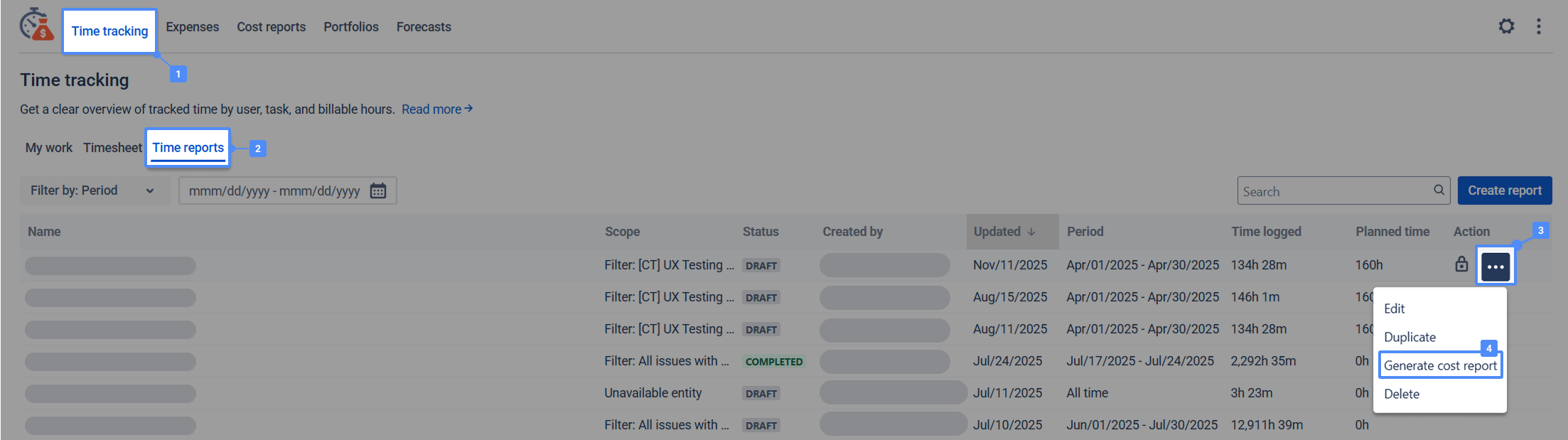
Navigate to the Time Tracking section and switch to the Time Reports tab.
-
Locate the required Time Report.
-
In the Action column, click on the Generate Cost Report icon/button.
Option 2: Directly from the Time Report
-
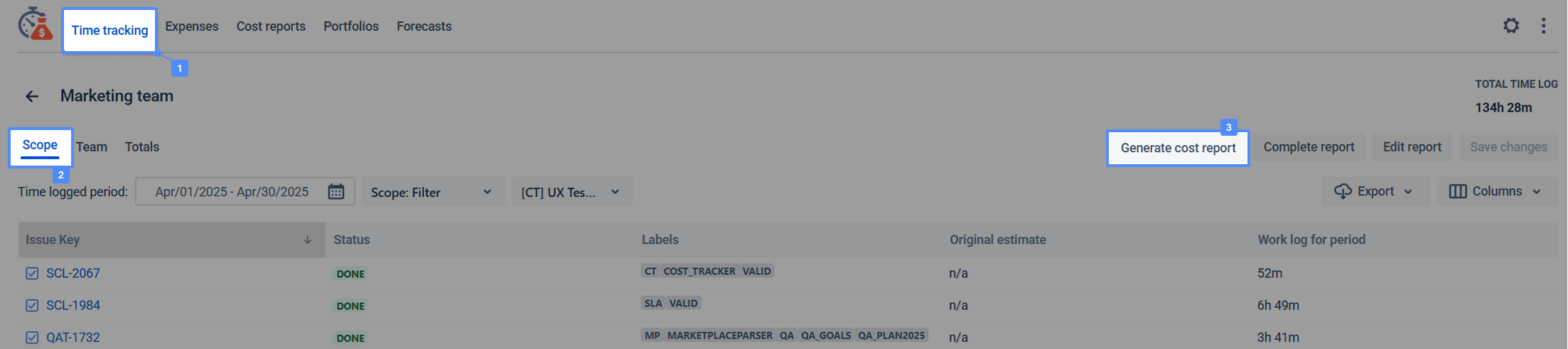
Open the specific Time Report you wish to use.
-
Navigate to the Scope tab.
-
On the right side of the screen, click the Generate Cost Report button.
Configuration
Once you click Generate Cost Report, a creation modal window will appear.
-
Pre-filled Data: The Report Name, Scope, Start Date, and End Date will be automatically filled based on the Time Report you selected.
-
You can manually edit any of these fields before creating the report.
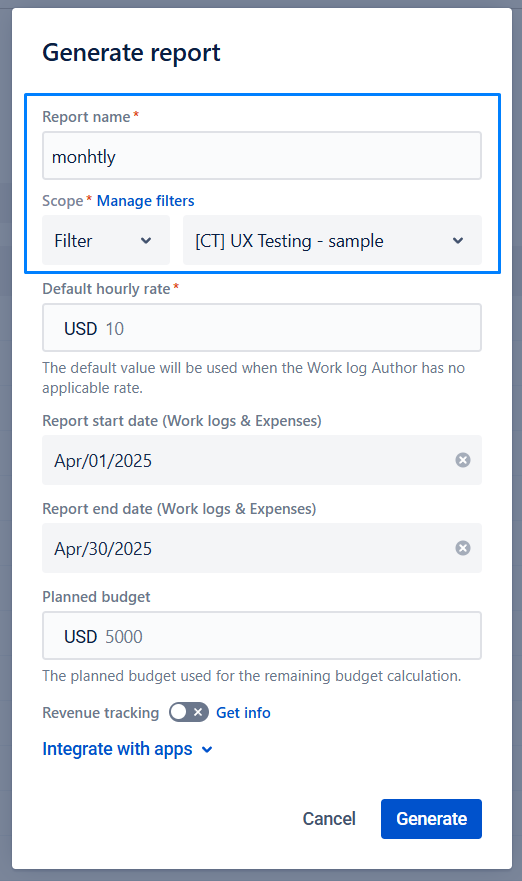
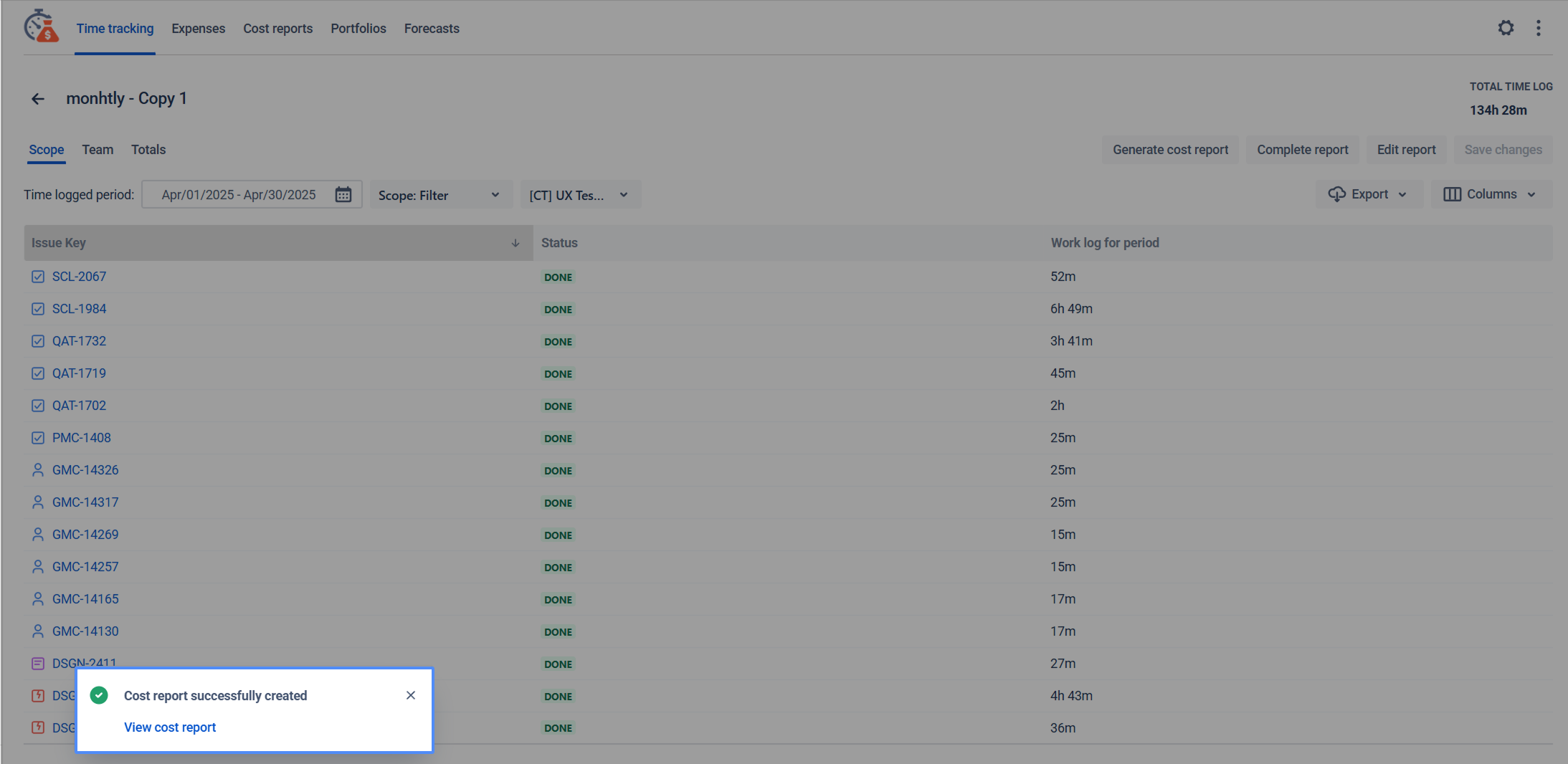
After filling in all necessary fields, click Generate. You will see a confirmation modal with a link to navigate directly to the newly created Cost Report.
The report will also appear in the general list under the Cost Reports tab.
Important Notes:
-
Report Status: The Cost Report is created in Draft mode. You can review and edit it immediately after creation.
-
Source Status: You can generate a Cost Report based on a Time Report in any status (whether it is Draft or Completed).
-
No Dynamic Sync: The Cost Report does not permanently inherit data from the Time Report. It is created based on the current state of the Time Report at the moment of generation.
-
Example: If a user generates a Cost Report based on a Time Report and subsequently changes fields in the original Time Report, the data in the already created Cost Report will not change.
-
If you need help or want to ask questions, please contact SaaSJet Support or email us at support@saasjet.atlassian.net .
Haven't used this app yet? Try it now! >>>