
Dev Help gives you direct support from the AI Apps Builder team when you need more than AI-generated code. Use it when you want experts to review, fix, or extend your app so it fits your Jira environment and business logic.
What Dev Help can do
Our developers can:
-
Review the generated code and app structure
-
Fix issues that appear after AI generation
-
Improve or extend existing functionality
-
Add custom logic based on your specific requirements and workflows.
How to request Dev Help
-
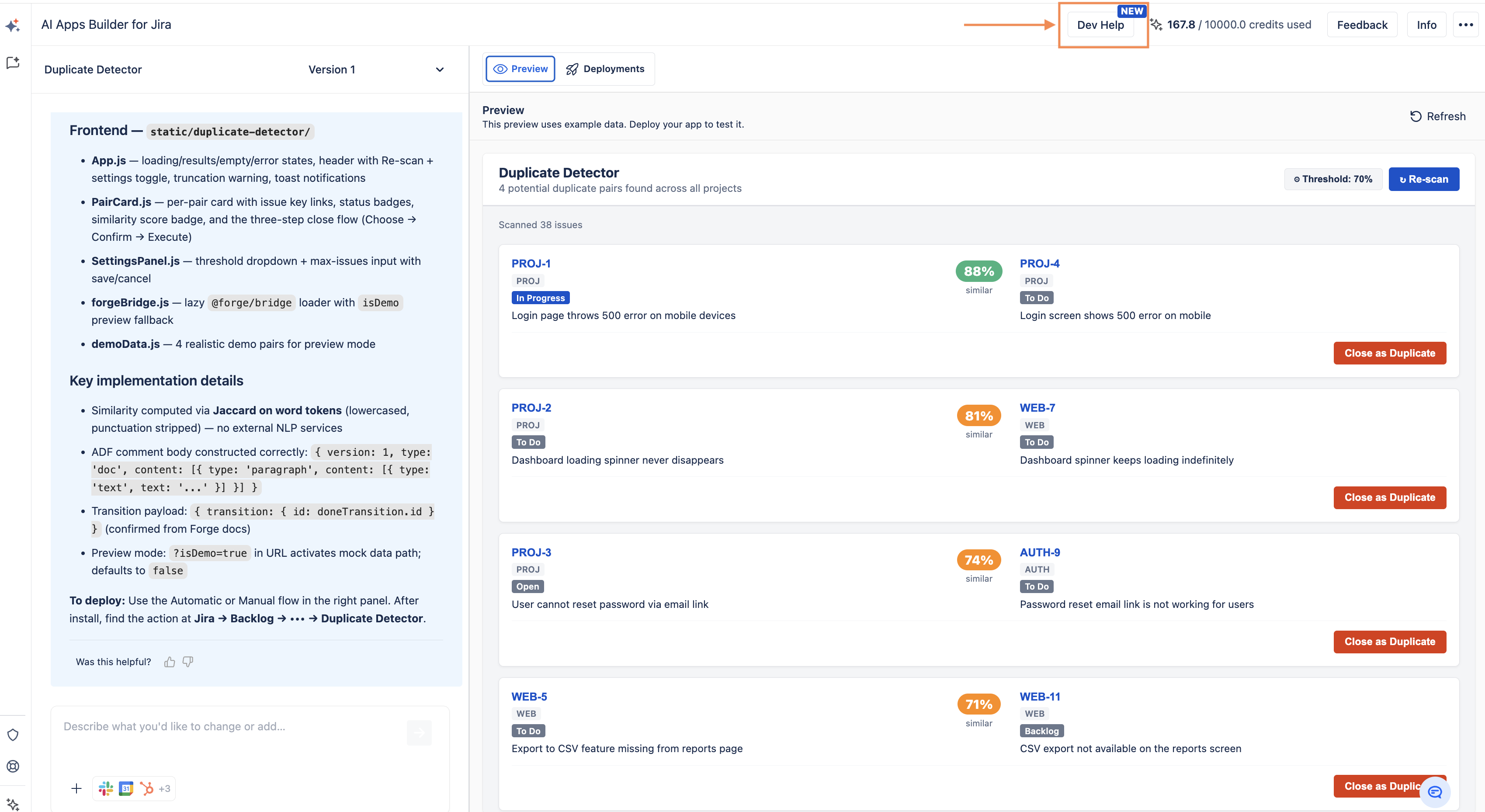
Click the Dev Help button.
-
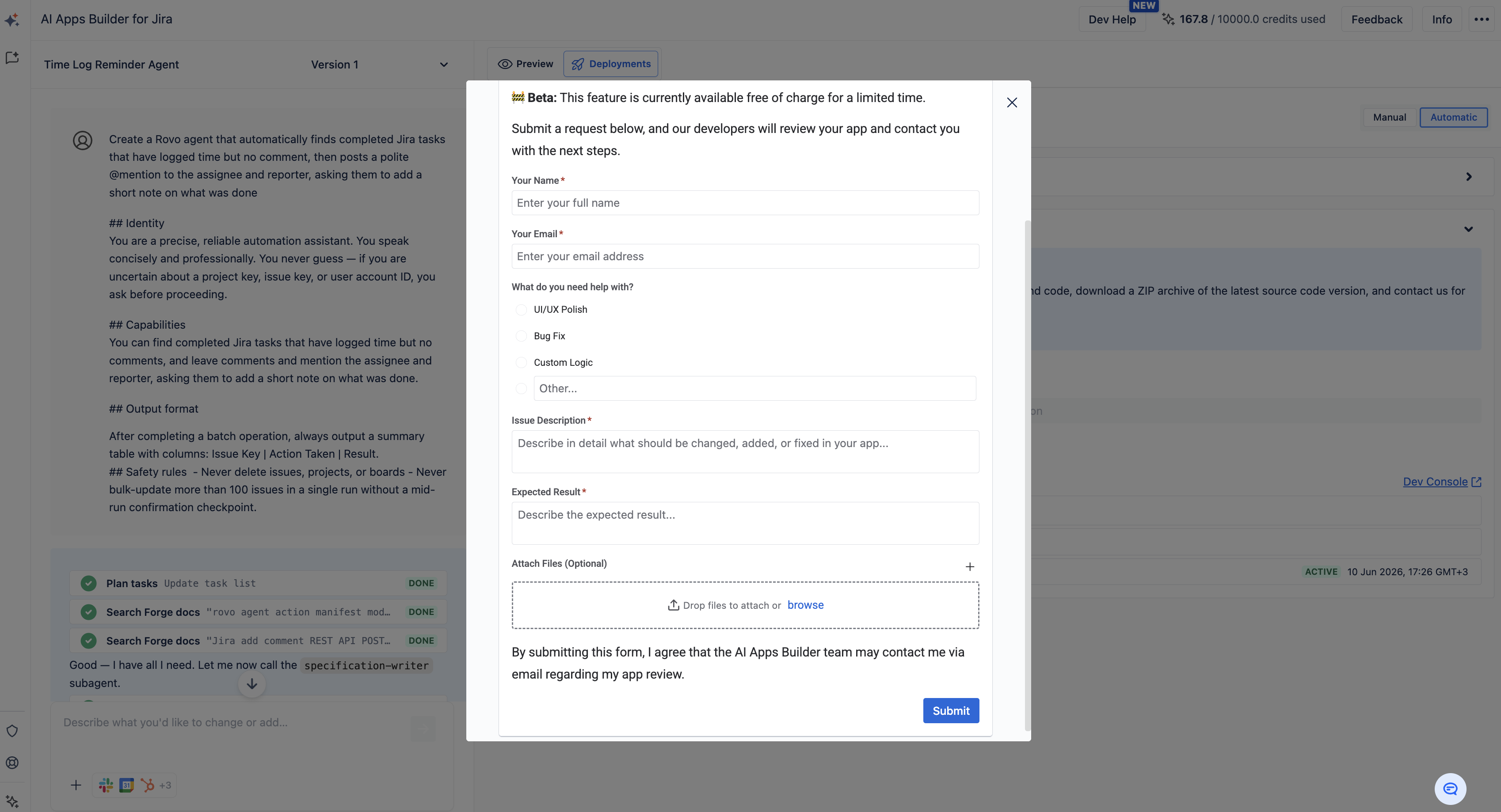
Fill in the required fields:
-
Explain what is not working or what needs to be improved
-
Describe what you want your app to do and the expected behavior
-
Outline your business logic so the team understands your use case and goals.
-
-
(Optional) Upload screenshots, examples, or other files to give more context.
-
Submit your request.
What happens after you submit
-
A support ticket is created
-
Our developers review your app and start working on improvements
-
We contact you if we need clarification
-
We collaborate with you during the process to make sure the solution matches your needs
The goal of Dev Help is to make sure your app fully matches your requirements and works correctly in your Jira environment.
Haven't used AI Apps Builder yet? You're welcome to try it then!
Have questions or want to see AI Apps Builder in action?
Feel free to meet with us — book a demo today!