
Screenshot Uploads in AI Apps Builder let you communicate with AI visually, right inside the chat. You can share both design references and screenshots of specific screens, so the AI understands exactly what you mean with less text.
-
Share visual references
Upload screenshots that show how you want the app to look (for example, from a design system or mockup) and ask the AI to match that layout and style. -
Explain issues quickly
If something in your current UI looks wrong or confusing, add a screenshot and point it out, so the AI can adjust the layout or components without a long written explanation. -
Design more polished apps faster
Working with images makes it easier to align on look and behavior, reduces back‑and‑forth, and helps you reach a clean, consistent UI faster.
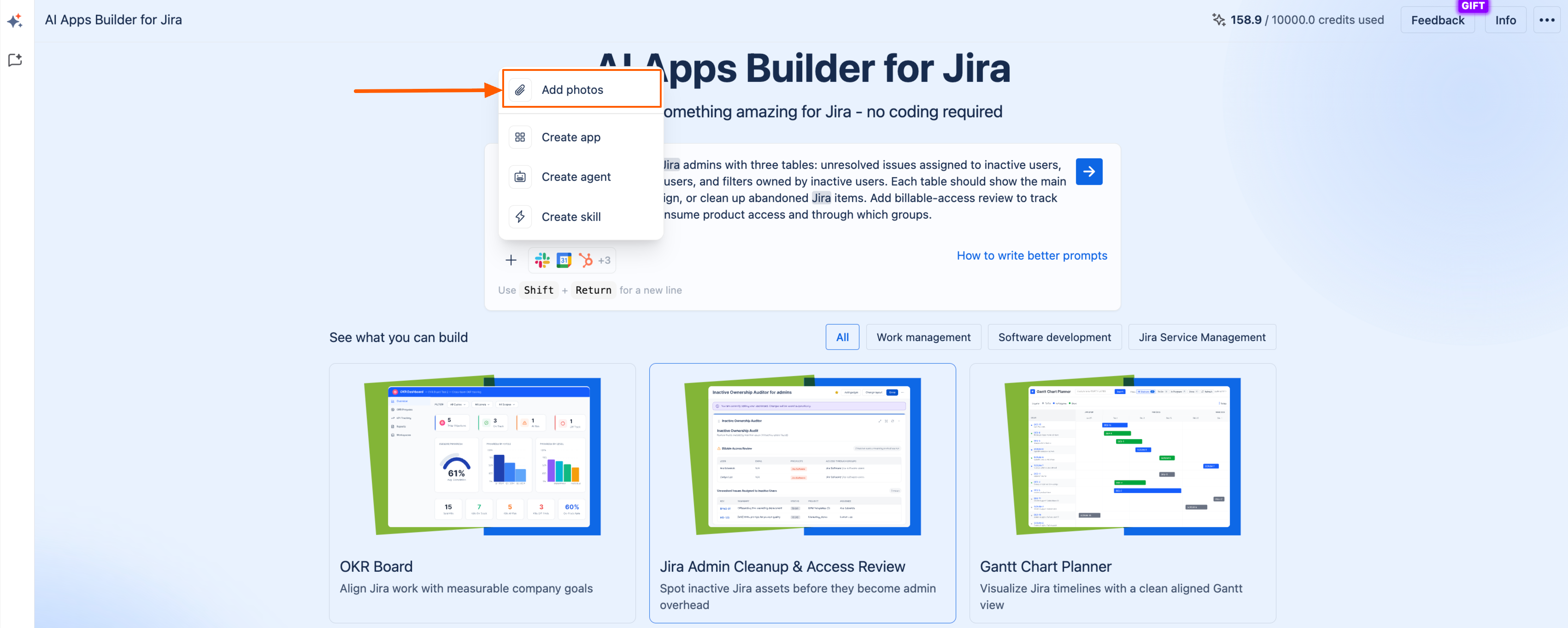
You can use this feature at the start of building, when you begin writing the prompt.
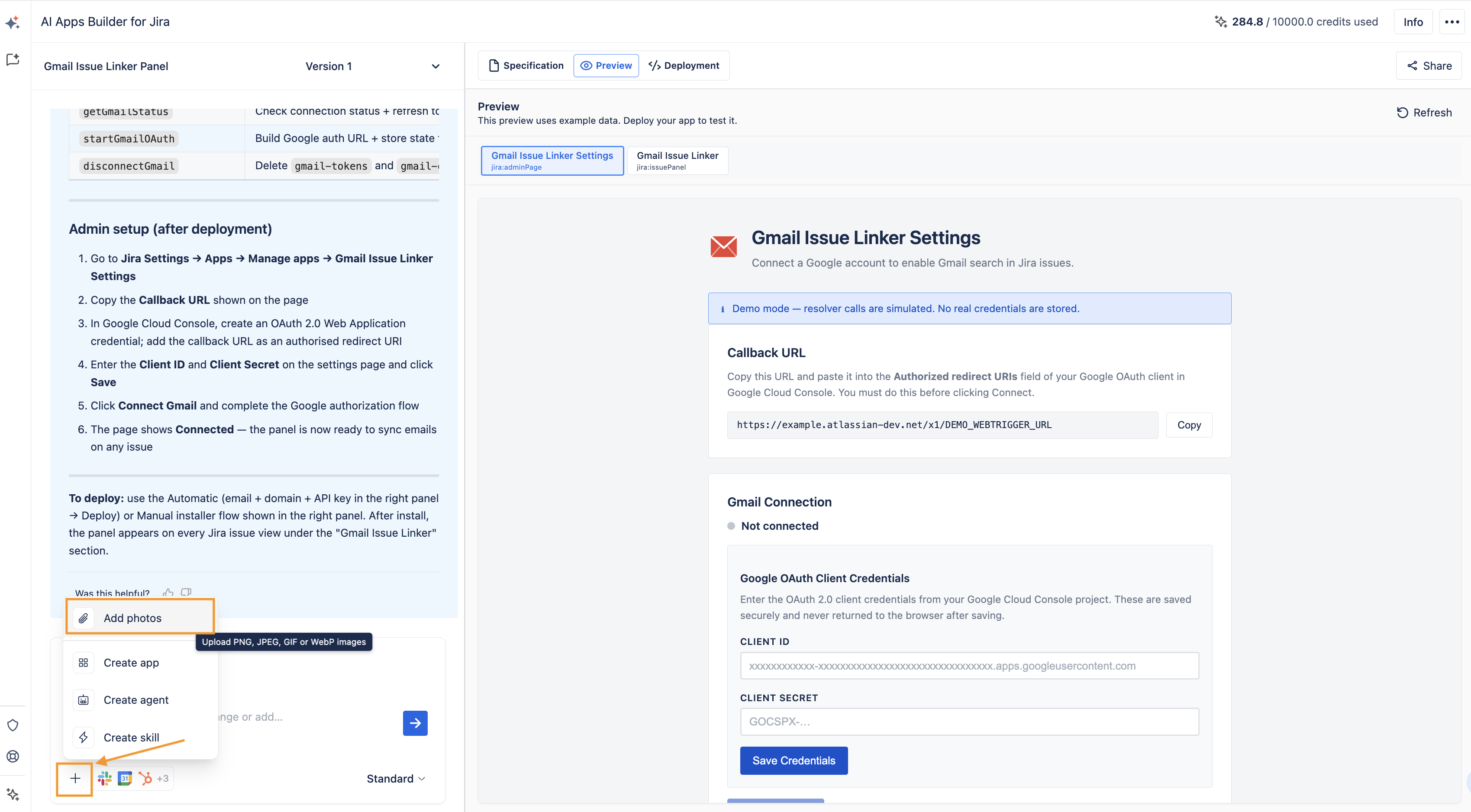
And also, after checking the preview, you can refine your app interface by adding images as references.
Haven't used AI Apps Builder yet? You're welcome to try it then!
If you have any questions, feedback, or ideas, just contact SaaSJet Support or email us at support@saasjet.com. We’re always happy to help.