
AI Apps Builder now supports third‑party integrations. You can connect Jira apps with external tools like Slack, Gmail, Google Drive, Google Calendar, HubSpot, and Notion. This lets teams build custom Jira UI parts and workflows that call external APIs, automate actions, sync data, and improve collaboration across tools — without writing integration code by hand.
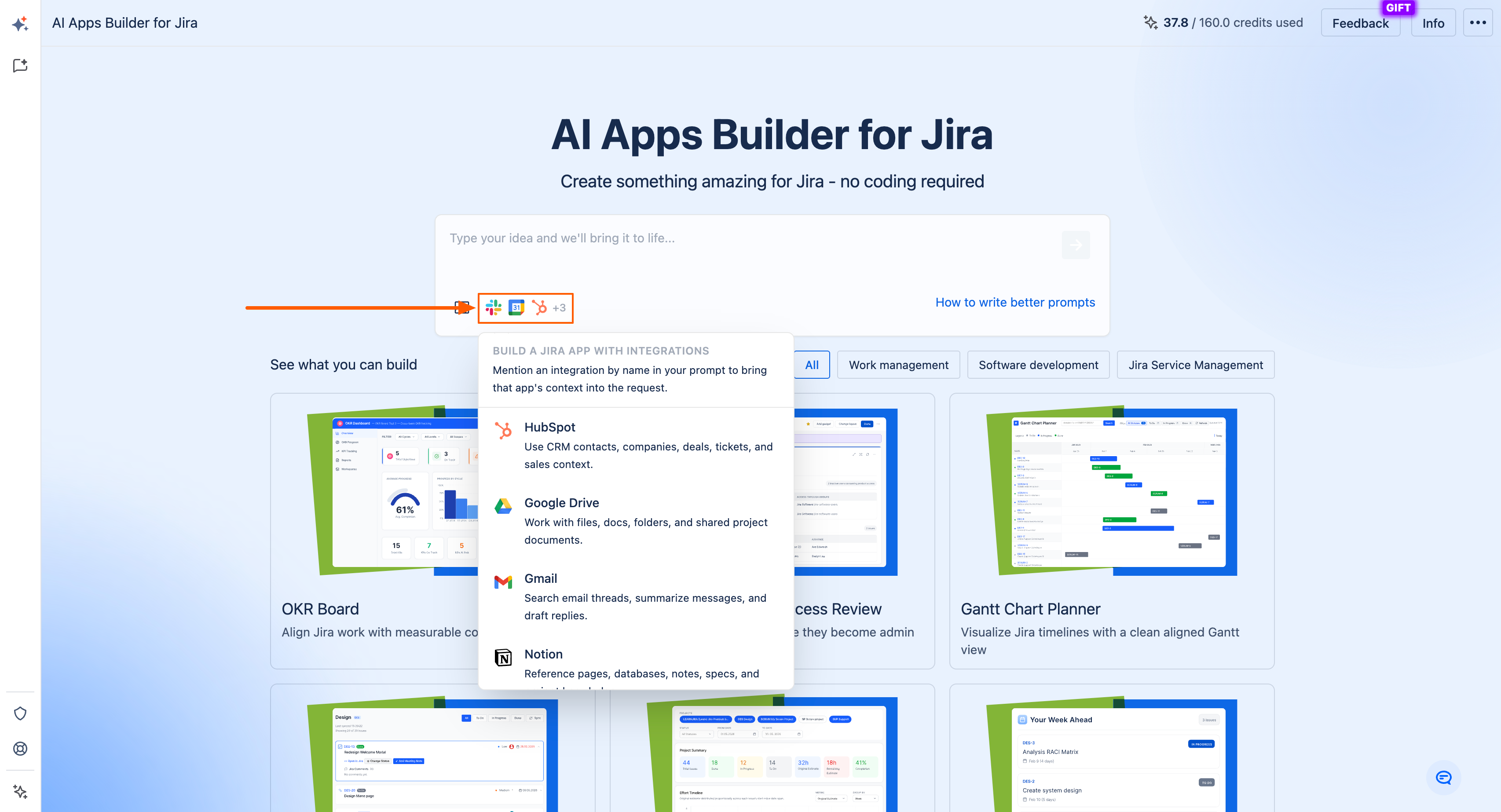
AI Apps Builder supports three integration types:
-
Public APIs (no authentication)
-
APIs secured with an API key
-
APIs secured with OAuth 2.0.
If you have any questions, feedback, or ideas, just contact SaaSJet Support or email us at support@saasjet.com. We’re always happy to help.
How integrations work in generated Jira apps
When you describe an app that needs to talk to an external service, such as:
Build a service that monitors my Gmail for support requests and drafts Jira tickets for them.
AI Apps Builder includes the integration in the generated Forge app: it wires up the HTTP calls, authentication method (public, API key, or OAuth), and any required configuration fields.
If you create an app that uses an API key or OAuth, AI Apps Builder automatically generates an admin page.
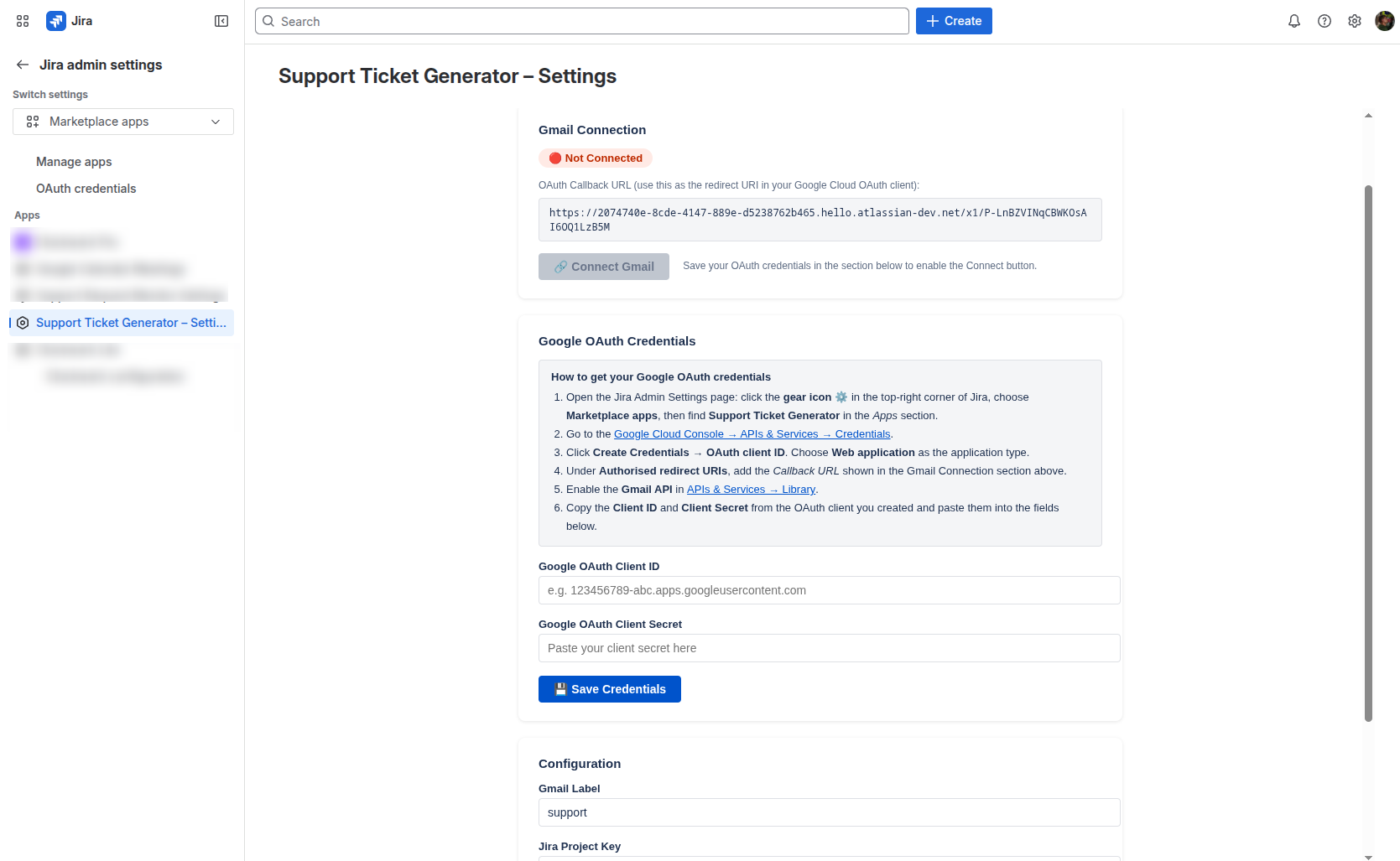
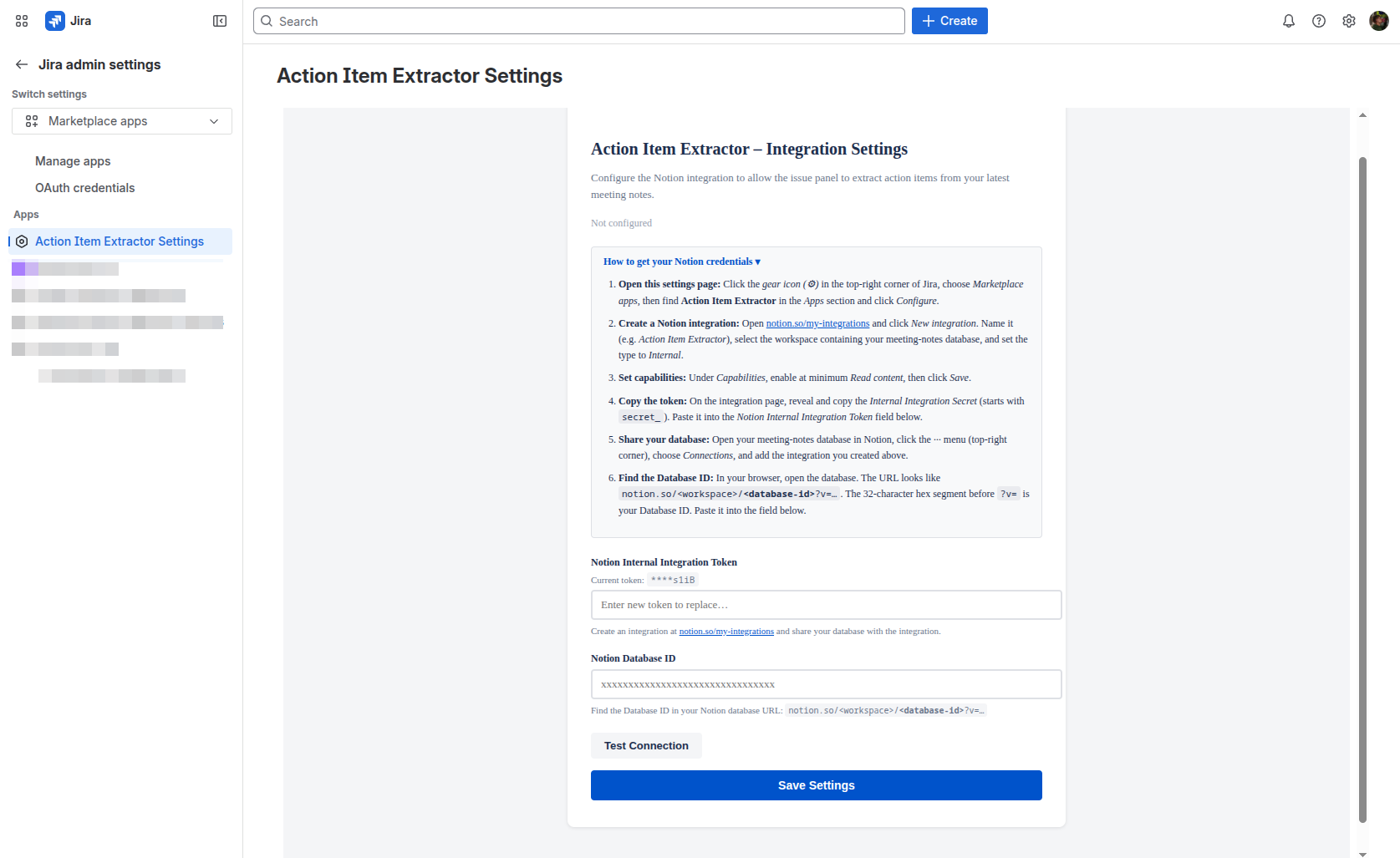
A Jira admin typically configures on an integration admin page:
-
Connection details
-
Follow step‑by‑step instructions for that tool (for example, Notion, Gmail, Slack) to create the integration on the external side and connect it to Jira.
-
-
Authentication credentials
-
Enter the required secret values from the external tool, such as an internal integration token, client ID / client secret, API key, or other access token.
-
Save these credentials so the Jira app can call the external API securely.
-
-
Resource identifiers / app settings
-
Provide IDs or references that tell the app which external resource to use, such as a database ID, workspace, label, or project.
-
Adjust these settings without changing or redeploying the app.
-
-
Connection test and save
-
Use a Test connection or similar button (when available) to verify the configuration.
-
Click Save settings so the integration is ready for use inside the Jira app.
-
All external API calls are made from the Forge app running in Atlassian’s cloud, so your credentials and data stay inside Atlassian’s security and permission model.
Haven't used AI Apps Builder yet? You're welcome to try it then!