
AI Apps Builder is an AI-powered tool that helps Jira teams create custom Forge apps, dashboards, reports, and gadgets by chatting with AI — without writing code. This page explains how this Jira app handles AI, data access, permissions, and deployment, and how it aligns with Atlassian Forge security principles.
AI and Data Access in AI Apps Builder
AI Apps Builder is an AI-based builder that uses a Large Language Model (LLM) provided through Anthropic Connect. The LLM is used to understand plain-English prompts and generate application code based on them.
-
The AI does not analyze issues, comments, worklogs, or users
-
The AI does not connect to Jira
-
The AI does not call Jira APIs
-
The AI does not receive real Jira data.
In AI Apps Builder, AI is used only to generate code:
-
Generates an Atlassian Forge app
-
Uses public Atlassian Forge documentation
-
Describes which types of data are needed (for example: issue key, summary, due date)
-
Builds the
manifest.yml, UI components, and business logic.
Are Prompts Used to Train AI Models?
No. Neither Anthropic nor the AI Apps Builder team uses your prompts or generated outputs for model training. What you describe to generate an app does not feed back into improving the model.
This matters for teams handling sensitive internal processes, proprietary workflows, or confidential project structures. Describing your use case to build a custom app does not expose that information to future users of the system.
Important Note About the API Token
During deployment, AI Apps Builder asks for an API token. The token is used only to authorize the installation of the generated Forge app to your specific Jira Cloud site.
The API token:
-
Is used only for deployment
-
Is not stored by AI Apps Builder
-
Is not used to access Jira data
-
Is not used at the app’s runtime
-
Is not used for analytics or data collection
-
Does not affect the app after deployment
Once deployment is complete, the app runs independently as a standard Forge app within your Jira environment. It does not rely on the API token in any way.
If the API token expires or is revoked, the deployed app will continue to function normally.
The token is simply a secure authentication mechanism required by Atlassian to authorize app deployment.
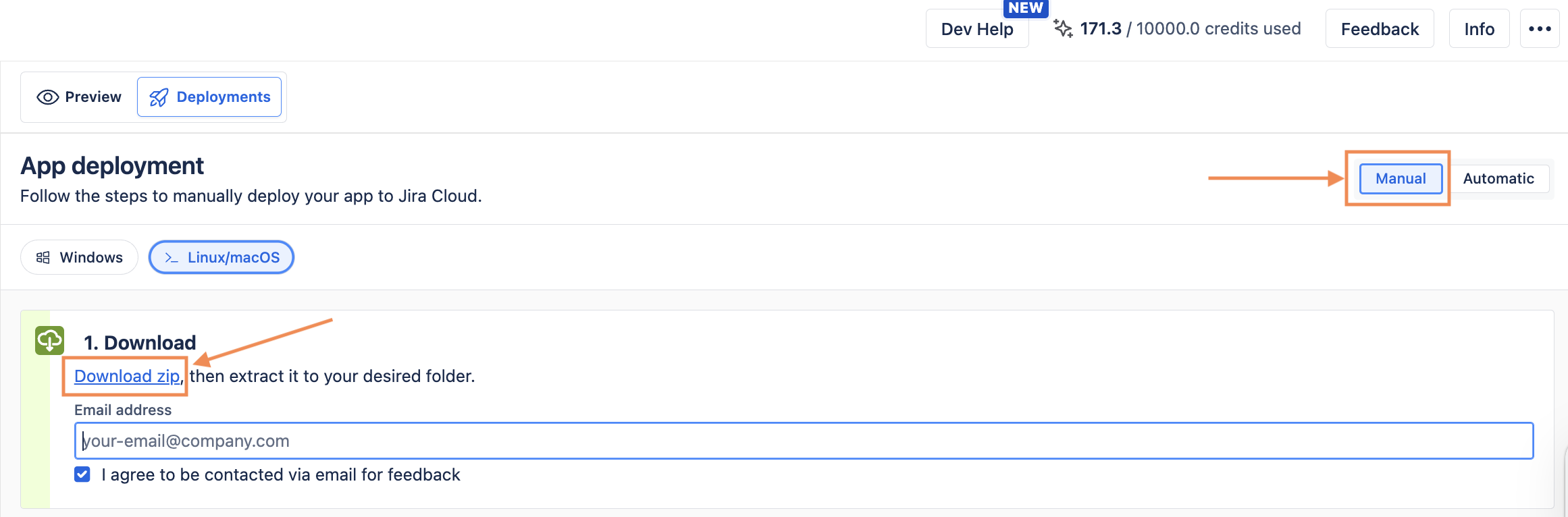
If your organization prefers to keep the deployment process fully under your own control, you can use manual deployment instead. Download the Forge installer, deploy the app yourself using the Forge CLI, and the API token never passes through the AI Apps Builder interface. This gives teams the flexibility to match their internal security policies.
Where Is App Data Stored?
Apps generated with AI Apps Builder run on Atlassian Forge and use Forge-hosted storage — Storage API, Forge SQL, and similar mechanisms. This means:
-
All data stays inside Atlassian's cloud infrastructure, not on any AI Apps Builder servers
-
Each Jira site gets its own isolated storage space — one company's data is never mixed with another's
-
Data is encrypted at rest using AES-256
-
Data is backed up and managed entirely by Atlassian.
Data residency: If your Jira instance is pinned to a specific region (for example, EU or US), Forge-hosted app data follows that setting automatically. No additional configuration is required.
The egress exception: If an app makes calls to external services (such as third-party APIs or remote backends), data that leaves Forge falls outside Atlassian's infrastructure. In that case, you are responsible for the residency, security, and deletion of that external data — not Atlassian.
If you need help or have questions, please contact SaaSJet Support or email us at support@saasjet.com.
Forge security guarantees
Apps generated with AI Apps Builder are built and deployed on Atlassian Forge, which provides strong, built-in security guarantees by design. Forge enforces strict authentication and access control mechanisms. Only authorized users can access app data, and all access is governed by Jira’s standard permission model and the scopes explicitly granted during installation.
To deploy the Forge app generated with AI Apps Builder, you must have administrator permissions on the Jira site where the app will run.
Forge apps run entirely inside Atlassian Cloud. This means Jira data does not leave Atlassian’s secure environment:
-
No external servers are used
-
No third-party backends are involved
-
No data is sent outside the Atlassian infrastructure.
Forge apps inherit the same security framework that protects Jira. This includes:
-
Platform-level security controls
-
Ongoing security monitoring
-
Compliance with Atlassian security policies and standards.
Learn more about security for Forge apps.
If at any time you have concerns or are uncertain whether your security research is consistent with this policy, please contact us at security@saasjet.com
Scope Review Before Deployment
Apps created with AI Apps Builder use standard Forge scopes, selected based on the app’s functionality. Typical scopes may include:
|
Name |
Description |
|
|
View user information in Jira that the user has access to, including usernames, email addresses, and avatars. |
|
|
Read Jira project and issue data, search for issues and objects associated with issues like attachments and worklogs. |
|
|
View filters. |
|
|
View dashboards. |
|
|
Create and update dashboards. |
|
|
View projects. |
Find more information about Forge scopes in the official Atlassian documentation, Jira scopes for OAuth 2.0 (3LO), and Forge apps.
You can review all scopes your app requests at two separate points before anything is installed:
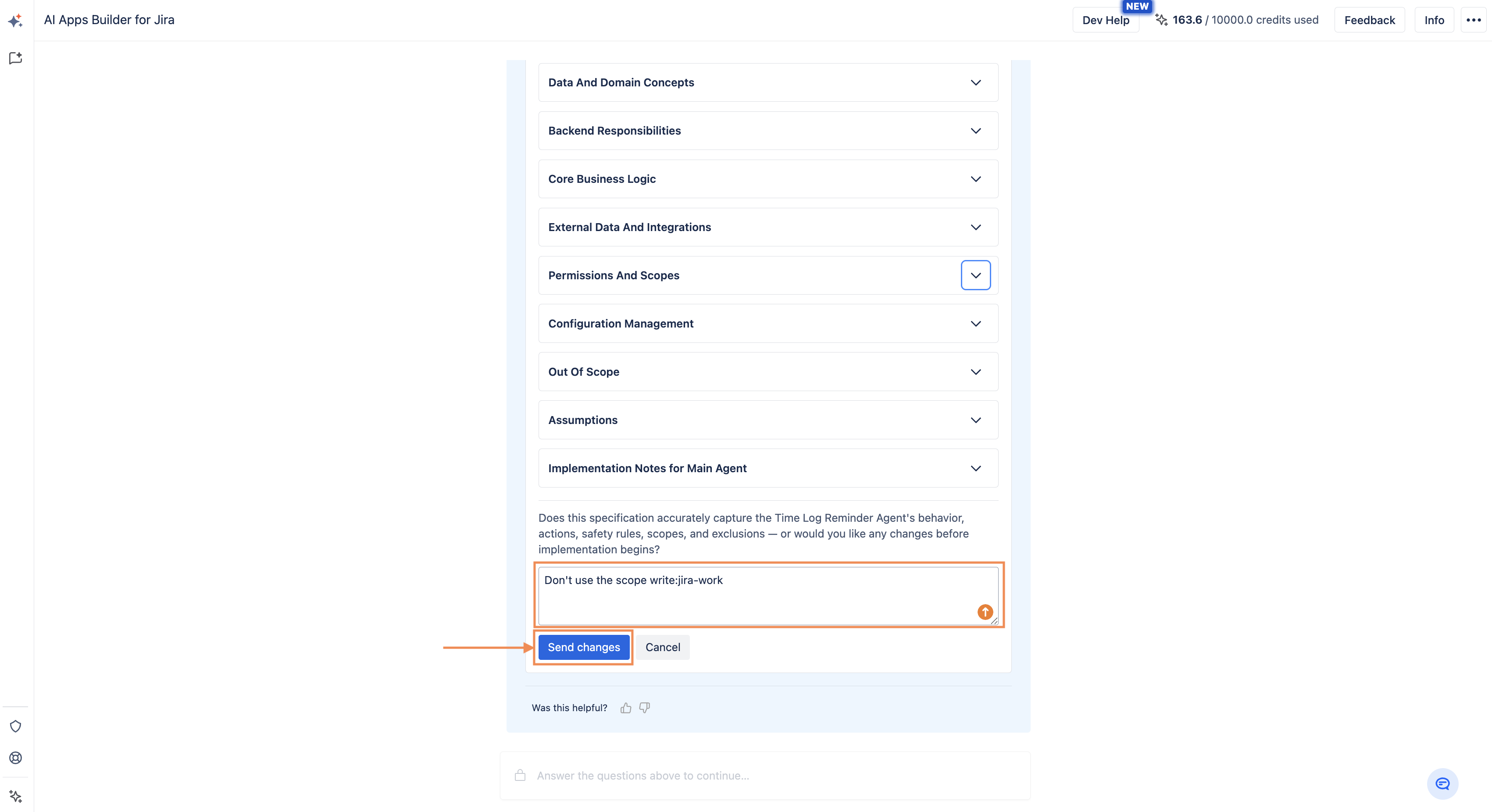
First checkpoint — App Specification. Before the app is generated, AI Apps Builder creates an app specification that lists all requested scopes and permissions. You can review each scope, edit the specification, and confirm before the build begins. You can also narrow down scopes to match your organization's security requirements at this stage.
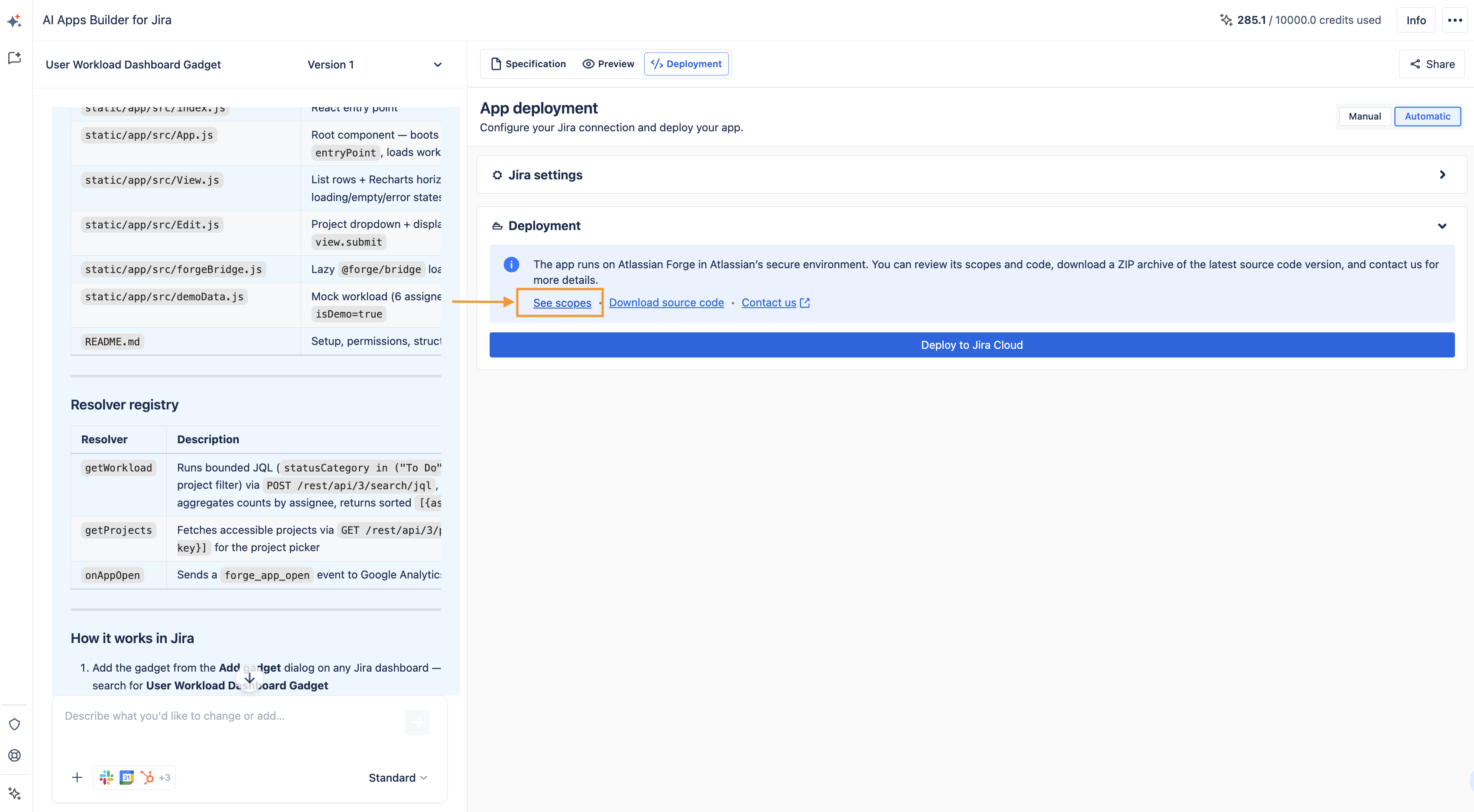
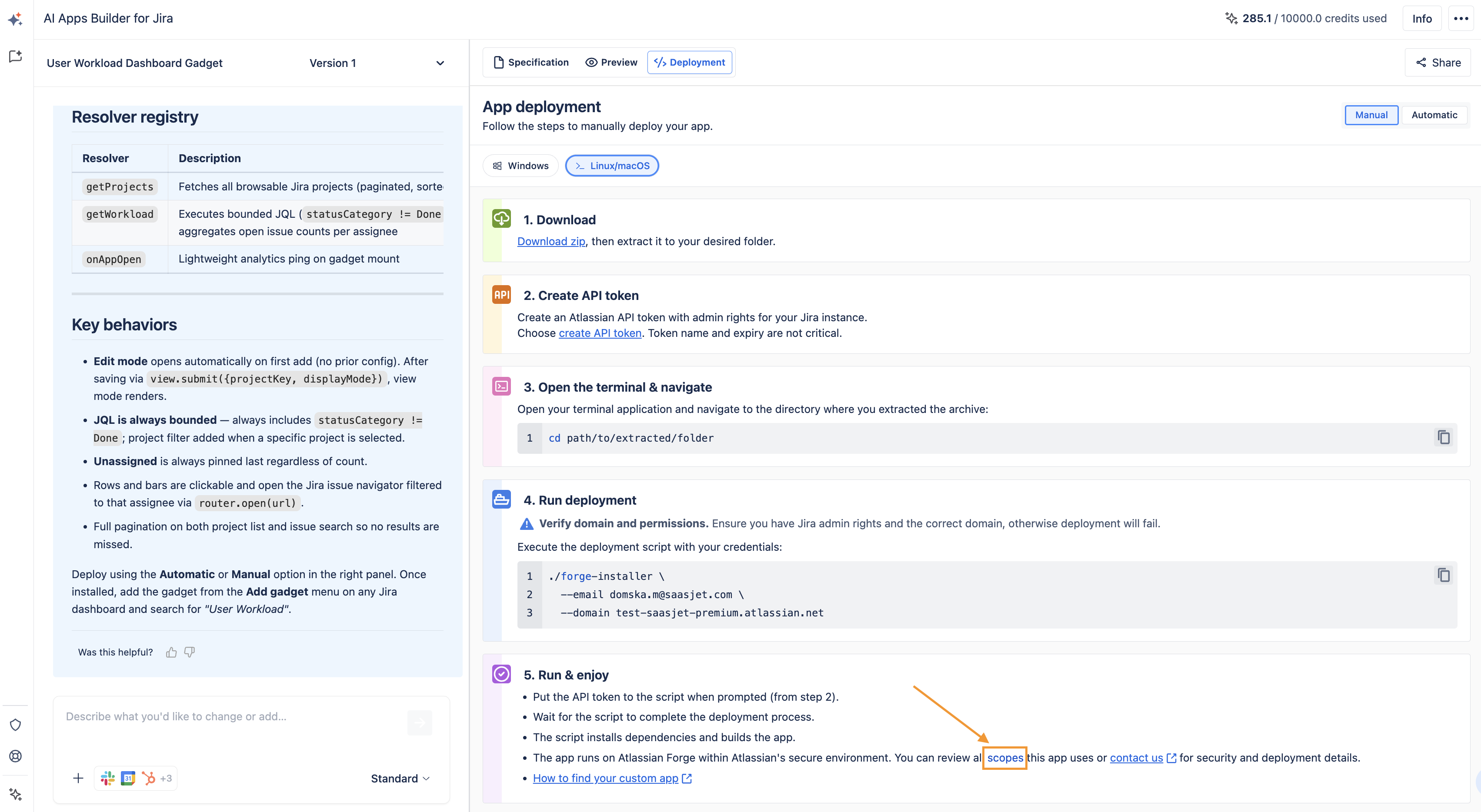
Second checkpoint — Deployment page. Before deployment, you get another opportunity to review all permissions. Nothing is installed without your explicit approval at each step.
If you use automatic deployment
If you use Manual deployment
Forge Shared Responsibility Model
As the AI Apps Builder generates a Forge app, you need to know that Forge uses a shared responsibility model:
|
Responsibility |
Atlassian |
You |
|---|---|---|
|
Platform infrastructure and runtime |
✓ |
|
|
Managed storage and encryption |
✓ |
|
|
SOC 2 and ISO 27001 certifications (platform boundary) |
✓ |
|
|
Backups of Forge-stored data |
✓ |
|
|
Writing secure app code |
|
✓ |
|
Preventing cross-tenant data leaks |
|
✓ |
|
Choosing and minimizing scopes |
|
✓ |
|
Defining and documenting data egress |
|
✓ |
|
Your organization's broader compliance (ISMS, internal policies) |
|
✓ |
Read more information about Forge responsibility model.
Third-Party Integrations and Data Egress
AI Apps Builder supports connecting generated apps to external services such as Slack, Gmail, Google Drive, Google Calendar, HubSpot, and Notion. When an app includes third-party integrations, all external API calls are made from the Forge app running inside Atlassian's cloud — your credentials and data stay within Atlassian's security and permission model for as long as they remain inside Forge.
However, any data that leaves Forge and is sent to an external service falls outside Atlassian's infrastructure boundary. For such apps:
-
You are responsible for the security, residency, and deletion of data processed by the external service
-
You should review and document all external domains the app communicates with
-
Atlassian's SOC 2 and ISO 27001 certifications do not extend to third-party services.
If your organization requires a "zero-egress" posture — where all processing and storage stays within Atlassian's cloud — you can build apps without third-party integrations. This model closely matches enterprise security expectations and can qualify for Atlassian's Runs on Atlassian program.
Code Transparency
You have full visibility into what AI Apps Builder generated:
-
Download the generated code at any time from the deployment page as a ZIP file. You can review it, share it with your security team, or hand it to a developer.
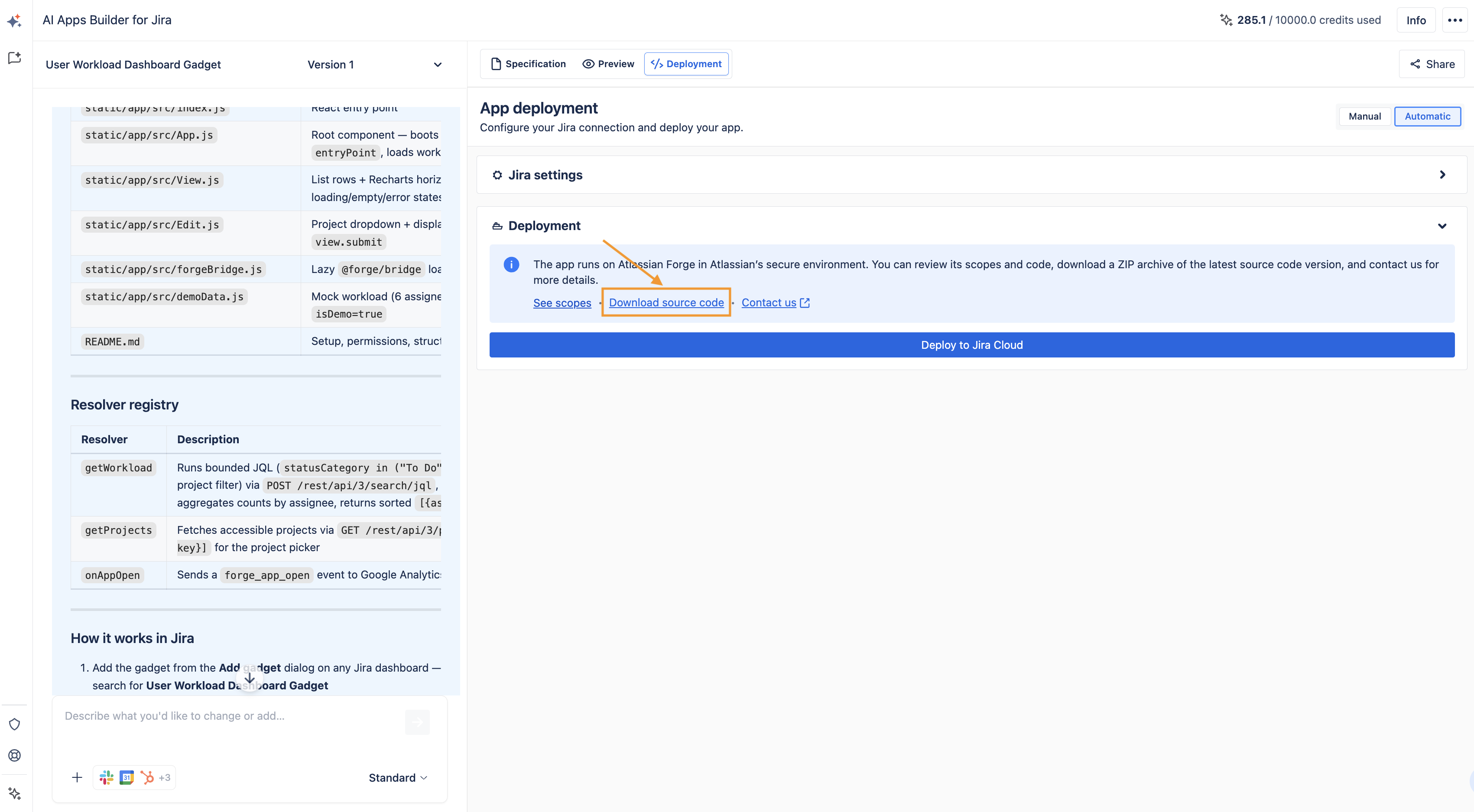
-
Review and edit the app specification before generation begins, including all modules, permissions, and scopes.
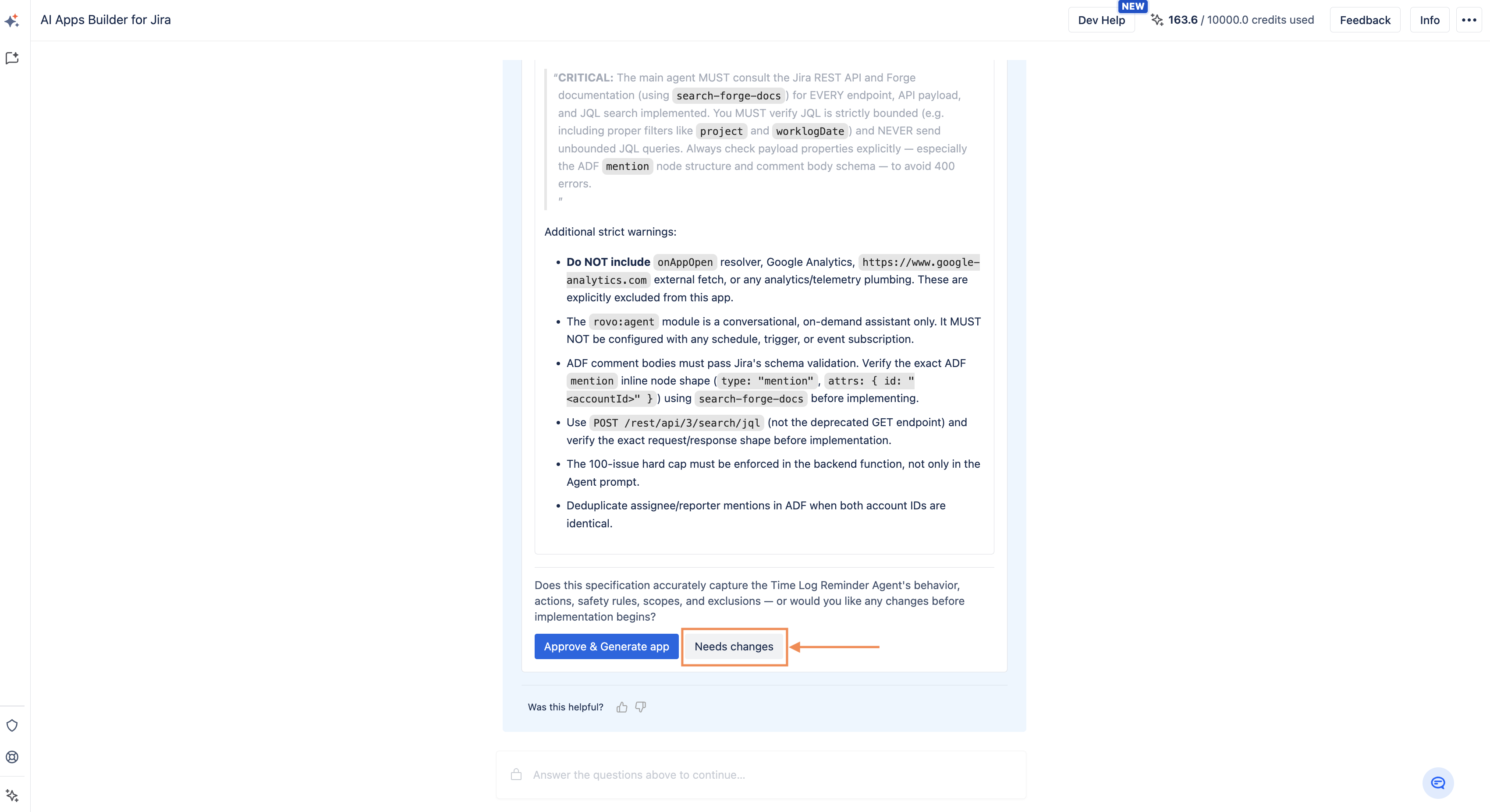
-
Choose manual deployment and keep the full deployment process — including the API token — entirely under your control.
If you need help or have questions, please contact SaaSJet Support or email us at support@saasjet.com.
If at any time you have concerns or are uncertain whether your security research is consistent with this policy, please contact us at security@saasjet.com