
Version History in AI Apps Builder lets you safely experiment with your app without worrying about losing work. Every change creates a new version automatically, so you can always roll back to an earlier state and continue building from there.
How Version History works
-
Automatic version saving
Every time you change your app, a new version is created automatically. Each version contains the full source: UI, logic, structure, and configuration as it existed at that moment. -
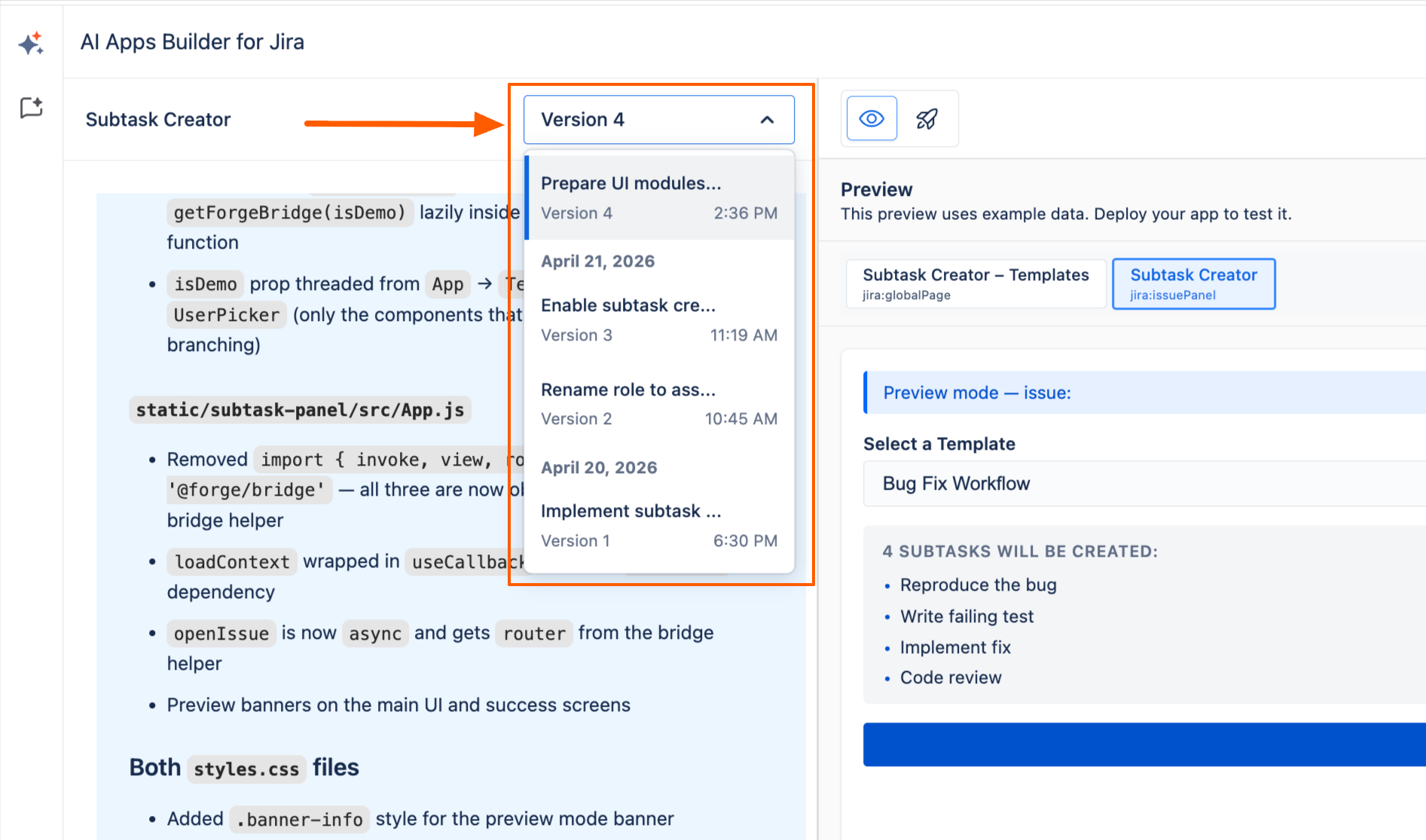
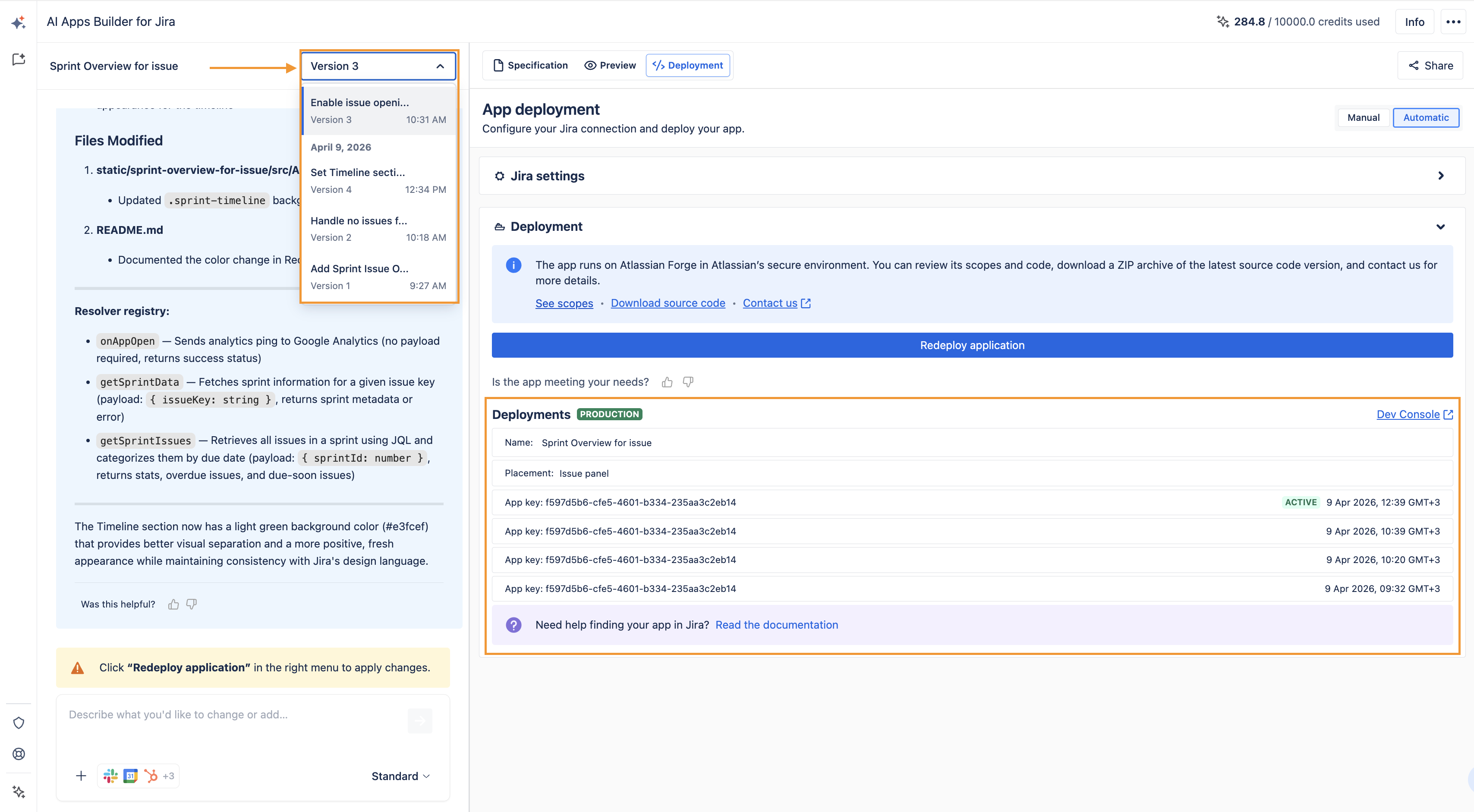
Version list with names and timestamps
Versions are shown in a dropdown, with a version name and timestamp so you can quickly find the state you need.
-
One-click restore
When you select a previous version, AI Apps Builder restores the entire app source from that point. You can then keep editing, and your new edits create a fresh version in the history. -
No manual backups needed
There is no export–import or manual backup step. The full version history is always available behind the scenes.
Typical workflow
-
You create an app → a version is saved automatically.
-
You make changes → each change creates a new version; older versions stay available.
-
You want to go back → select any earlier version from the dropdown.
-
You restore that version → the full source (UI, logic, structure, configuration) is restored.
-
You continue editing → your new changes are saved as another version in the history.
Haven't used AI Apps Builder yet? You're welcome to try it then!
Have questions or want to see AI Apps Builder in action?
Feel free to meet with us — book a demo today!