
Why do you see “No admin access to this Jira site.”
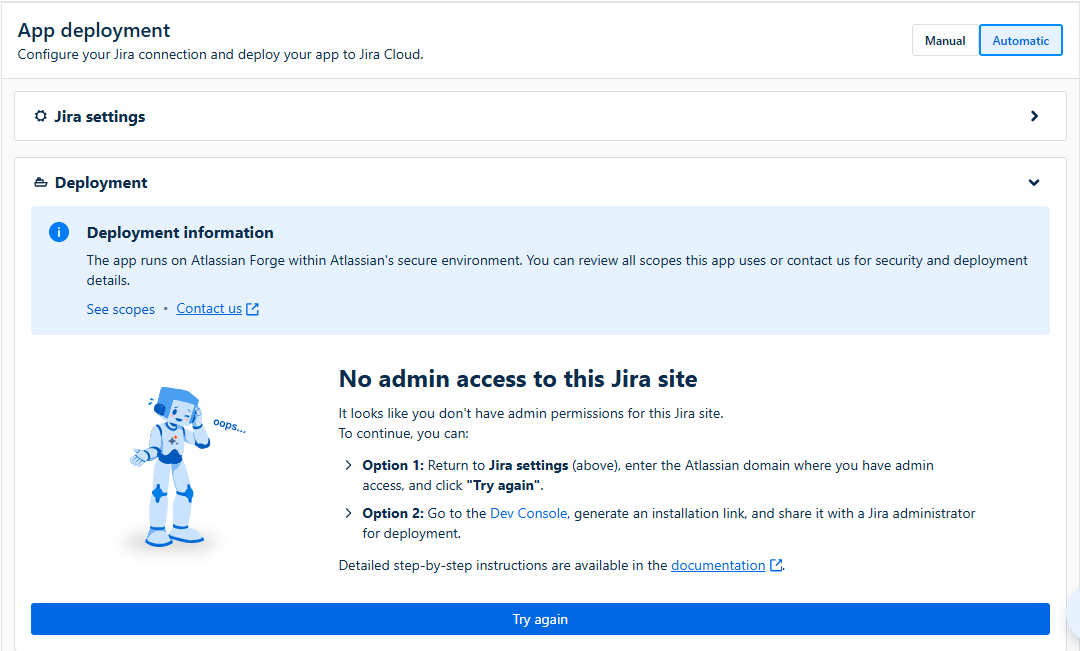
This message appears because you are trying to deploy the app to a Jira site where you do not have admin access. To deploy or redeploy a Forge app created with AI Apps Builder, you must be a Jira site administrator for the target Jira Cloud site.
What you can do to continue the deployment
Option 1: Change Jira site
-
Go to Jira settings (above)
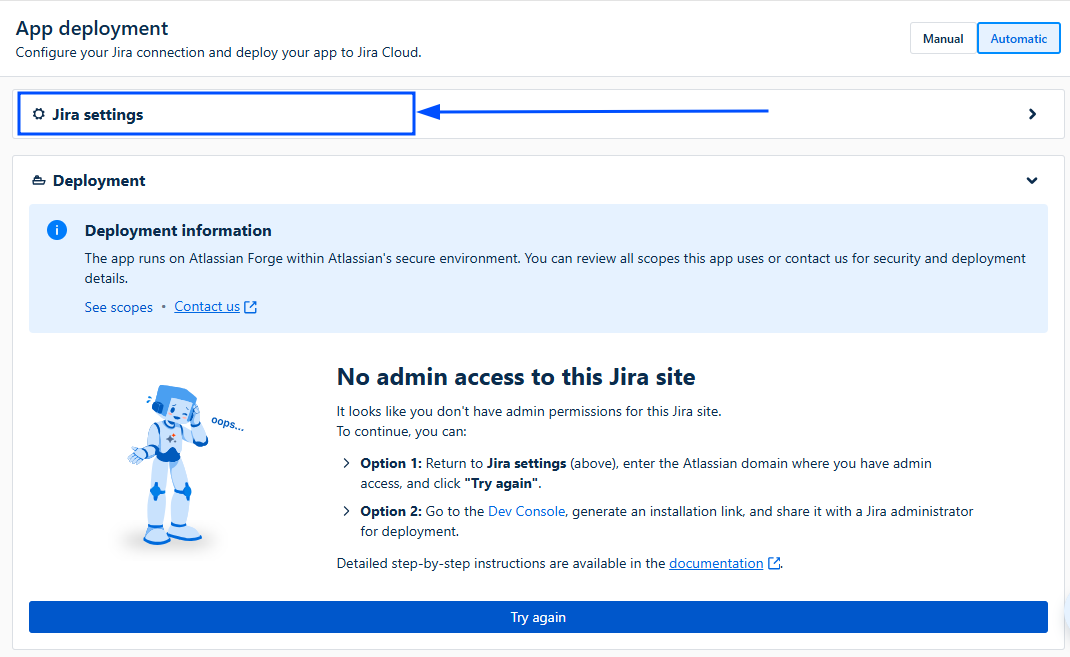
-
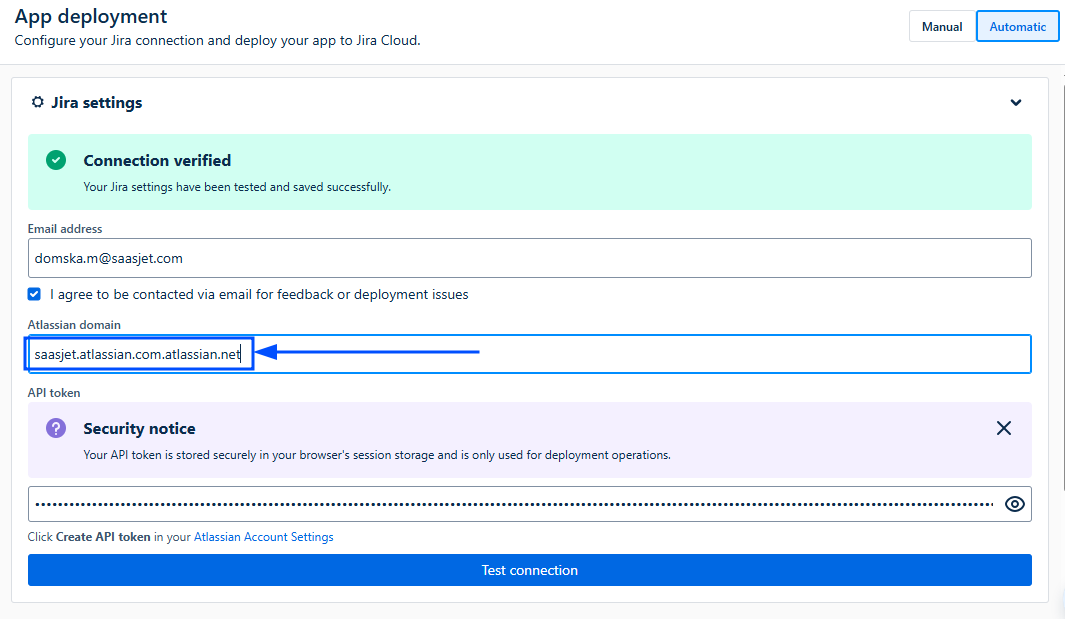
Change the Atlassian domain where you have admin access.
-
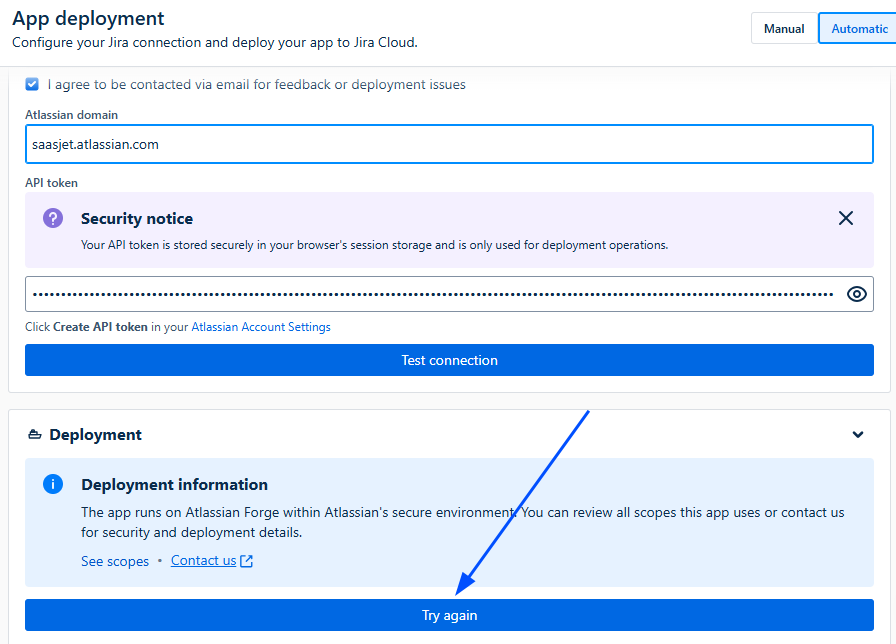
Then click Try again.
Option 2: Share the installation link with an admin
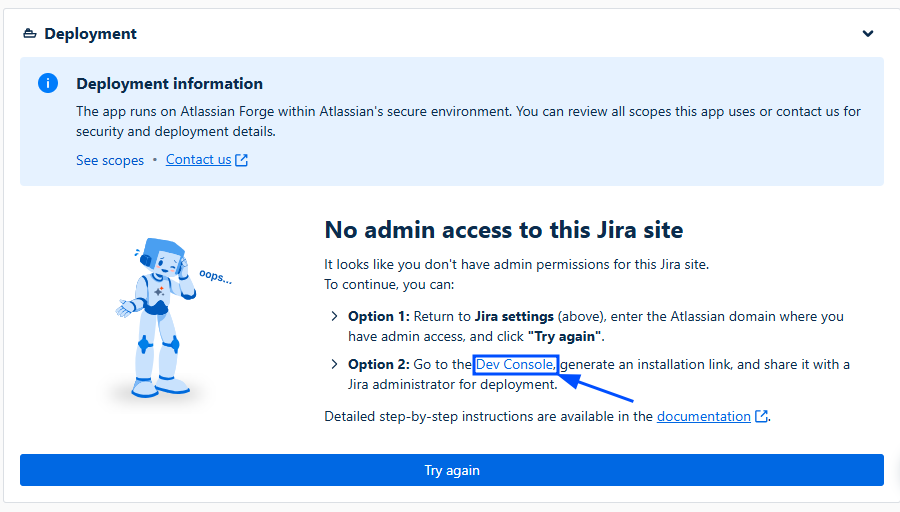
1. Go to the Developer Console
-
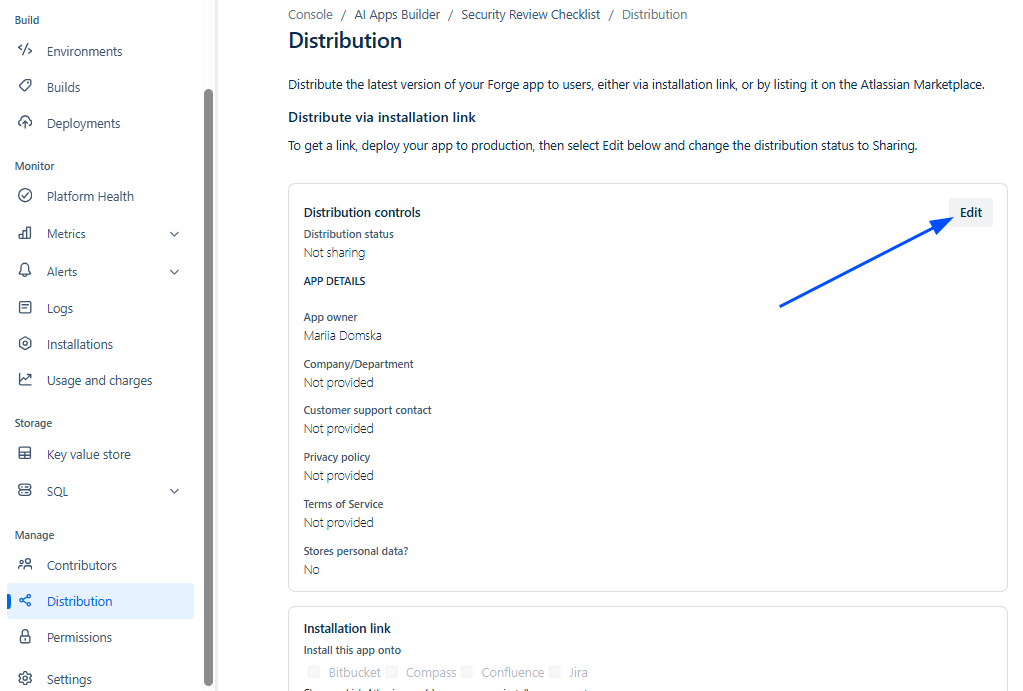
A new browser tab will open with the Distribution page for your app in the Atlassian Developer Console.
-
In the Distribution controls panel, click Edit.
-
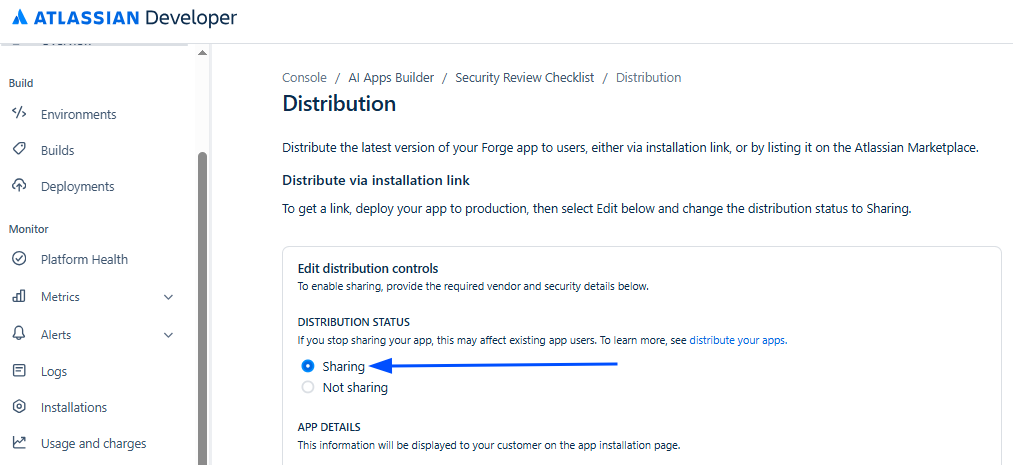
Under Distribution status, select Sharing.
-
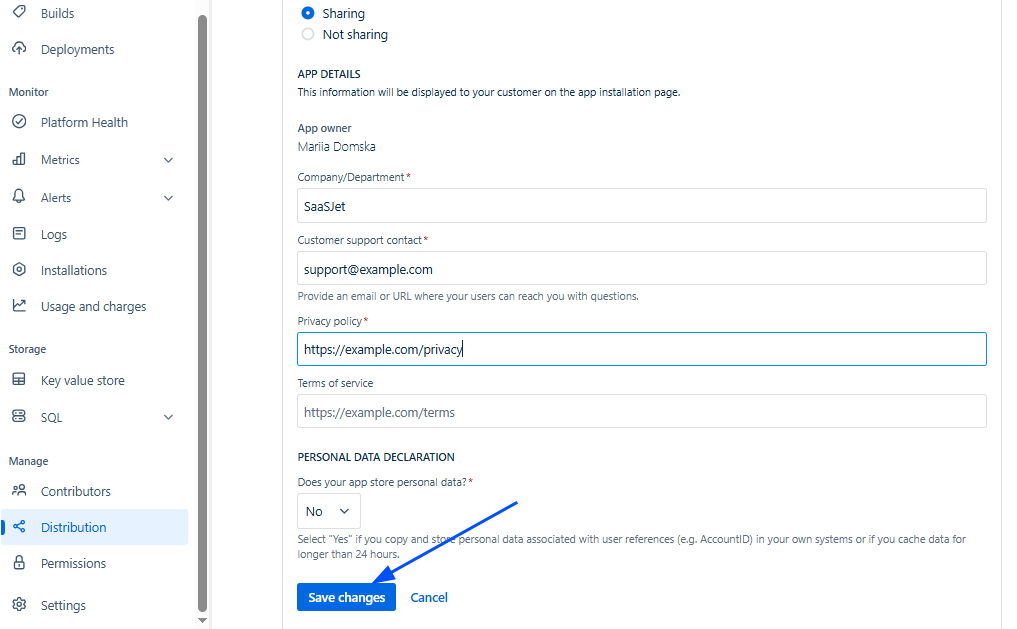
Fill in the required fields:
-
Company/Department – your company name, e.g.,
SaaSJet. -
Customer support contact – email or URL. If you don’t have a real one yet, use a placeholder, e.g.,
support@example.comorhttps://example.com/support. -
Privacy policy – URL, e.g.,
https://example.com/privacy.
-
Save changes
-
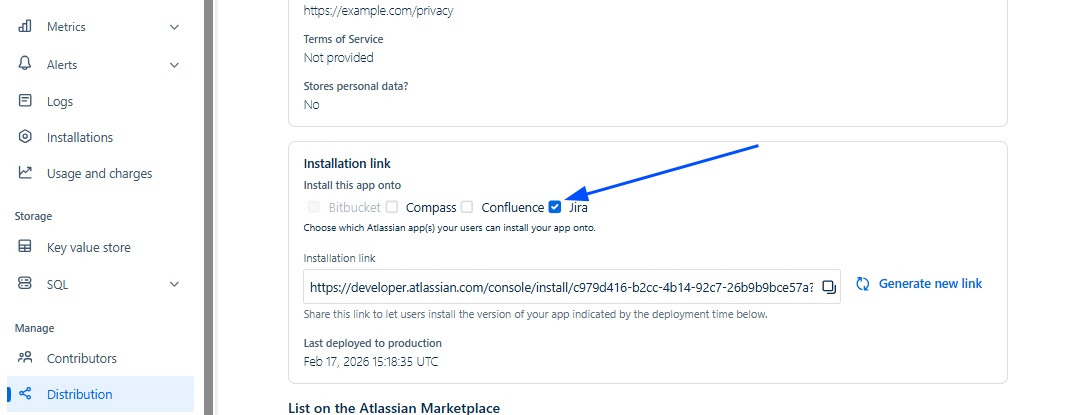
Scroll to the Installation link section and select Jira.
-
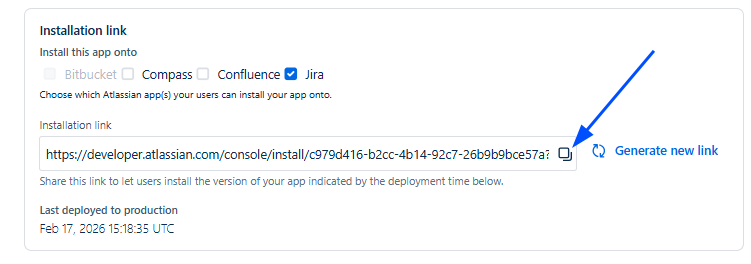
Copy the Installation link URL and share this link with a Jira administrator to install your custom app on the target Jira site.
If you have any questions, feedback, or ideas, just contact SaaSJet Support or email us at support@saasjet.atlassian.net. We’re always happy to help.
Have questions or want to see AI Apps Builder in action?
Feel free to meet with us — book a demo today!