
The Free Tier of AI Apps Builder for Jira includes 50 credits to help you explore the product and build your own Forge apps or AI agents. Credits are used when you send messages in the AI chat.
One Atlassian account can have many users. Each user gets 50 free credits when they start using AI Apps Builder.
Free credits are per user, not per site. It doesn't matter if your instance has 10 users or 100 users — each user gets 50 credits. Users cannot send credits to each other.
Users can buy more credits for themselves. When you buy credits, they are only added to the email address you used for the purchase. Credits are not shared with your whole team. For example, if 10 users on the same Jira instance each buy credits, each person will have their own separate credit balance, not a shared one.
How Credits Are Used
Each message consumes a certain number of credits. The number of credits used depends on the complexity of your request, including:
-
The length of the message (number of characters).
-
The complexity of the prompt and the requested functionality.
-
The number of reasoning steps the AI performs.
-
The effort required to generate or update a Forge app, including UI, logic, configuration, and building a preview.
Credits are not time-based.
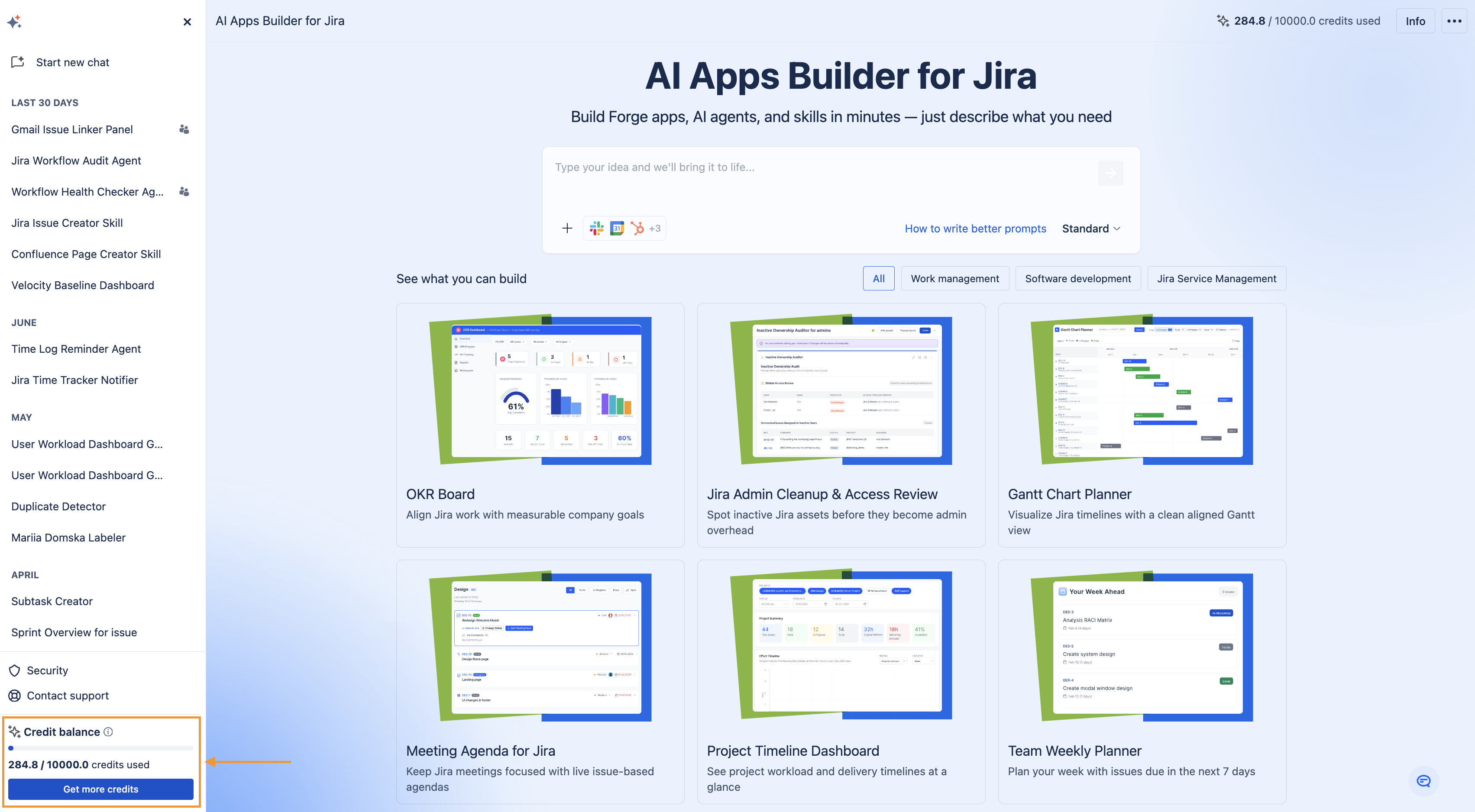
You can track your credit balance in the top panel or sidebar. If you run out, click Get more credits.
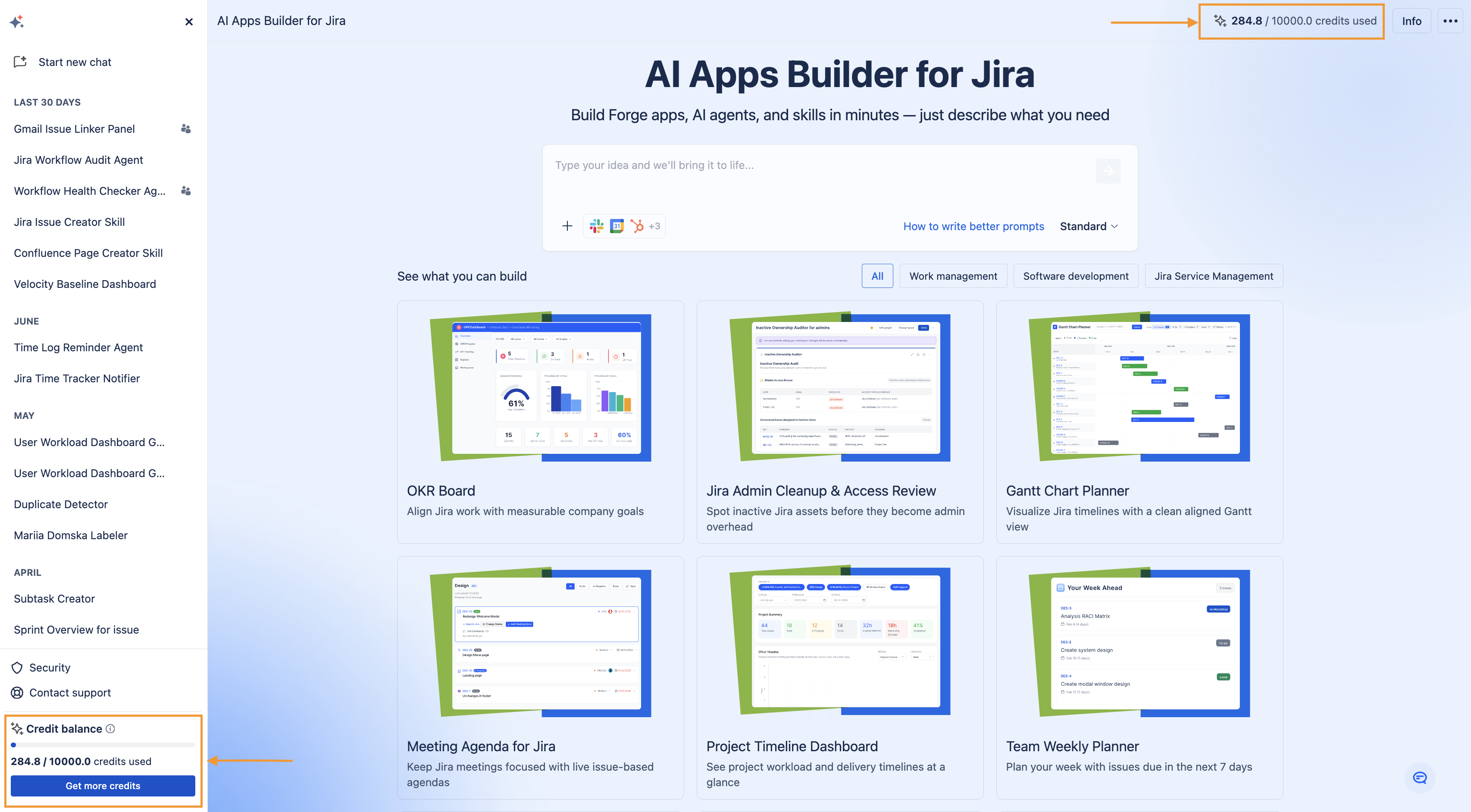
Example: How Credits Are Used
This example shows how a single prompt that generates a custom Forge app with UI, logic, and data handling consumes credits based on its complexity.
Generating the Forge app that includes 3 Jira modules (issue panel, admin page, scheduled trigger) and third-party integration (OAuth 2.0).
Prompt:
Build an Issue Panel app for Jira with Gmail integration. The panel should let a user link one or more Gmail email addresses to a Jira issue. Once linked, the app should:
Fetch all email messages exchanged with those addresses - Post each new email as a comment on the issue (sender, date, subject, message body) - Automatically sync once per day via a scheduled trigger, adding any new emails as comments - Also let the user manually trigger a sync from the panel (a "Sync now" button), for cases when they need up-to-date evidence immediately - Let the user unlink an email address from the issue at any time - Avoid adding duplicate comments for emails already synced
The panel should show:
A field to add/remove linked email addresses - A list of currently linked addresses - A status indicator showing when emails were last synced (date/time of last sync) - A "Sync now" button for on-demand sync
Use Gmail as the third-party integration (OAuth 2.0). Generate the admin page needed to connect the Gmail account.
For building the app specification: 0.4 credits used
For building the app: 25 credits used
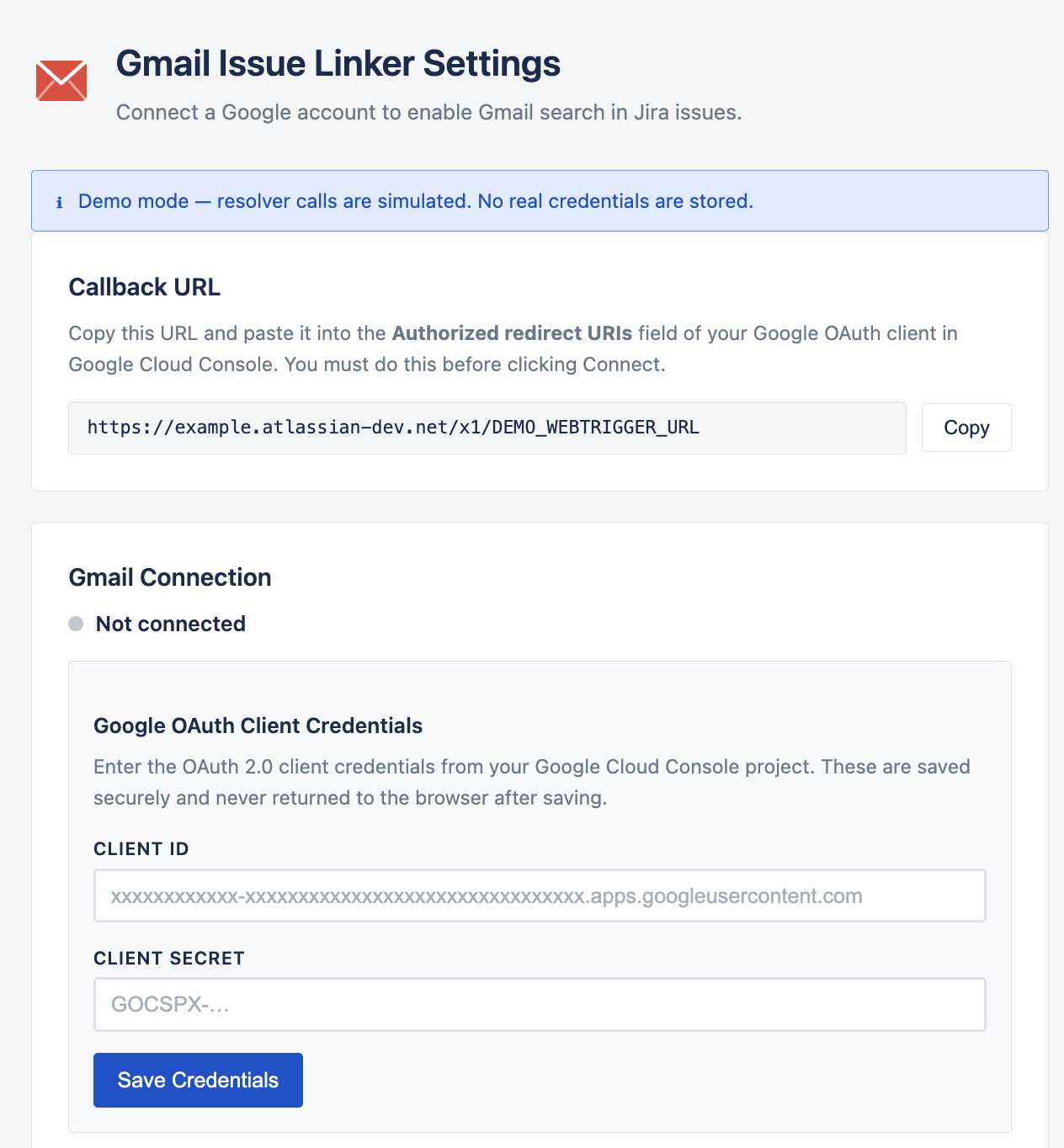
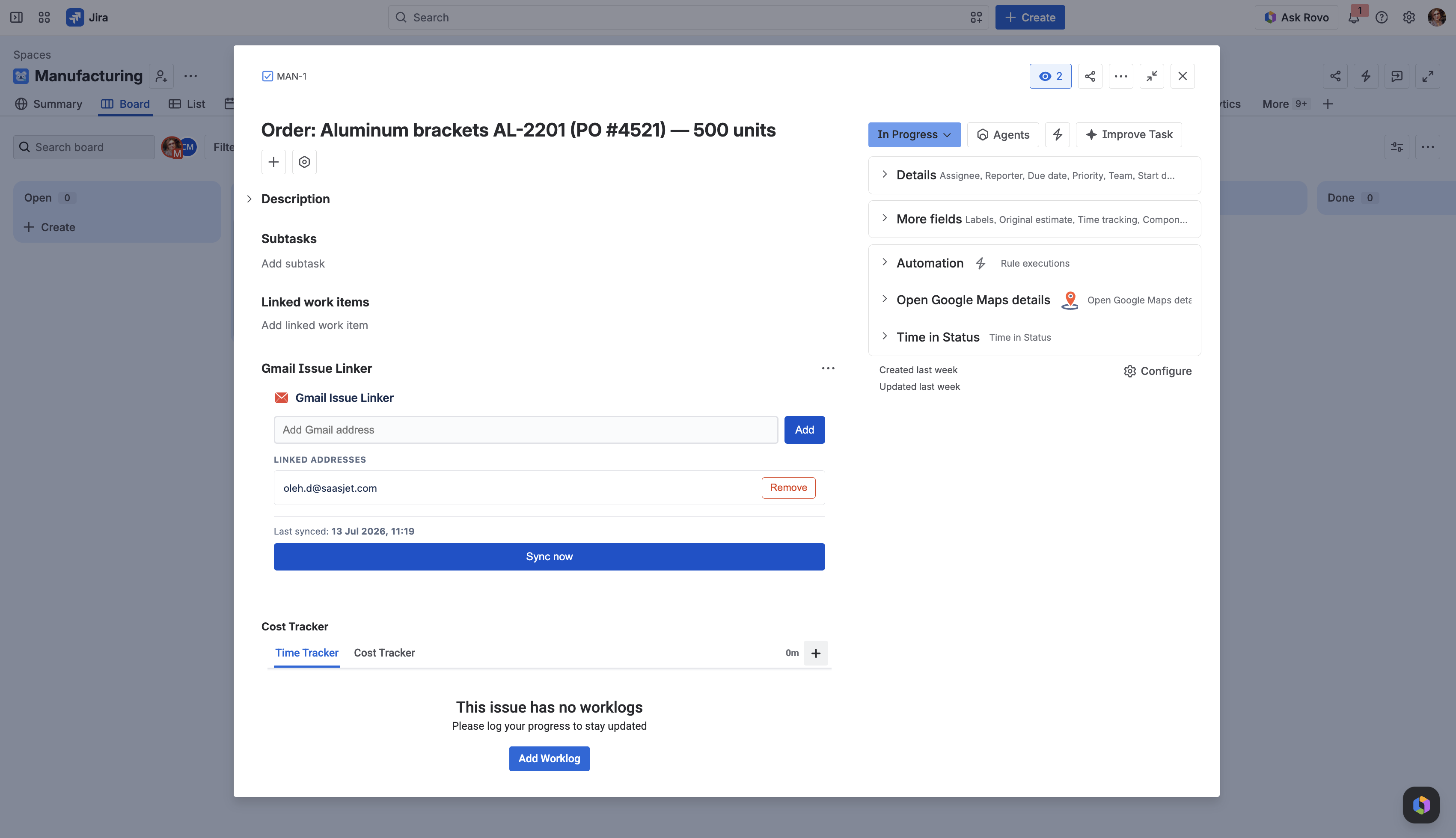
Simple requests use fewer credits. More complex app generation or advanced changes consume more.
If you have any questions, feedback, or ideas, just contact SaaSJet Support or email us at support@saasjet.com. We’re always happy to help.
How Usage Limits Work
Each conversation in AI Apps Builder guides you through a complete build cycle from idea to deployment.
You can:
-
Generate new Forge apps, AI agents, and custom skills
-
Modify your apps, agents, and custom skills built with AI Apps Builder
-
Add features, logic, or configuration via follow-up prompts
-
Refine UI components and business rules.
How to Get More Credits
If you’ve used all your credits, you can easily get more credits to continue building.
Purchase Credits
If you need credits immediately, you can buy 100 credits for $50. This includes:
-
About 5 generated Jira apps
-
Capabilities to build Forge apps, third-party integrations, AI agents, and agent skills
-
Deployment to 31 Jira modules
-
Full access to generated code.
Important: Credits are not shared with your entire Jira instance. They are sent only to the email address you entered during purchasing
What this means: If you are an admin, you cannot buy credits once for the whole team. Each person who needs more credits must purchase them using their own email.
Buying Credits for Your Whole Team
If you need credits for several users, please reach out to our support team SaaSJet Support , or email us at support@saasjet.com. We can help divide your purchase among your team members.
Get Free Credits
Also, here are a few simple ways to receive 50 free extra credits as a thank you:
-
Fill out a quick feedback form → Complete form
-
Leave a review on Atlassian Marketplace → Confirm your review
-
Share a LinkedIn post about the app you built and mention SaaSJet.
Your feedback helps us:
-
Understand real Jira use cases
-
Improve the product experience
-
Plan new features and updates.
How to Apply for More Credits
-
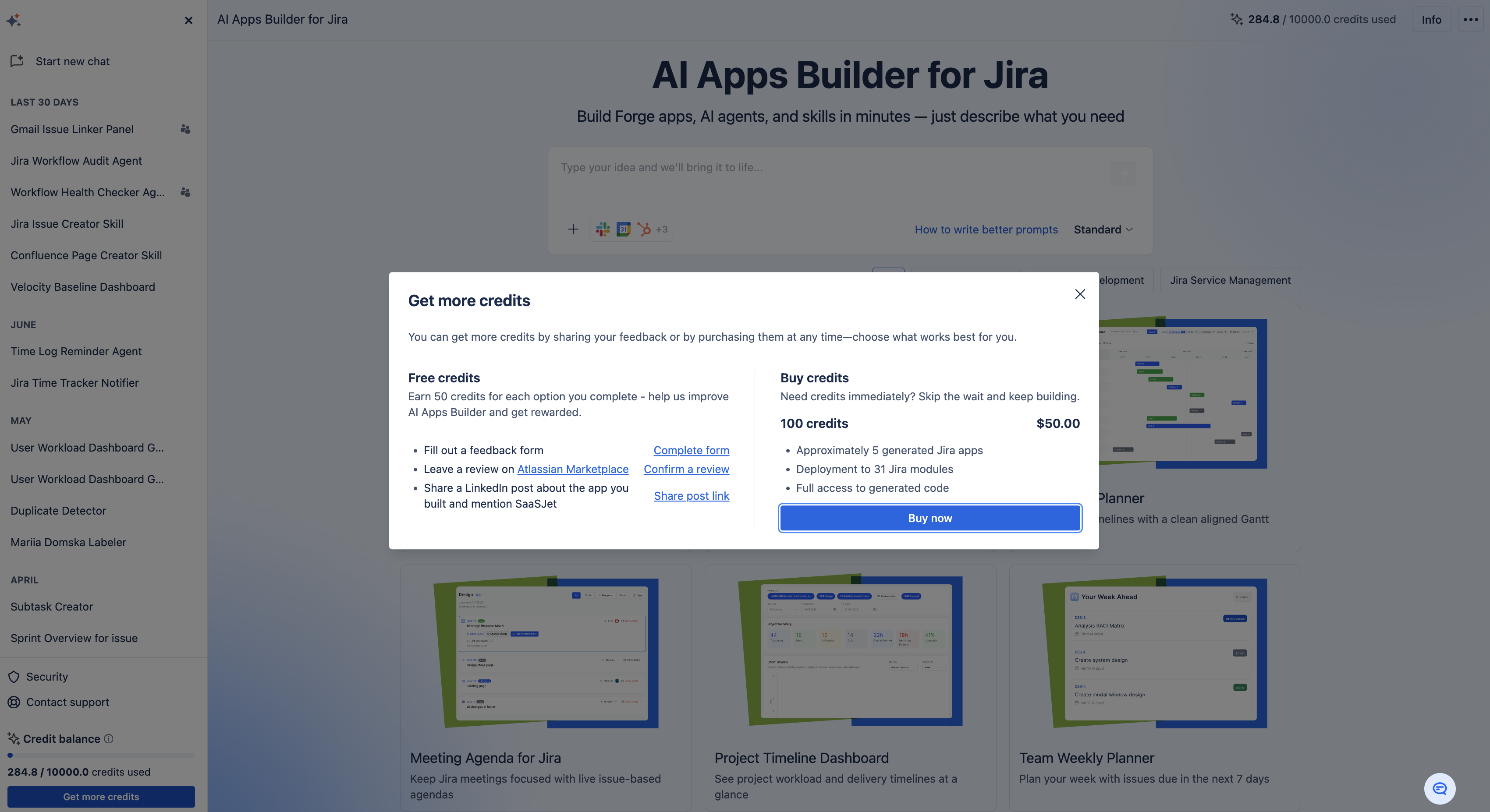
Open the AI Apps Builder sidebar and click Get More Credits.
-
In the dialog window, select the option you want to use.
-
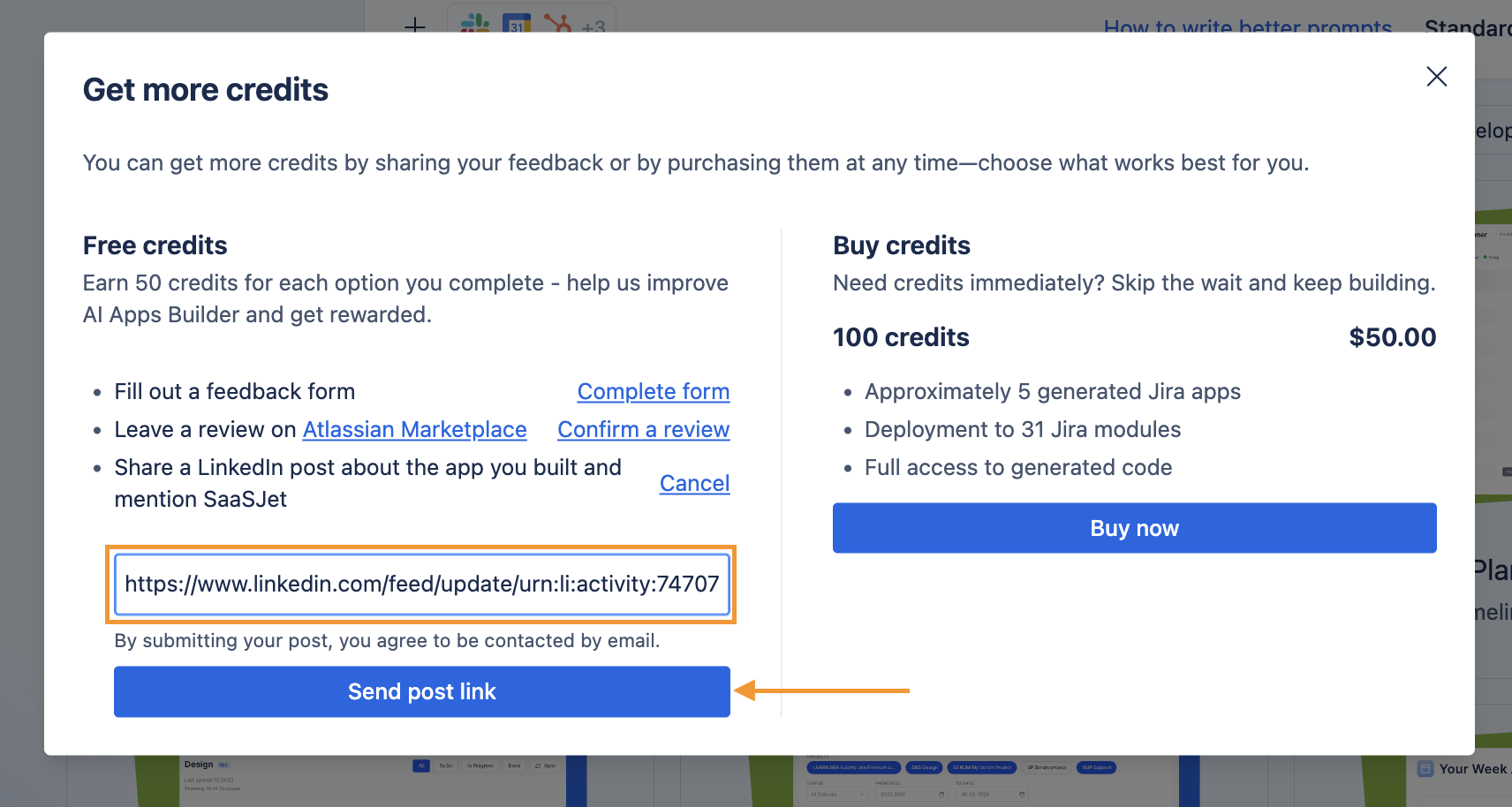
For example, share a LinkedIn post about your app, paste the post link in the field, and click Send post link.
Credits cannot be transferred from one user to another.
Haven't used AI Apps Builder yet? You're welcome to try it then!
Have questions or want to see AI Apps Builder in action?
Feel free to meet with us — book a demo today!