
What is goal transition
The Link goals feature allows SLA goals to transition smoothly when the context changes, without restarting the SLA timer.
When an issue changes its priority or other context, a new SLA goal is applied. To ensure consistent tracking, the system transfers the elapsed time to the new goal instead of restarting the timer. This way, the recalculated deadline reflects the real time spent and is displayed in the SLA panel of the issue.
For example, if a ticket is created at 10:00 with Medium priority and a 3-hour SLA (deadline 13:00), and at 11:00 the priority changes to High with a 2-hour SLA, the system subtracts the 1 hour already passed and sets the new deadline to 12:00.
How it works
When goals are linked:
-
the SLA starts with the initial goal
-
if the context changes → a new goal is applied
-
the system transfers the elapsed time to the new goal
-
the remaining time is recalculated accordingly
This allows the SLA to continue without interruption instead of restarting from zero.
How to configure linked goals
To make SLA goals transition smoothly when context changes, you need to link them:
-
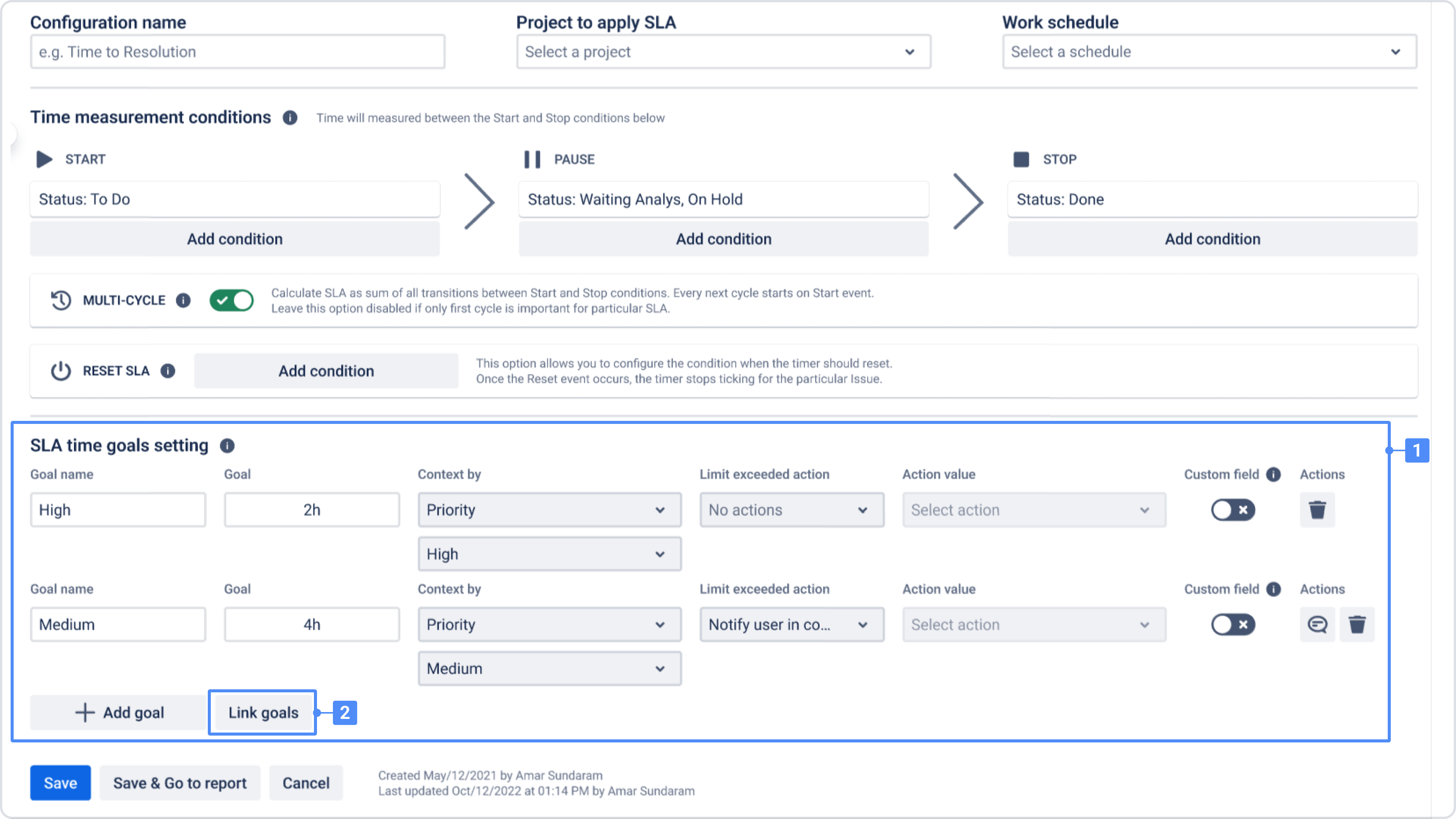
In the SLA time goals setting section, create SLA goals for different contexts (for example, Medium and High priorities).
-
Click Link goals.
-
In the modal window, select which goals should be linked. Linked goals share elapsed time when the context changes.
-
Save the configuration.
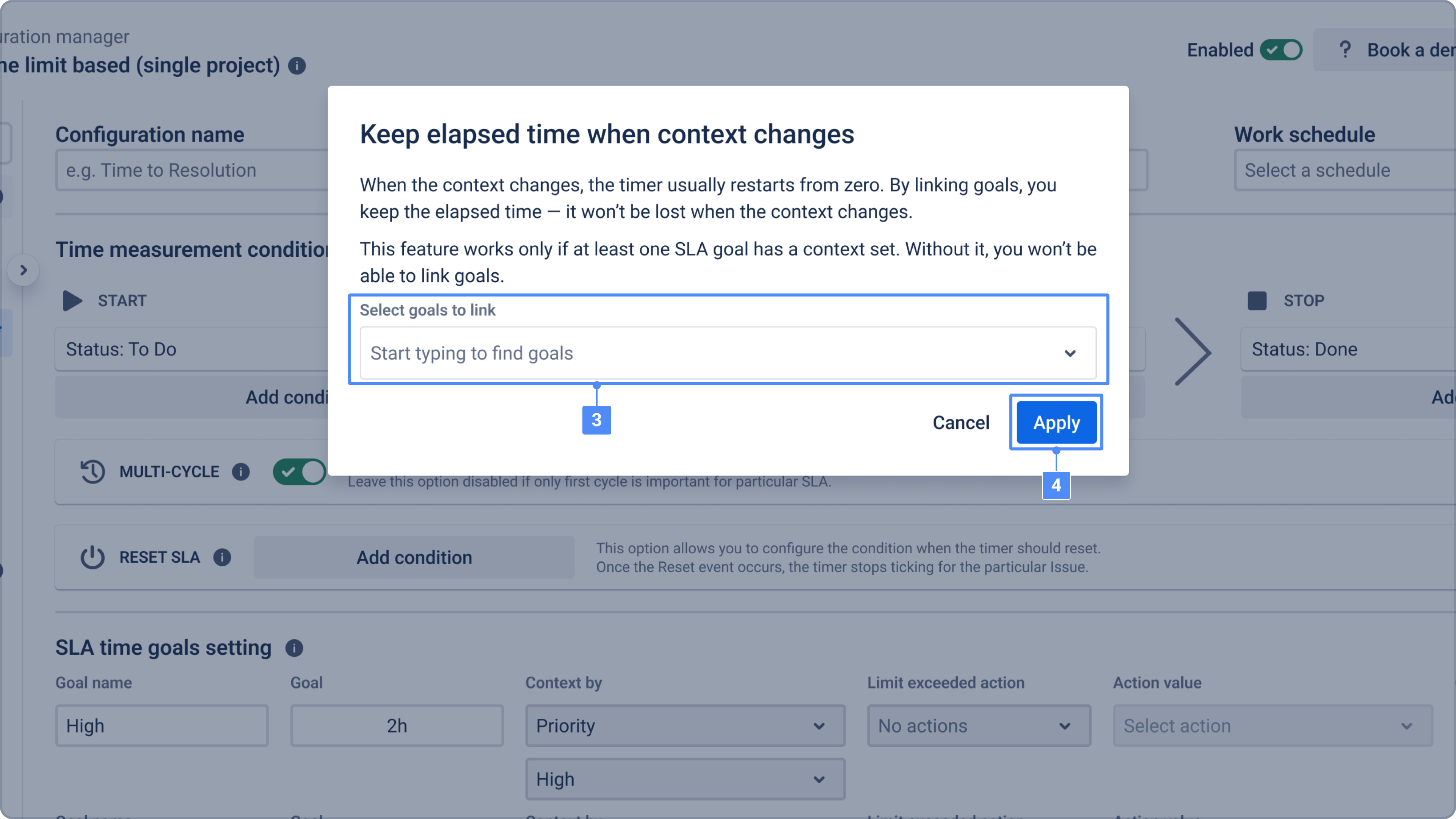
Once goals are linked, the SLA timer will continue across different goals instead of restarting.
Need help?
Have questions or need help with SLA Time and Report? Contact our support team.
Want to see SLA Time and Report in action?
Book a demo with our team to explore your use case, or start a free trial to try the app in your Jira environment.