
To help teams stay on track, you can set up SLA breach notifications. These alerts automatically warn users before a goal becomes overdue.
How it works:
You decide at what point in the SLA lifecycle the notification should be triggered. For example, you can configure the app to send a reminder when 50% or 80% of the SLA time is spent.
Once enabled and saved, the system will send a notification to the selected users or groups with details such as:
-
SLA name and goal
-
Remaining time
-
Assignee and reporter
-
Direct link to the work item
This ensures that no critical task slips through unnoticed.
Configuration steps
-
Go to SLA Configuration Manager.
-
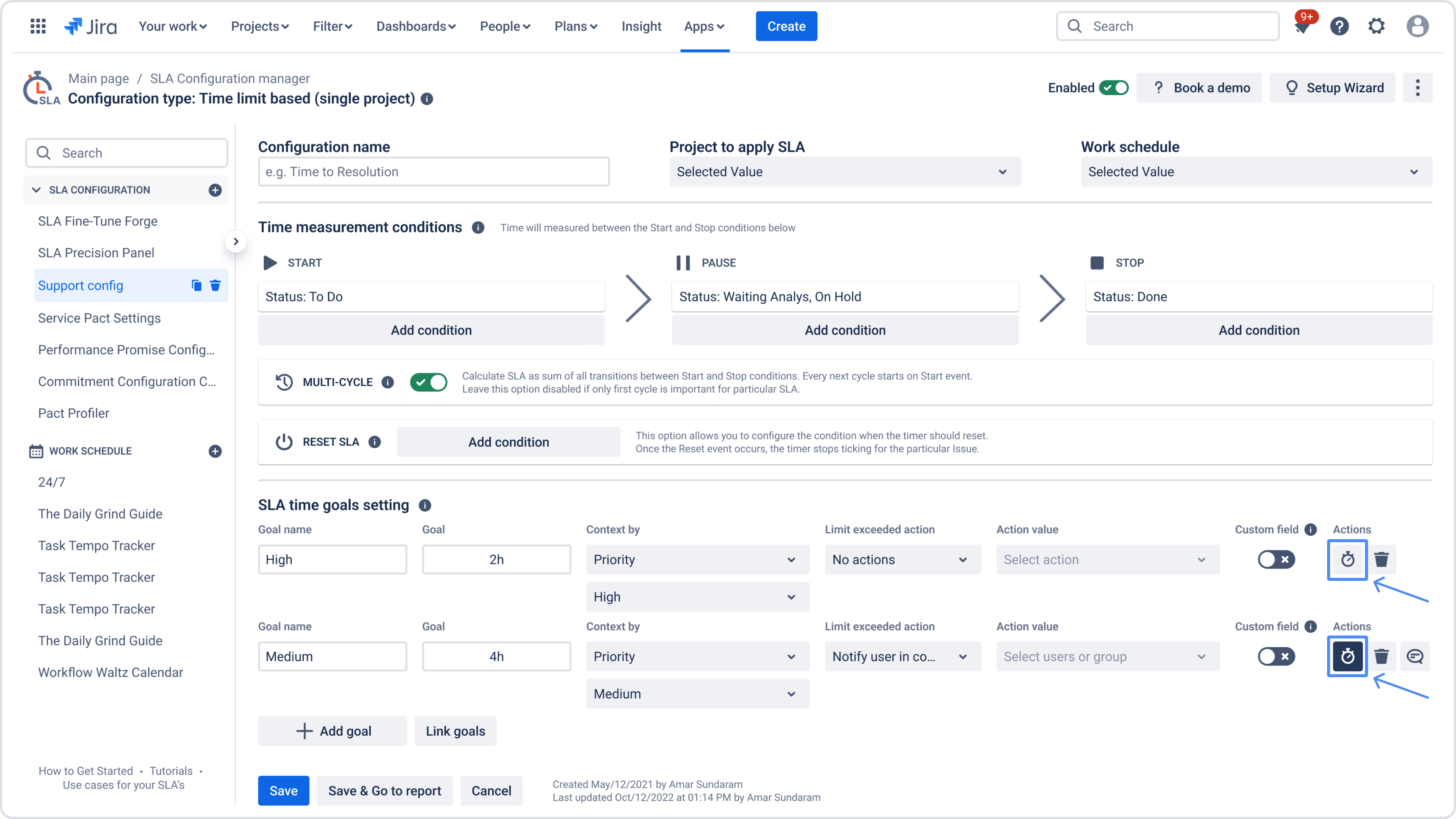
Open SLA Time Goals settings and configure the goals with the required time limits.
-
Click the Actions button and select the option to set up a Before breach notification.
-
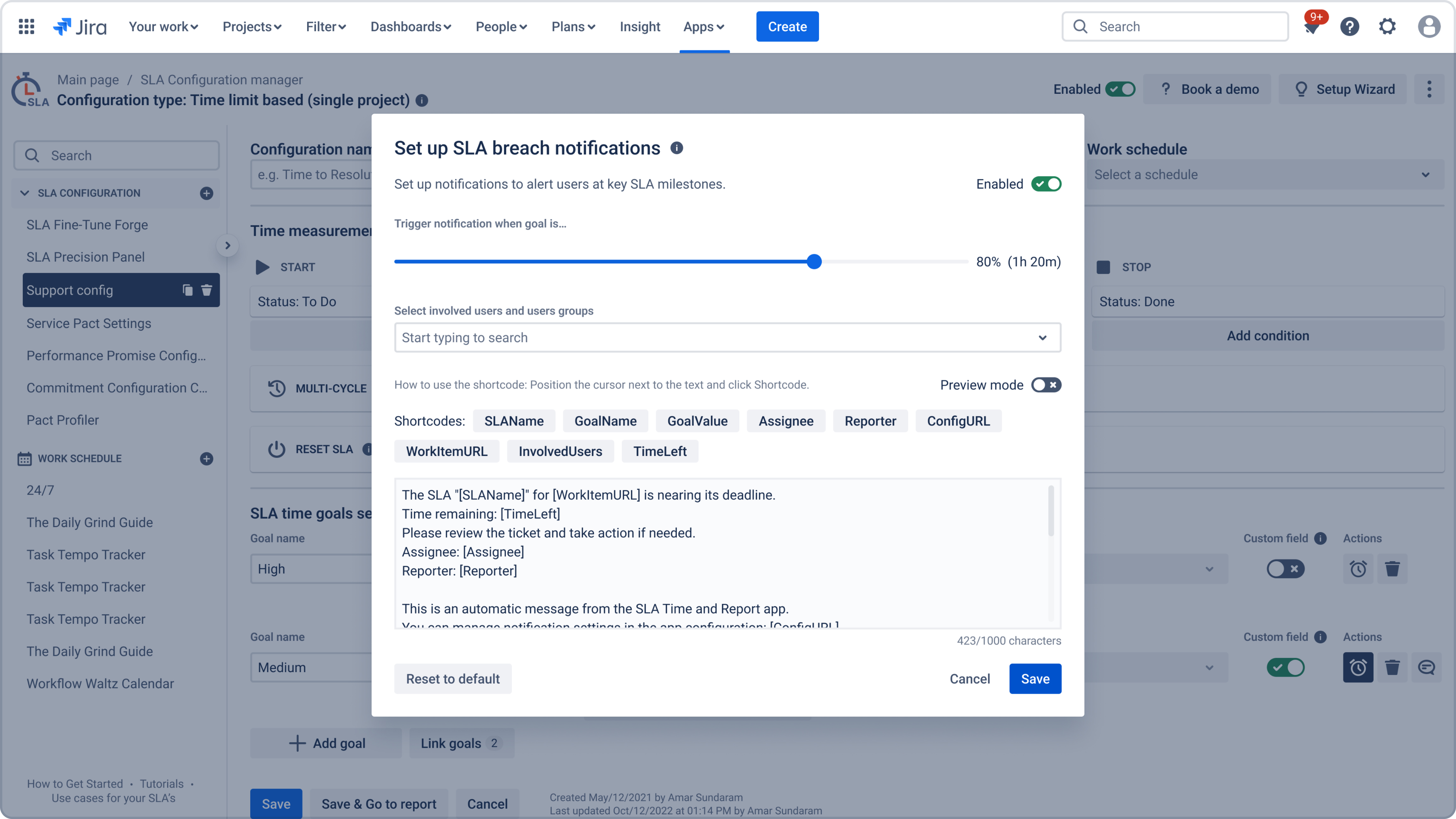
In the window that appears, adjust the slider in Trigger notification when goal is… to the desired threshold (for example, 50%, 80%, or 90%).
-
Select the involved users or groups who should receive the alert.
-
Customize the notification text using the available shortcodes.
-
Click Save to activate the notification.
Notes
-
Notifications are enabled immediately after saving.
-
You can reset the text to the default template at any time.
-
All notification settings can be managed later in the app configuration.
-
Notifications are not available for SLA goals shorter than 5 minutes.
-
Validation rule: there must be at least 5 minutes between the SLA start, notification trigger, and SLA breach. This rule ensures stable recalculation and prevents possible webhook logic conflicts when the SLA is close to completion.
Need help?
Have questions or need help with SLA Time and Report? Contact our support team.
Want to see SLA Time and Report in action?
Book a demo with our team to explore your use case, or start a free trial to try the app in your Jira environment.