
The Calculation Method allows the SLA to track time across multiple cycles instead of stopping after the first completion.
By default, an SLA is calculated only once - from the moment the Start condition is met until the Stop condition is reached. With Calculation Method enabled, the SLA will continue tracking time every time the Start condition is triggered again, and will sum the total duration across all cycles.
This feature is available only for SLA config with SLA Goal based on a time limit (hours: minutes) and is disabled for a negotiated date goal. Read more here.
.jpg?cb=a0d63e1f4478374f902fb976cadae68d)
How it works
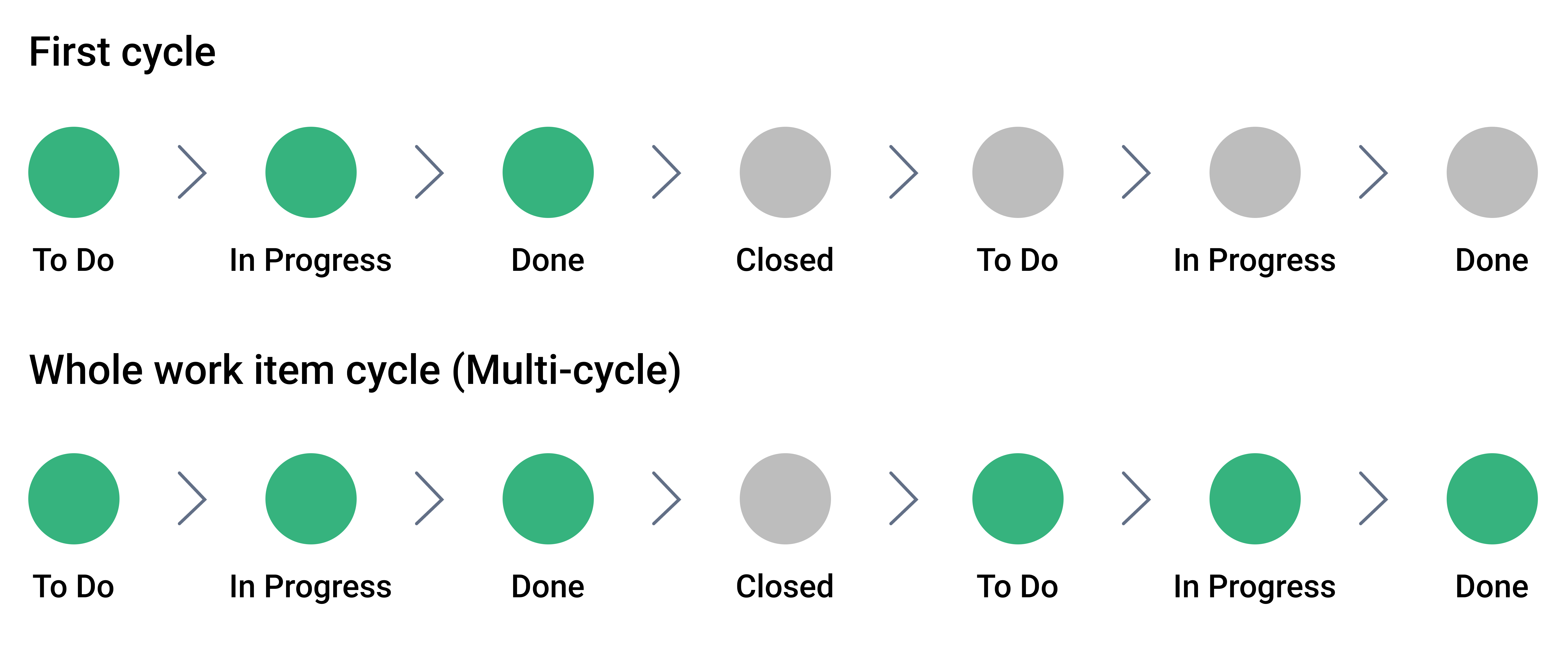
When the Calculation Method option is enabled, the SLA continues tracking time every time the work item goes through the workflow again.
The SLA starts when the Start condition is met and stops when the Stop condition is reached. If the work item is reopened or re-enters the Start condition, the SLA starts again as a new cycle.
Instead of tracking only the first pass, the system adds up the time from each cycle. As a result, the SLA reflects the total time spent across all cycles, not just the initial one.
Here is how SLA time will be calculated when you choose either a All Cycle or First Cycle option.
How to configure Calculation Method
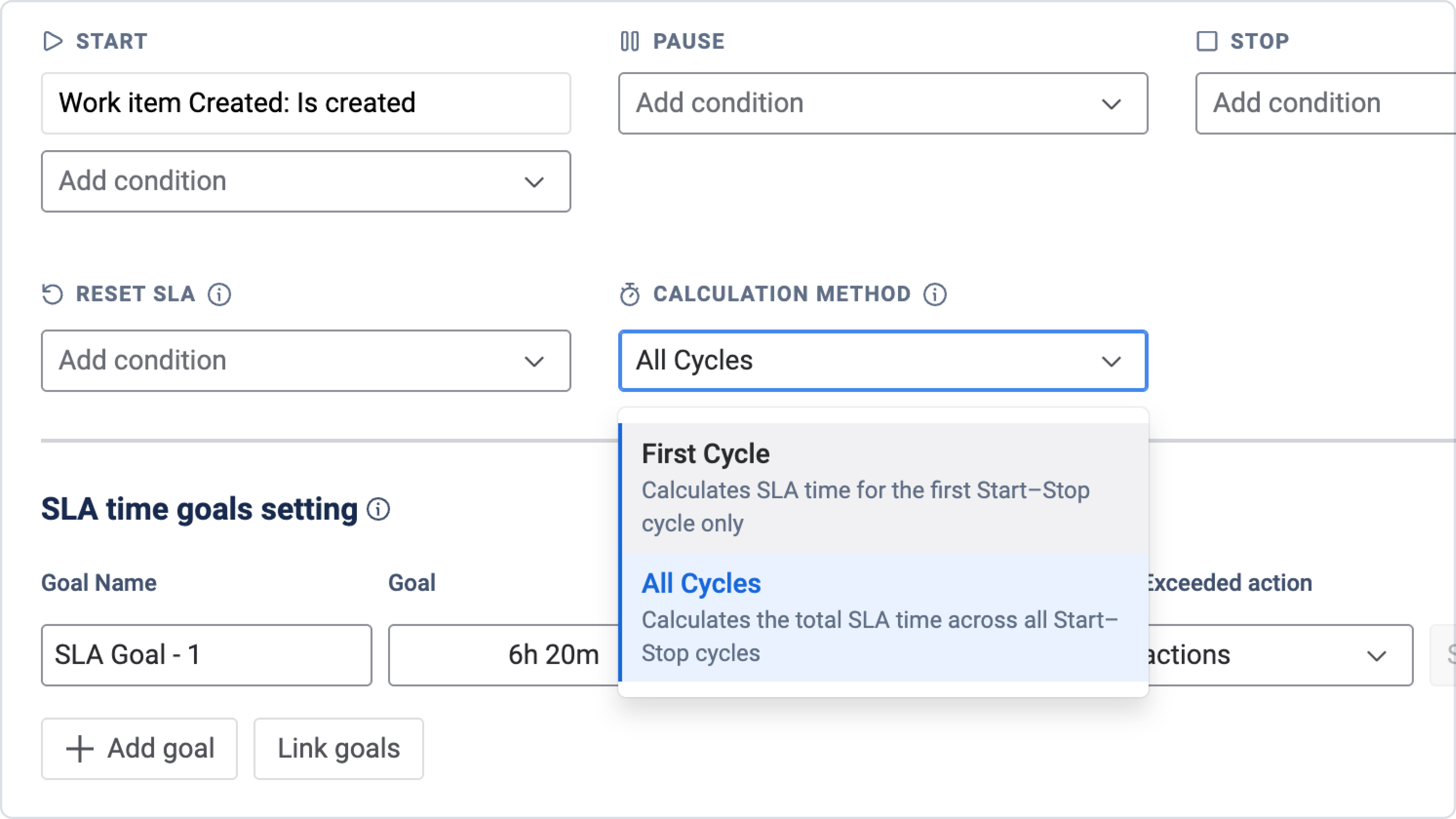
To enable the Calculation Method option:
-
Open the SLA configuration page

-
Create a new SLA

-
Go to the SLA conditions settings
-
Find the Calculation Method and choose All Cycles or First Cycle:
Need help?
Have questions or need help with SLA Time and Report? Contact our support team.
Want to see SLA Time and Report in action?
Book a demo with our team to explore your use case, or start a free trial to try the app in your Jira environment.