
If you want to collect form responses from the issue and export them to CSV for a summary view of what has been submitted, follow the instructions below:
-
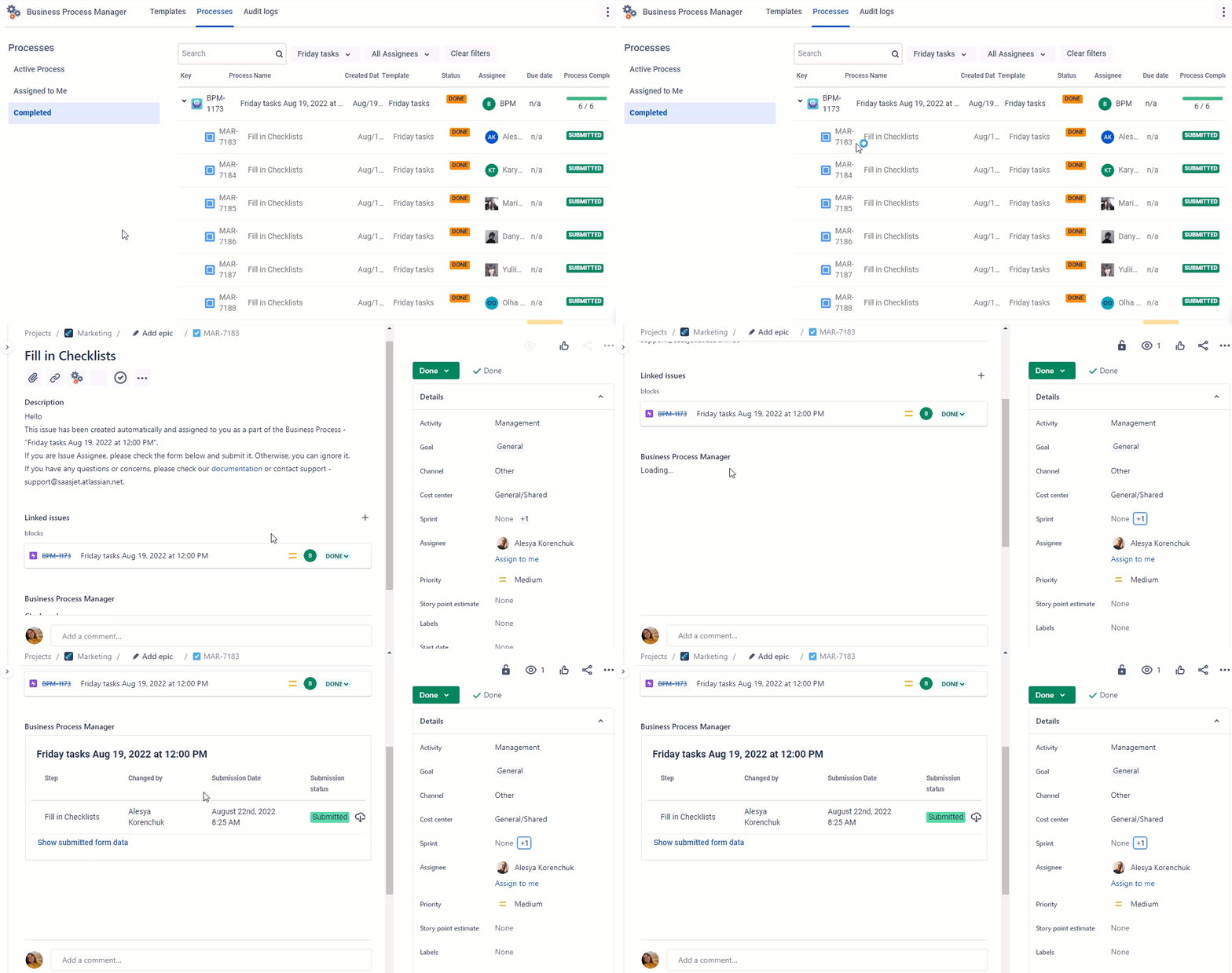
Go to the Process Tab in the BPM add-on and select processes that are completed by the filter.
-
Find a necessary process step and go to its Jira issue.
-
Scroll to the BPM widget and press the Response button.
-
Get CSV and use it the way that is convenient for you.
Also, you can monitor form responses in Jira issue by clicking the Show submitted data button.
Questions? Just email us to get an answer support@saasjet.com.
Haven’t used this add-on yet, then try it now!