
Your Jira work item data stays in Atlassian.
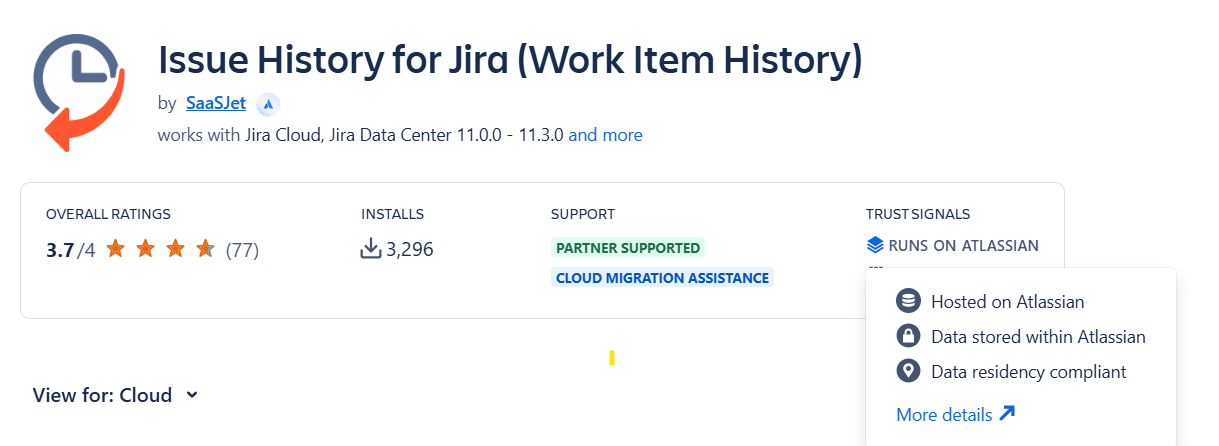
Issue History for Jira app works fully within the Atlassian infrastructure. It does not store Jira work item data externally, does not copy Jira history, and does not share Jira work item data with third parties.
|
🔐 Data Handling Overview |
⚙️ Data Processing Model |
💼 Enterprise Impact & Benefits |
|---|---|---|
|
✔ Jira data stays within Atlassian infrastructure ✔ No external storage of Jira work item data ✔ No Jira data shared with third parties ✔ Built on Atlassian Forge |
✔ Jira is the source of truth ✔ Data is read when needed via Atlassian APIs ✔ No separate storage of Jira data ✔ Processing happens within Atlassian Cloud |
✔ No duplicated Jira data outside Atlassian ✔ No separate database for Jira data ✔ Easier security and compliance reviews ✔ Lower risk for enterprise teams |
Built on Forge: Secure and compliant data processing
Issue History for Jira is built on Atlassian’s Forge platform, which means all data processing happens securely within the Atlassian cloud, not on external servers. This ensures your Jira work item data never leaves the trusted Atlassian infrastructure.
As a Forge-based app with the Runs on Atlassian badge, Issue History meets Atlassian’s highest standards for security, performance, and reliability.
|
⚙️Feature |
🔌Atlassian Connect |
☁️ Atlassian Forge (Issue History for Jira is built on it) |
|---|---|---|
|
Hosting |
App vendor’s external servers |
Fully hosted on Atlassian infrastructure |
|
Data security |
Managed by vendor |
Managed by Atlassian |
|
Performance |
Depends on vendor infrastructure |
Optimized for Jira Cloud |
|
Compliance |
Varies by vendor |
Easier compliance (SOC 2, ISO, etc.) |
|
Future support |
Still supported, but no new improvements |
Atlassian’s main focus for new development |
Questions & Answers
1. Does Issue History for Jira store customer data outside Atlassian?
No. Issue History for Jira doesn’t store Jira work item data, history, or content in its own external database.
All Jira work item data is:
-
Processed inside Atlassian Cloud infrastructure
-
Not copied, persisted, or mirrored outside Atlassian systems
Issue History for Jira app can read the full task log "on the fly,” parse the data, format it, and show it to the user.
.png?cb=f6750ade63d1fd5867829dc3b54dbd2c)
5. Is any Jira work item data stored outside the United States?
No. Issue History for Jira follows Atlassian Cloud data residency rules.
Customer Jira data:
-
Remains in the Atlassian Cloud region selected by the customer
-
Isn't moved, copied, or stored by Issue History for Jira app outside that region
Issue History for Jira app is Data Residency compliant.
If you need help or want to ask questions, please contact SaaSJet Support or email us at support@saasjet.atlassian.net
Have some additional questions? 👉 Book a product demo to review architecture, data flow, and compliance alignment with our team.