
All reports in Chart and Table views are available for export. Dive deeply into analysis for better business decisions!
You can export a table report as XLSX or CSV files.
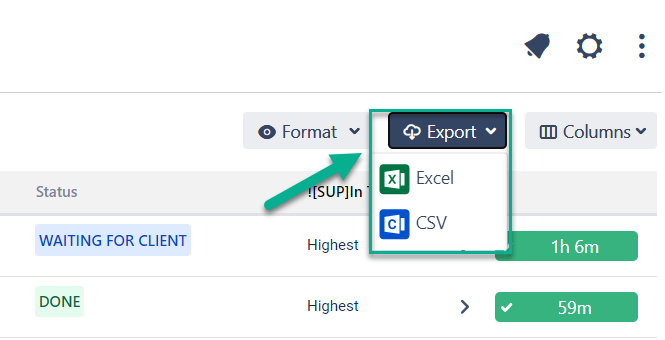
In the Export configuration window, you can select columns for Export files.
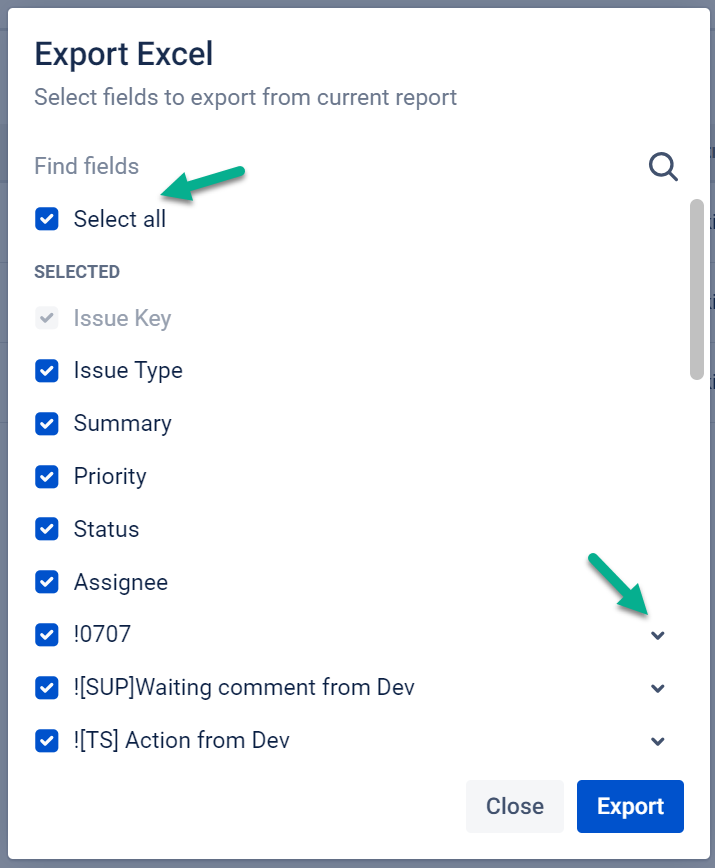
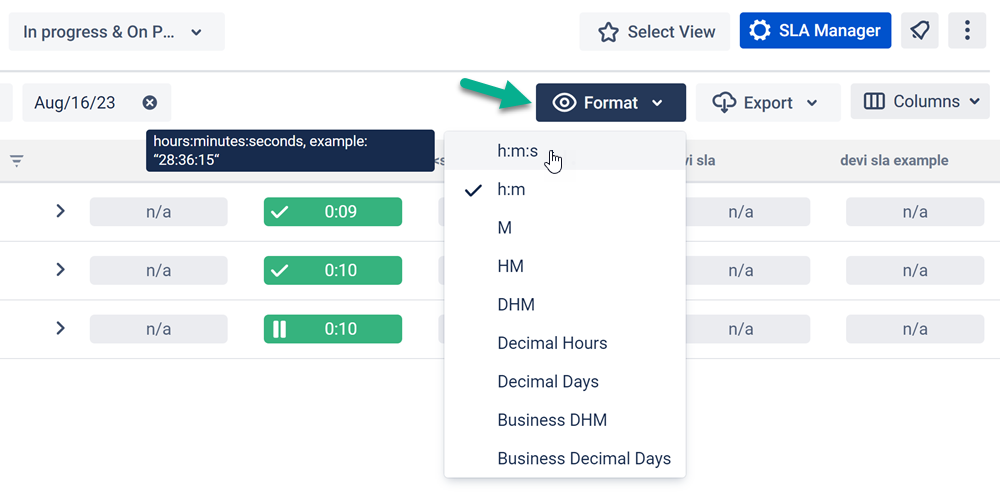
Please note: in order to extract the data for analysis, please choose one of the Decimal time formats. It will enable you to perform calculations on the exported data and build charts.
You can export chart reports in PNG, JPEG, PDF, or SVG formats.
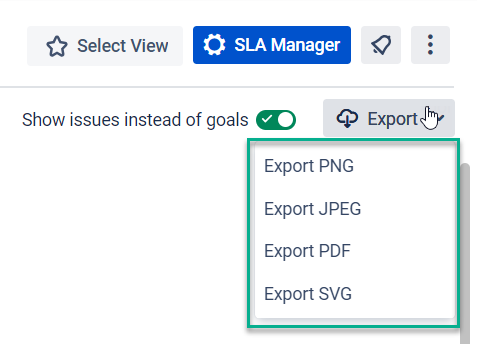
You can export data to a file only when the data is uploaded to the page.
When all your data is displayed according to the selected SLA configuration data, the Export option will be available.
If you want to control the execution time of your SLAs, you should choose the export data format in hours and minutes.
Why is the export function useful for you?
The export file contains all the detailed information about the SLA.
You can sort and filter data using any available program.
Look on the screen below to see how this option is displayed in the Google Spreadsheets.
|
|
|
|
|
|
There are 2 format types supported: Excel and CSV.
For example, how to calculate the estimated time for SLA?
1. Find SLA column — Goal name
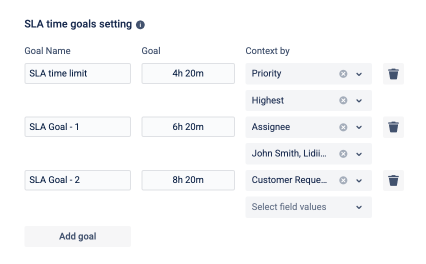
2. The time for SLA goal is displayed in a Goal time column.
This is the time you have pointed in the SLA configuration.
The formula is very simple:
Goal time - remaining time = elapsed time
Сalculation of the SLA time remaining
Also, you can filter data according to the conditions in other programs.
If you haven’t used this add-on yet, then try it now!