
Issue History for Jira app by SaaSJet offers Standard and Advanced plans.
Both plans provide full visibility into Jira work item history, but the Advanced plan is designed for teams that need deeper control, bulk actions, and advanced reporting — especially in larger or regulated environments.
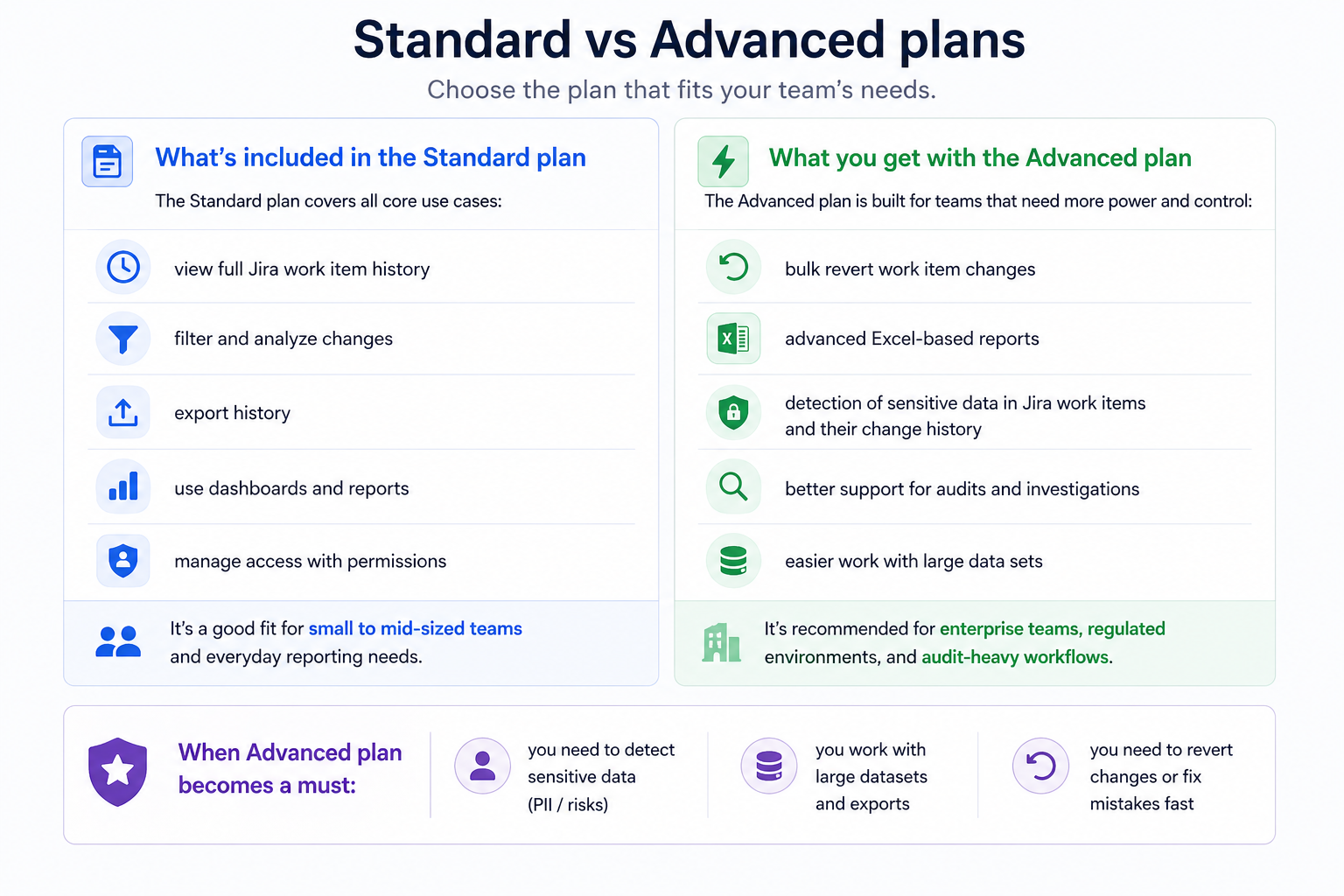
What’s included in the Standard plan
The Standard plan covers all core use cases:
-
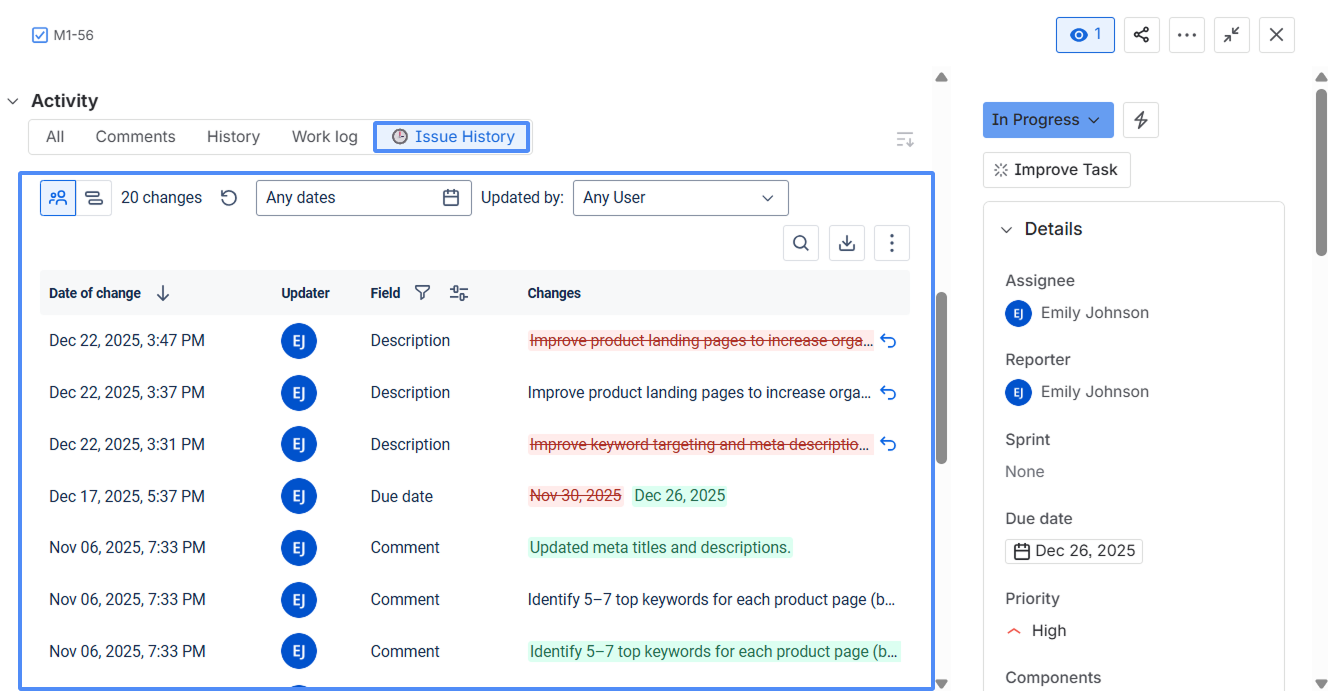
view full Jira work item history
-
filter and analyze changes
-
export history
-
use dashboards and reports
-
manage access with permissions
It’s a good fit for small to mid-sized teams and everyday reporting needs.
What you get with the Advanced plan
The Advanced plan is built for teams that need more power and control:
-
bulk revert work item changes
-
advanced Excel-based reports
-
detection of sensitive data in Jira work items and their change history
-
better support for audits and investigations
-
easier work with large data sets
It’s recommended for enterprise teams, regulated environments, and audit-heavy workflows.
When Advanced plan becomes a must:
-
you need to detect sensitive data (PII / risks)
-
you work with large datasets and exports
-
you need to revert changes or fix mistakes fast
Data safety
Both Standard and Advanced plans follow the same security principles.
The app works directly inside your Jira environment and does not store or copy your data outside Jira, ensuring safe and compliant use.
Feature comparison
|
Feature |
Standard plan |
Advanced plan |
|---|---|---|
|
Issue History Panel View for Confluence (display Jira change history directly in Confluence pages) 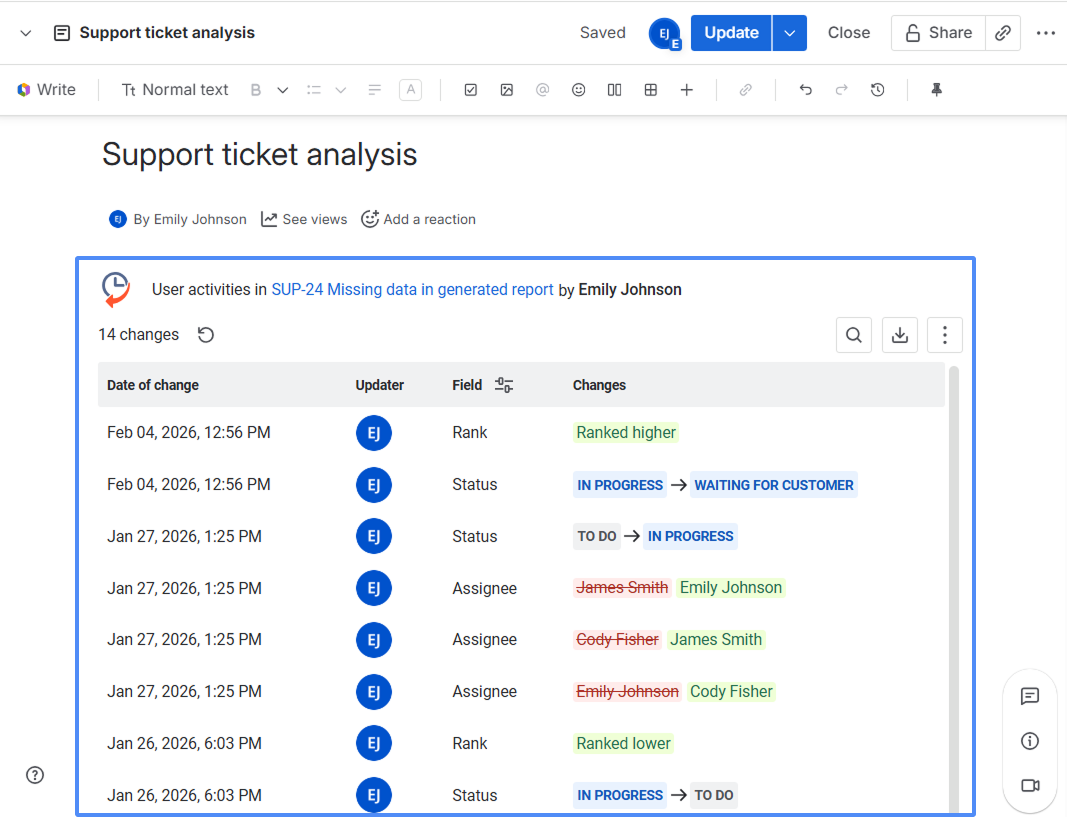
|
❌ |
✅ |
|
Security Scanner View (PII & DLP) (detect sensitive data in Jira and reduce compliance risks) 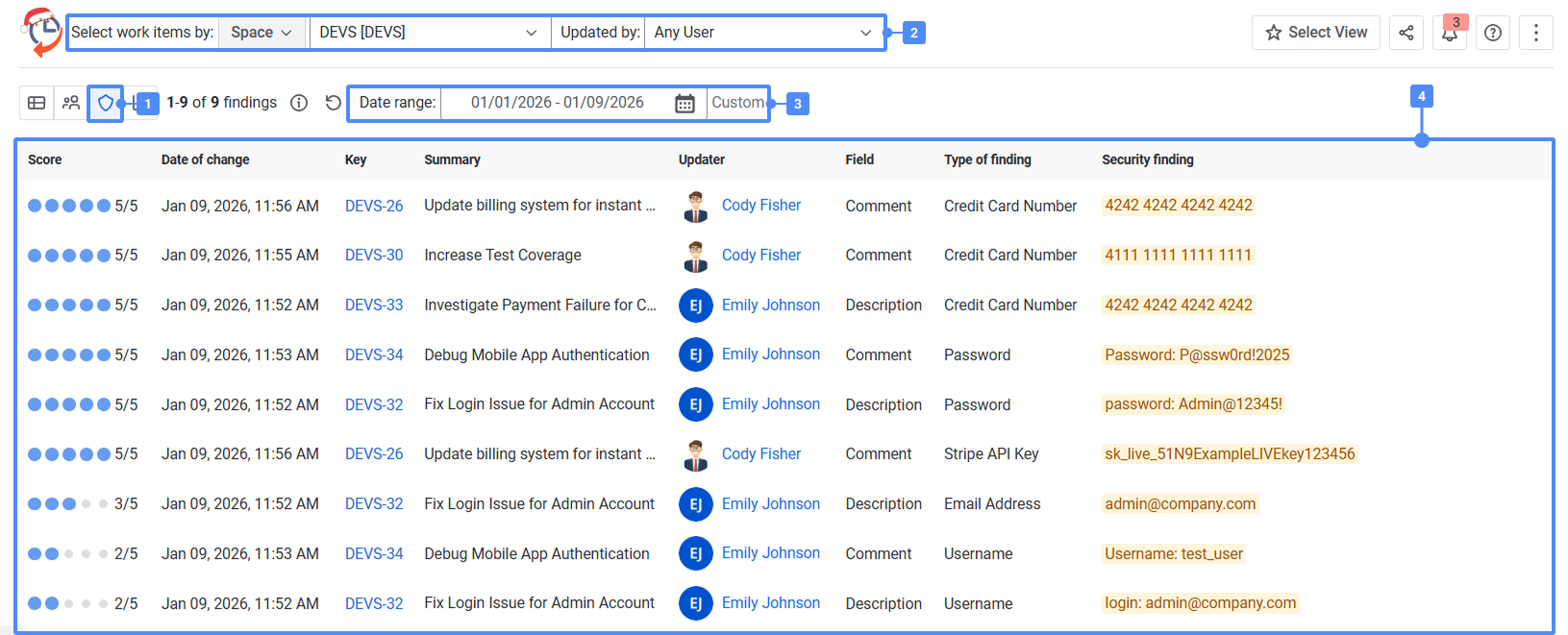
|
❌ |
✅ |
|
(fix mistakes across multiple work items in seconds) 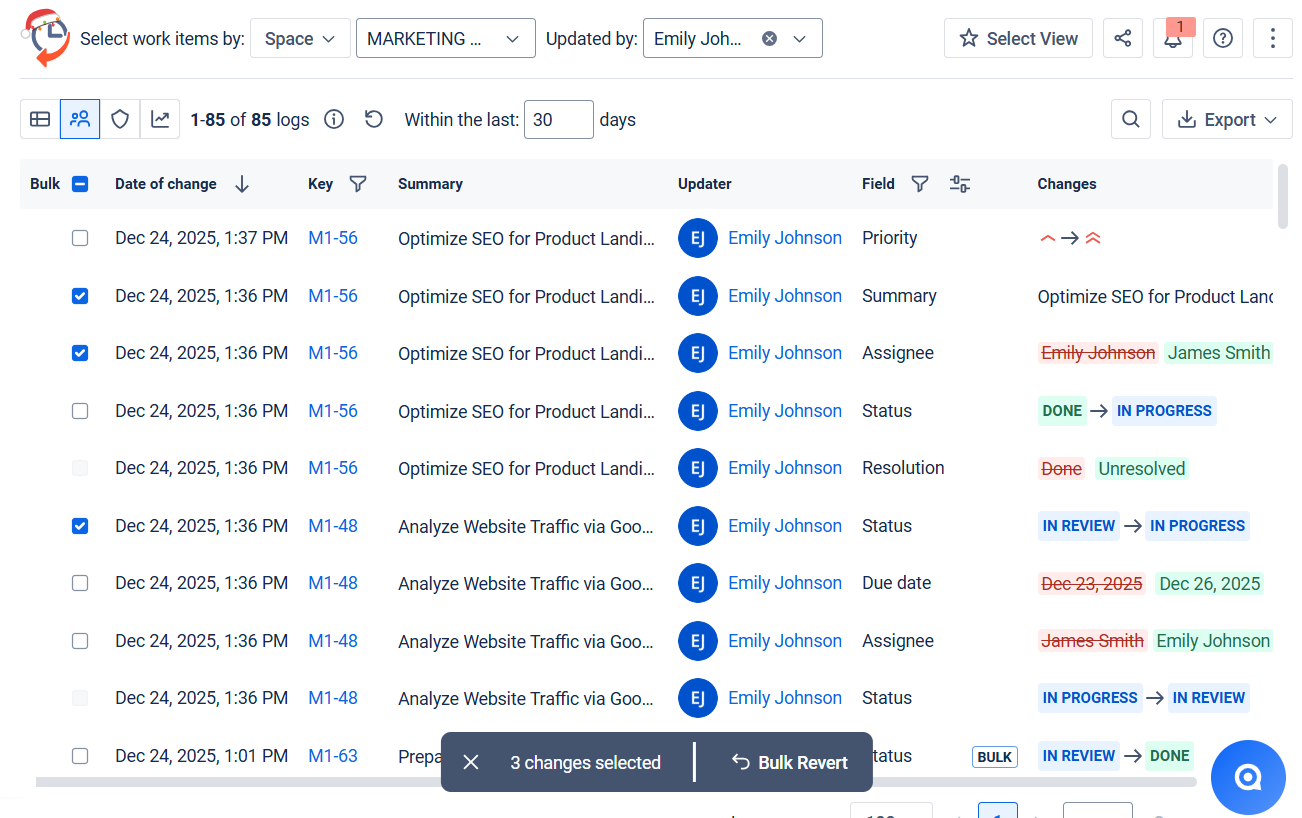
|
❌ |
✅ |
|
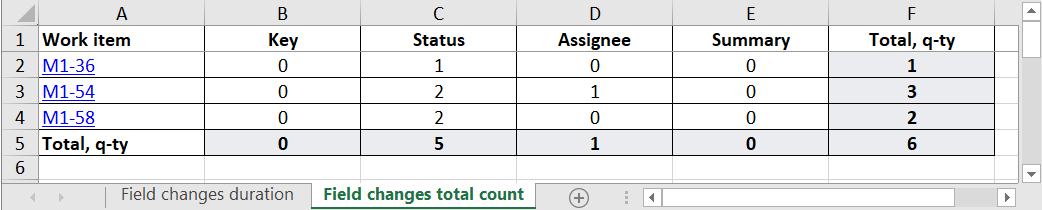
Advanced Excel reports: 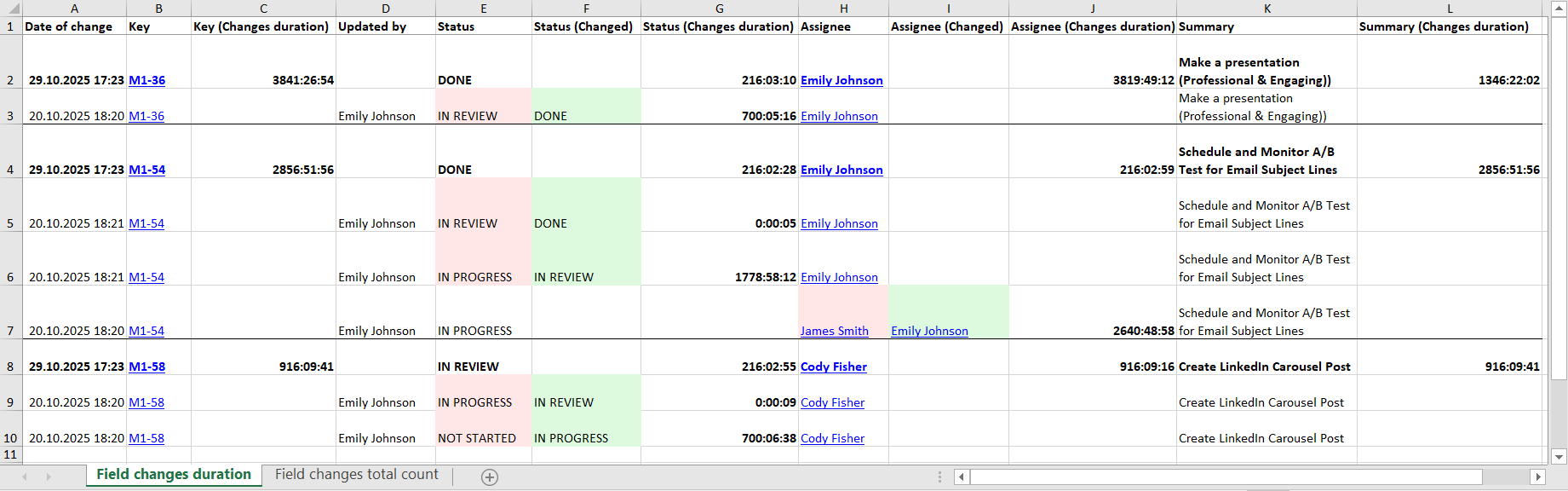

|
❌ |
✅ |
|
Issue History report filtering .png?cb=bc259ffafb5ee20a38c6ea6433d76daa)
|
✅ |
✅ |
.png?cb=991476720ae2f89de8bb8c2a06799b1f)
|
✅ |
✅ |
.png?cb=0338a747990102d1360dac44c331c852)
|
✅ |
✅ |
|
Chart for dynamic status changes .png?cb=eec84089f95d07f15185e5cd62acc2e6)
|
✅ |
✅ |
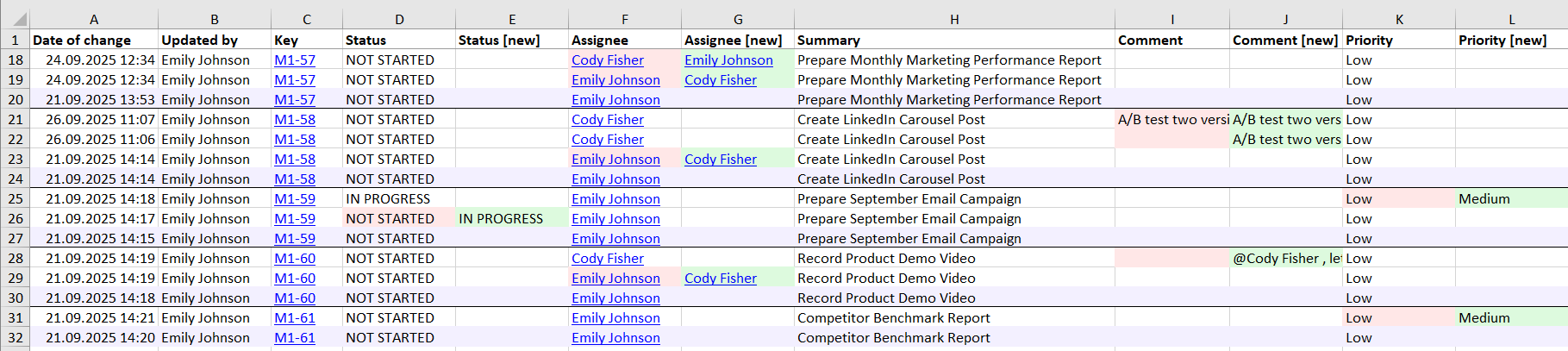
|
✅ |
✅ |
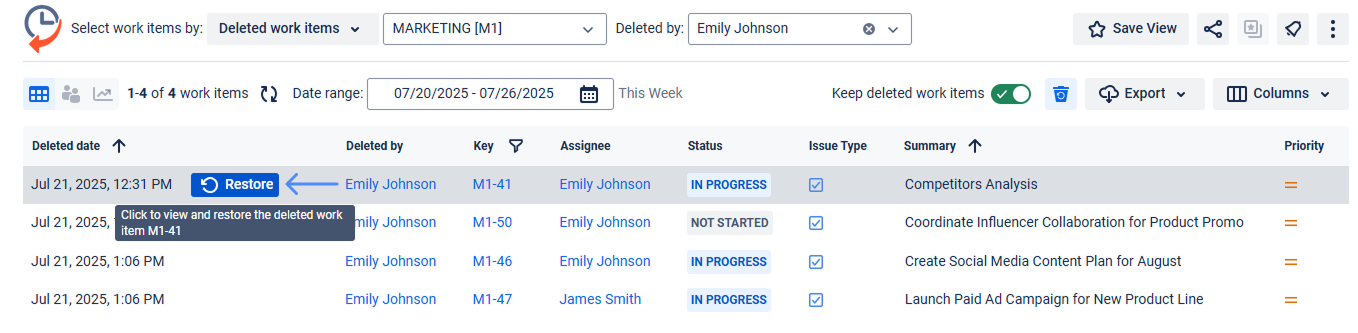
|
✅ |
✅ |
.png?cb=d4286928f039273d3617e21dce493e23)
|
✅ |
✅ |
|
Activities gadget on Jira dashboard .png?cb=404116bafd75ee9a9b3a055c96dcd26f)
|
✅ |
✅ |
|
✅ |
✅ |

Haven’t tried Issue History for Jira app yet? Install the app directly from the Atlassian Marketplace and start exploring your Jira work item history right away.
Already using the app and want more? To upgrade or test the Advanced plan, contact our support team: https://saasjet.atlassian.net/servicedesk/customer/portal/1