
To deploy or redeploy apps, AI Agents, or skills built with AI Apps Builder, you must be a Jira site administrator for the target Jira site. If you're not an admin, add your admin to the chat to complete the deployment process.
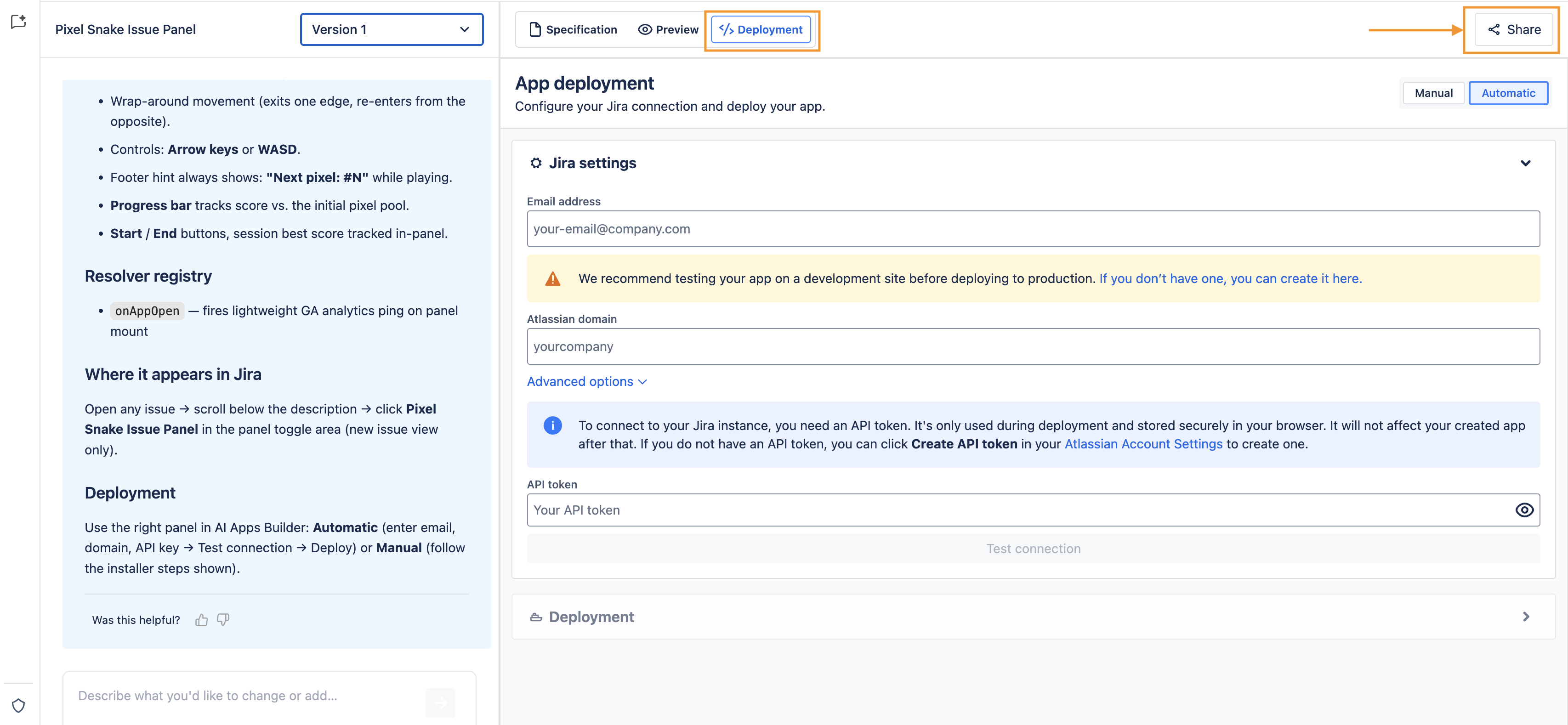
Step 1: Open the Share modal
On the deployment page, in your chat, click the Share button to open a modal window where you can invite teammates to review, edit, or deploy the app.
Step 2: Add the admin's email and choose a role
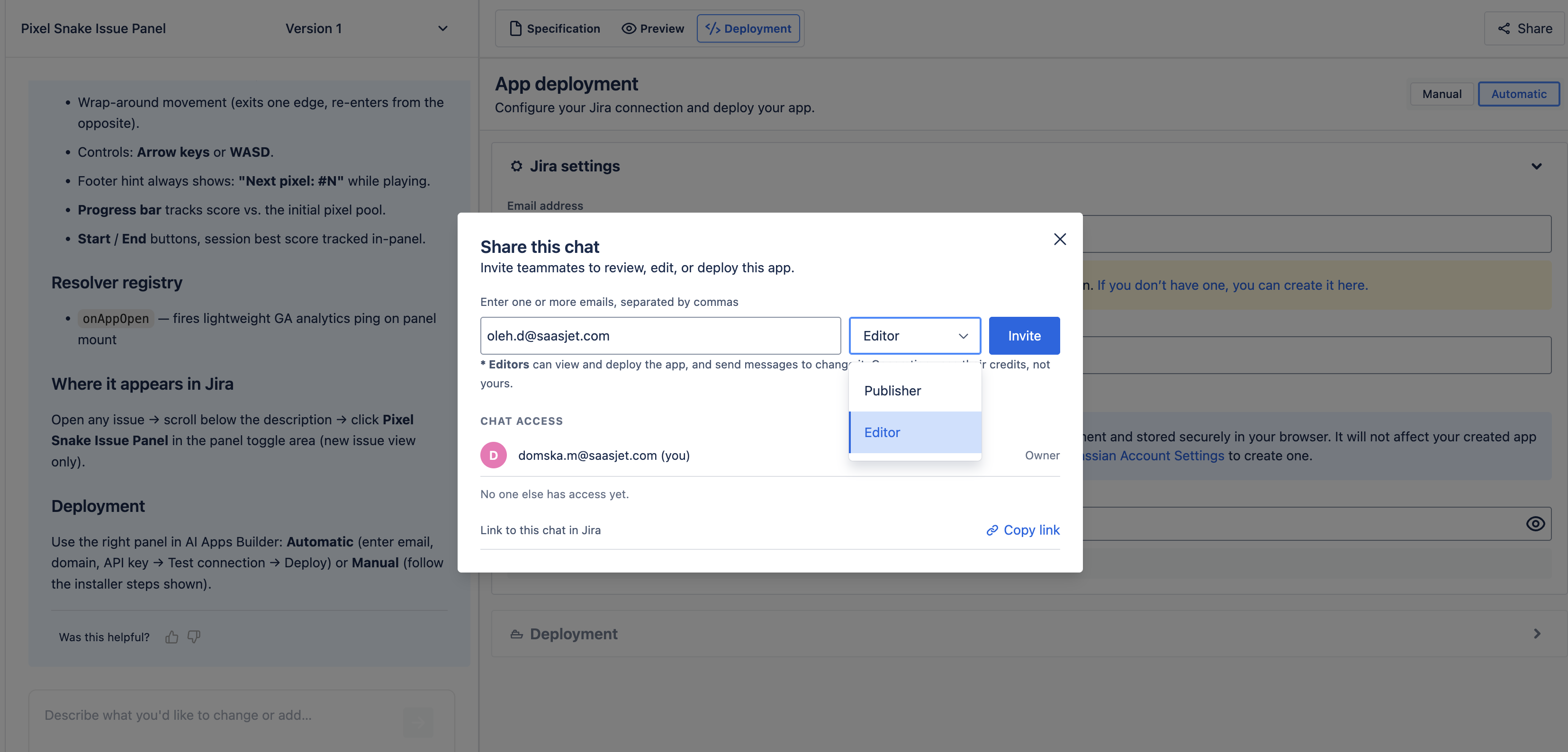
Enter the admin's email address in the field. You can add multiple emails, separated by commas.
Then choose a role from the dropdown:
-
Publishers can see the chat, its code, deploy it, and use the auto-fix feature.
-
Editors can view and deploy the app and also send messages to change it. Generation uses their own credits, not yours.
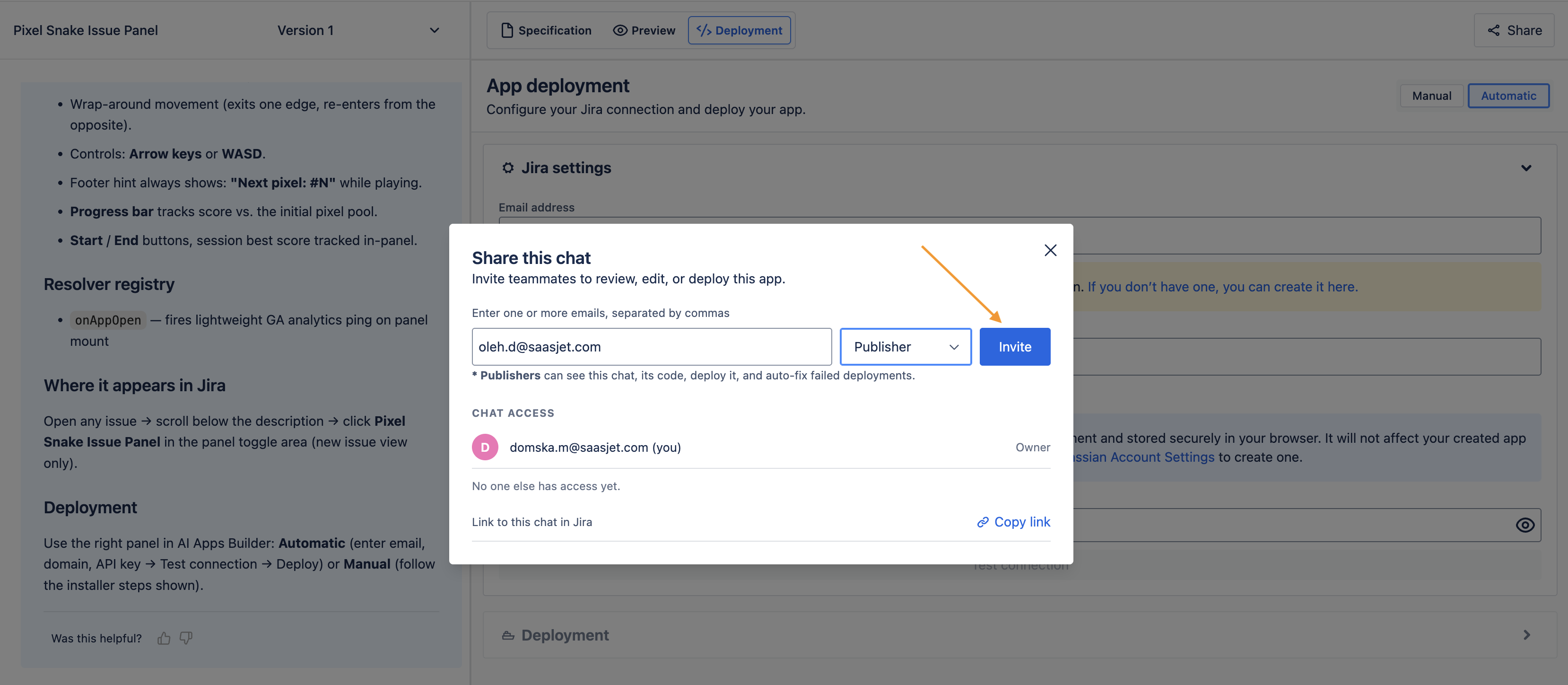
Step 3: Send the invite
Click Invite. The admin gets access according to the role you assigned and receives an email with an invitation and a link to your chat.
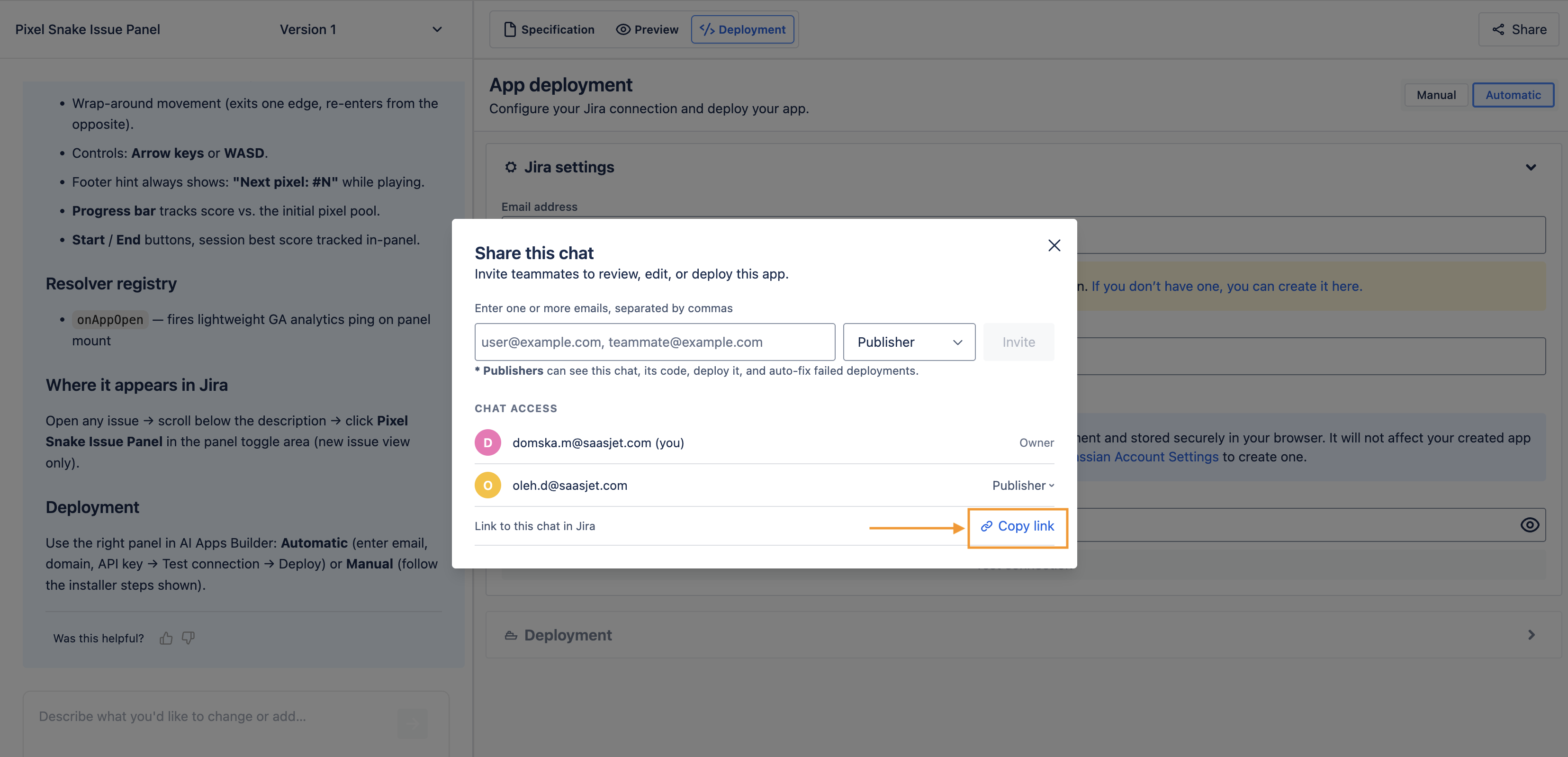
You can also copy the link and send it yourself.
If you have any questions, feedback, or ideas, just contact SaaSJet Support or email us at support@saasjet.com. We’re always happy to help.
Haven't used AI Apps Builder yet? You're welcome to try it then!