
SLA time goals setting lets you set time limits for each SLA configuration and choose the Exceeded actions for issues:
-
notifying users in comments or via Slack;
-
changing assignee;
-
changing priority;
-
changing status.
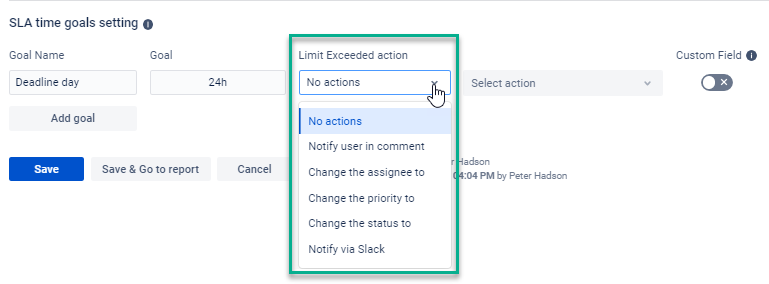
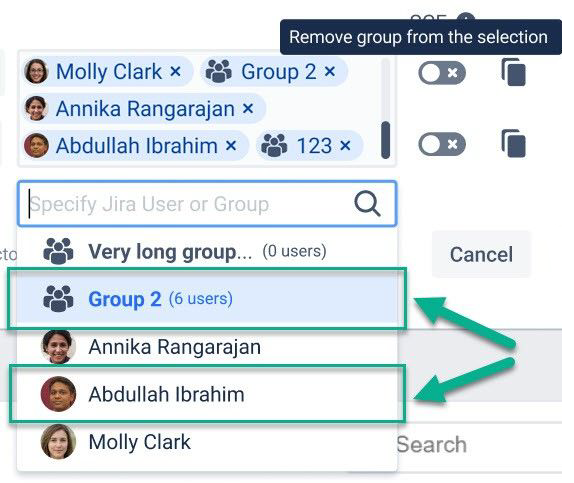
If you want to notify users about exceeded issues in comments, you can choose an option to notify one user (individual) or a group of users in comments about exceeded issues.
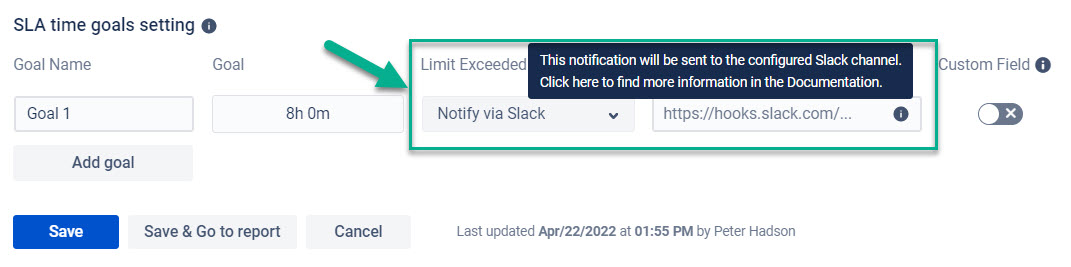
And in case you want to notify users about exceeded issues via Slack, configure sending such reminders according to the instructions here.
Related use case: How to use SLA Goals as Escalations
If you need help or want to ask questions, please contact us through SaaSJet Support or via email support@saasjet.atlassian.net
Haven't used this add-on yet, then try it now!