
Maximize your team's output with Time in Status - app for Status time reporting and workflow optimization.
Manage Work Calendars
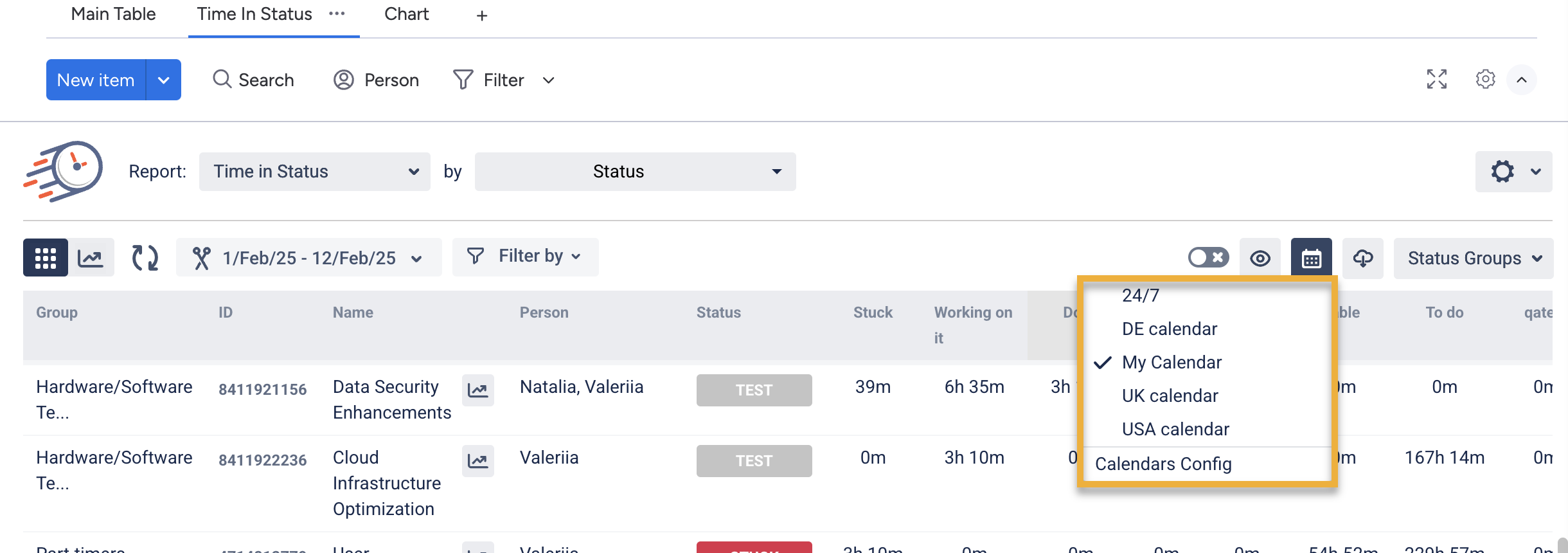
Click on Calendar and select Calendars Config from the drop-down menu.
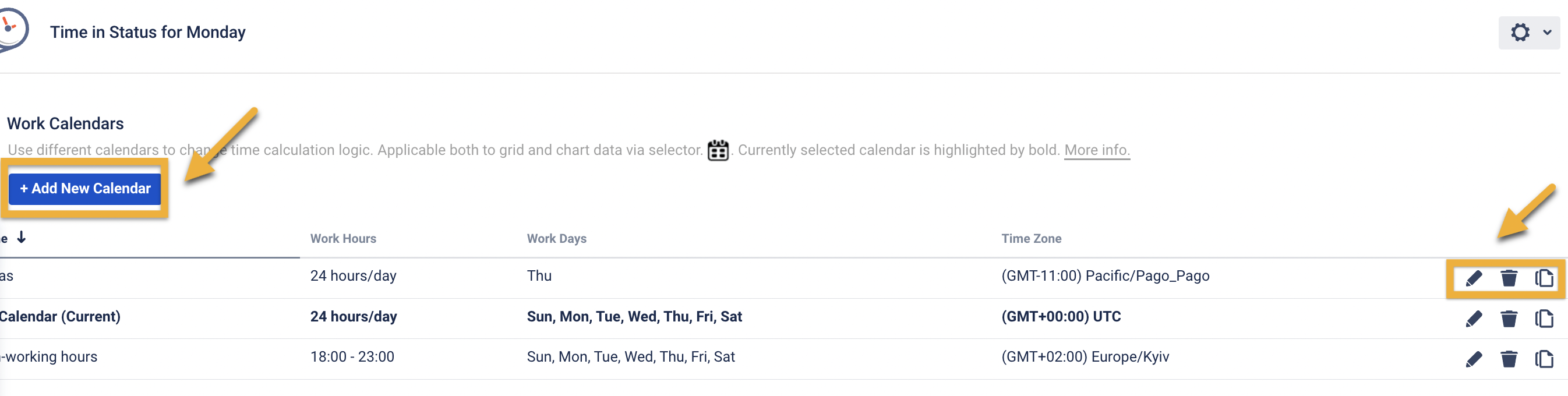
Go to Add New Calendar and create a new setting or edit, copy, and delete existing ones.
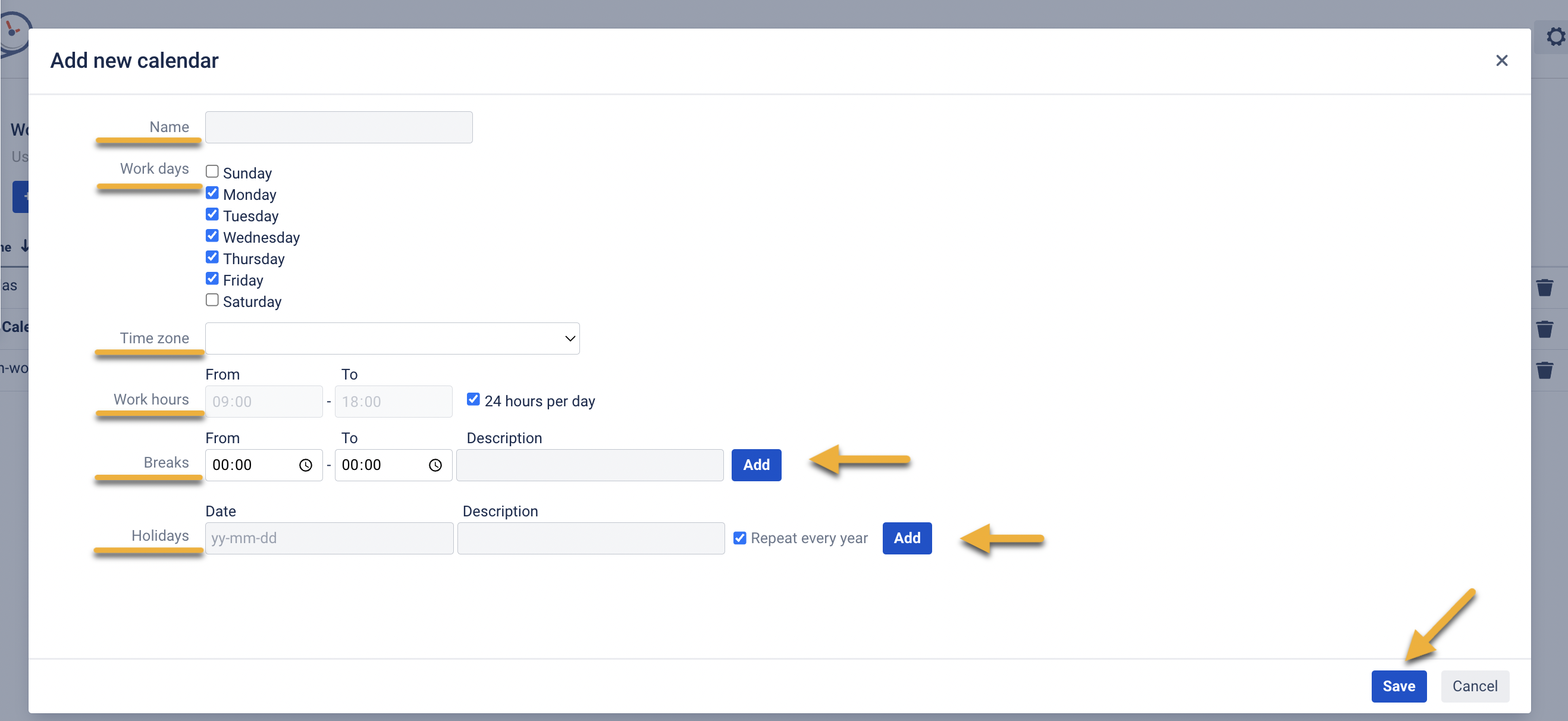
After clicking the Add New Calendar button, you can choose:
-
the amount of working days per week;
-
time zone;
-
the amount of working hours per day;
-
every day breaks;
-
the days when your team is on holidays;
Also, you can add a name to each calendar.
The time spent on issue in each status will be calculated according to your specific calendar.
If you need help or want to ask questions, please contact SaaSJet Support or email us at support@saasjet.atlassian.net
Haven't used this add-on yet? Try it now >>> Time in Status app for monday.com