
After your 14-day free trial ends, you’ll need to proceed to checkout to continue using Time in State. For your convenience, we’ve prepared a short video and a step-by-step payment guide.
It only takes a minute — watch this short video guide on how to complete your payment 👇
You can also click on Credit/Debit Card or Purchase Order below to open a step-by-step payment guide for these payment types.
Credit/Debit Card
To purchase the Time in State for Azure DevOps with Credit/Debit Card, please follow the step-by-step instructions below:
-
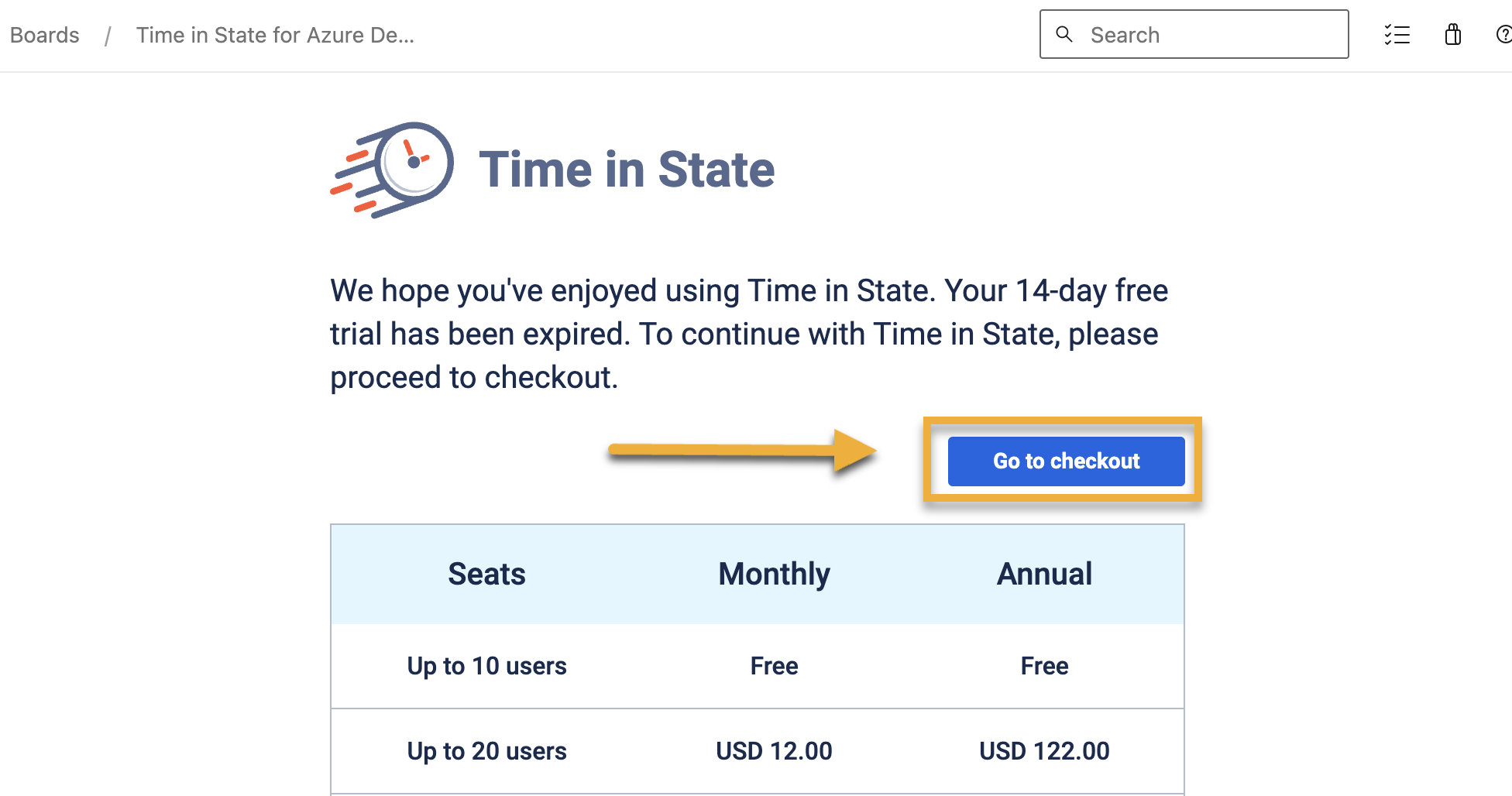
Go to Checkout:
-
Navigate to Boards
-
Open the Time in State for Azure DevOps extension.
-
Click on the Go to checkout button.
-
-
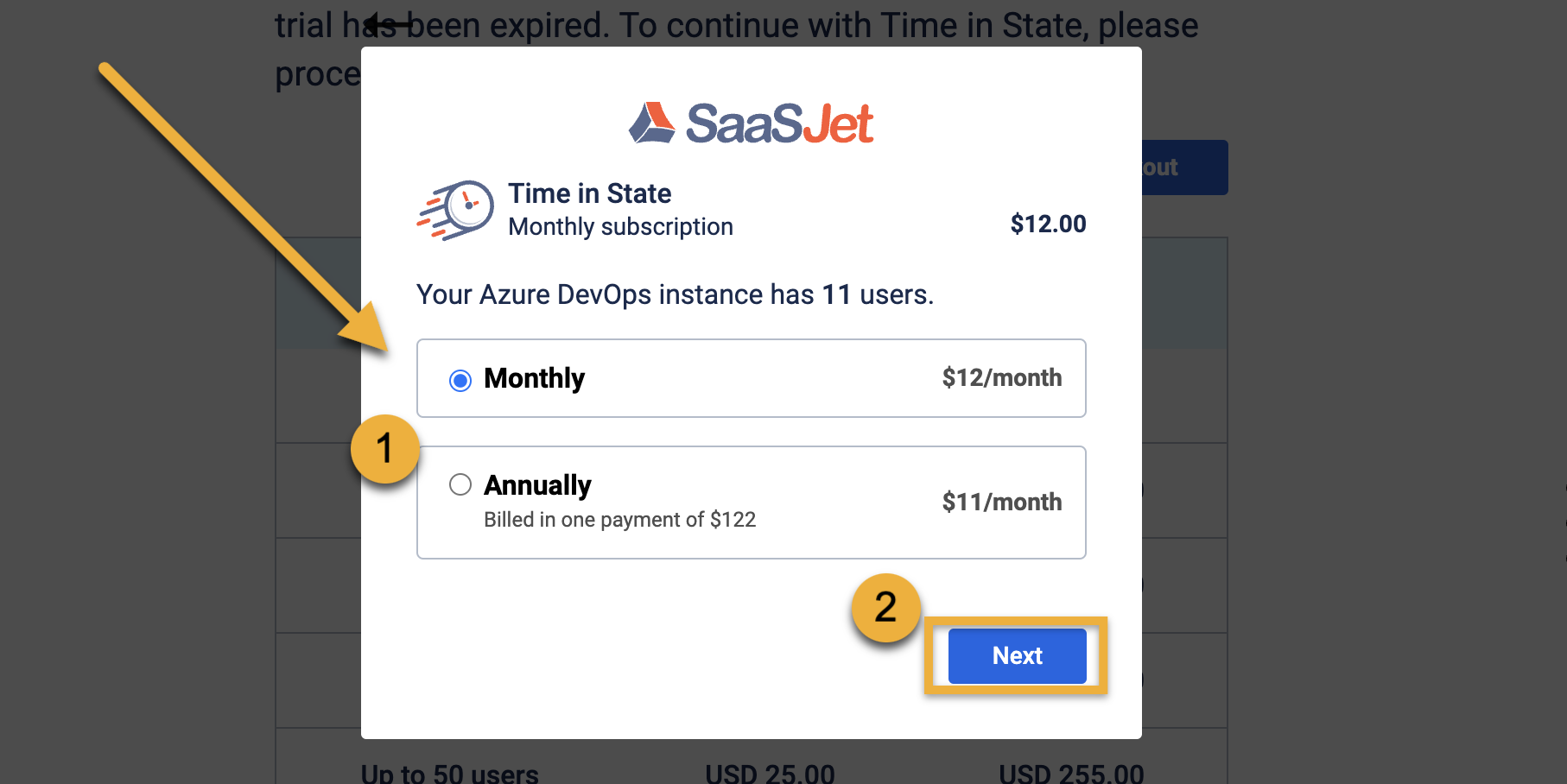
Select Subscription Period:
-
Choose the subscription period that suits your needs (monthly or annually).
-
-
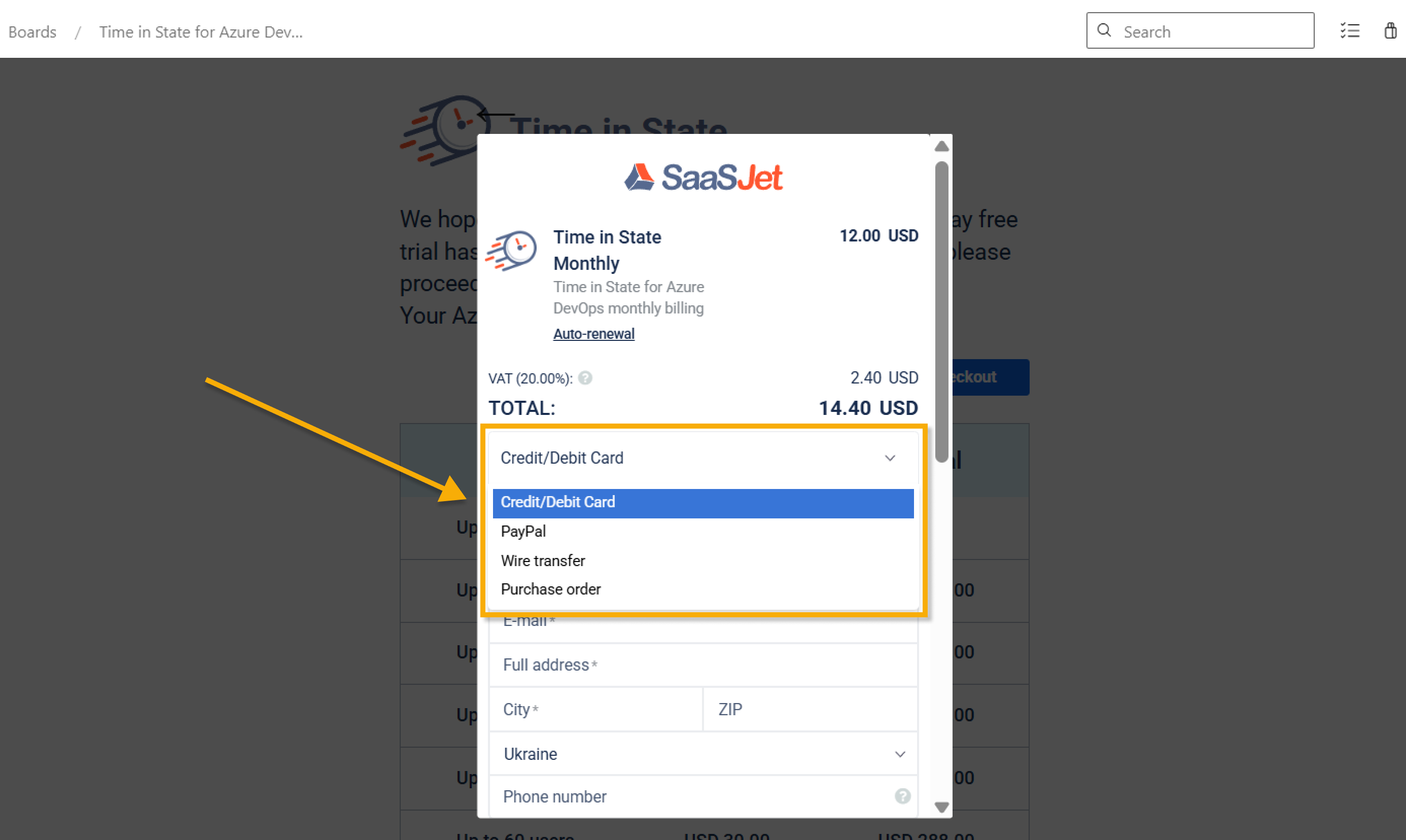
Select Payment Method:
Сhoose Credit/Debit Card from the dropdown menu to proceed with this payment option.
-
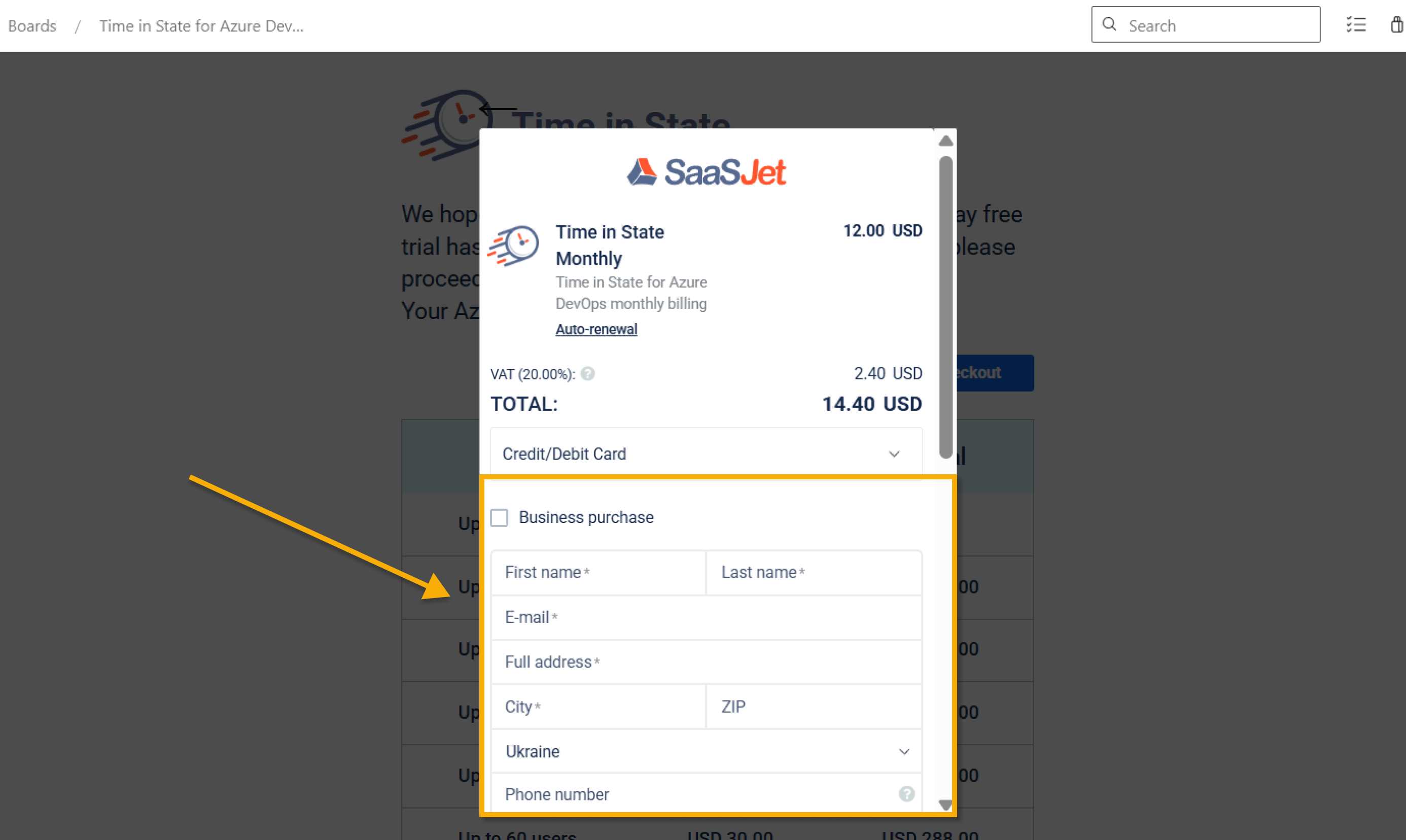
Enter Payment Details:
-
Please enter your credit card number in the specified field and ensure all required fields.
-
-
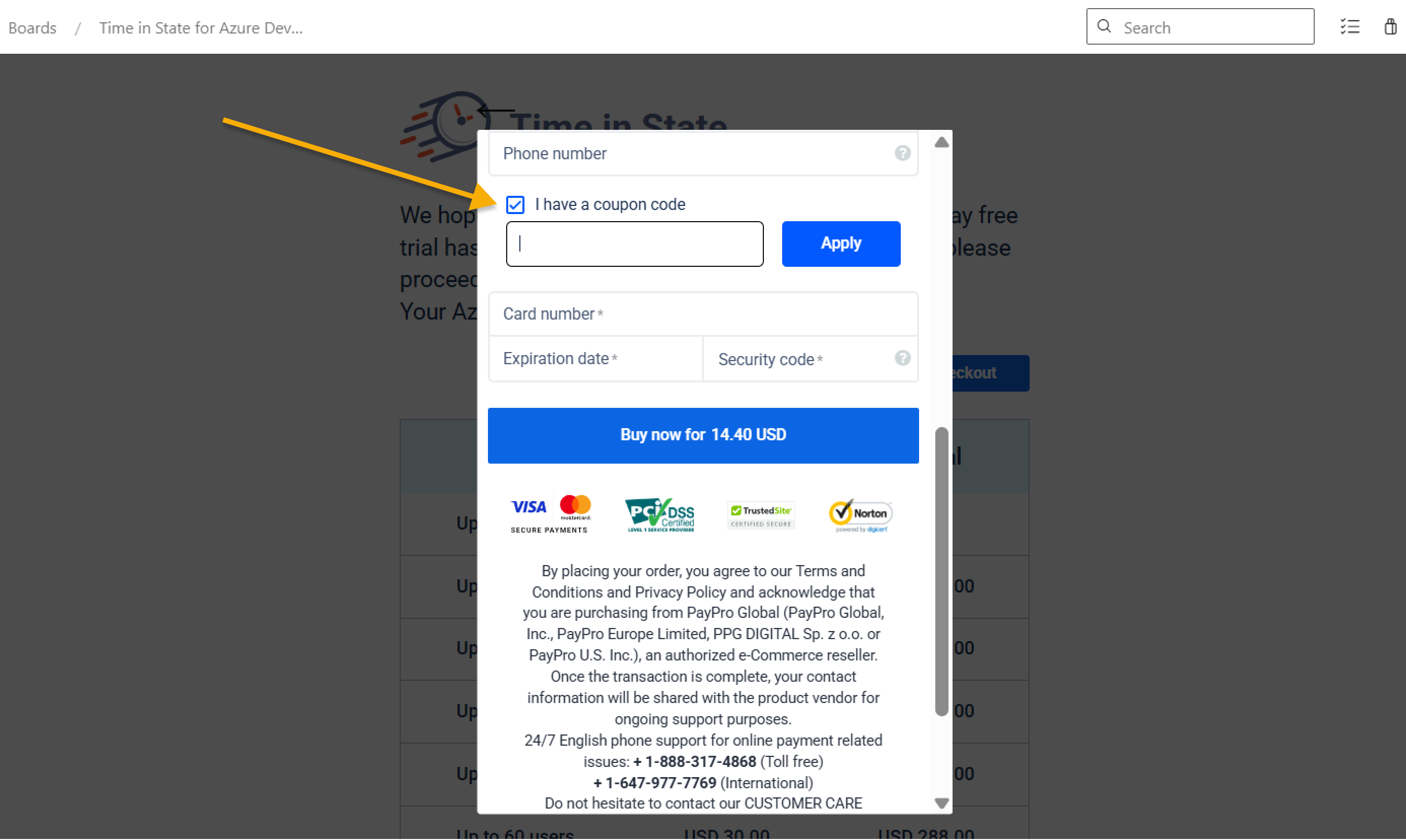
Apply Coupon (if available):
If you have a coupon code, please enter it in the specified field before proceeding to payment.
-
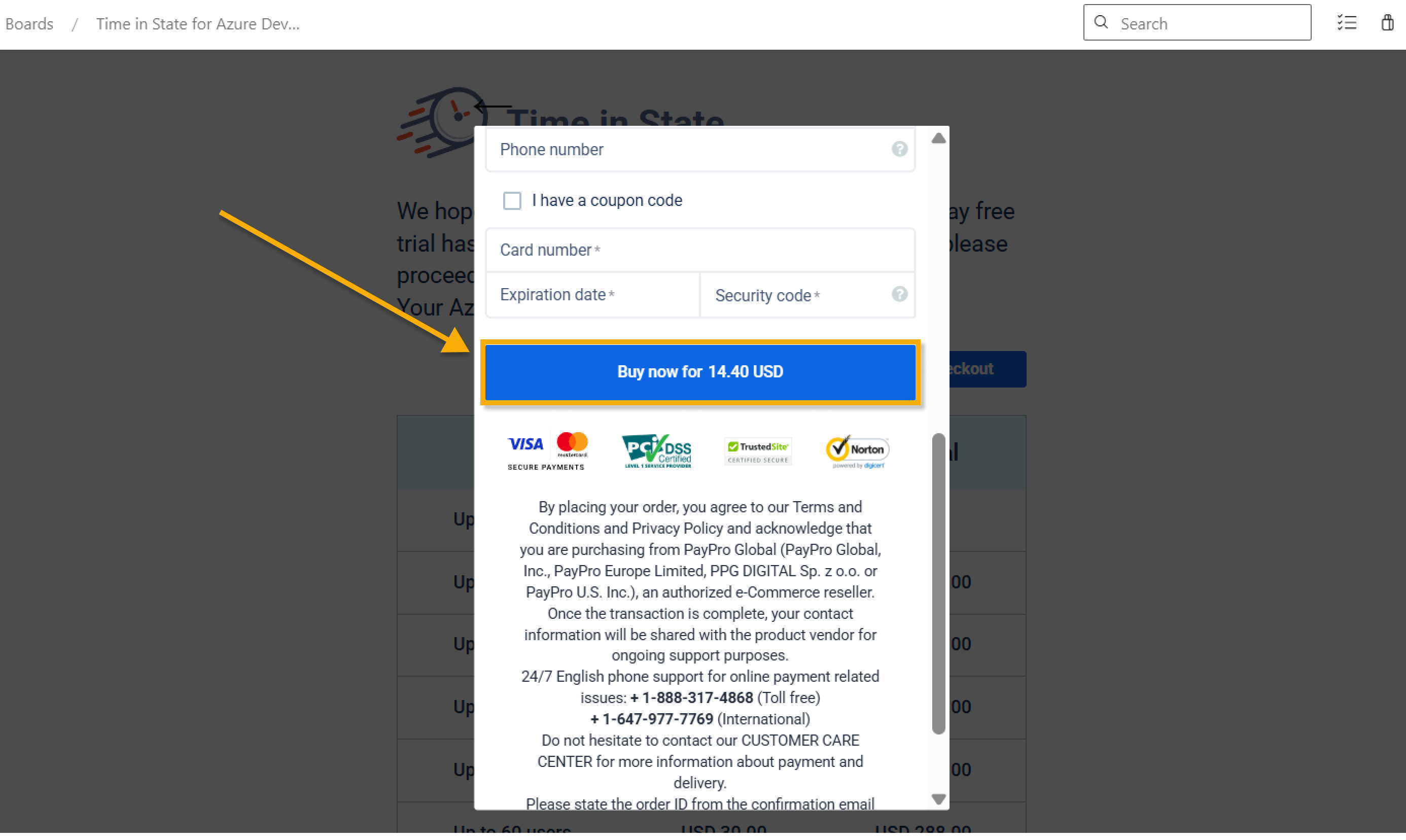
Complete the Purchase:
-
Once all the mandatory fields are completed, scroll down and select the Buy now button to finalize the purchase.
-
-
You're all set! Enjoy using reporting and improving bottlenecks with Time in State for Azure DevOps.
Purchase Order
To purchase the Time in State for Azure DevOps with Purchase order, please follow the step-by-step instructions below:
-
Go to Checkout:
-
Navigate to Boards
-
Open the Time in State for Azure DevOps extension.
-
Click on the Go to checkout button.
-
-
Select Subscription Period:
-
Choose the subscription period that suits your needs (monthly or annually).
-
-
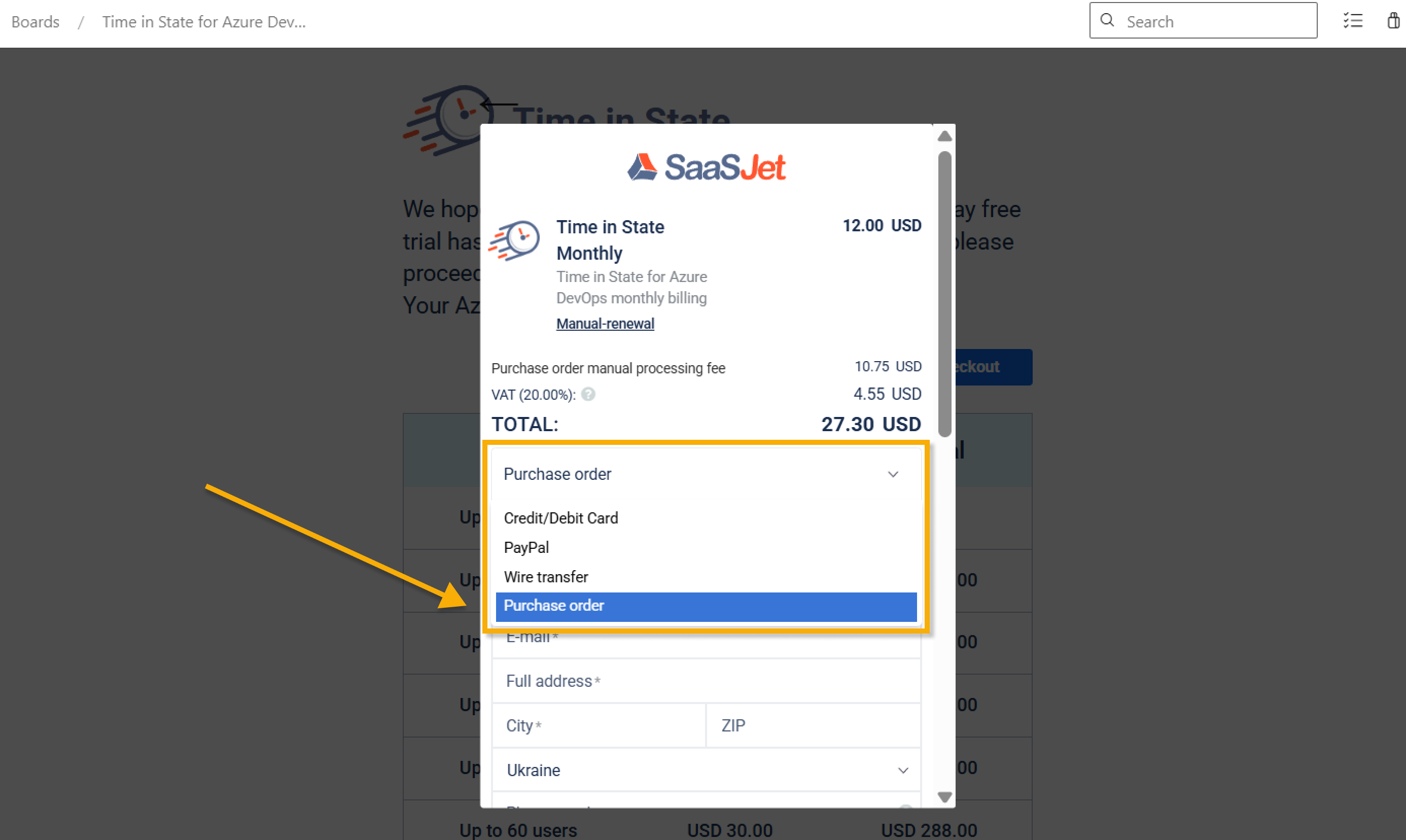
Select Payment Method:
Сhoose Purchase order from the dropdown menu to proceed with this payment option.
-
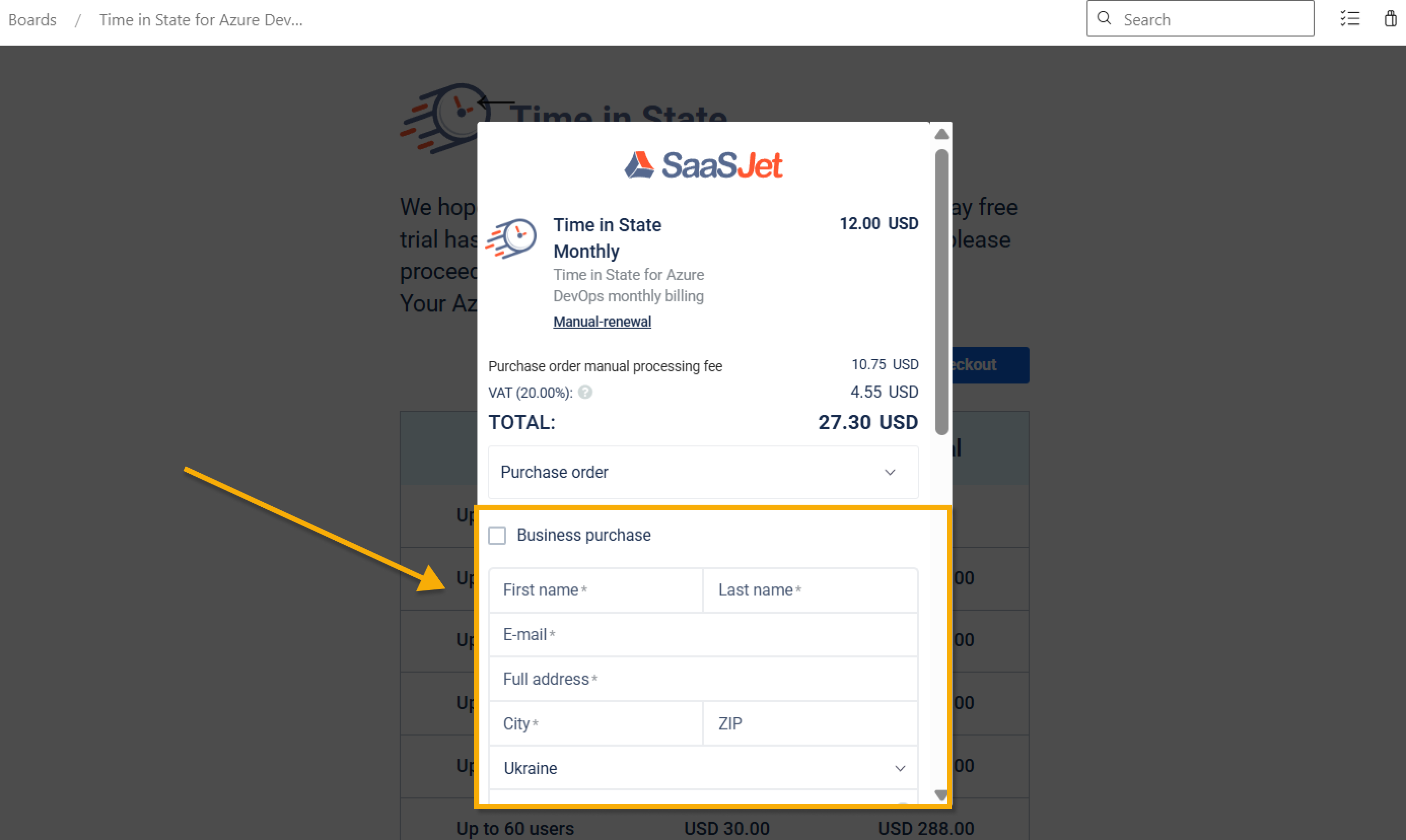
Enter Payment Details:
-
Please complete all required fields to proceed with the Purchase order.
-
-
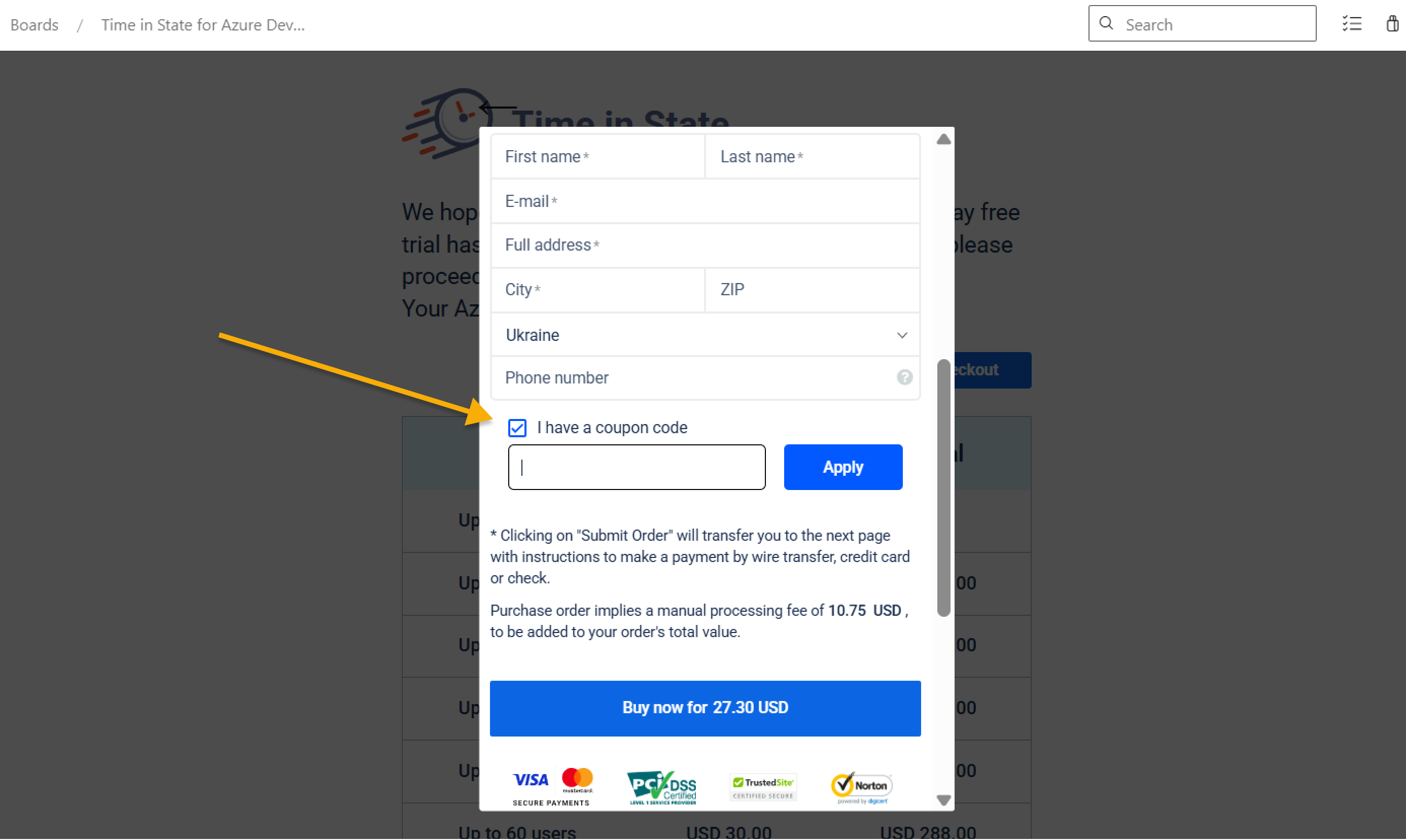
Apply Coupon (if available):
If you have a coupon code, please enter it in the specified field before proceeding to payment.
-
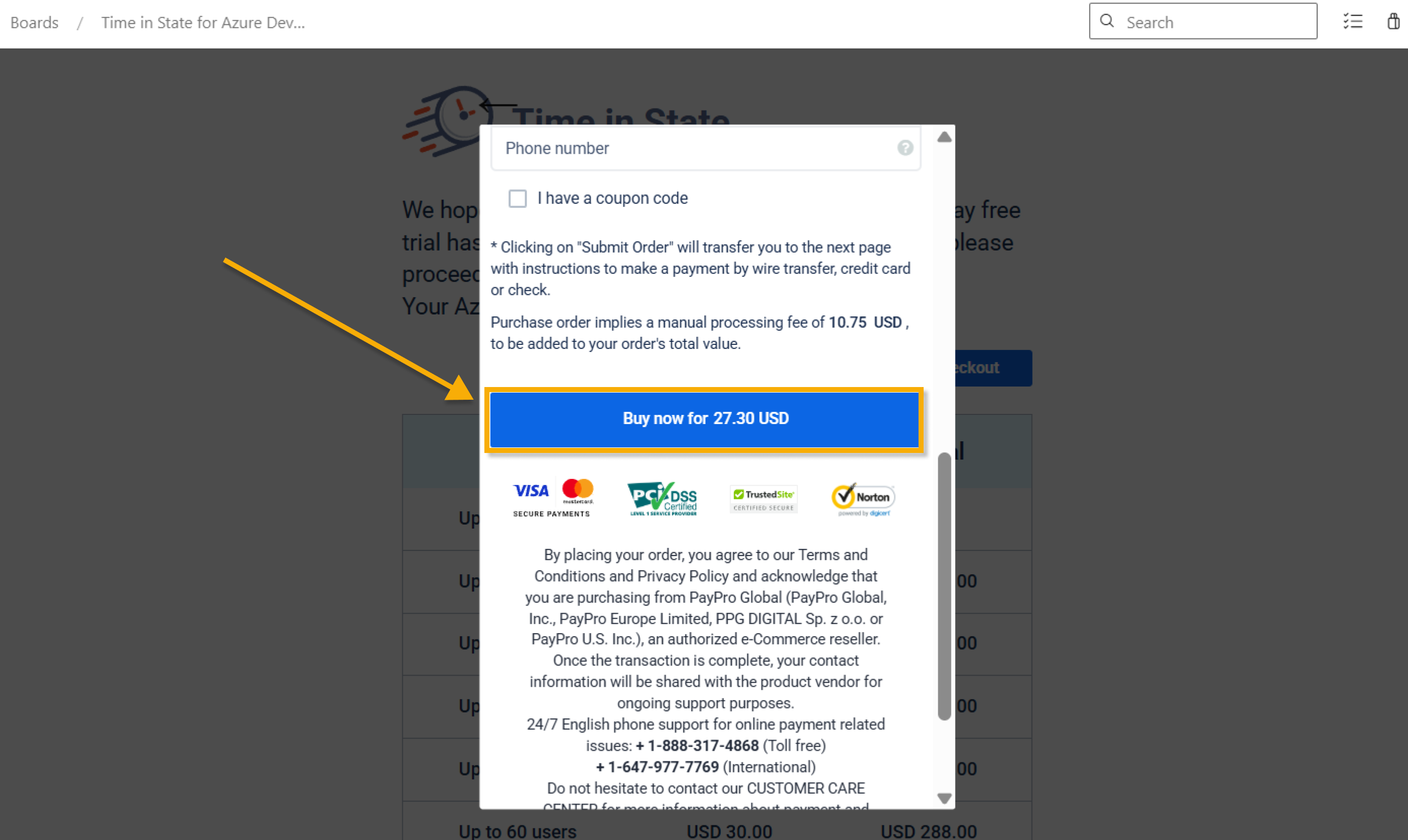
Complete the Purchase:
-
Once all the mandatory fields are completed, scroll down and select the Buy now button to finalize the purchase.
-
-
You're all set! Enjoy using reporting and improving bottlenecks with Time in State for Azure DevOps.
If you have any questions, please don’t hesitate to contact our team — we’re always happy to help.
Haven't used this add-on yet? Try it now >>>Time in State for Azure DevOps