
For Partners: Time Metrics Tracker | Time Between Statuses
🔍 Product Overview |
|---|
Turn Jira workflow data into actionable time metrics — with zero setup.
Time Metrics Tracker for Jira helps teams answer the most important workflow questions:
Where exactly are we losing time between statuses?
Which transitions take the longest to complete?
Are SLAs being met across teams or assignees?
How consistent is our delivery quarter over quarter?
By measuring how long work items spend between statuses (not just in them), Time Metrics Tracker reveals the hidden friction points that slow down delivery. It gives teams a transparent, data-driven view of every handoff, delay, and bottleneck without adding complexity.
.png?inst-v=cde4c5c6-41f1-4be4-89fd-09199d39cf54)
Why Recommend Time Metrics Tracker?
If your teams struggle with slow transitions, hidden delays, or inconsistent reporting, Time Metrics Tracker is the easiest way to:
✅ Spot delays early — Instantly see which transitions are taking too long
✅ Measure handoff performance — Track time between any two statuses (customizable)
✅ Monitor SLA compliance — Analyze first response time, resolution time, or blocked time
✅ Balance workloads — Track delays by assignee, sprint, or work item type
✅ Report with confidence — Share dashboards, scatter plots, and saved views for QBRs
✅ Eliminate manual reporting — Automate your most-used reports with Save & Load
Who Needs This App?
Time Metrics Tracker is a natural fit for:
Agile software teams – Measure cycle time, lead time, and track bottlenecks between dev → QA → release
Service & support teams – Monitor SLA-related times (First Response, Resolution Time, Waiting for Customer)
Project & delivery leads – Track throughput and uncover hidden delays between stages without spreadsheets
Jira admins & consultants – Provide clients with powerful, no-code transition analytics
Time Metrics Tracker addresses a universal Jira pain point: understanding not just where time goes, but when it’s lost between steps. It’s quick to implement and becomes part of daily rituals—retros, standups, sprint reviews, and performance reporting.
Options | Built‑in Jira | Time Between Statuses App |
|---|---|---|
Basic Time in Status Reports | ❌ | ✅ |
Sprint Report (Cycle + Lead Time) | ❌ | ✅ |
Custom Time Between Statuses Reports | ❌ | ✅ |
Scatter Plot Dashboard | ❌ | ✅ |
Dashboard Gadget (Agile Metrics) | ❌ | ✅ |
Flexible Time Periods | ❌ | ✅ |
Status Groups / Custom Transitions | ❌ | ✅ |
Multi‑Calendars (workdays vs 24/7) | ❌ | ✅ |
Save & Load Presets (Saved Views) | ❌ | ✅ |
Export to Google Sheets, Power BI, CSV | ❌ | ✅ |
Use Cases
Development Teams: Track lead time, cycle time, and bottlenecks between “In Progress” → “QA” → “Release.”
Support Teams: Monitor SLA compliance (First Response, Resolution Time, Waiting for Customer).
Ops & DevOps: Measure MTTR (Mean Time to Recovery), MTTA (Mean Time to Acknowledge), and other incident metrics.
Product Managers: Prove time‑to‑market improvements quarter over quarter with saved dashboards.
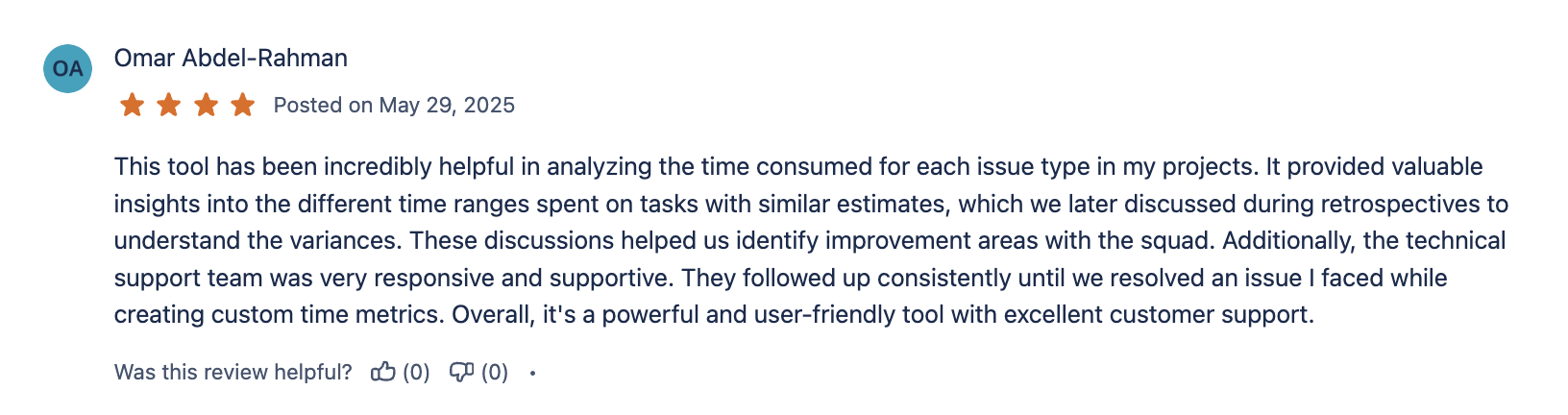
⭐ What do our customers say about us? |
|---|



💼 Business Cases |
|---|
📚 Helpful Resources |
|---|
🎥 Video tutorials https://www.youtube.com/watch?v=Mo9p1xynPY8&list=PLIZZxkQPrOfb7nqYbgT5zIgtT9oKX_XUq | 📜 Documentation |
|---|---|
🔒 Security | 🕹️ Try the app without installing Soon |
🤝 Benefits Partners |
|---|
 |  |  |
|---|---|---|
 |  |  |
Security |
|---|

Runs on Atlassian

SOC 2 Type 2 compliant

Security Bug Bounty Program

Cloud Fortified

If you need help or want to ask questions, please contact SaaSJet Support or email us at support@saasjet.atlassian.net

Haven't used this app yet, then try it now! >>>