
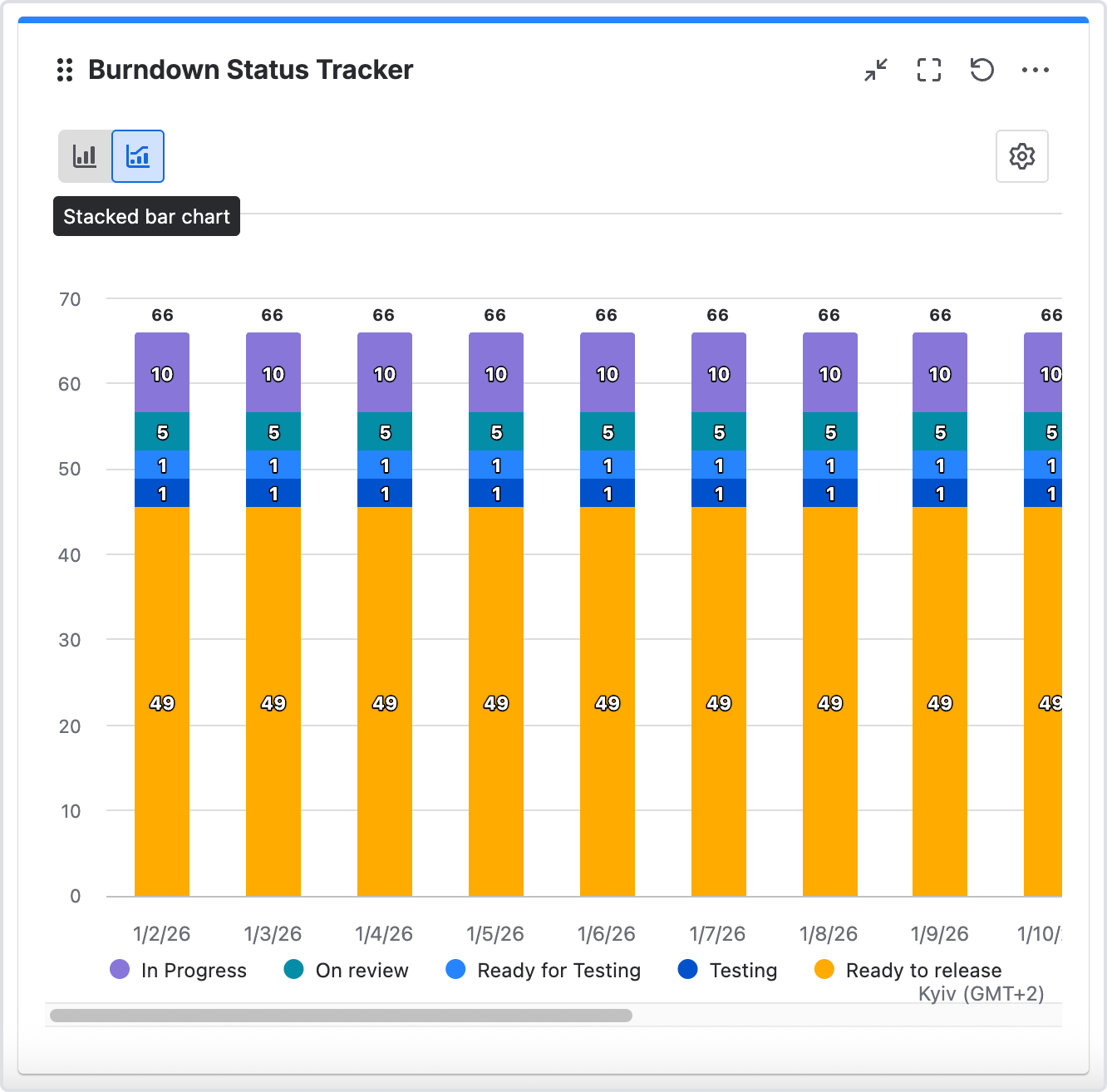
Burndown Status Tracker – it is a workflow health view that tracks how work moves between statuses and pinpoints where it gets stuck.
This is another type of gadget for Jira Dashboard, which is part of the Time in Status app.
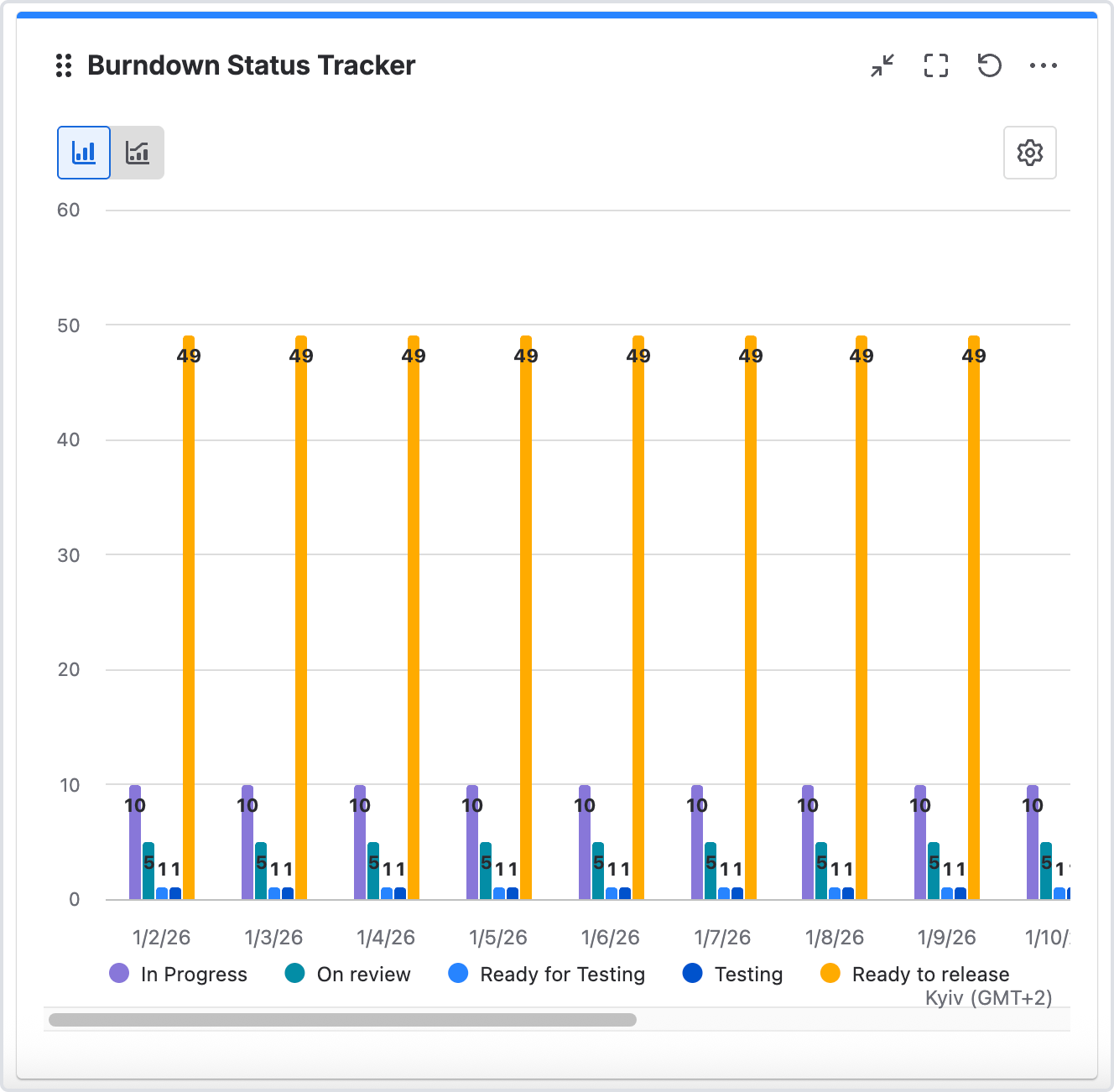
How to add gadget on Jira dashboard
-
In Jira, go to Dashboards.
-
Create a new dashboard or select an existing one.
-
Click the Add gadget button on the dashboard.
-
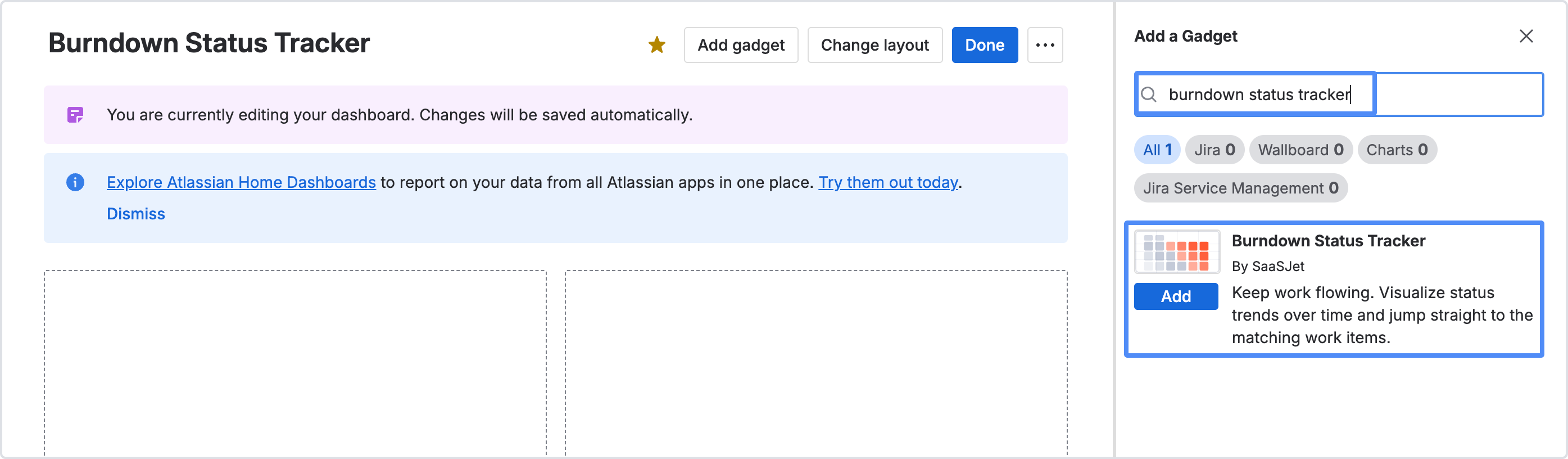
Write "Burndown Status Tracker" in the search box.
-
Select Burndown Status Tracker (by SaaSJet) at the search results.
-
Click the Add gadget button.
-
You're all set!👍
-
Once you added the gadgets, close the Add a gadget screen and continue by entering the gadget settings. See the instructions below to configure the gadgets.
How to use
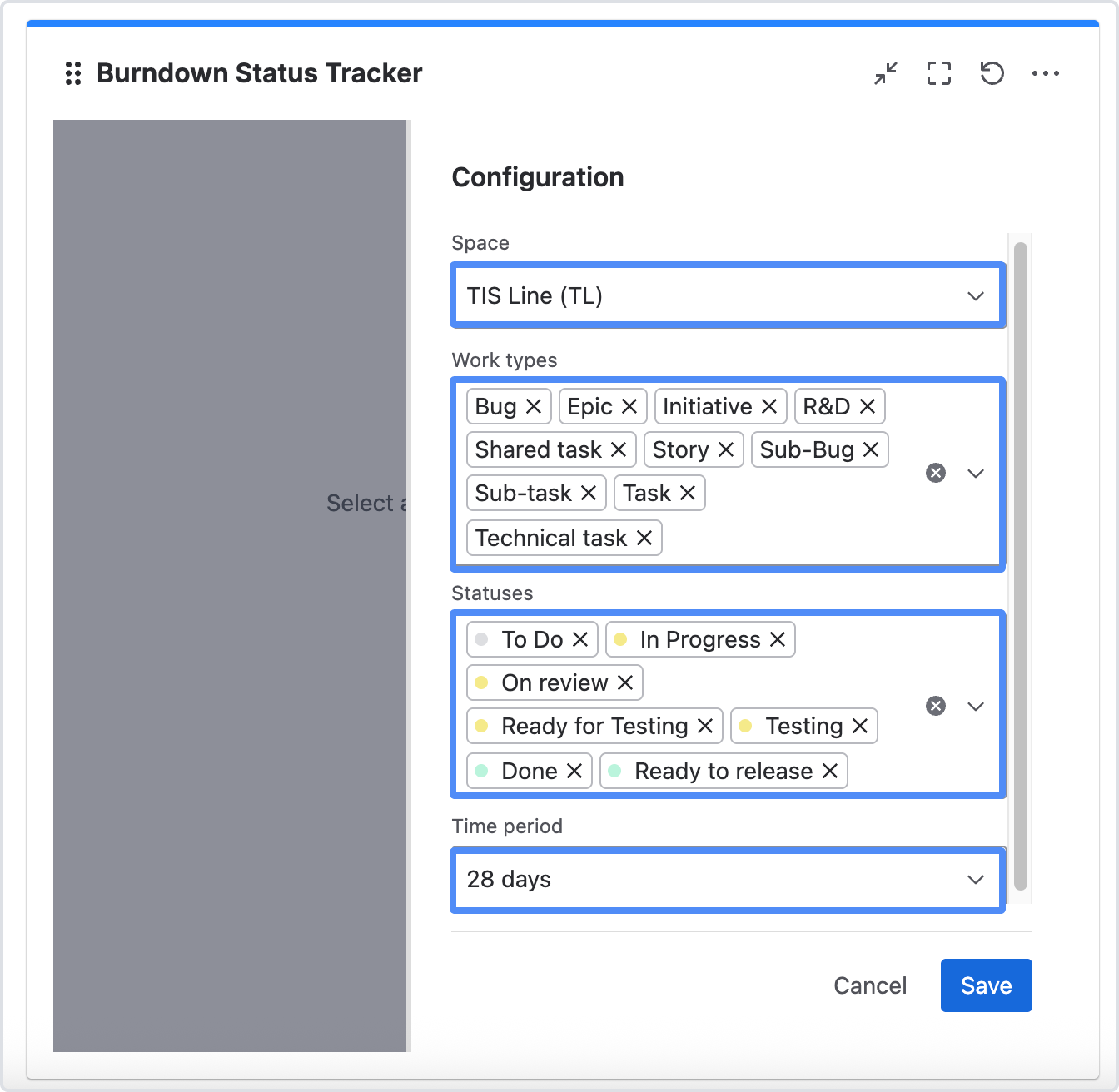
First of all, you need to configure the gadget by the following settings to view the data in the dashboard.
In Gadget Configuration you can set:
-
Space.
-
Work item types.
-
Statuses.
-
What time period the analysis should cover.
You will receive a chart generated according to your settings. By hovering your cursor over a specific indicator on the chart, you will be able to go from the tooltip to the list of tasks that were included in the calculation.
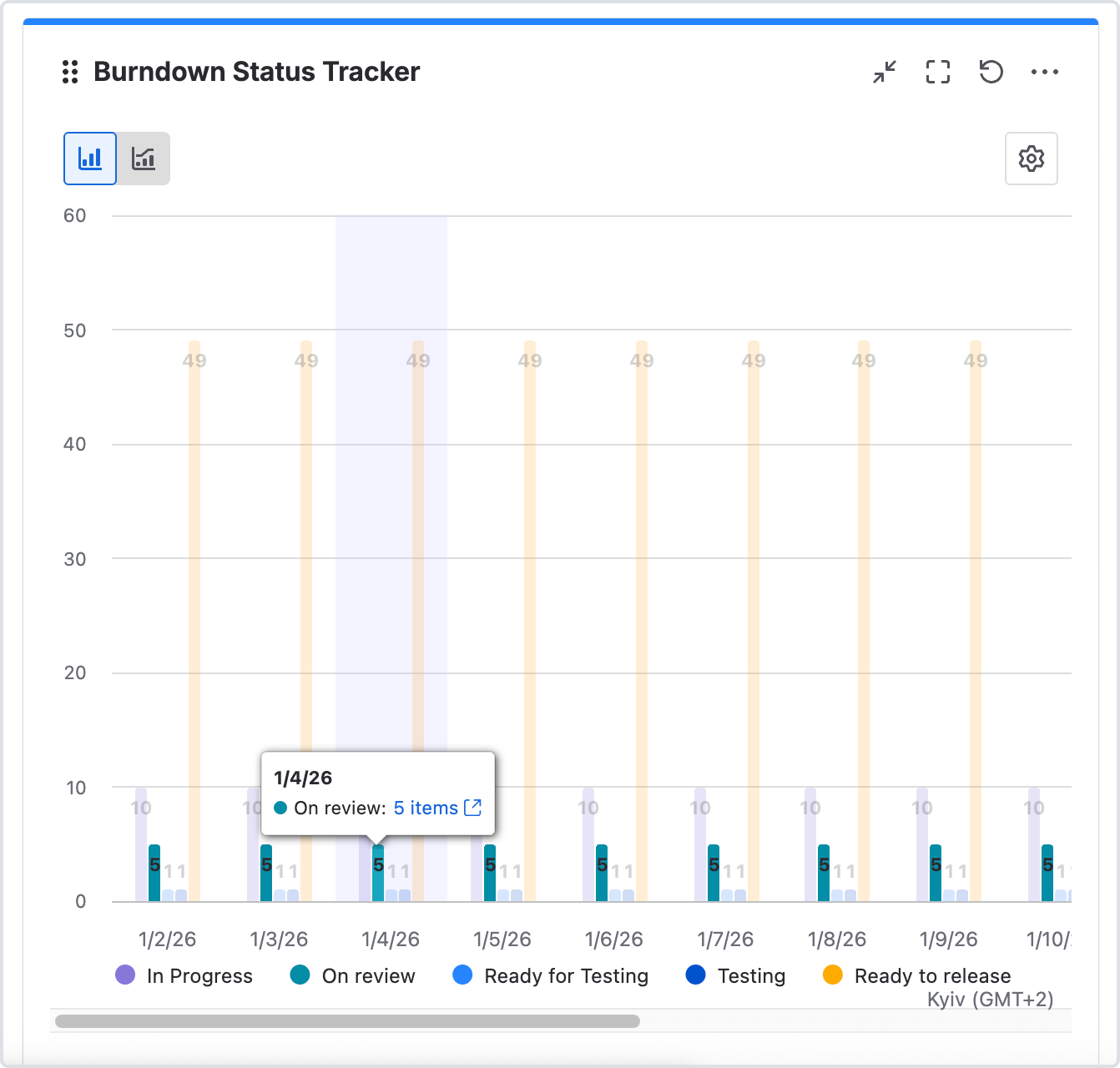
You can also choose the type of chart:
-
bar chart
-
or stacked bar chart
If you need help or want to ask questions, please contact SaaSJet Support or email us at support@saasjet.atlassian.net
Haven't used this add-on yet? Try it now