
📝 Context: In managing tasks within Jira, teams often need to track the time spent in specific statuses to optimize workflow efficiency. Accurate time tracking across various statuses—such as "To Do," "In Progress," and "Done"—is crucial for understanding bottlenecks and improving process management.
|
🤔 User Problem: Users need to determine which group statuses to configure in Jira to effectively track the time spent in a particular status. Without a clear approach, it can be challenging to identify where time is being spent or wasted, leading to inefficiencies in your workflow. |
|---|
💡 Solution: To address this work item, follow these steps to configure time metrics for time tracking:
-
Add a new Time metric
There are two ways to do this:
The first method involves using the Configuration button. This approach is particularly useful for modifying existing time metrics.
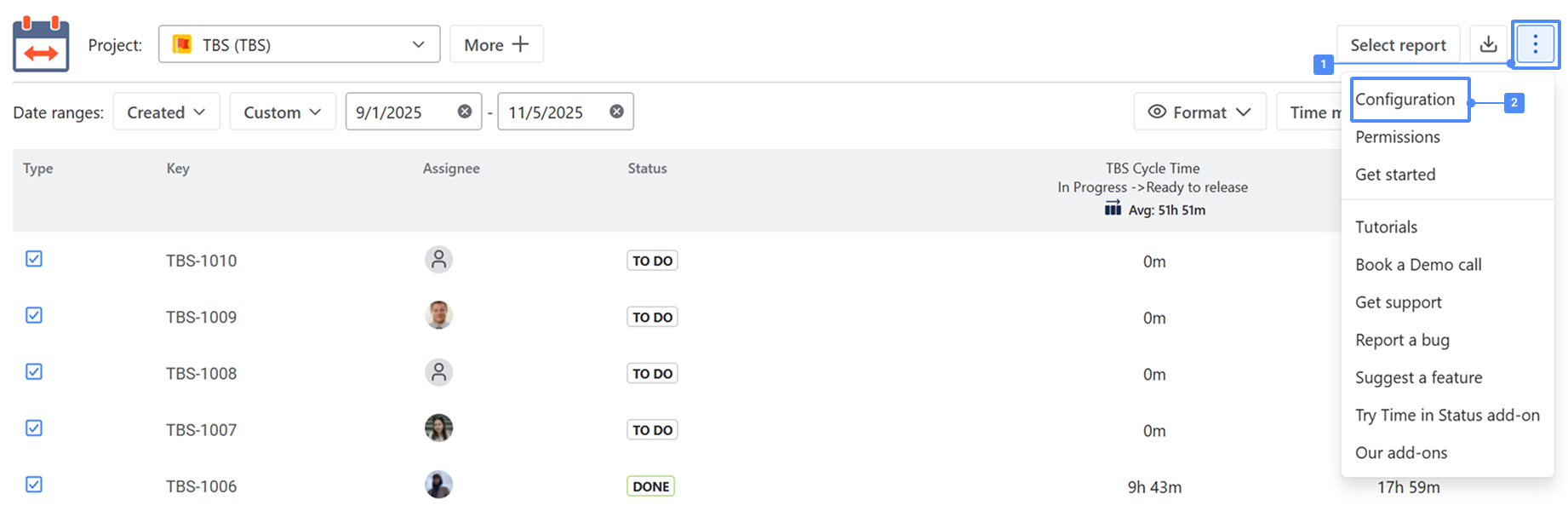
To add a new statuses group, click Configuration — this button can be found in two places:
1️⃣ In the top-right corner of the report screen:
Click the three-dots menu (⋯) and choose Configuration from the dropdown list.
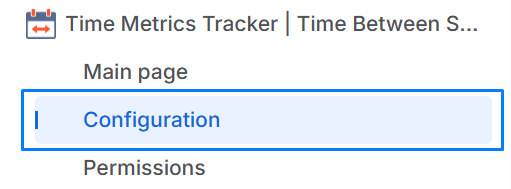
2️⃣ In the left sidebar, directly under the Time Metrics Tracker section of the app, the Configuration item is displayed in the navigation menu.
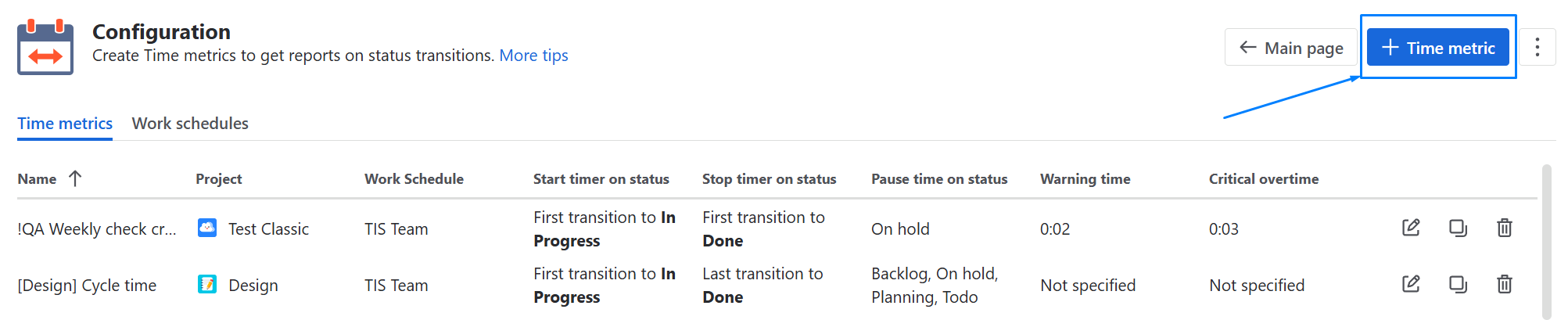
Click + Time metric
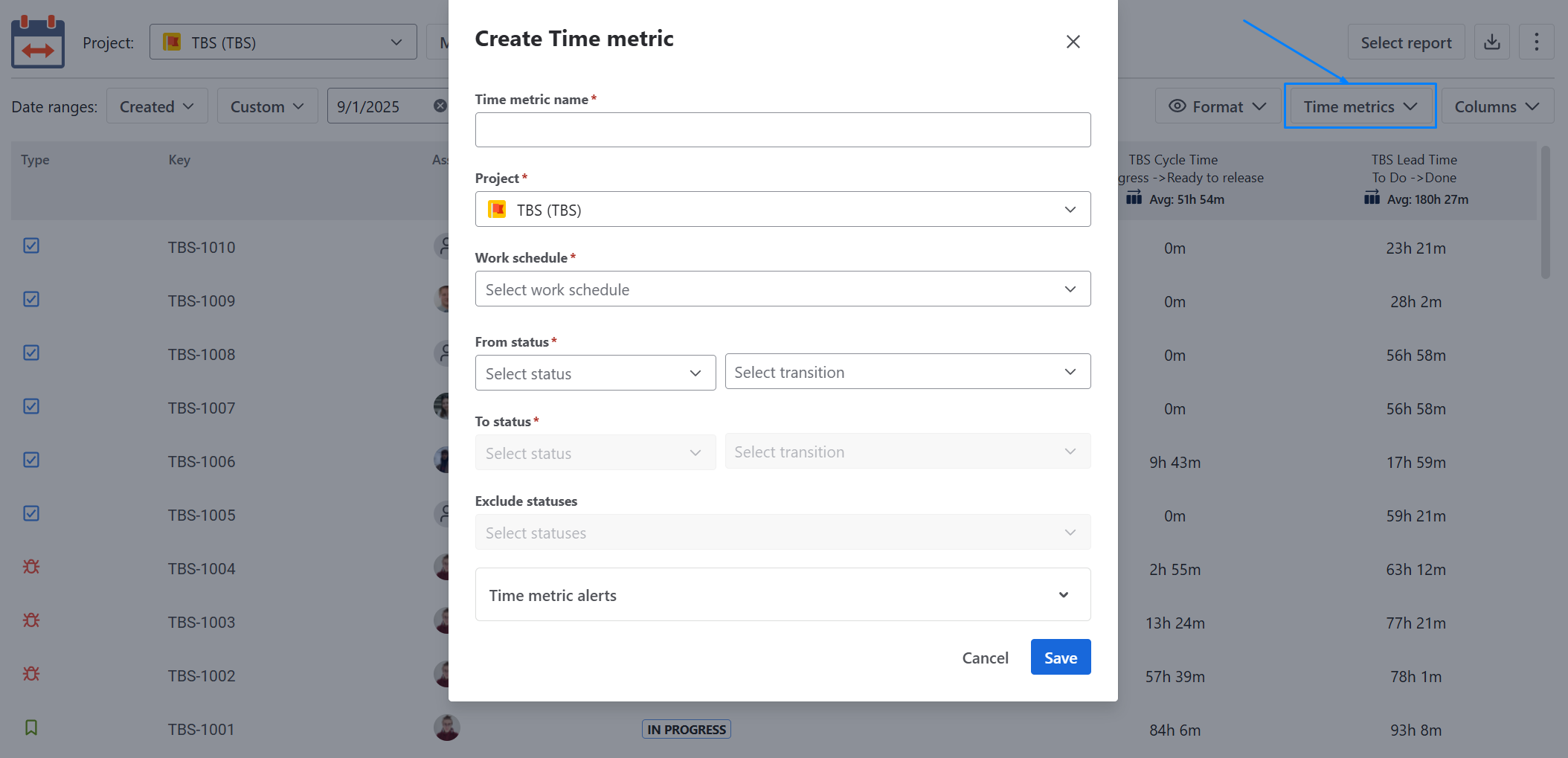
The second way is to create Time metrics on the grid.
Click the Time Metrics button in the upper-right corner of the table to configure the necessary conditions for calculating a specific time metric.
-
Choose a “First transition to To Do“ as a Start timer and a “Last transition from To Do” as a Stop timer. Set all other statuses (In progress, On Hold, Done, In review, etc) as a Pause timer.
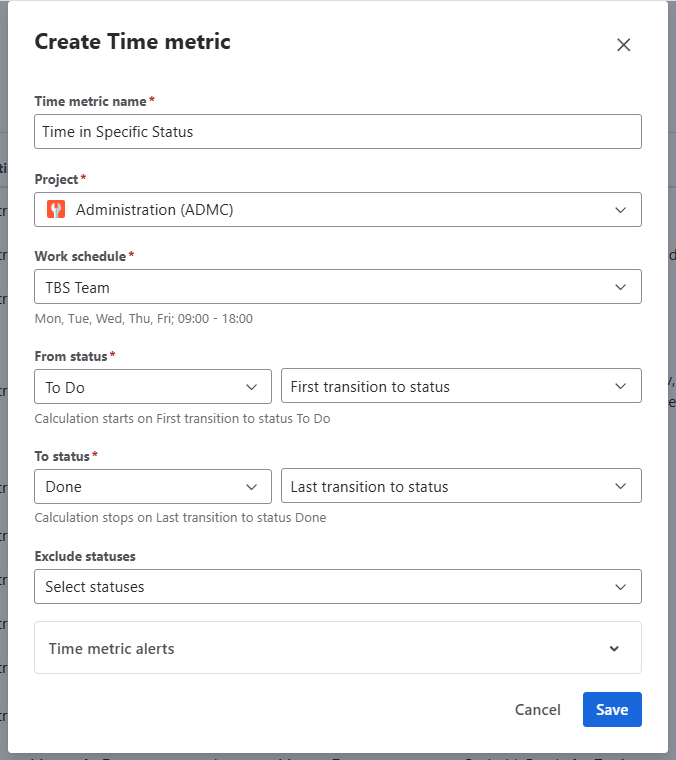
Also, you can set up Warning and Critical limits optionally.
Visual color tags highlight overdue work items:
— Yellow for warning
— Red for critical time limits
.png?cb=0598bbb4666edaacb6786ade3f8dcb41)
|
📈 Outcomes:
|
|---|
If you need help or want to ask questions, please contact SaaSJet Support or email us at support@saasjet.atlassian.net
Haven't used this app yet? Try it now!