
How to Measure Sales Rep Performance in CRM monday with Time in Status
In modern CRM systems built on monday, effective sales pipeline management requires more than simply tracking closed deals. To truly evaluate sales performance, managers need visibility into how leads move through the pipeline, how long they remain in each stage, and where momentum slows down.
By combining Saved Views with Time in Status analytics, teams can analyze sales activity from multiple angles and transform raw data into actionable insights.
Using Time in Status in CRM monday
The Time in Status report shows how long each contact remains in every pipeline stage, such as Lead, Customer, Partner, or Vendor, as well as the total time spent across all stages.
With this data, sales managers can:
Compare performance across sales representatives
Identify bottlenecks in the pipeline
Measure engagement long before deals are closed
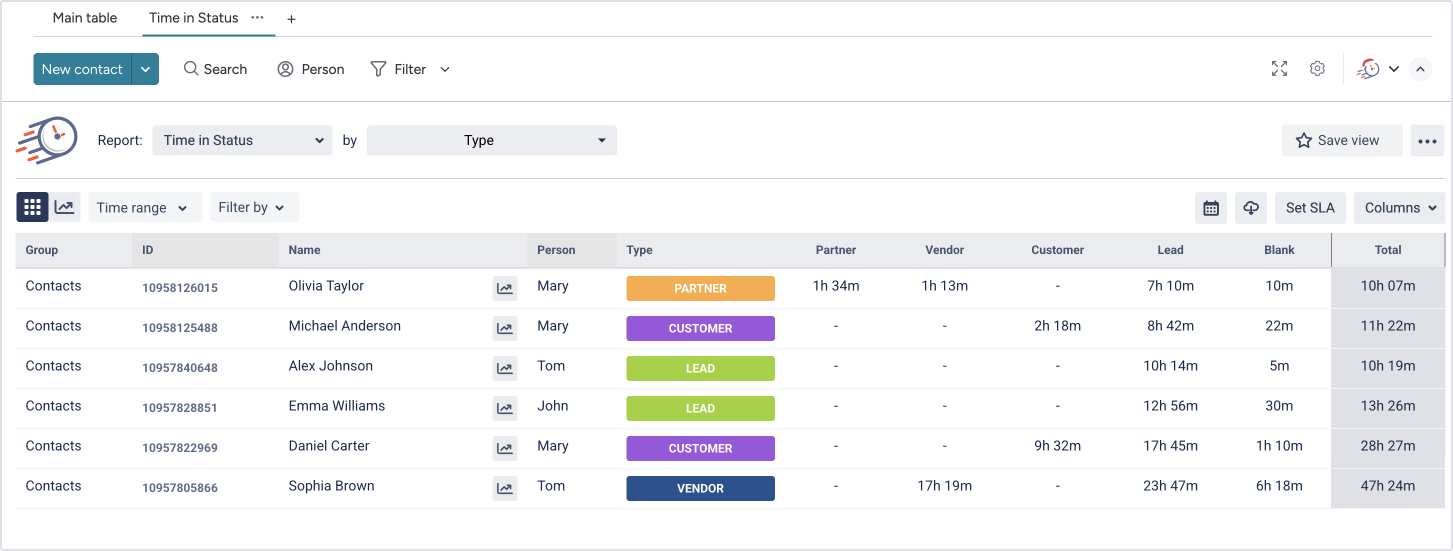
However, to work efficiently with this data, managers need a way to quickly focus on specific segments. That’s exactly what Saved Views provide.
Creating Focused Views for Pipeline Analysis
Here’s a practical example.
A sales manager wants to analyze only contacts currently in the Lead stage. Using the filter panel, they select:
Stage / Status = Lead
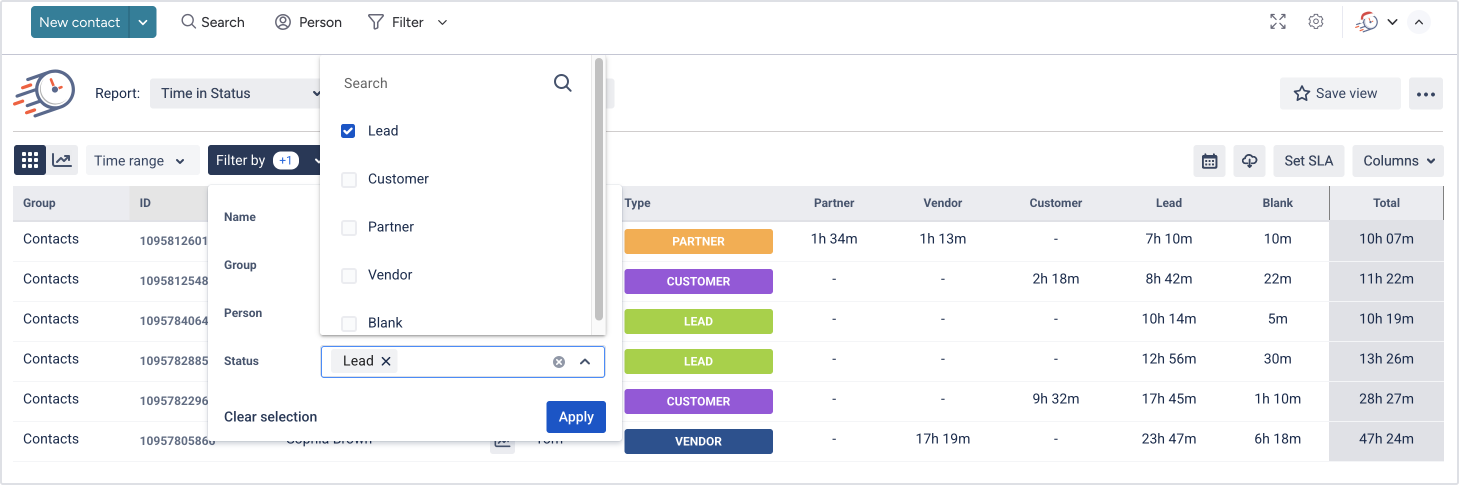
After choosing the filter values, they click Apply to update the board.
Once applied, the board displays only Lead-stage contacts, including:
Time spent in each status
Total time in the pipeline
Assigned sales representative
This creates a clean, focused dataset ready for analysis.
Saving Views for Quick Access
When the board displays the filtered data you want to reuse, you can save it as a view.
To do this:
Click Save view
Enter a descriptive name (for example, Leads – Active)
Optionally choose whether to share it with your organization
Click Save
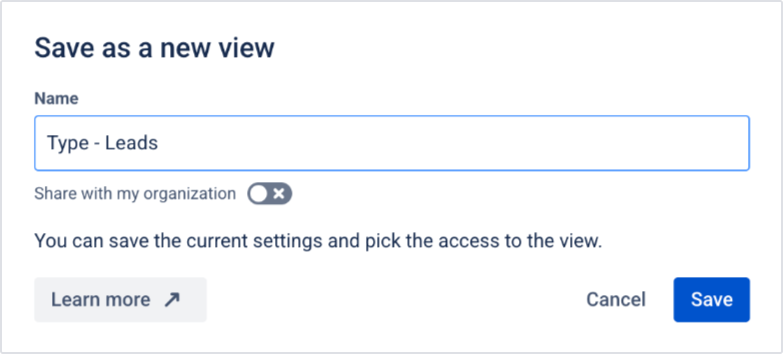
After saving, a confirmation message appears, and the view becomes available in the views list for future use.

Switching Between Saved Views to Monitor Performance
Saved Views allow sales teams to create multiple predefined views for different scenarios, such as:
Leads currently in progress
Customers in negotiation
Contacts assigned to a specific sales rep
Deals exceeding a defined time threshold
Instead of manually adjusting filters each time, managers can switch between views instantly. Each view automatically applies its saved filters and updates the board.
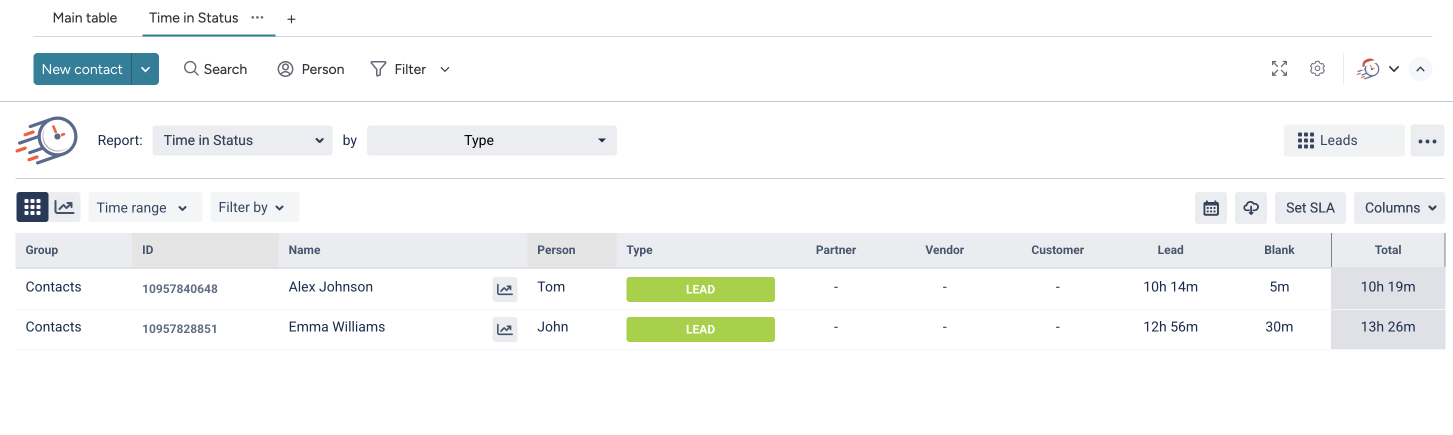
This streamlines sales performance tracking and makes pipeline management significantly more efficient.
How Saved Views Strengthen Sales Performance Tracking
By combining Saved Views with Time in Status analytics, teams gain:
Faster access to consistent, structured reports
Clearer visibility into pipeline behavior
Better insight into how sales reps manage leads over time
These insights help managers identify coaching opportunities, improve follow-up strategies, and optimize pipeline flow - without relying solely on closed deals as a performance metric.
🚀 Ready to enhance your CRM analytics?
Start using Time in Status for monday today.
Measuring sales rep performance requires more than final results. With Saved Views and Time in Status in CRM monday, teams can analyze activity across every stage of the pipeline and access the right insights in seconds.
By turning CRM reporting tools into reusable, structured views, sales teams can elevate their pipeline management and make data-driven decisions throughout the entire sales process.

If you need help or want to ask questions, please contact SaaSJet Support or email us at support@saasjet.atlassian.net

Haven't used this add-on yet? Try it now >>> Time in Status app for monday.com