
If you need to track the time for each value in a particular custom field instead of statuses, you can do it the following way:
-
Create a few configurations according to the number of values under your custom field 'Reported group'. You can create custom fields in your Jira settings.
-
For example, you have 4 values under the custom field 'Departments' [Dep1, Dep2, Dep3, Dep4].
In the SLA Configuration Manager, you need to create 4 SLA configurations that Start from the first value and Stop with any of the others.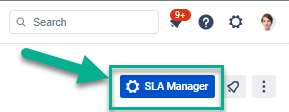
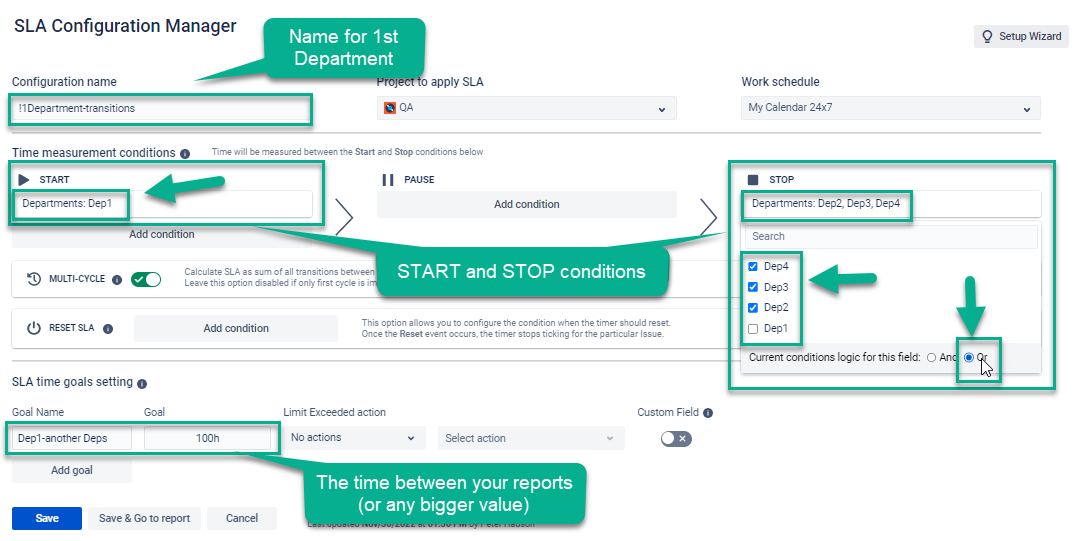
Configurations for the first value Dep1 Save and make a second configuration for the next Department.
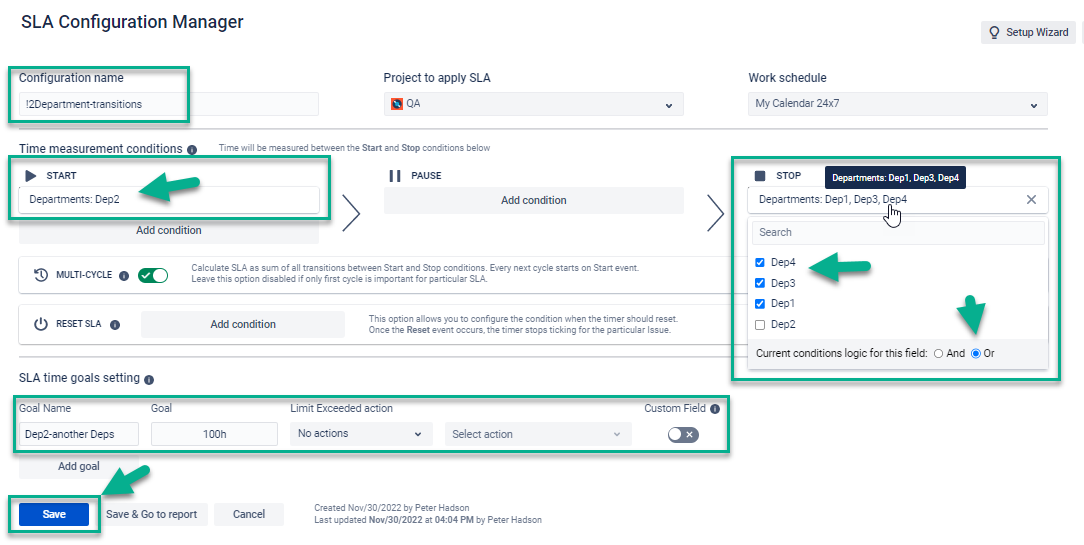
The same logic is for the third and fourth configs.
With these configurations, as soon as a particular Jira issue has the first value Dep1, the first config runs until this issue's value is changed to another one. When the custom field changed Dep1 → Dep2, the second config run calculates a time, etc. -
Go to the Main page and Switch to Table view.
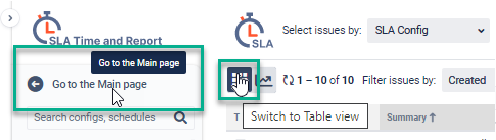
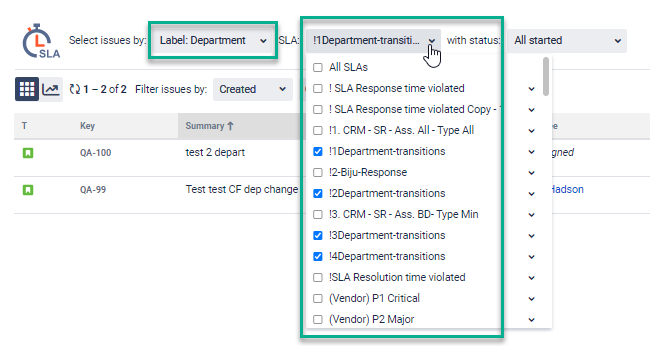
Here you should select only these 4 SLAs with the Label 'Department'. Just fill in the necessary amount of configs.
-
And we got a table with the issues remaining time (based on the time goal you input in the config) & elapsed time. The elapsed time lets you know the exact time an issue spent.

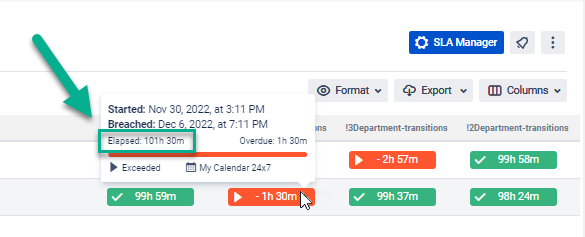
In our case, the issue QA-99 spent 101h30 m under the 'Dep2' custom field value.
In the mirror situation, your team 'A' spent N hours N min. -
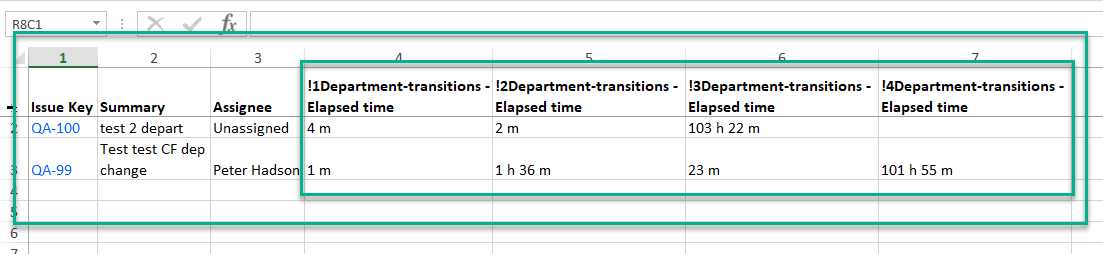
If you prefer to get only elapsed time data, you can export the table and keep there only Elapsed time columns.
Furthermore, you can set the time for goals accordingly to the team’s competence. For team 'A' a time limit is equal to 10h, for team 'B' = 7h, and team 'C' = 1h, etc.
We hope it was helpful to you. Read more cases here SLA Use Cases
If you need any help or have questions, please contact us via SaaSJet Support or email support@saasjet.atlassian.net
Haven't used this add-on yet, then try it now!