
Now you can create Gadget and monitor data on Jira Dashboard. To get the necessary data you need to do such steps:
-
Open the Jira Dashboard.
2. Tap on “Add a new gadget”.
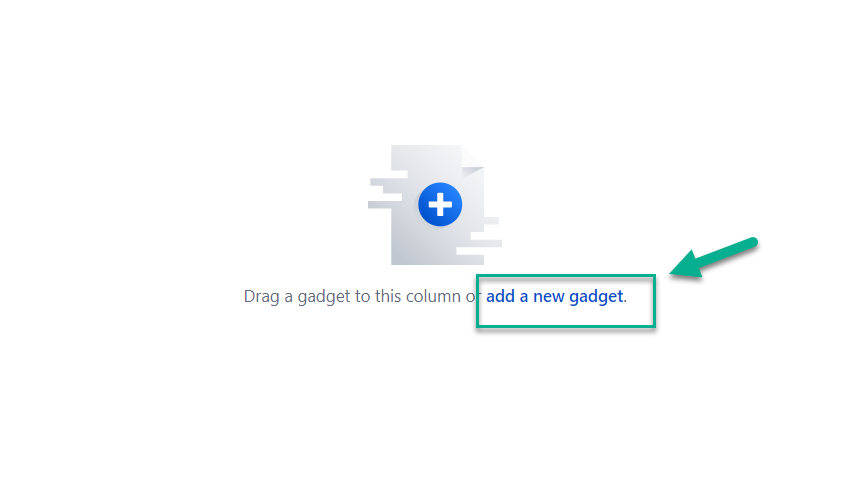
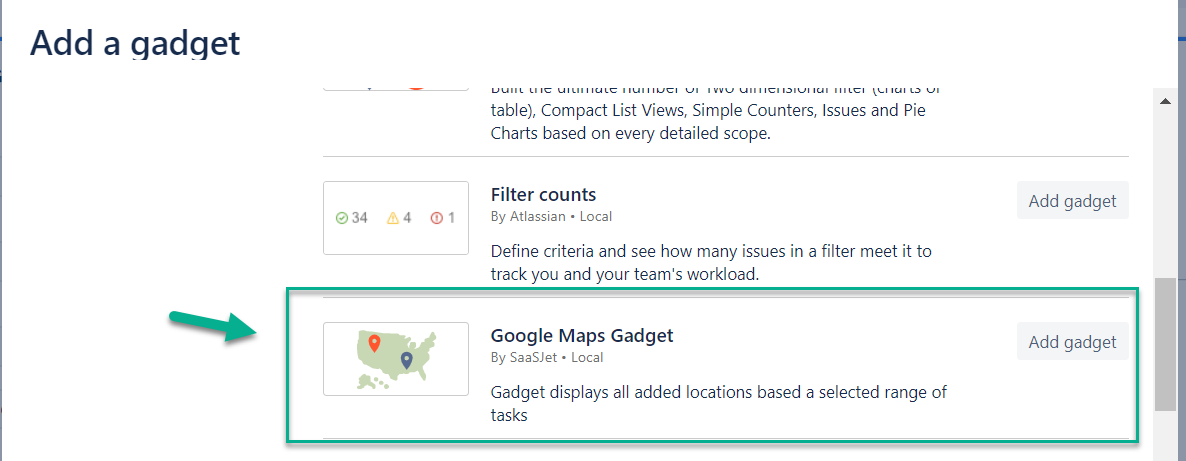
3. Find a “Google Maps Gadget” in the Gadget list, and tap on the “Add Gadget” button.
4. Select the work item source you need:
-
If you want to get data based on a particular filter - choose a ”Filter” source and then a filter you need from the drop-down list.
-
If you want to get data based on a particular project - choose a “Project” source and choose the project you need.
-
If you need data about all work items that have markers - choose “All”
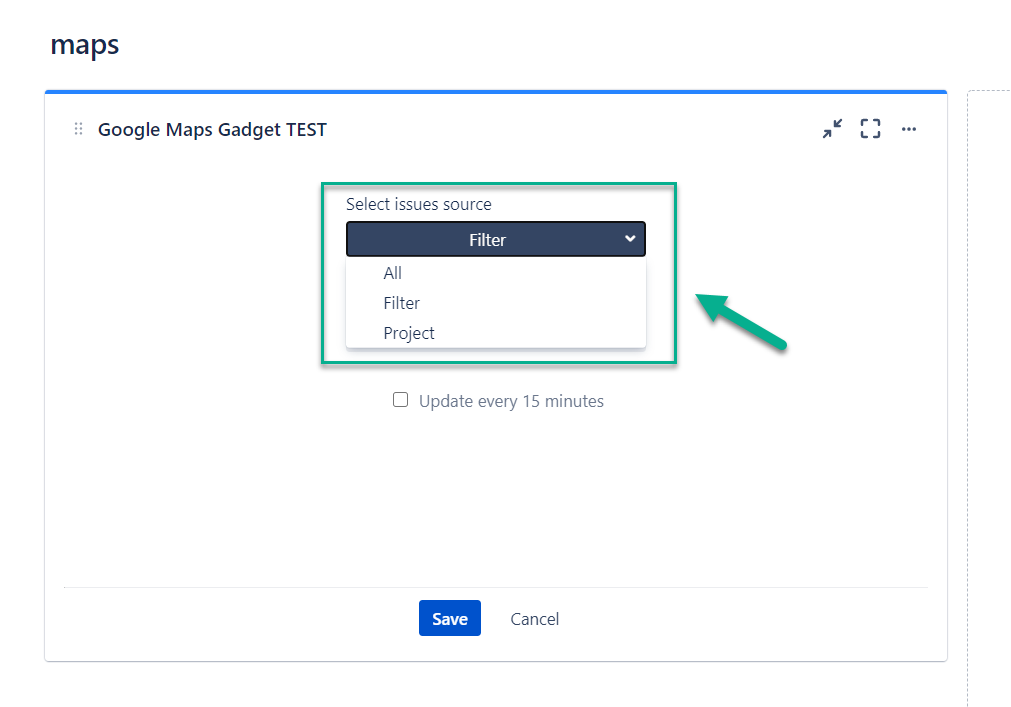
Put a tick near the checkbox “update every 15 minutes”.
5. Click a “Save” button”.
6. That’s all!
![[05.04] Screenshot 2 (1).jpg](/__attachments/a_db9ecb4c0e51050d1e63b0b9b4eb14499a16582aa331f688d27d408ae0a8af5b/%5B05.04%5D%20Screenshot%202%20(1).jpg?cb=f686ed3877c7a8873edc5c593db950da)
|
If you need help or want to ask questions, please contact SaaSJet Support or email us at support@saasjet.atlassian.net |
|
Haven't used this app yet? Try it now! >>> |